Week 5 Sphere pressing on a plate
AIM:
- To perform the analysis to simulate a sphere pressing on a plate.
- To evaluate the results.
- To capture the plastic deformation in the model.
Plastic deformation: When a material is subjected to loading the material undergoes some deformation and when the loading is removed the materials don't regain their original shape it is known a plastic deformation.
PROCEDURE:
- Open ansys workbench.
- Create a static structural analysis system rename it as sphere pressing.
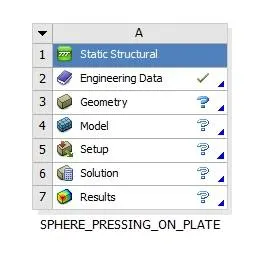
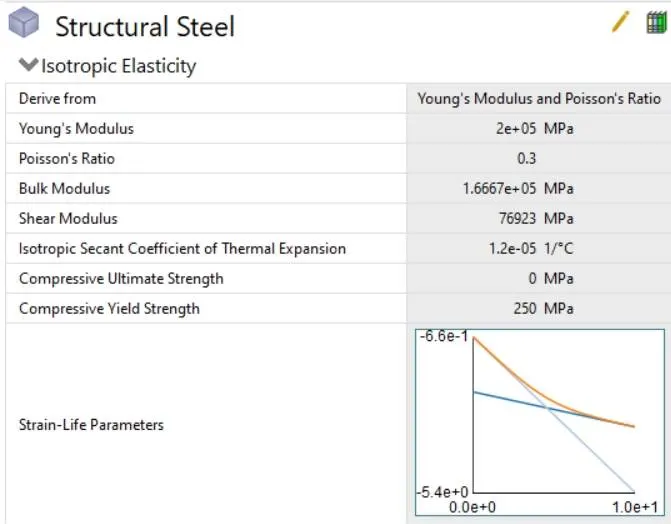
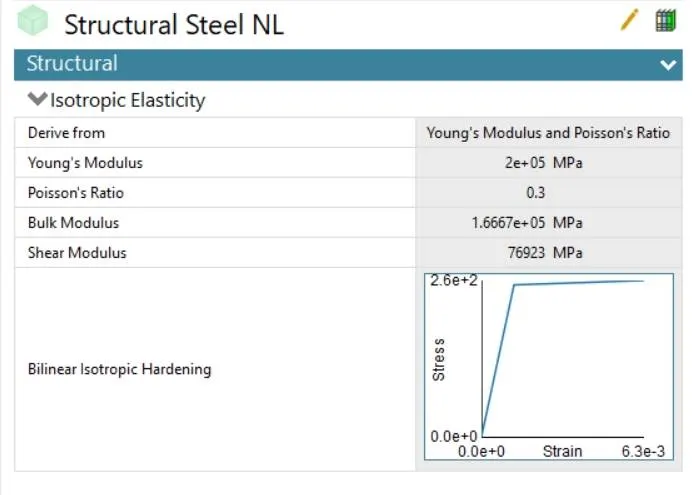
- Add structural steel and structural steel NL from the engineering data source.
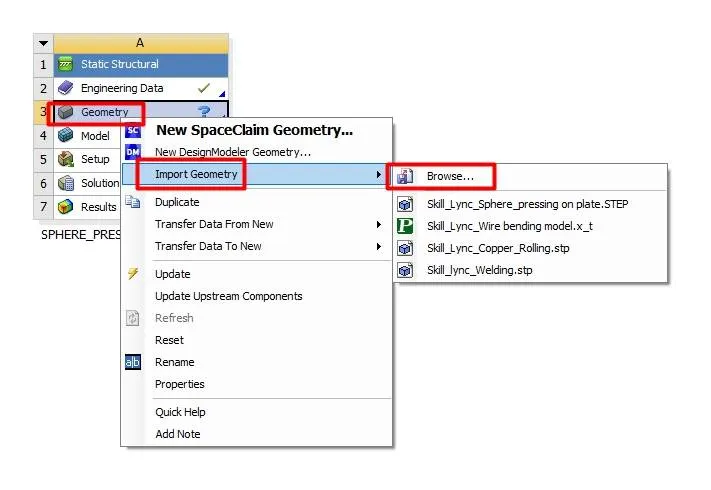
- Import geometry by right-clicking on geometry.
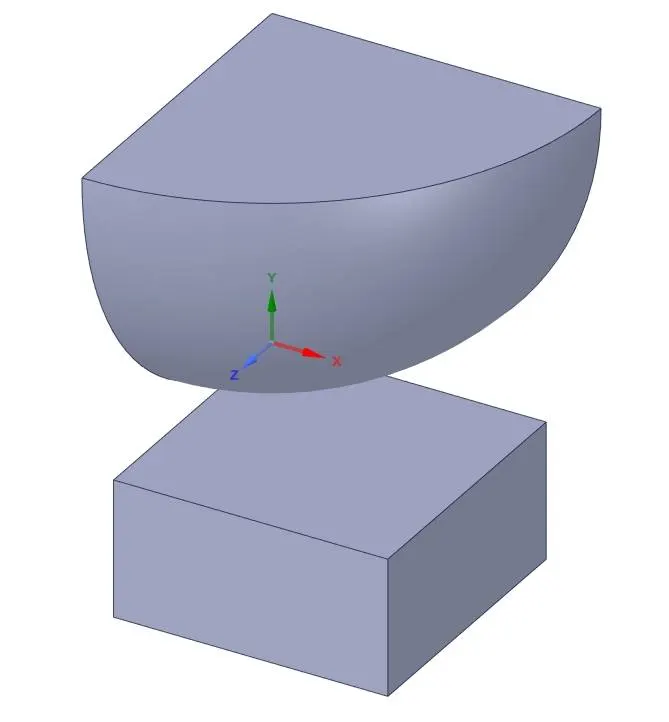
- Open the model in SpaceClaim. To reduce the analysis run time and the memory required a quarter part of the geometry is taken for the analysis.
- Now open ansys mechanical and rename the parts.
- Assign structural steel NL for the plate.
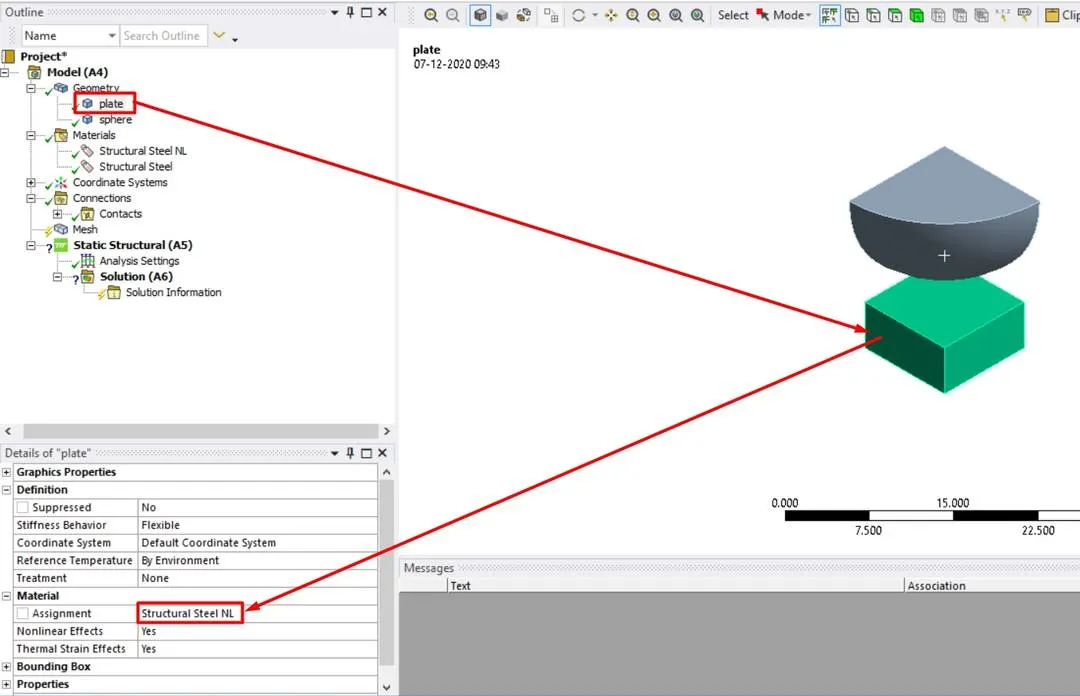
- For sphere assign structural steel.
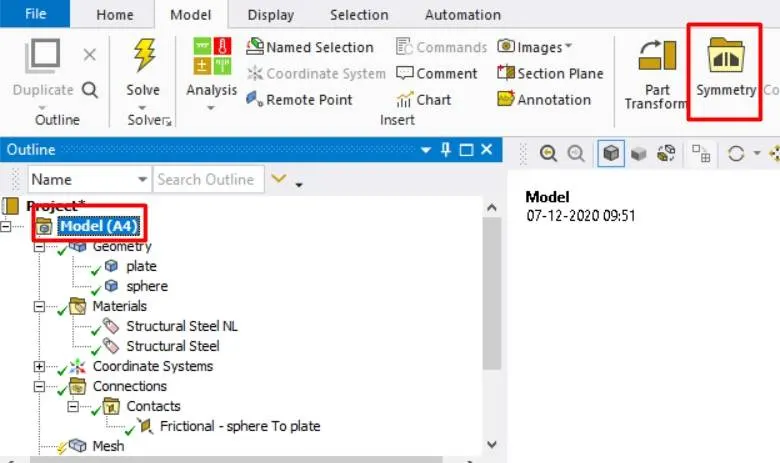
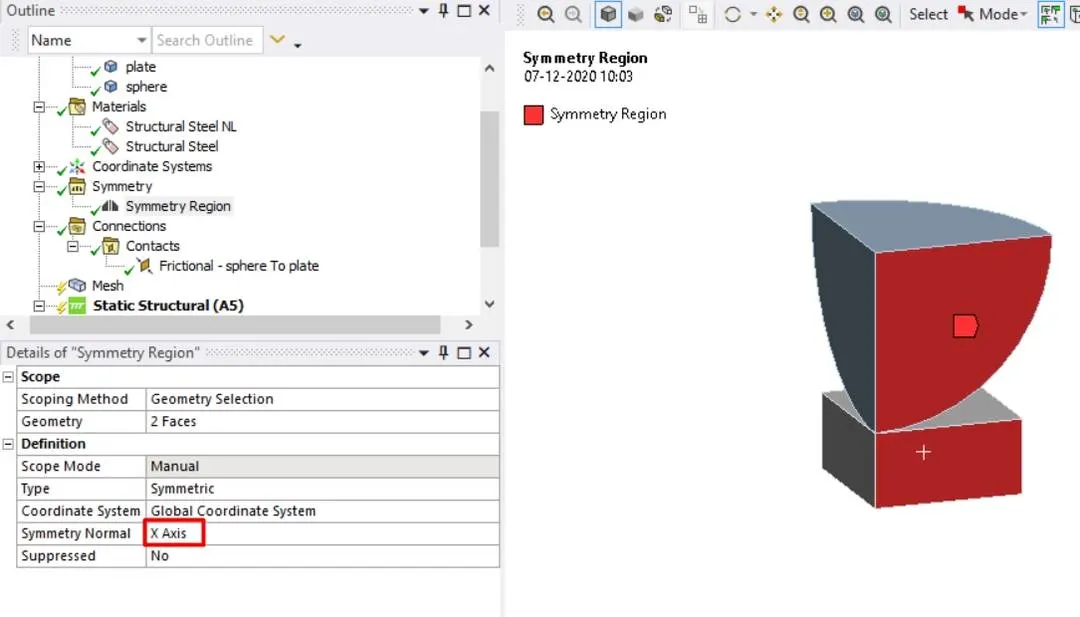
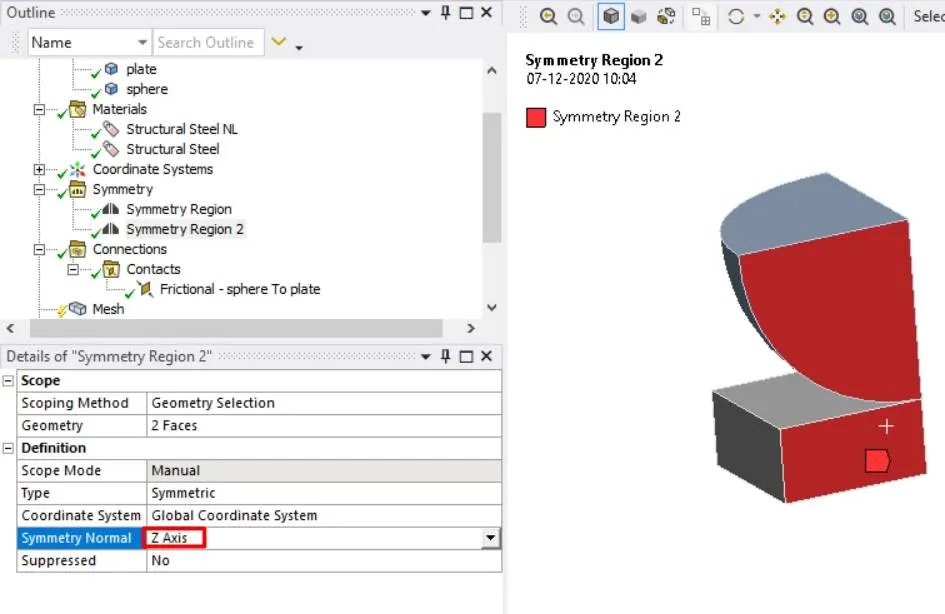
- The model is symmetric about the x and z-axis hence create two symmetric regions.
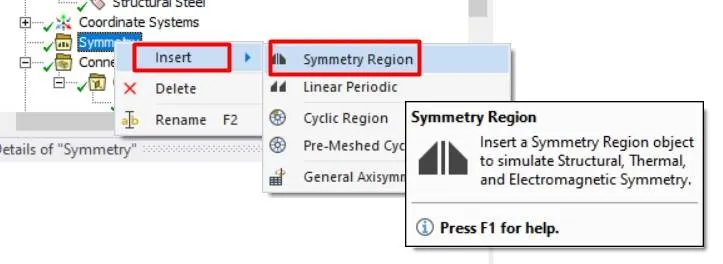
- Click on the model and click on the symmetric region to create a symmetric region.
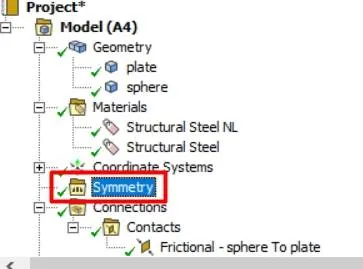
- Now right-click on the symmetric region and add the symmetric region by selecting the surface and axis of the symmetry.
- Go to connections and delete the contacts and create a manual contact region between the sphere and the plate.
- Change the contact type to frictional and by using the roymech useful tribology tables find the coefficient of friction between the contacting surfaces. From the table, the coefficient of friction between structural steel and structural steel NL is 0.74 inset the value.
- Now generate a mesh with default settings.
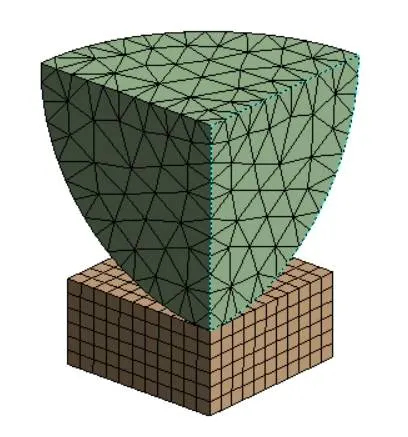
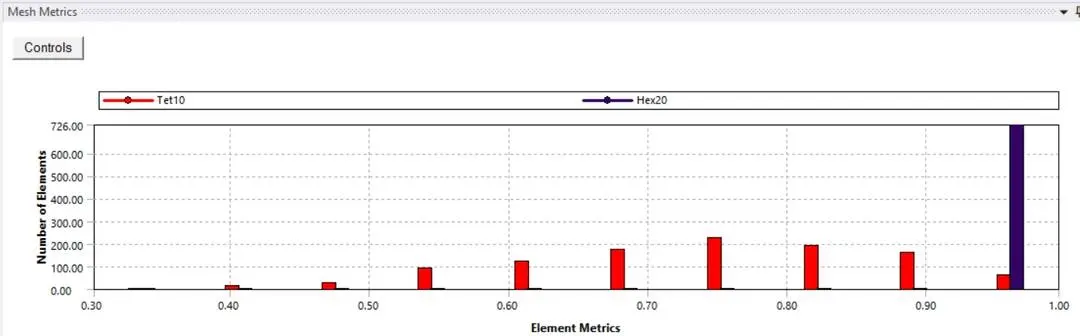
- The above graph represents mesh metrics which gives a clear idea about the type of elements used and mesh quality.
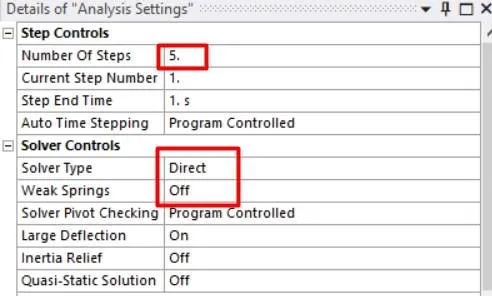
- Now got to analysis settings and change the number of steps to 5 and turn on the large deflection and change solver type to direct.
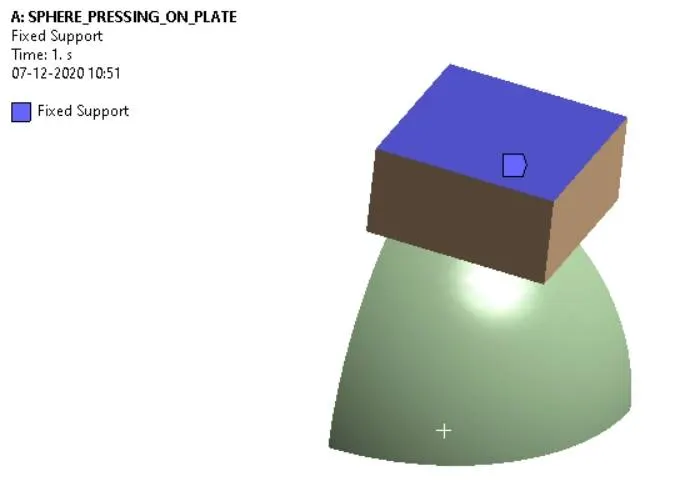
- Add fixed support to the bottom surface of the plate.
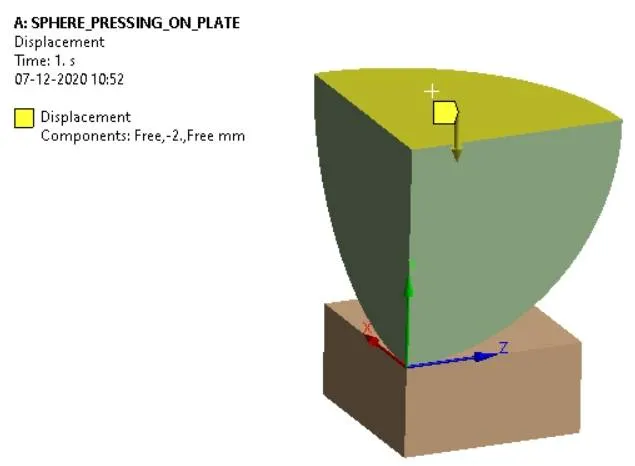
- Give displacement in tabular data for the top surface of the sphere to press against the plate to produce the plastic deformation.
- To verify the plastic deformation is obtained or not we have to remove loading that is the sphere after pressing has to be retained to its original position.
- If the plate does not retain its original shape then we can say that plastic deformation has occurred in the plate.
- To obtain this we have to give displacement for the sphere as below.
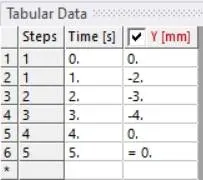
- In the first three steps, the sphere moves towards the plate to press it and in the last two steps, it retracts to its original state.
- List the outputs require that is directional deformation along the y-direction for plate and equivalent stress and equivalent strain in sphere and plate.
- Now run the simulation to obtain results.
RESULTS:
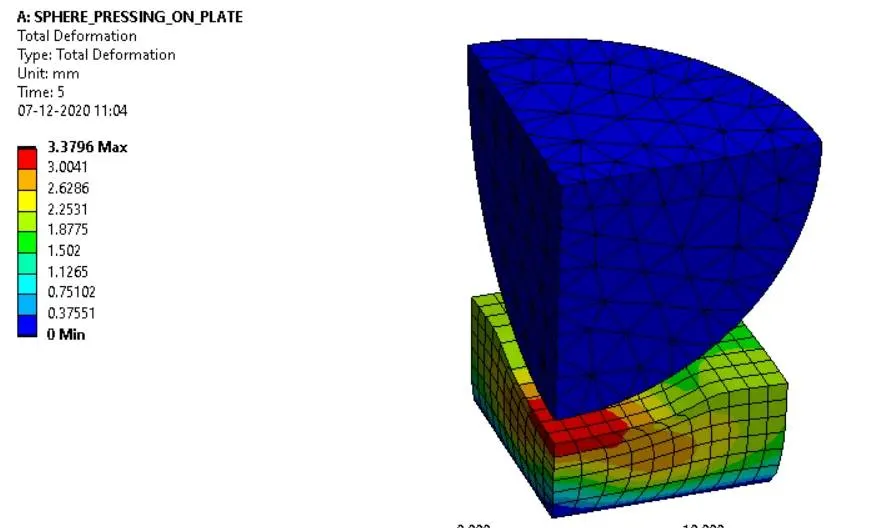
TOTAL DEFORMATION:
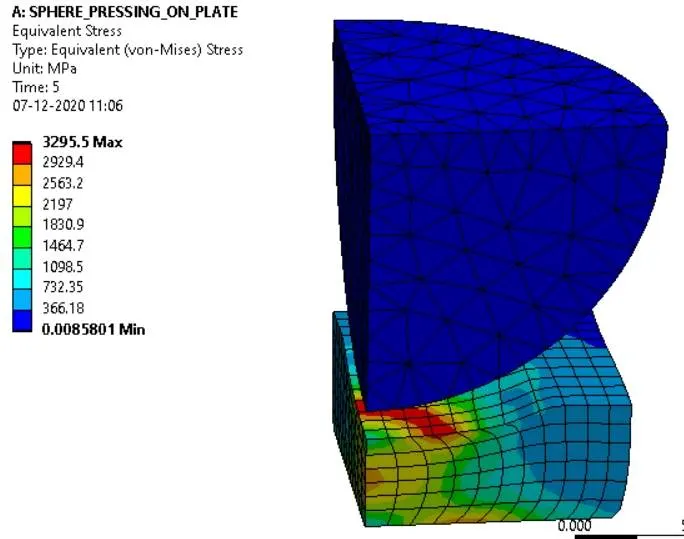
EQUIVALENT STRESS:
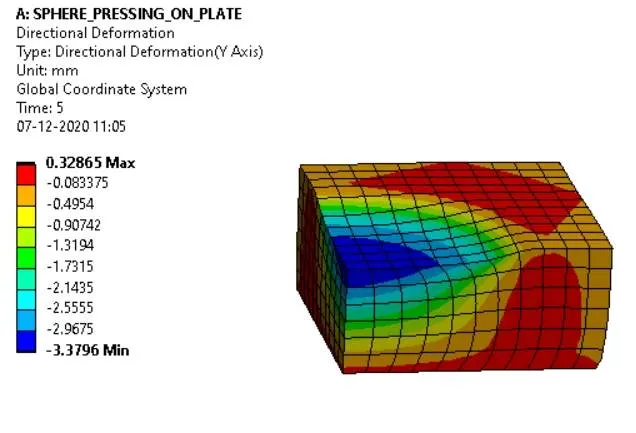
DIRECTIONAL DEFORMATION IN PLATE ALONG Y-DIRECTION :
EQUIVALENT ELASTIC STRAIN IN SPHERE :
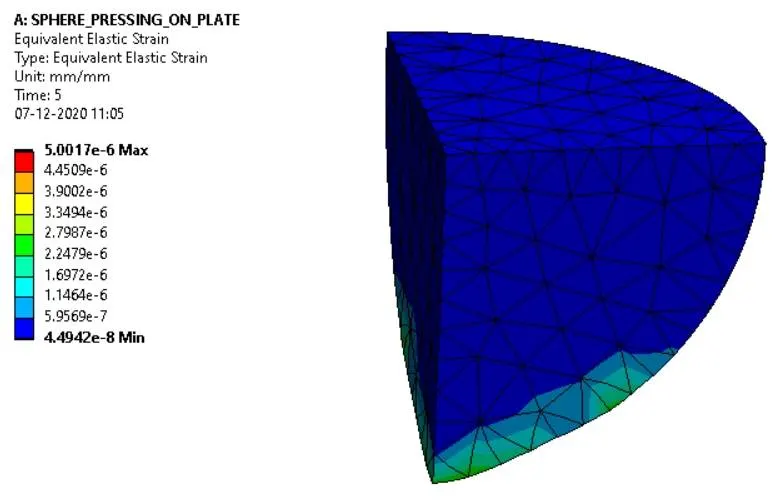
| SL.NO | TOTAL DEFORMATION | EQUIVALENT STRESS | EQUIVALENT STRAIN IN SPHERE | DIRECTONAL DEFORAMTION IN PLATE |
| 1 | 3.3796 mm | 3295.5 MPa | 5.0017E-6 | 3.3796 mm |
CONCLUSIONS:
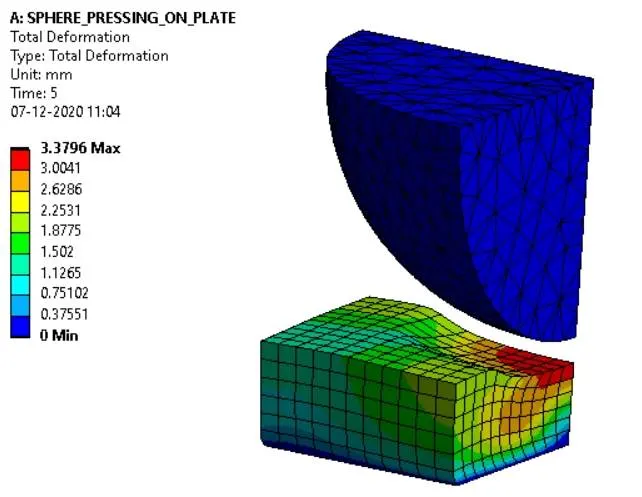
- The above picture clearly shows that after the sphere retracts to its original position i.e., when loading is removed on the plate doesn't retain its original shape thus we can say that the plate undergoes plastic deformation.
- The sphere pressing on plate simulation is performed successfully.
- The sphere is pressed 4mm and retracted under simulation.
- The plastic deformation is captured successfully.