Week 5 Sphere pressing on a plate
Sphere Pressing on a Plate
OBJECTIVE:-
To perform the analysis to simulate a sphere pressing on a plate.
Use Structural steel for both sphere and plate but the material of the plate must be Non Linear.
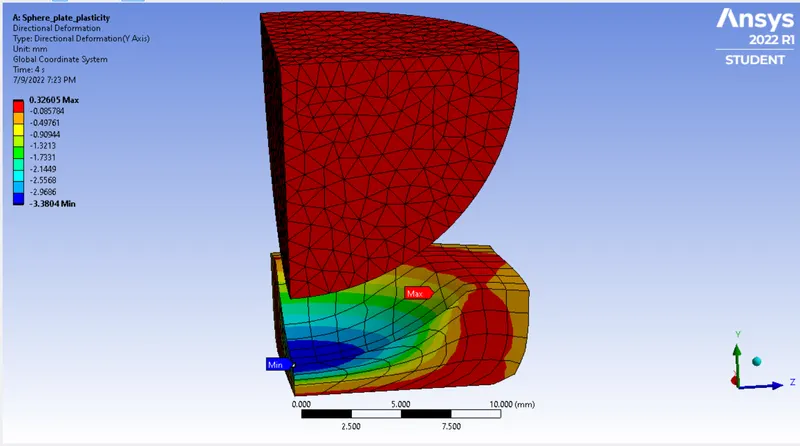
Press the sphere onto plate 4mm downwards and retract it. The plastic deformation must be captured.
INTRODUCTION:-
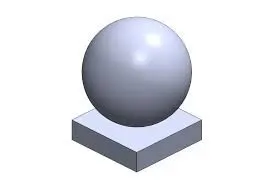
In this challenge, we are simulating a sphere is pressing over a flat plate to find out the plastic deformation of flat plate.
PROCEDURE:-
1) Material Selection:-
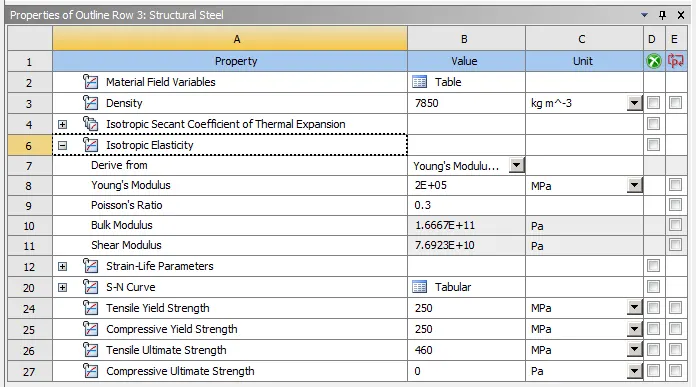
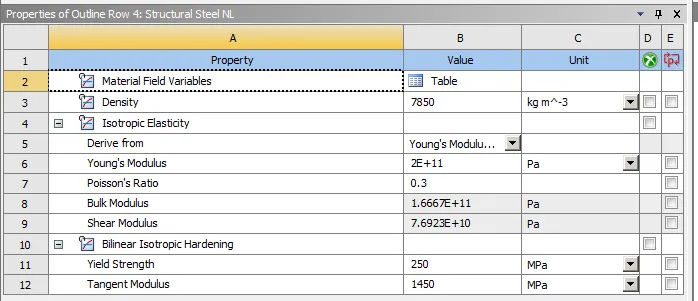
For the following simulation, Sphere is assigned with Structural steel while plate is assigned with Non-linear Structural steel.
Properties of Structural Steel-
Properties of Structural Steel NL-
2) Geometry:-
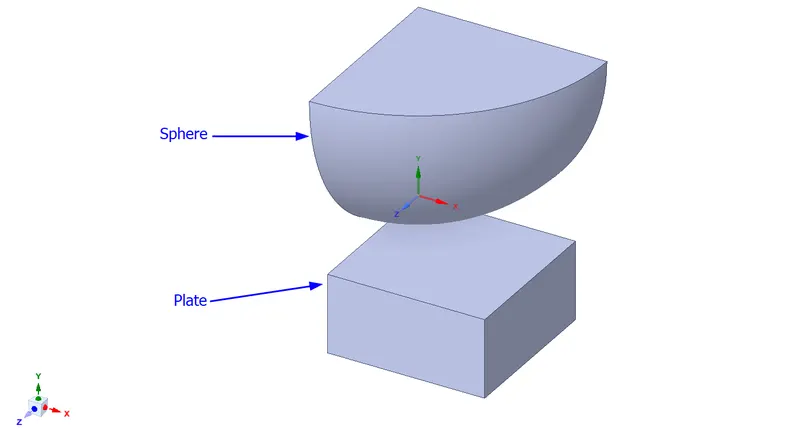
Geometry of the model is imported directly to open in SpaceClaim. Geometry consisting of a sphere and a plate is directly imported in the workbench from the available sources. However, because of symmetric nature of geometry only quarter portion of the assembly is considered & simulated.
3) Assign Material:-
Open the model in ANSYS Mechanical and rename the components as Sphere and Plate now assign material to both the components. We have assigned Structural Steel to the Sphere and Structural Steel NL to the plate.
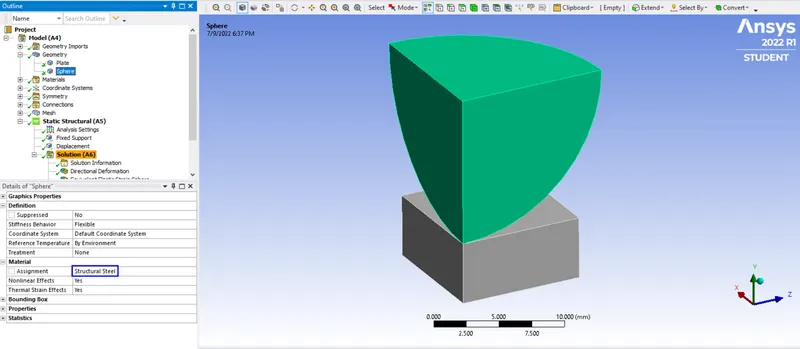
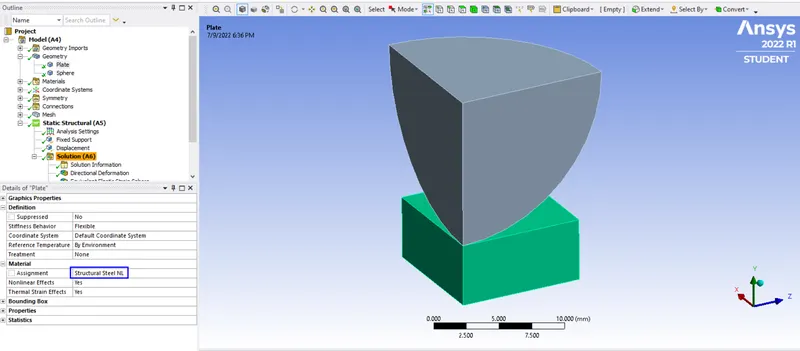
4) Defining Symmetry:-
Now right click on model tab > symmetry > symmetry region. Select the surfaces of sphere and plate and assign the proper axis.
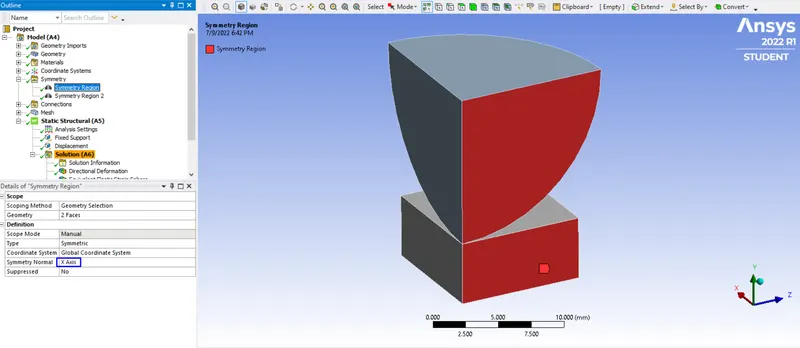
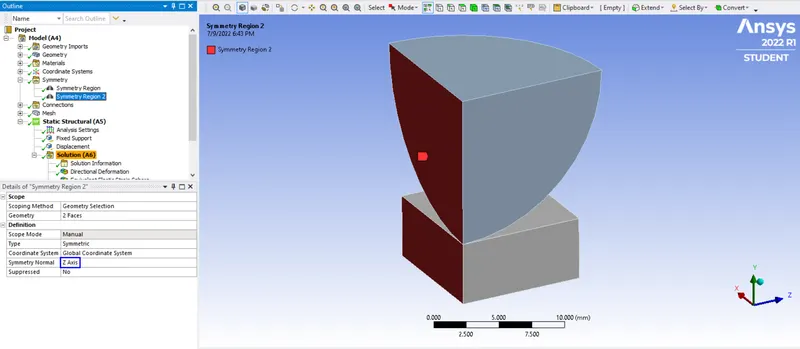
5) Contact:-
In an interface, we define the contact and target. While deciding between these two, we should keep in mind that ANSYS considers the contact body as the one which is not allowed to penetrate into the target body. But the target is allowed to penetrate into the contact body. If you are unsure of the behaviour of your system, then you can choose Symmetric type of contact. Otherwise, an Asymmetric type of contact can be used.
We have to first delete the old contact and then right click on connection and select a new connection.
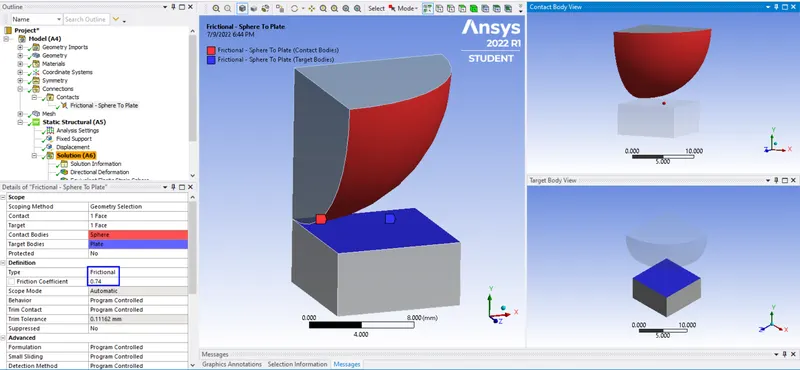
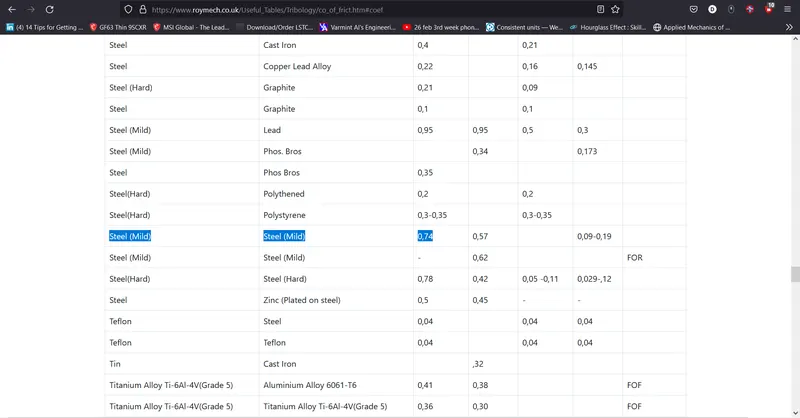
https://roymech.org/Useful_Tables/Tribology/co_of_frict.html from this link find the coefficient of friction of the contact materials.
6) Meshing:-
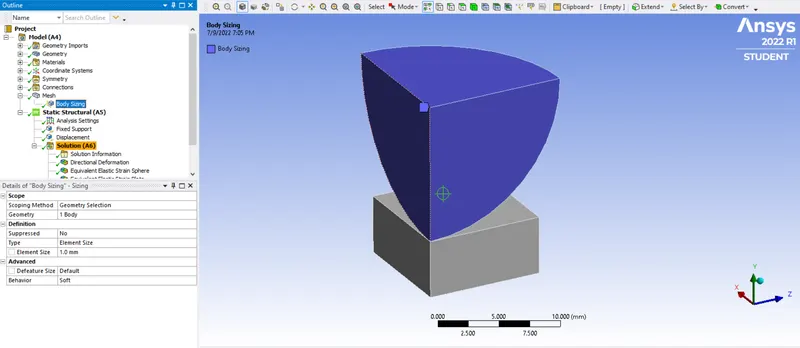
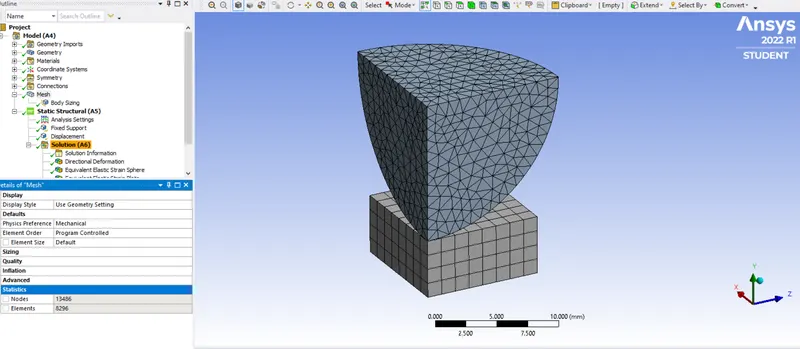
Body Sizing meshing with tetrahedrons elements of element length = 1mm is used for Sphere and default mesh size is used for other parts.
7) Analysis Settings:-
Direct solver is used and Large Deflections are kept on for this simulation.
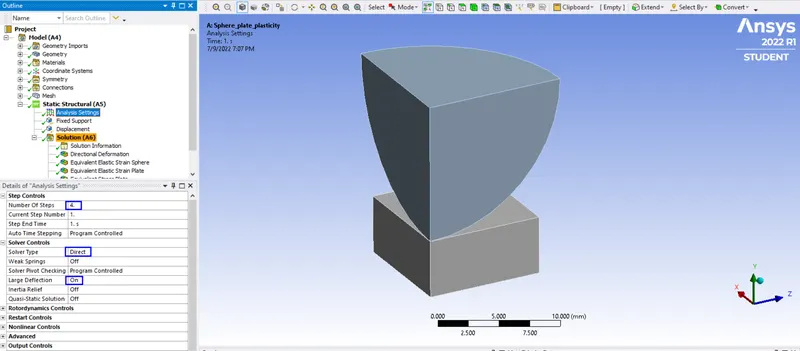
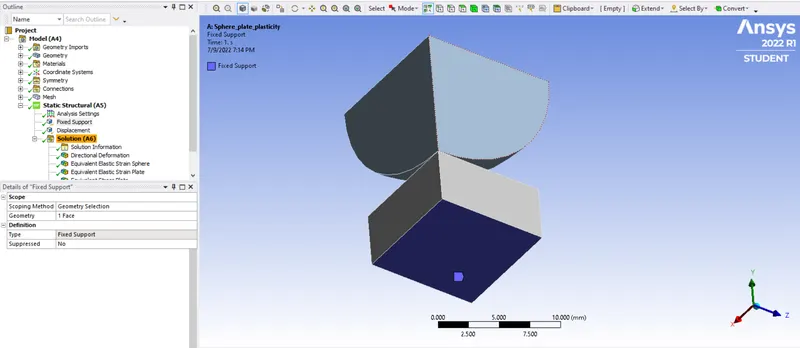
8) Fixed Support:-
Fixed support is provided to the bottom face of the plate.
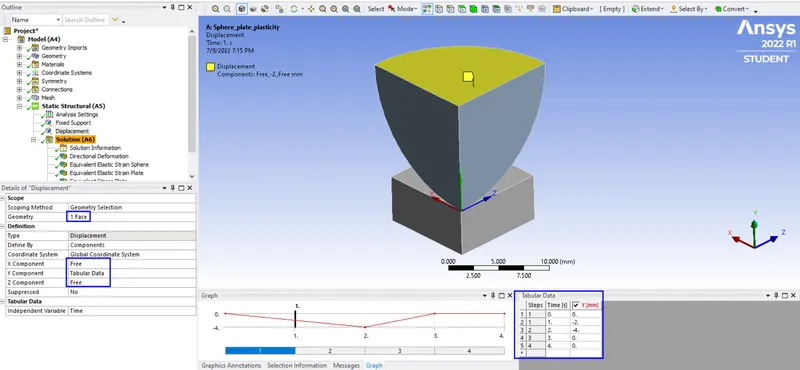
9) Displacement:-
Displacement of 4mm in -Y direction is given to the top face of the sphere in 4 steps already specified in analysis setting and also the displacement value coordinates specified for last two steps are 0 so that the sphere comes to it's original position at the end of the simulation.
10) Solution and Results:-
Simulation-
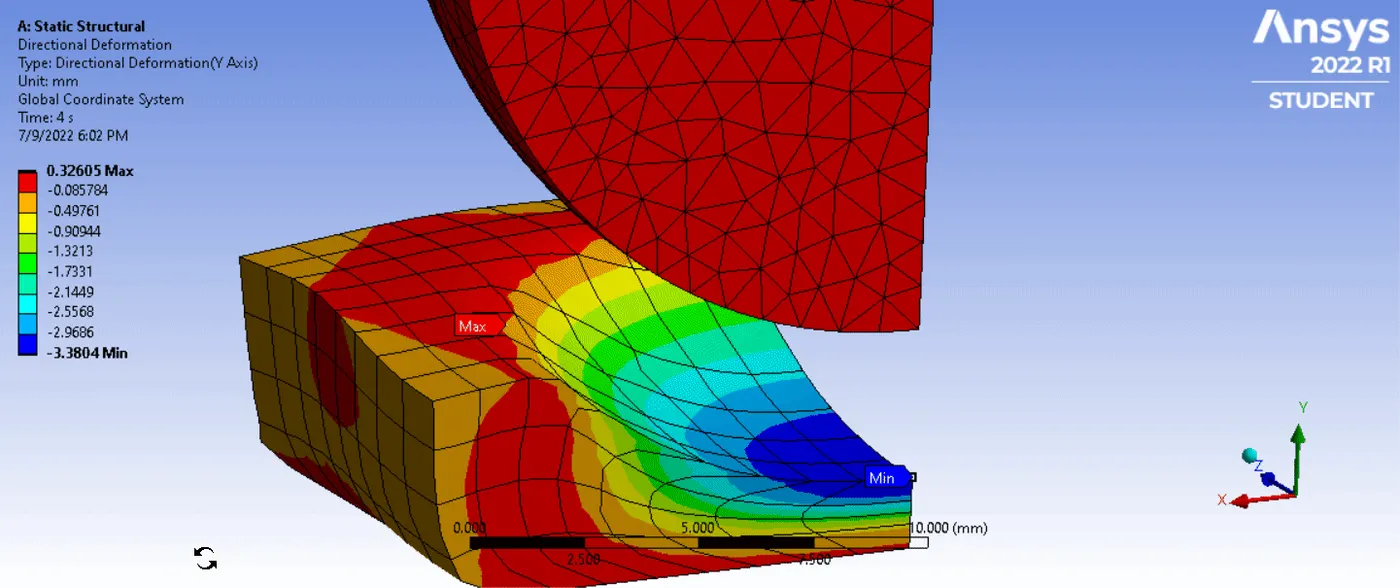
Directional Deformation about Y- axis-
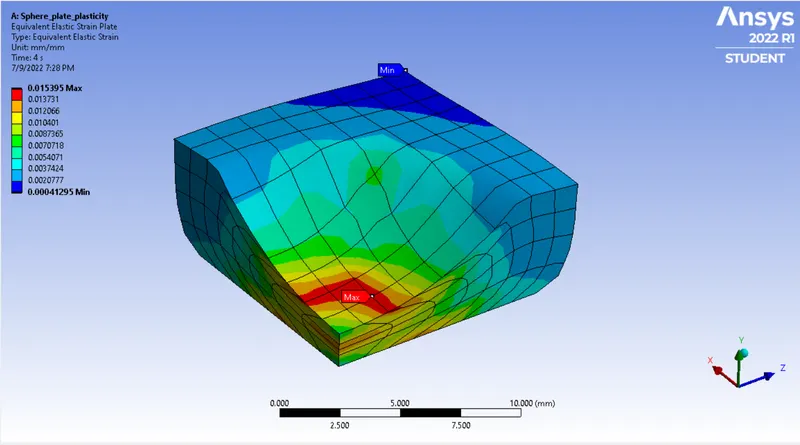
Equivalent Elastic Strain on Plate-
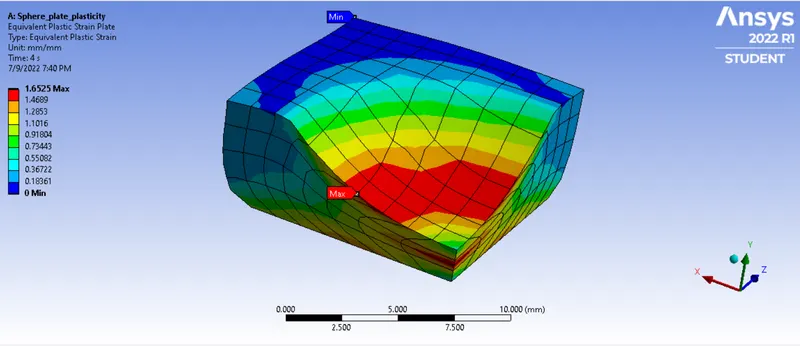
Equivalent Plastic Strain on Plate-
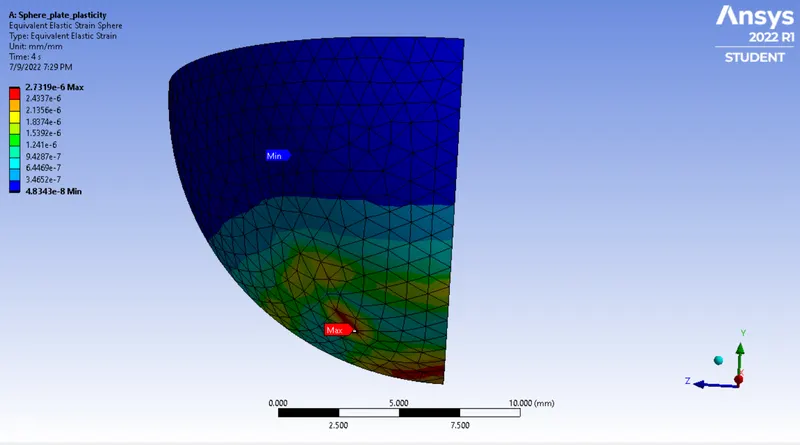
Equivalent Elastic Strain on Sphere-
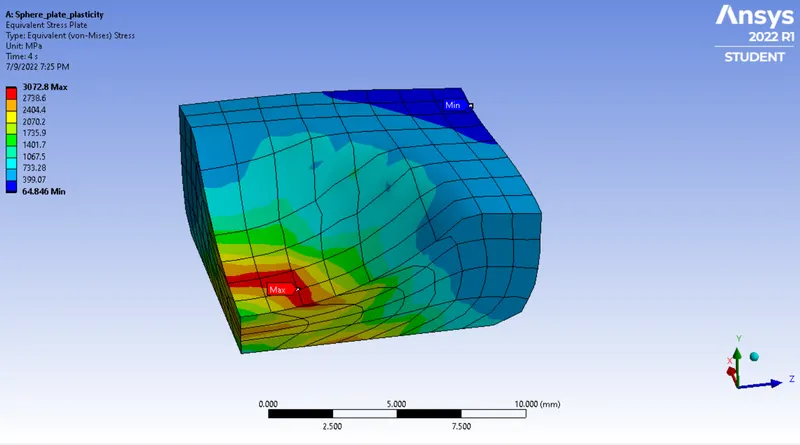
Equivalent Stress on Plate-
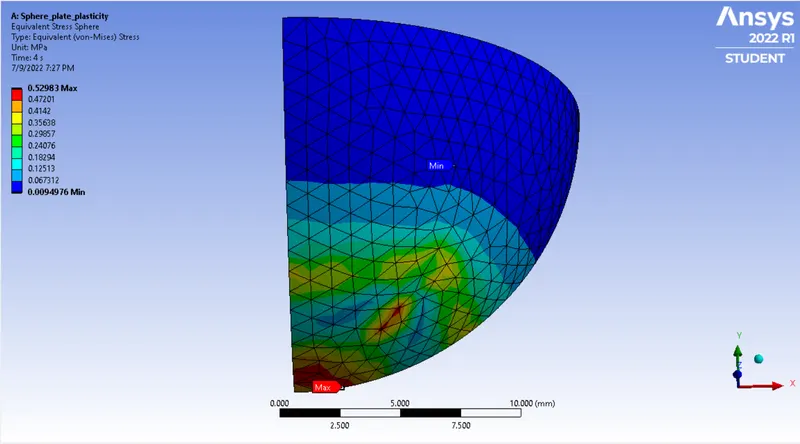
Equivalent Stress on Sphere-
CONCLUSION:-
Simulation of sphere pressing flat plate process conducted with structural steel as sphere material and structural steel NL as plate material. From the analysis it is found that beyond the elastic limit the material remains in the plastic state(deformed), even after removal of load.