Week 5 Sphere pressing on a plate
Aim : To perform the analysis to simulate a sphere pressing on a plate.
Objective :
To perform the analysis to simulate a sphere pressing on a plate. Use Structural steel for both sphere and plate but the material of the plate must be Non Linear. Press the sphere onto plate 4 mm downwards and retract it. Capture the plastic deformation.
Procedure :
Engineering data and material :
- Open engineering data.
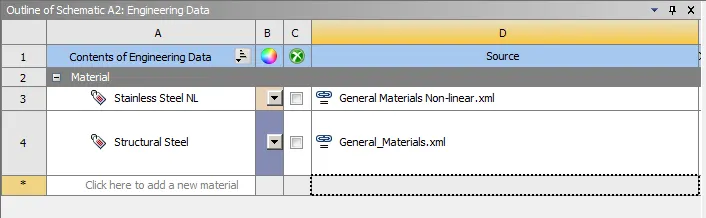
- Go to general non linear material from engineering data sources.
- Add Structural steel NL to library.
Geometry :
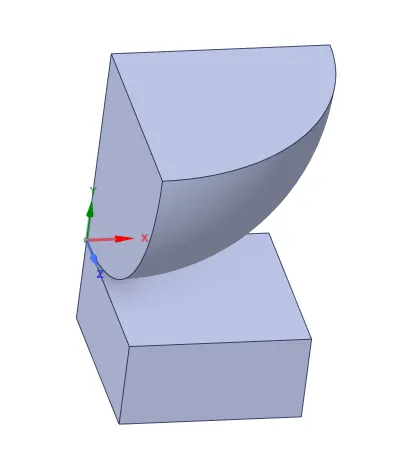
- Import geometry.
- Check for abnormalities.
Model Setup :
- Open geometry and rename the components as Sphere and Plate.
- Assign material to plate as Structural steel NL.
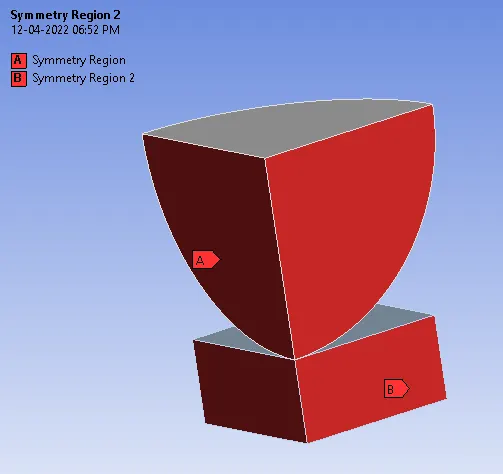
- Create symmetric regions along X-axis and Z-axis.
Contacts :
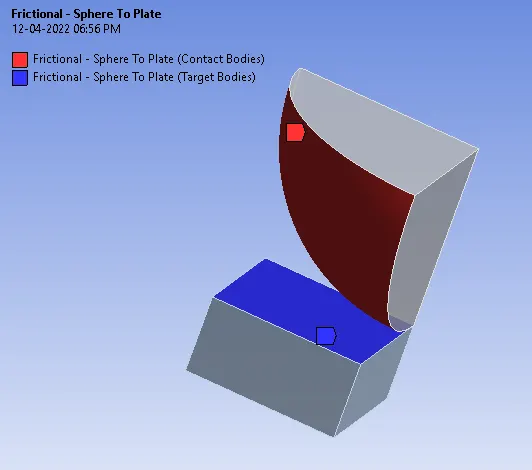
- Delete default contacts.
- Insert Manual contact region.
- Select contact as Sphere and Target as a Plate.
- Select type as frictional and coeff. of friction as 0.74.
- Find coeff. of friction from Roymech useful Tribiology Tables.
Meshing :
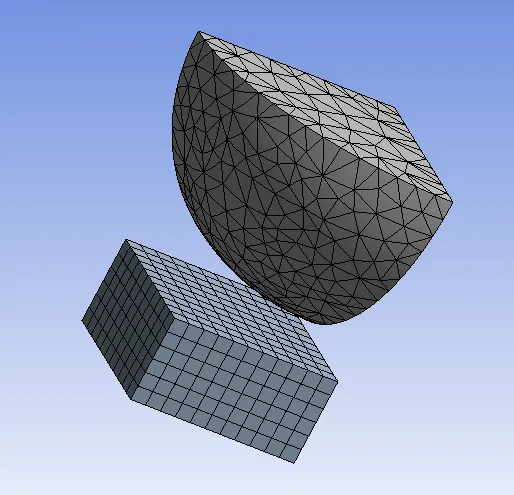
- Generate mesh using default mesh size.
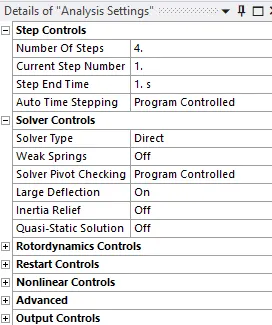
Analysis Setting :
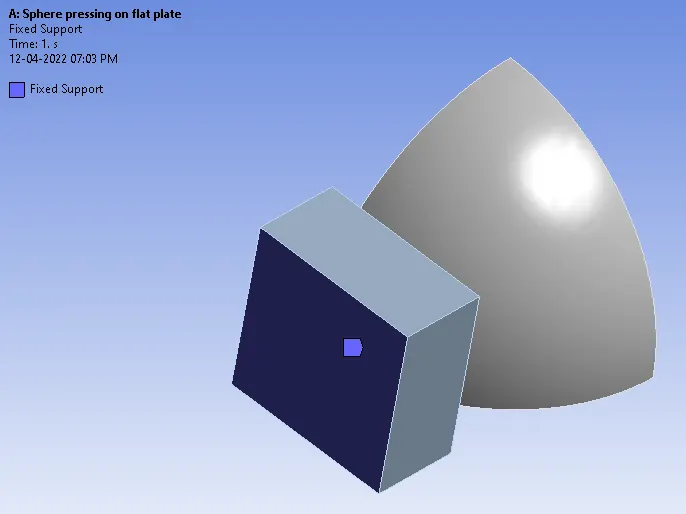
Fixed support :
- Insert fixed support for Plate.
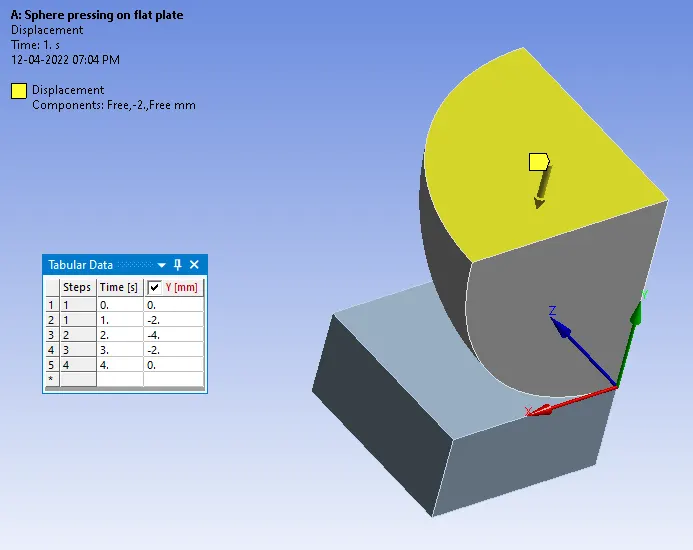
Displacement :
- Insert displacement for sphere.
- As we have to press the sphere onto plate 4mm downwards and retract it.
- Give values in tabular data accordingly.
Solution :
Create output results for :
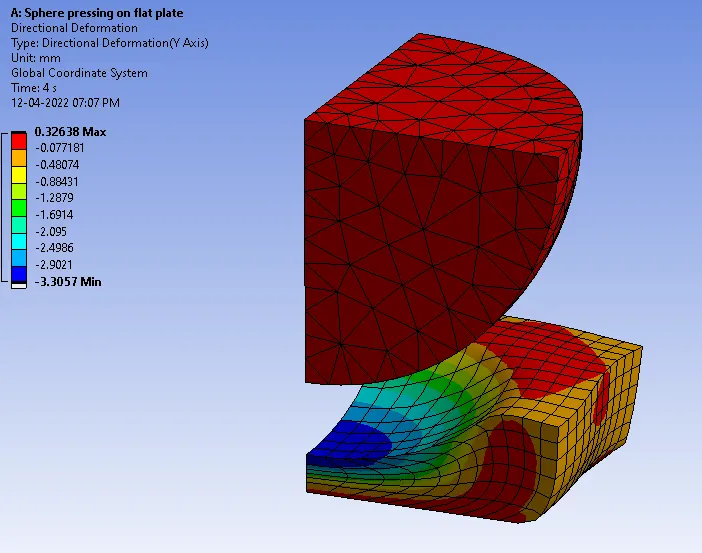
- Directional deformation.
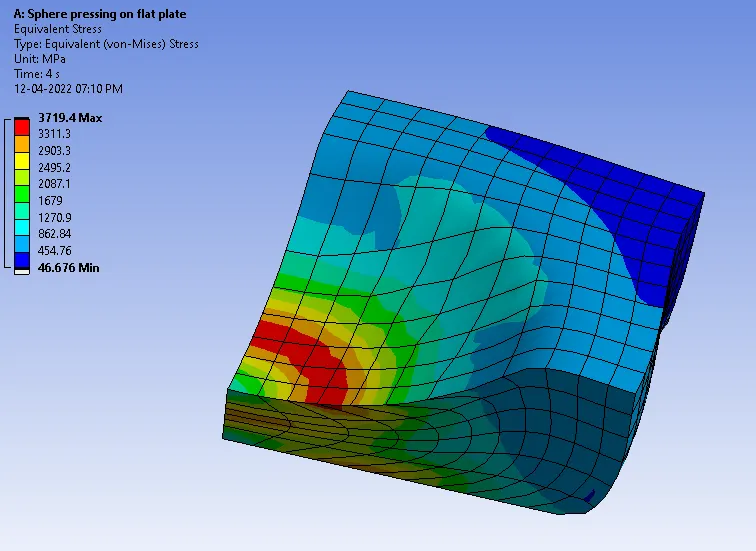
- Equivalent stress on Plate.
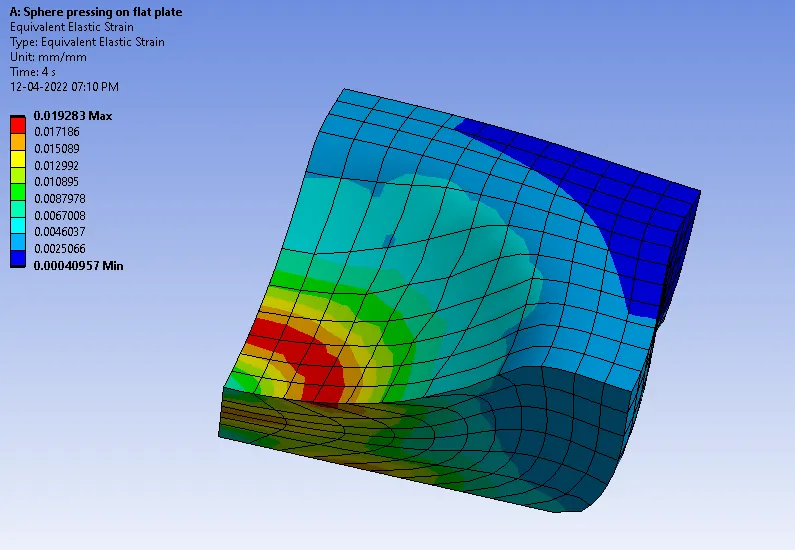
- Equivalent strain on Plate.
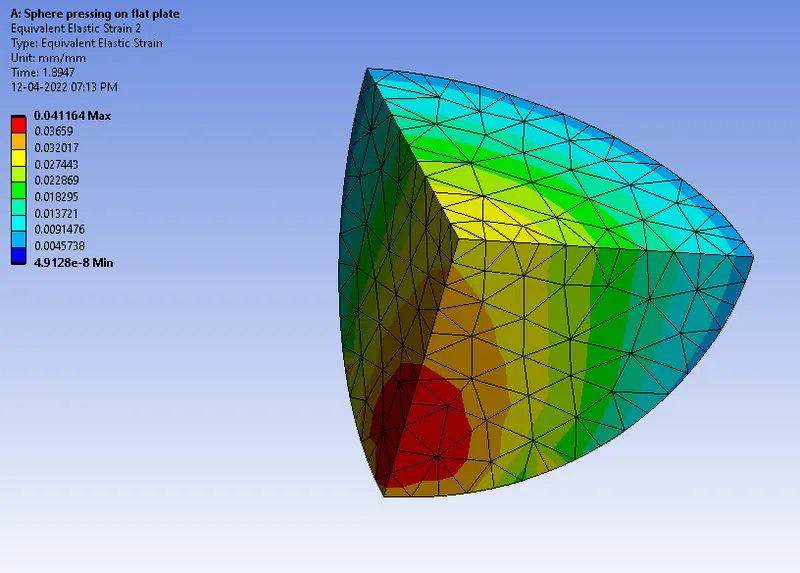
- Equivalent strain on Sphere.
Results :
Directional deformation :
Equivalent stress on Plate :
Equivalent strain on Plate :
Equivalent strain on Sphere :
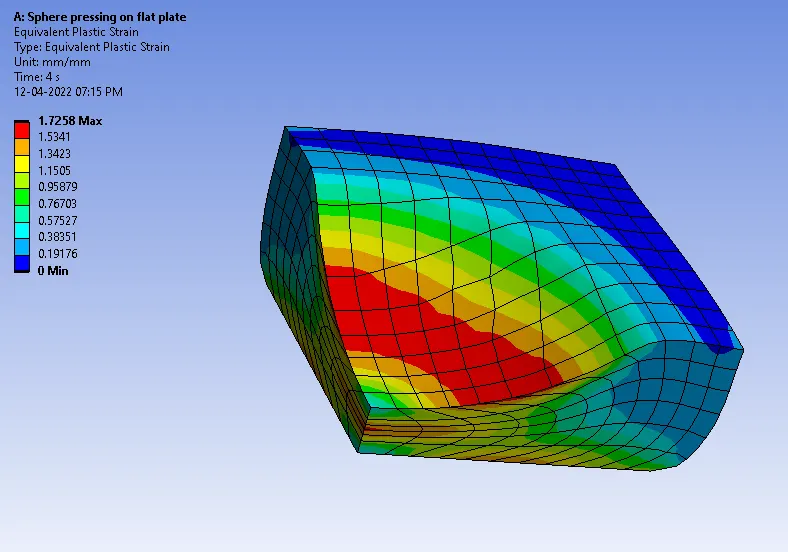
Equivalent plastic strain on plate :
Conclusion :
- In the above simulation the sphere is made to press on a plate, where the plate deforms plastically at the region of contact with sphere.
- The plate stays deformed after sphere returns back to the initial position.