Week- 5 - Solid meshing
AIM :
To check the geometrical errors and mesh of the given Rear View Mirror with Quality criteria and using tetra elements to model the component and there should not and kinks and dips on the surface of the component.
QUALITY CRITERIA :
The given Model is the Rear View Mirror Model with the following Parameters.
|
S. No. |
Quality Criteria |
Value |
|
1 |
Target / Average Length |
1 |
|
2 |
Minimum Length |
0.5 |
|
3 |
Maximum Length |
2 |
|
4 |
Tet- Collapse |
0.2 |
Methodology:
The methodology of the given Rear View Mirror Element is as follows.
- Opening the File
- Checking the Topological Check-up
- Creating Geometric Clean- up
- Giving the Quality Criteria and Mesh Parameters
- Initiating the Mesh Process
- Setting Up the Volumetric Mesh
- Checking the Volume
Procedure:
1. Opening the file
2. Creating the Topological clean-up
- This process is just used to check the topology of the model.
- In order to check the Topology follow the process as Tools>> Checks >> Geometry>> Execute.
- These errors can be fixed either by going on with them individually or once Right-clicked on the mouse an additional list pops- up.
- Fix option will be present in that pop-up when it is clicked the errors which can be fixed are executed and it might contain only a few errors which should be fixed manually and if no errors are present then it will show the green bar stating executed.
- The process is called geometric clean- up. It can be done either completely or part-wise of the parent geometry.
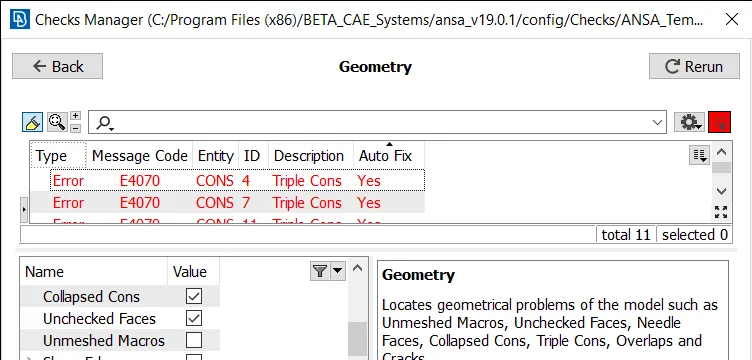
Before geometry cleanup
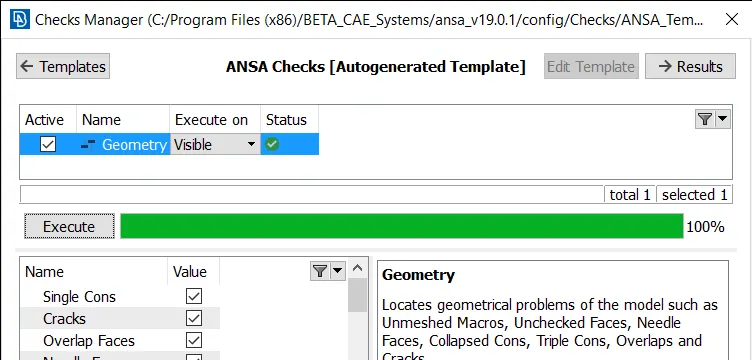
After geometry cleanup
3. Producing the Mesh for the Rear View Mirror:
- To create a mesh for any model, in modules select mesh.
- Click Modules >> Mesh.
- Once the mesh module buttons are opened and seen.
- Initially for mesh can be created by using tools like Hot Points, Perimeters, Mesh Generation, Shell Mesh, Elements.
- Firstly when the mid surface is opened in mesh mode, click Length in The procedure is as follows Length >> Perimeters, Macros. Select the entire mesh and confirm it, once it is done a dialog box appears stating the length as 1 in both perimeters and macros simultaneously.
- In mesh generation, Select Spot Mesh and select the element to mesh and confirm it.
- The Mesh might not be as perfect as it should be and contains many Off elements (Which doesn’t meet the Quality Criteria) to remove the off elements or to reduce them Reconstruct option is used.
- It can be seen in Shell Mesh >> Reconstruct.
- Once the Off elements are fixed or reduced the mesh should be made softer. To make the mesh softer Smooth option is used.
- It can be seen in Shell Mesh >> Smooth.
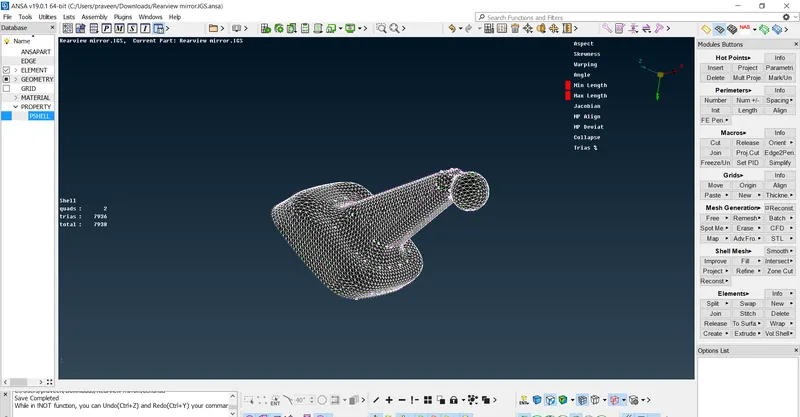
4. Adding the Quality Criteria and Meshing Parameters:
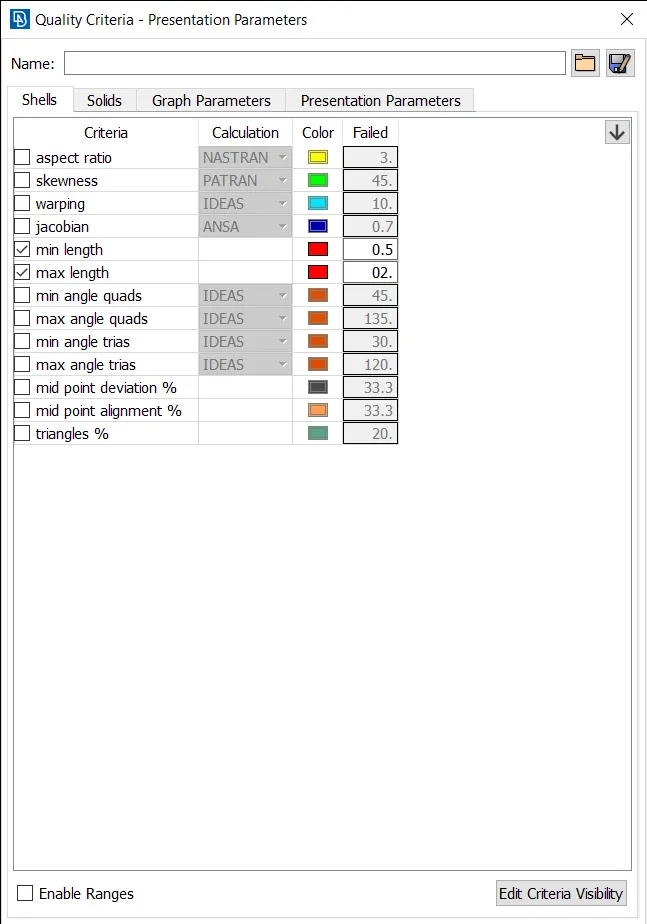
- Before proceeding with the mesh, the quality criteria and meshing parameters are to be given to meet the requirement.
- The quality criteria are opened by either clicking F11 on the keyboard or by clicking Utilities >> Quality Criteria.
- After Giving Quality Parameters in the Shell icon, click on apply and then click Presentation Parameters and select element percentage and Detail on Demand effect to all details.
- The Meshing parameters are also added from Utilities >> Meshing Parameters.
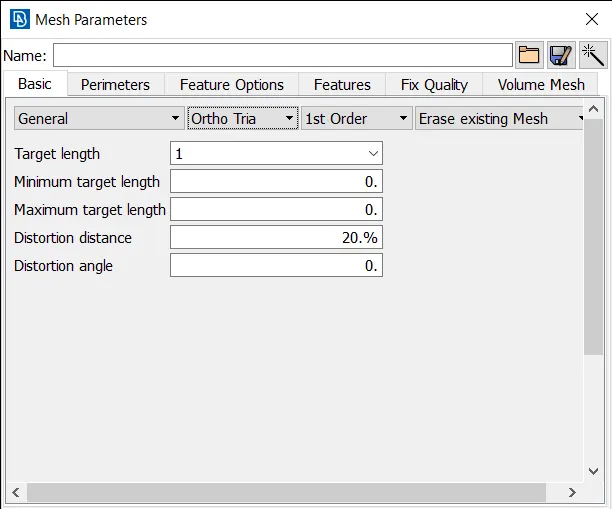
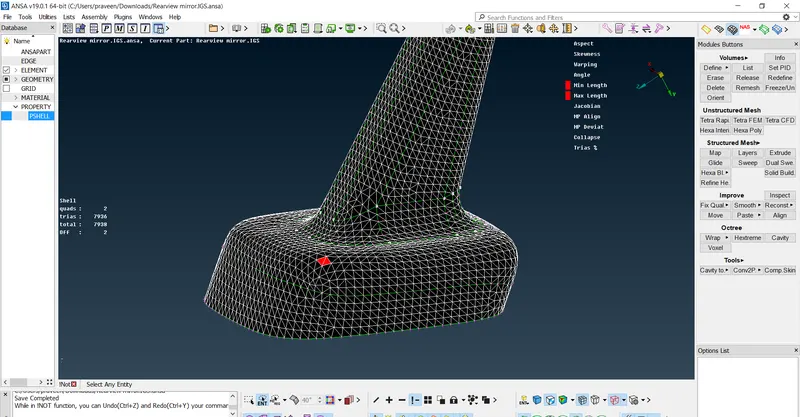
5. Constructing the Volumetric Mesh:
- Open Volume Mesh in the modules tab. The new module buttons appear on the right side.
- In Volumes Tab, Select Define >> Select the Element >> Create a PID >> Click on the List icon >> right click on the PID >> Select Re-mesh >> Select Tetra Rapid or Tetra FEM >> Click OK.
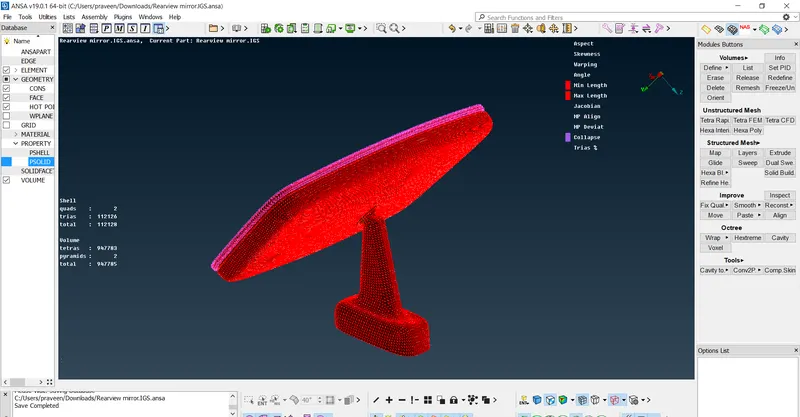
6. Checking the Volumetric Mesh:
- Checking for Volume Mesh doesn’t require many tools to use.
- It can be seen either by using! Not or Not.
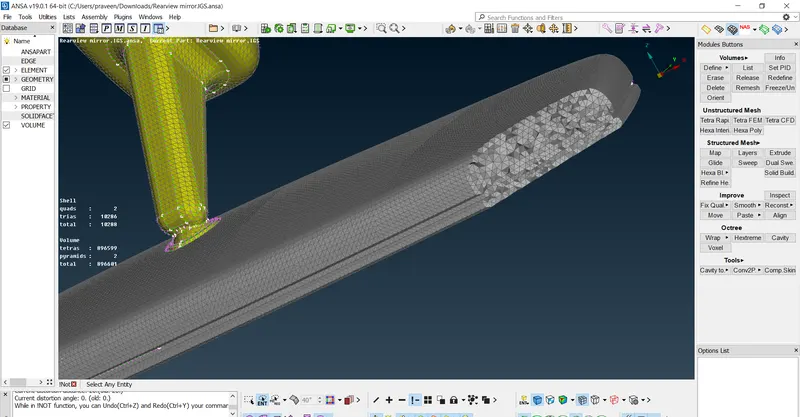
- The above image shows the before and after adding the volume mesh respectively.
- The part which is to be seen is to be kept and the remaining part is selected by using Not.
Result:
The Meshing of surface and the volumetric mesh is created without any errors. The mesh which is created is unstructure.
Learning Outcomes:
The Basics of ANSA can be learned by practicing in this model. The following outcomes are learned.
- Geometric Clean-up.
- Topological Correcting.
- Creating the Mesh.
- Correction of mesh errors.
- Creating the Volume Mesh.
- Checking the unstructured mesh.