Week - 5 : SOLID MESHING
PROJECT REPORT
SOLID MESHING
AIM :
For the given Rear view mirror component, check for the geometrical errors and mesh the Surfaces with the given 2D element Quality criterias given below.
|
S.No |
Quality Criteria |
Value |
|
1 |
Target/Average length |
1 |
|
2 |
Minimum Length |
0.5 |
|
3 |
Maximum Length |
2 |
Use tetra elements to mesh the Volumes defined in the model and check for the below quality after Volume meshing.
|
S.No |
Quality Criteria |
Value |
|
1 |
Tet collapse |
0.2 |
INTRODUCTION:
Solid meshing is the 3 dimensional mesh which is done on the component that mid surface extraction is not possible because solid component has variable thickness and also at some place we cant able to find the thickness . In solid mesh, the ability to mesh is referred to as mappability.
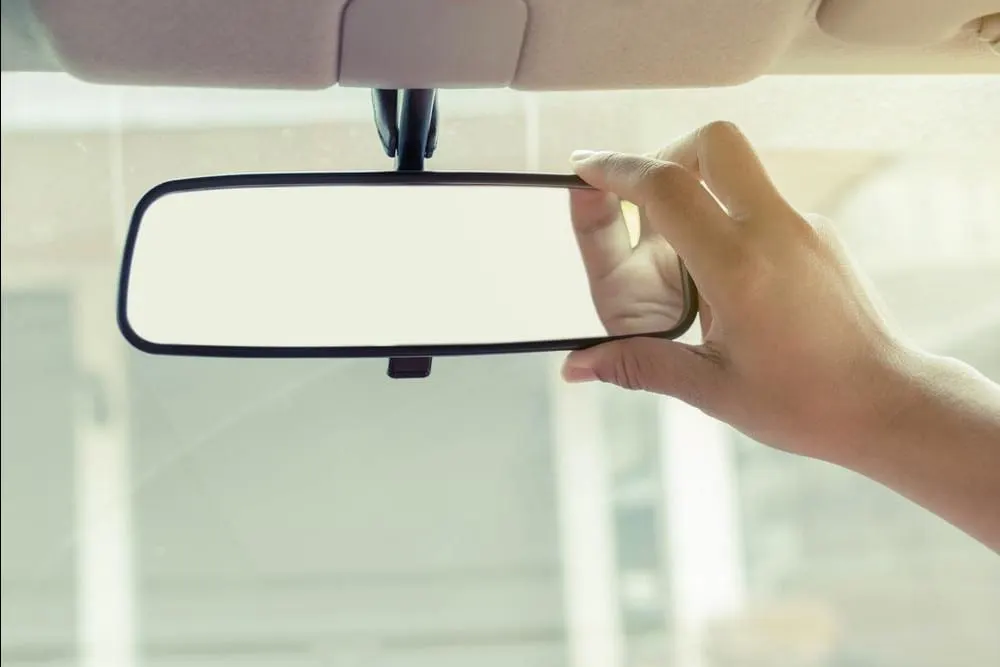
Here the rear view mirror which is used in automobiles and other vehicles is to be meshed using solid modelling. The rear view mirror allows the driver to see the rearwards. The solid meshing methodology helps to mesh the component without extracting the mid surface. Later it will be assigned as a volume and remesh to obtain as a volume tetramesh using tetra rapid and tetra FEM types.
REARVIEW MIRROR :
OBJECTIVES :
Work flow :
1.Import:-
- File > Open > Choose the File and hit on open.
2.Cons resolution by Length option in Mesh module.
- If the imported file is an .igs file it doesn’t have any connectivity between the Surfaces.
- To get the connectivity between the surfaces we have to use the Topo option.(TOPO Module> Faces > Topo)
- We have to Orient the Surfaces to make sure all the surfaces are in one normal direction.(TOPO Module> Faces > Orient)
3.Checking the geometrical errors.
4.Clearing the geometry errors.
5.Check the thickness of the components.
- If the thickness is less than 5 or 6mm then we have to extract the midsurface.
- If the thickness is more than 5 or 6mm then no need to extract the midsurface.
6.Providing the Target element length by using the length option in the mesh module. Providing the Mesh Parameters and Quality criteria to the models.
7.Cleaning the Parent Geometry.
8.Select all the flat surfaces and mesh by using tria as the element type.
- Select the remaining curved surfaces and mesh by using the otho trias as the element type.
- Make sure that every surface is meshed.
- Go to the Volume deck and define the volume for the closed mesh.
- After defining the volume go to the lists and edit the volume by changing the type to tetra rapid.
- Remesh the volume.
- Check for the Tet collapse and fix the Tet collapse.
PROCEDURE :
- Import the model into the workspace of Ansa (ANSA v22.1.0) .
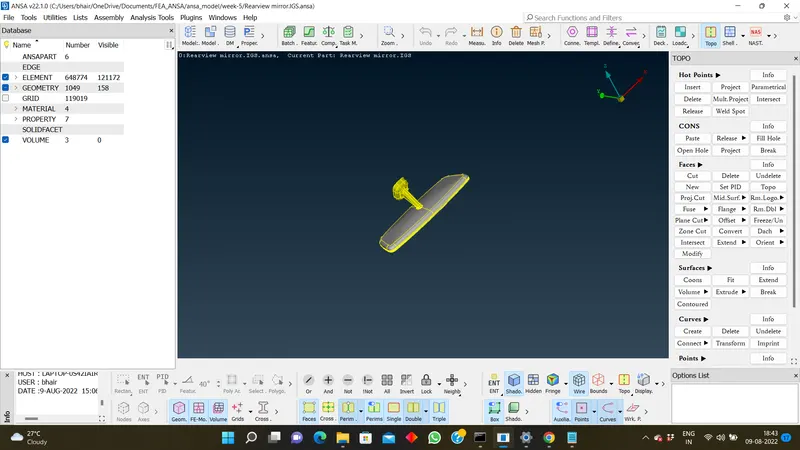
2. Check for the cons resolution and Create the length of perimeter to 1 .
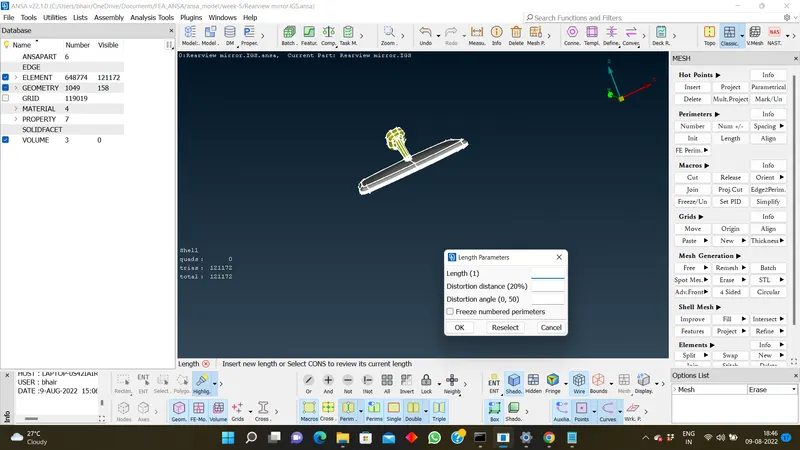
3. If the surfaces were not connected , then select the complete model and give TOPO option to get surfaces connected .
(TOPO MODULE > FACES > TOPO)
4. We have to Orient the Surfaces to make sure all the surfaces are in one normal direction.(TOPO Module> Faces > Orient)
5.Checking geometry errors .
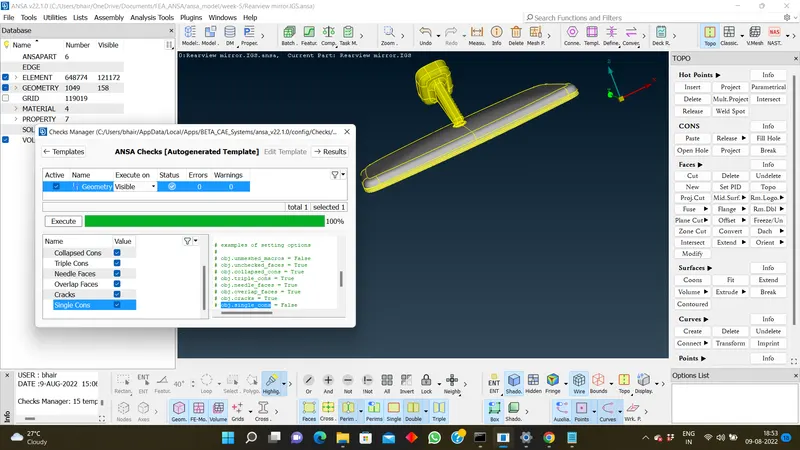
6. If any geometry errors found , we have try to fix it manually or automatically .
7. Here, we came to know that it is a solid model as it's thickness will be more than 5mm & no need to extract the mid-surface .
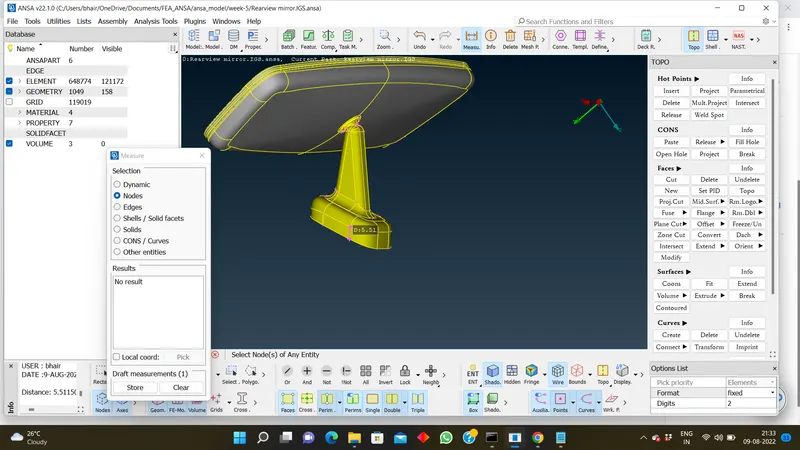
8. Next step , we will be starting the meshing based on the type of surface i.e Flat surface and curved surface.
For FLAT SURFACE - PREFER TRIA .(Mesh Generation > Best (option list) > select TRIA)
For CURVED SURFACE - PREFER ORTHO TRIA . (Mesh Generation > Best (option list) > select ORTHO TRIA)
9 . Dont forget to import the Quality criteria and mesh parameter which were mentioned in the challenge .
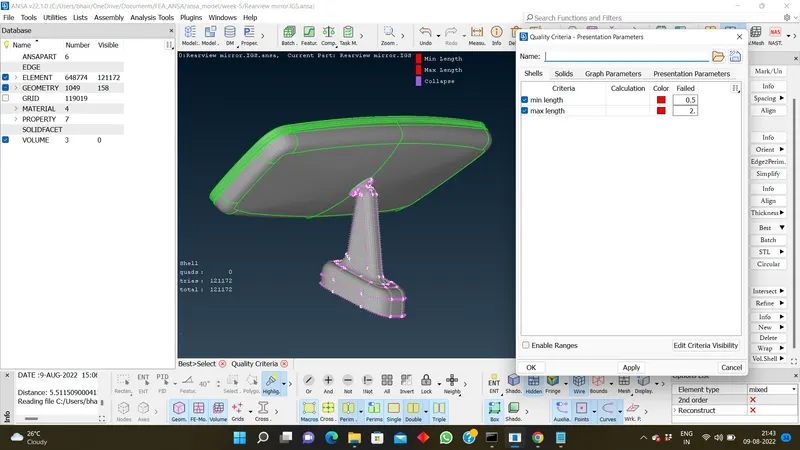
10. After import the quality checks , check any element fails with quality criteria and try to solve it .
11. Next , go to volume mesh module and try to detect the volume mesh generation .
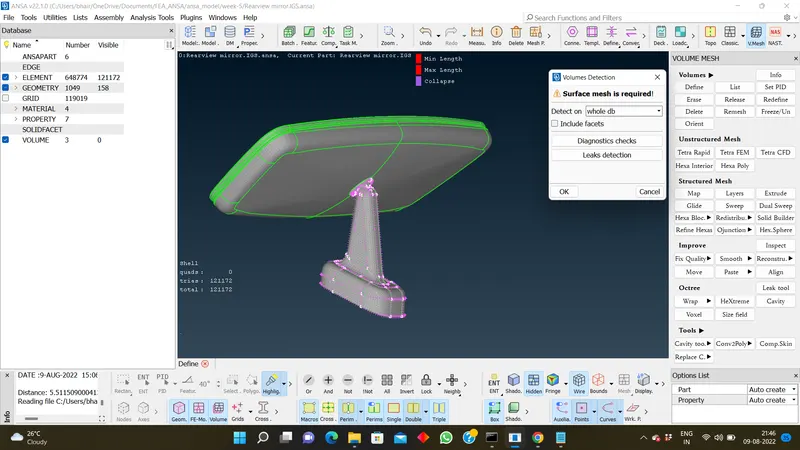
- After defining the volume go to the lists and edit the volume by changing the type to tetra rapid.
- Remesh the volume.
- Check for the Tet collapse and fix the Tet collapse.
Learning Outcomes :
- Learned on ortho tria and tria elements used for solid meshing
- Learned spot mesh and best mesh operation on the model.
- Learned on how the ortho tria effectively catches the surface properly.
- Learned about tetra rapid and tetra FEM modelling.
Conclusion:
The rearview mirror model is effectively solid modelled by meshing it into a volume without any kinks and raised edges by using ortho tria and tria elements.
https://drive.google.com/file/d/1S0FItW1lkfju8jMCyxKOzSPKatT5pQ6V/view?usp=sharing
THANK YOU !!