Week- 5 - Solid meshing
Tetra Elemental Meshing / Solid Meshing of REAR VIEW MIRROR Using ANSA
Objective = The main objective of this project is to mesh the Rear View Mirror using Tetra elements as per the quality criteria shown below.
Quality Criteria: Quality Criteria shown in table no. 1.
Table 1. Quality Criteria Table.
|
Sr. No. |
Quality Criteria |
Value |
|
1. |
Target / Average Length |
1 |
|
2. |
Minimum Length |
0.2 |
|
3. |
Maximum Length |
2 |
|
4. |
Tet collapse |
0.2 |
Procedure:
- Import Cad Geometry = File -Open -Select Geometry.
- The given CAD geometry imported in ANSA workbench and orientation checked.
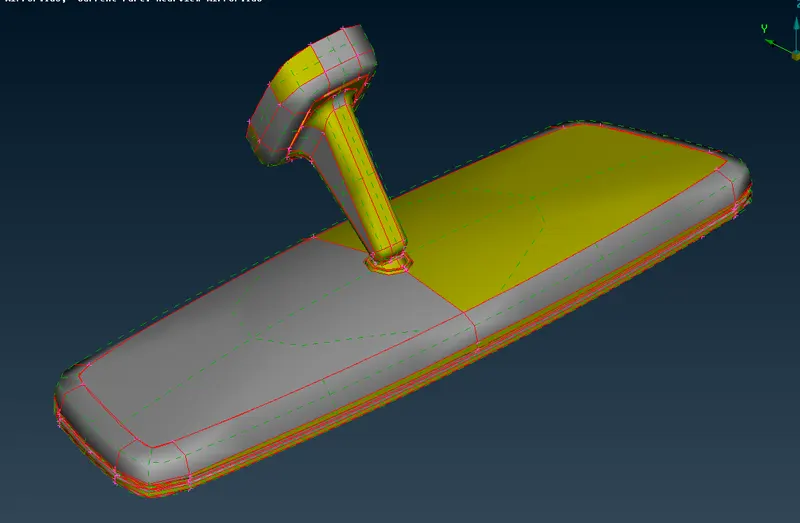
- Image 1: Imported CAD Model (Rear View Mirror)
- Geometry Clean-UP = Tools -Checks -Geometry. Errors are resolved automatically by using fix command in geometry.
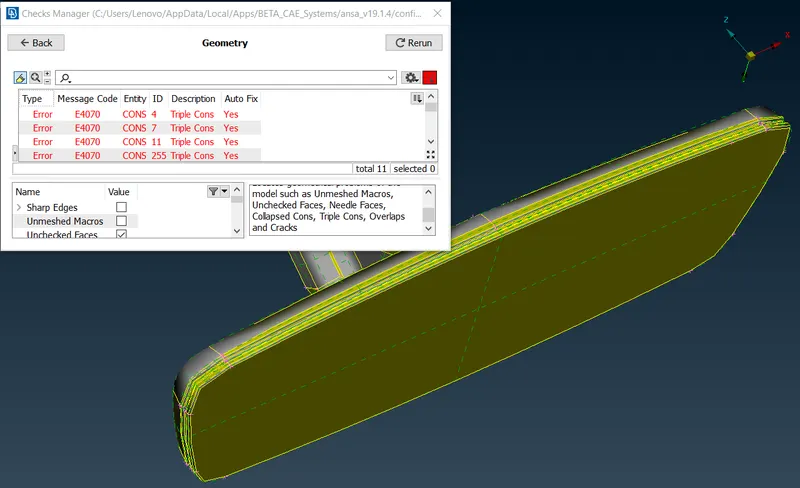
- Image 2: Before Geometry Clean-upTopo - Faces -
- Topo Command used to clear issues with the orientation.
- All geometrical errors are cleared using auto FIX option.
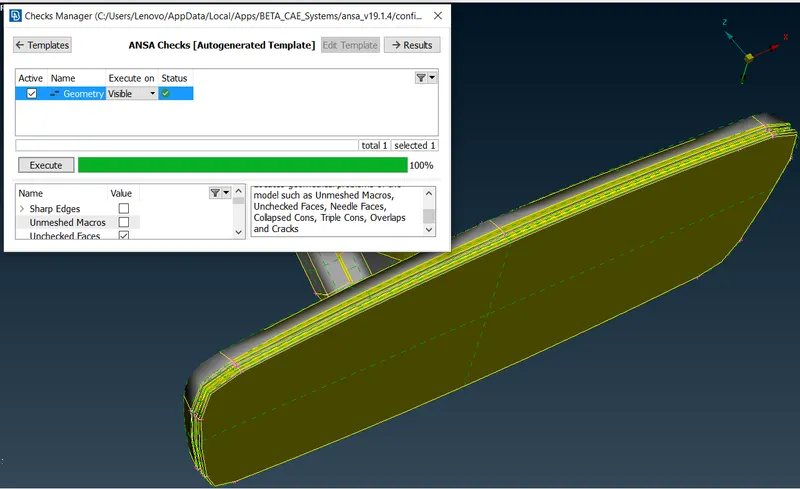
- Image 3: After Geometry Clean-up
- Thickness Measurement : Thickness measured using Utilities - Measure. As this is a complex Component it has varying thickness though out the modal as shown in Image no. 4.
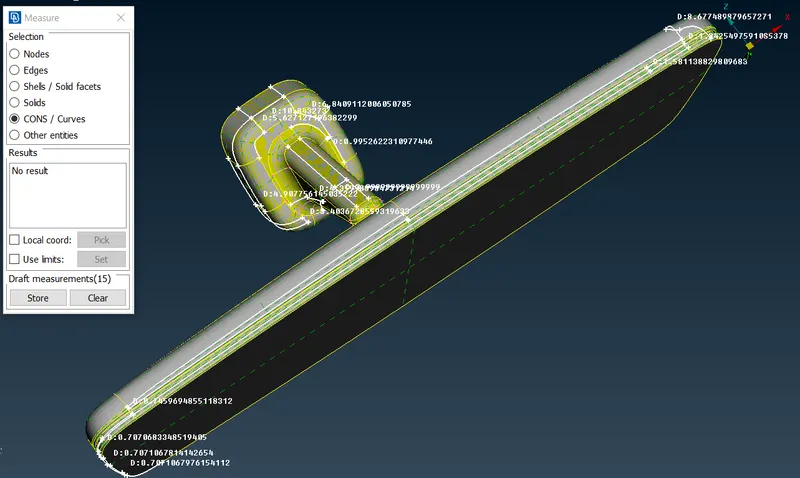
- Image 4: Thickness Measurements
- The resolution of CONS improved using Mesh - Length - Perimeters - Macros.
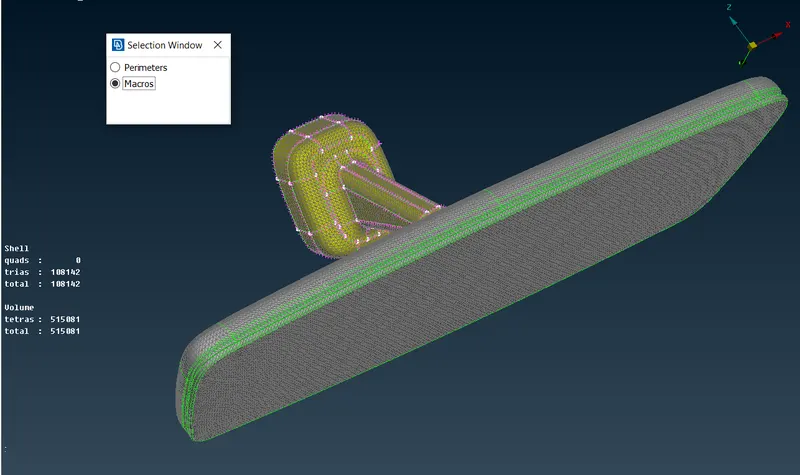
- Image 5: Cons Resolutions
- New PID Creation = Seperate part ID are created using TOPO - Faces - Set PID as shown in below Image.
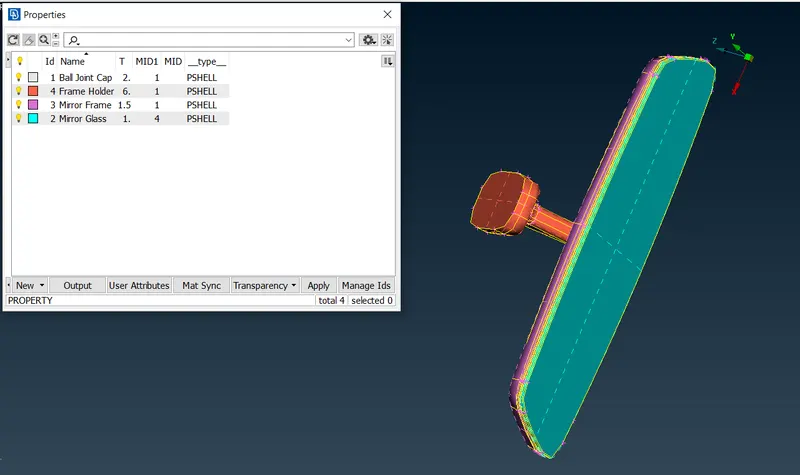
- Image 6: New PID Creations
- Mesh Generation : The perimeter elemental length is set using Mesh - Perimeter - Length option.
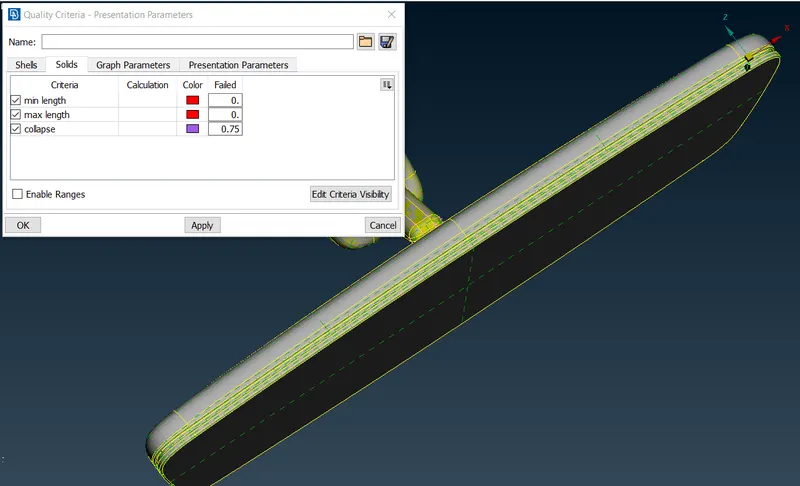
- Image 7: Quality Criteria-Presentation Parameters
- The Quality Criteria Shown in table no. 1 are applied to the model using utilities - Quality Criteria
- Mesh Parameters are applied using Utilities - Mesh Parameters.
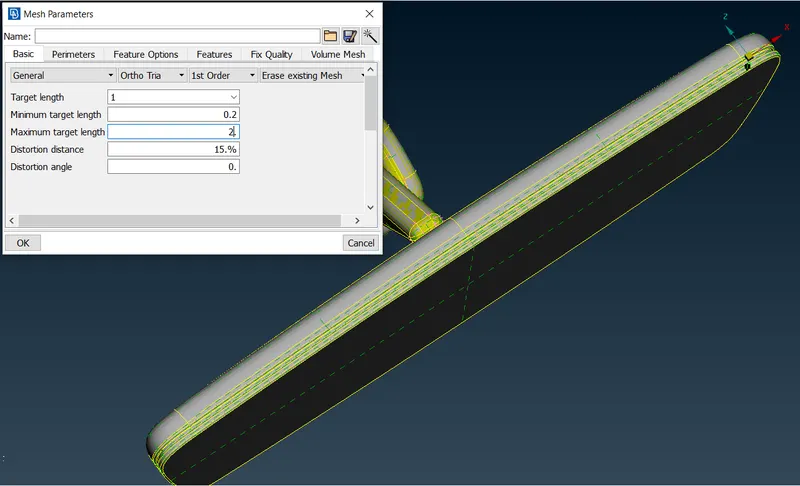
- Image 8: Mesh Parameters
- F11 Function Key is a shortcut for Quality Criteria - Presentation Parameters.
- Mesh is done using Mesh - Mesh Generation - Spot Mesh.
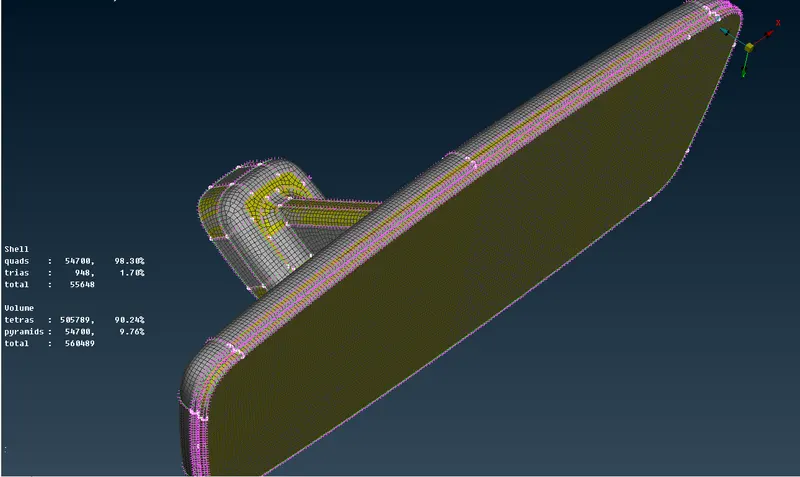
- Image 9: Meshed Component
- For better results of mesh Mesh - Shell Mesh - Reconstruction used.
- Volume mesh is generated by using Volume Mesh - Unstructured Mesh - Tetra Rapid.
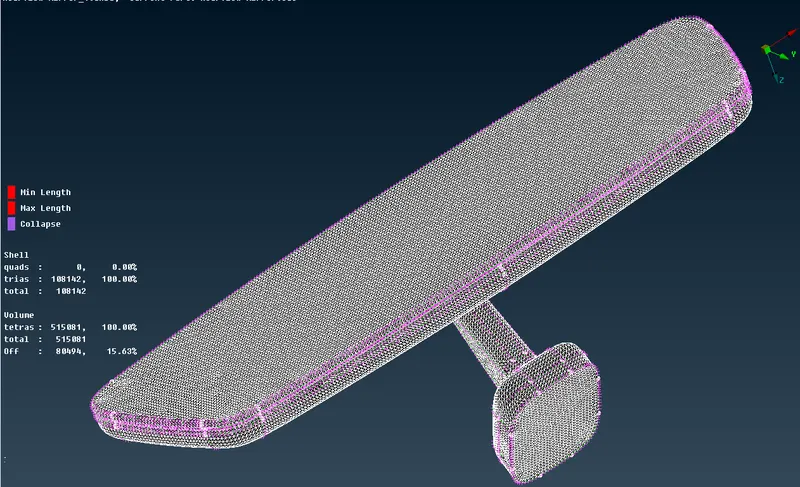
- Image 10: Volume Mesh Component
- The quality parameter TetCollapse is checked after generation of the solid elemental meshing.
- The elements which fails for Tetcollapse quality improved by using Volume Mesh - Improve - Fix Quality.
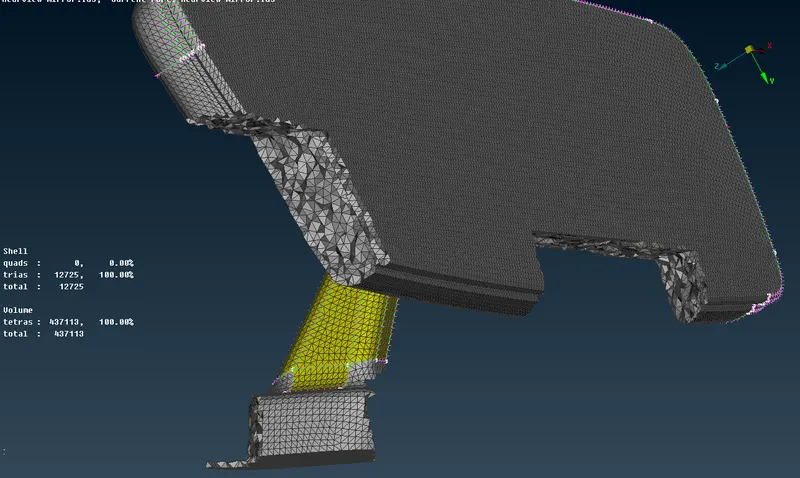
- Image 11: Sectional View
- The above image represents the pre-processed REAR VIEW MIRROR with the solid volume meshing.
- RESULT : The given REAR VIEW MIRROR is Meshed as per the Quality Criteria.
- CONCLUSION: From this challenge I learned about CAD model import, Geometry clean-up, New PID creation for Volume Component, Setting up Quality Criteria, Mesh Generation using Tetra elements and Ortho Tria, Reconstruction of mesh as per given quality criteria to check Tet collapse, Volume Meshing, Surface Meshing.