Week- 5 - Solid meshing
AIM
To mesh the surfaces of the rear view mirror with the given 2D element Quality criterias given below and to generate tetra elements to mesh the Volumes defined in the model satisfying a tet collapse value of 0.2.
|
S.No |
Quality Criteria for 2D element |
Value |
|
1 |
Target/Average length |
1 |
|
2 |
Minimum Length |
0.5 |
|
3 |
Maximum Length |
2 |
Procedure
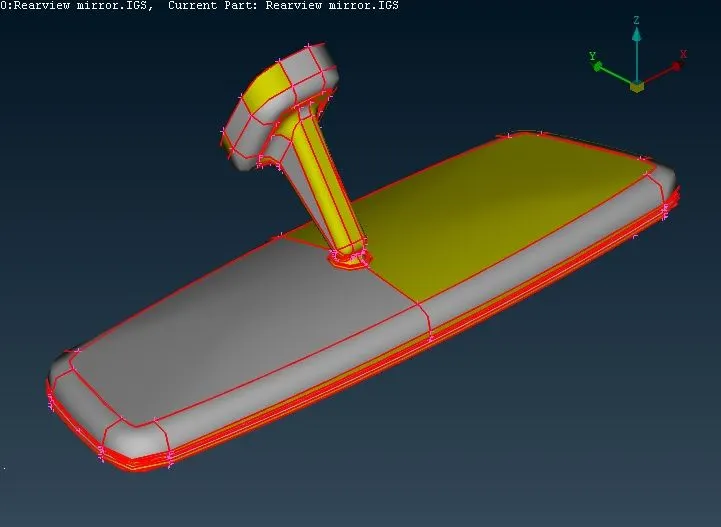
>> The given parent geometry file 'Rearview mirror.IGS' is imported into ANSA by clicking on File>Open. The imported geometry is shown below
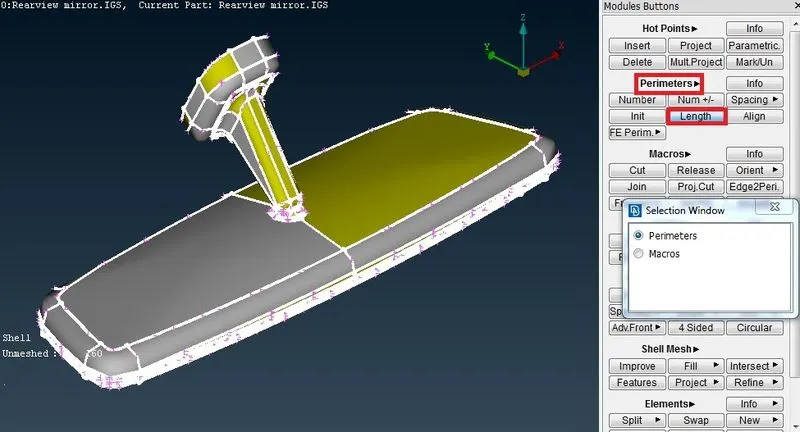
>>The mesh module of ANSA is selected and then Length function under perimeter is exectuted to set the perimeters and macro length to 1 mm as shown below.
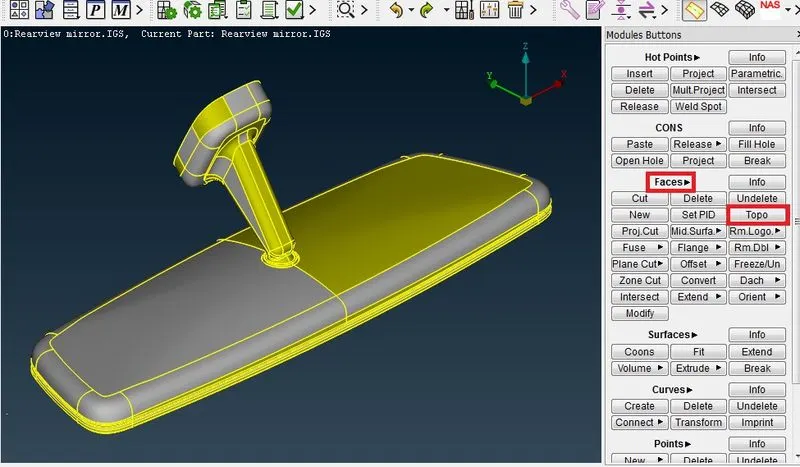
>> 'Topo' function is executed by clicking on the TOPO module>Faces>Topo and selecting the CONS(curves on surfaces) on the CAD geometry to create topological conditions between adjacent CONS. On execution of TOPO function, red colour single edges are changed to yellow coloured shared edges.
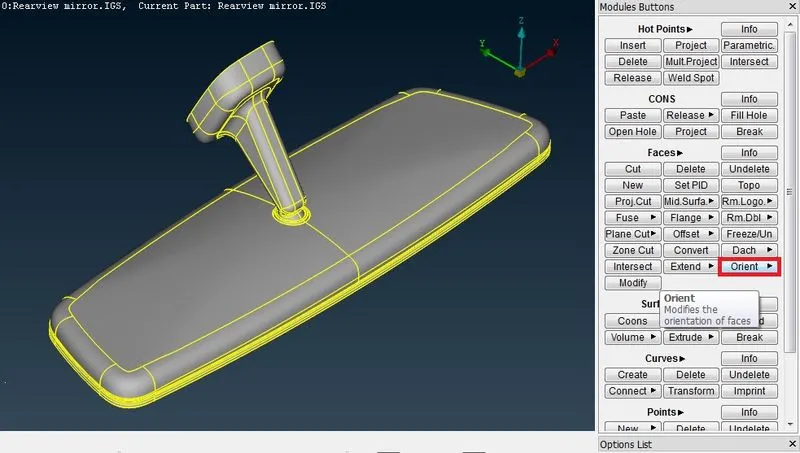
>> 'Orient' function is executed to create uniform orientation to all visible faces of the Parent geometry by clicking on the TOPO module>Faces>Orient and selecting the required surfaces. Uniform orientation is indicated by same colour of the oriented faces.
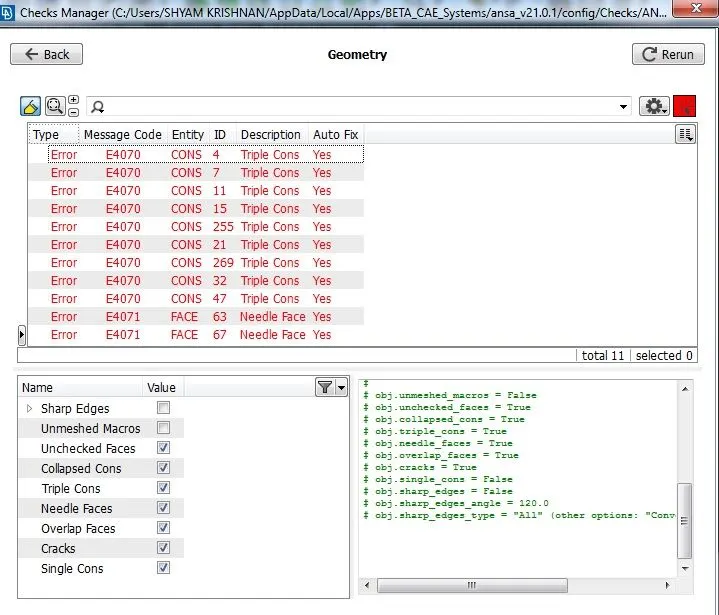
>> Geometry checks is done by executing the Geometry function under Menubar>Tools>Checks. When execute button is clicked the errors are shown as below
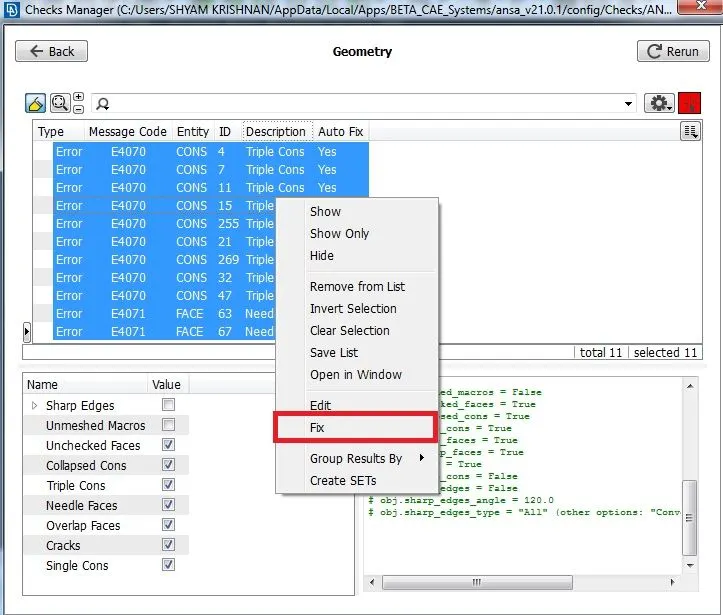
>>These errors are fixed by selecting all those errors and selecting 'Fix' option as shown below. ANSA automatically fixes those errors. Incase if there is no automatic fix, the surface need to be checked.
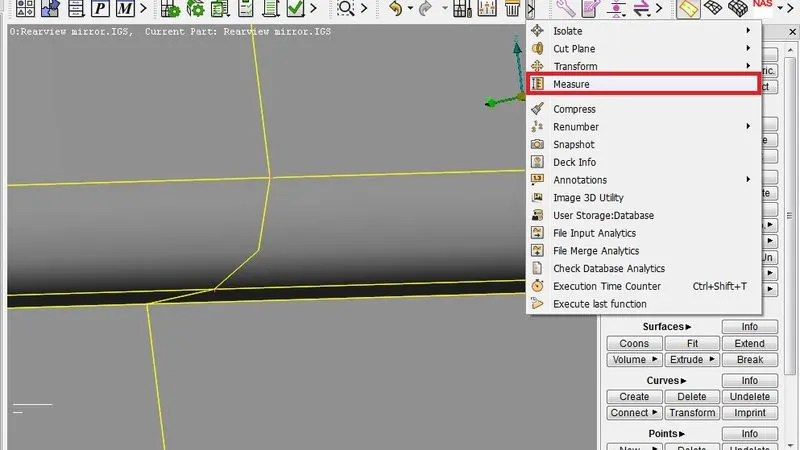
>> The thickness is measured at various places using the measure tool in Utilities to check whether there are any places below minimum element length>Measure and then selecting Nodes/Edges as shown below
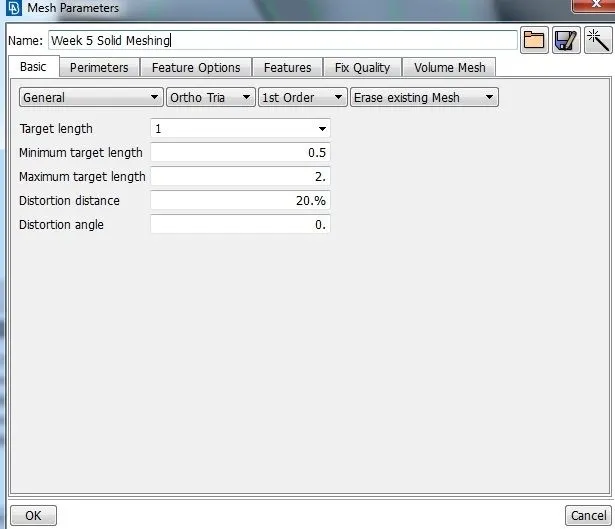
>> The mesh parameters and Quality Criteria is entered as given in the question.
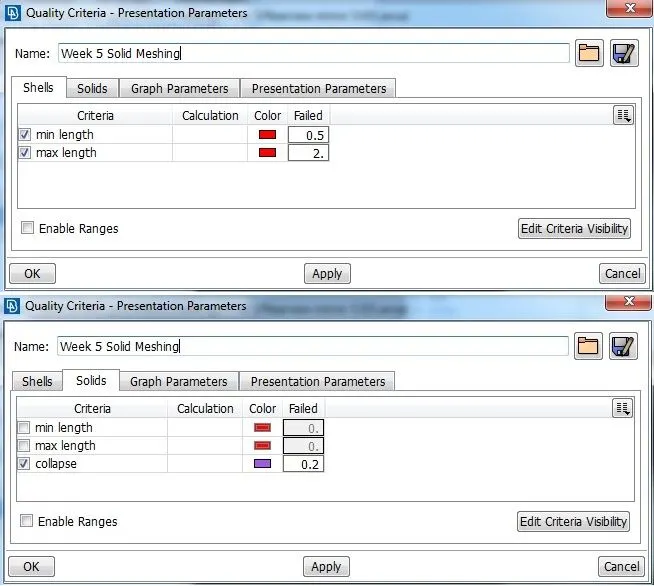
>> For curved areas, Ortho trias are used to obtain a smooth mesh aligned with the surface and for plane areas normal trias are used.
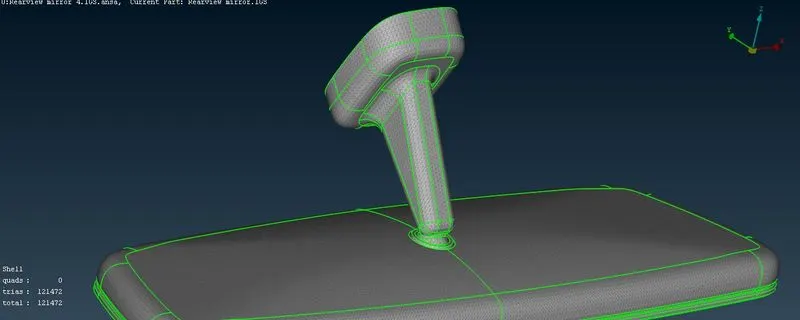
>> The surface mesh or 2D mesh is checked for minimum and maximum length criteria and if any element found in such cases is reconstructed to satisfy the element length requirements. The surface mesh created by the combination of Ortho and normal tria elements after clearing quality is shown below.
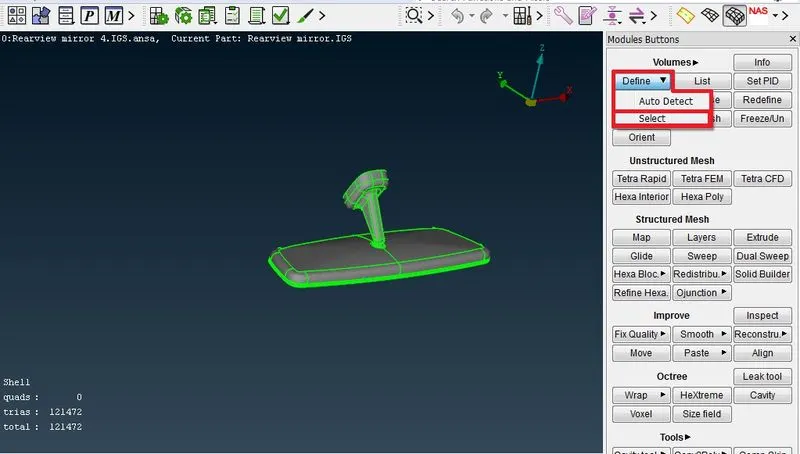
>> New volume is defined by executing the define function under the Volumes section in the Volume mesh module as shown below.
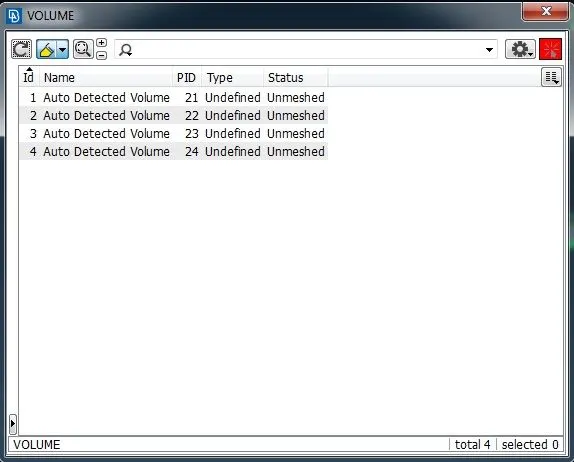
>> The created volumes can be seen by executing the list function under the Volumes section in the volume mesh module as shown below.
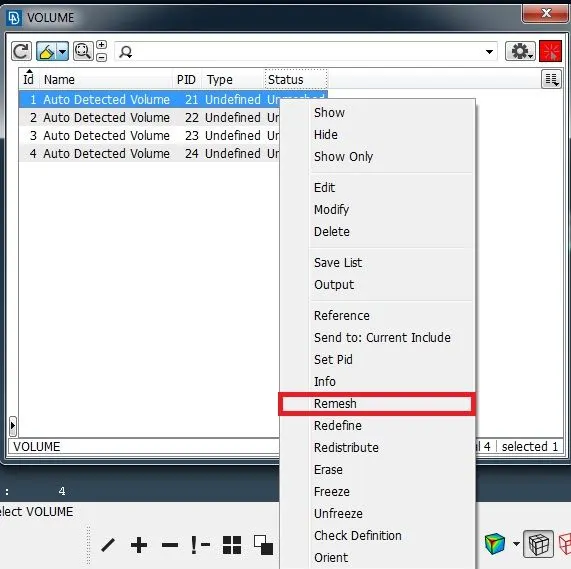
>> These volumes are selected and on right clicking a new drop down menu opens, on which the remesh function is clicked to generate tetra volume elements inside the selected volume. Tetra rapid is selected as the type of volume as shown below.
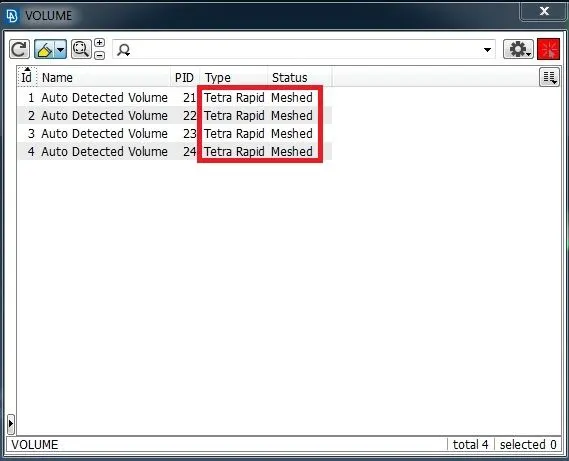
>> After the volume mesh is done on the volumes, the status of volumes changes to meshed and the volume type is also displayed.
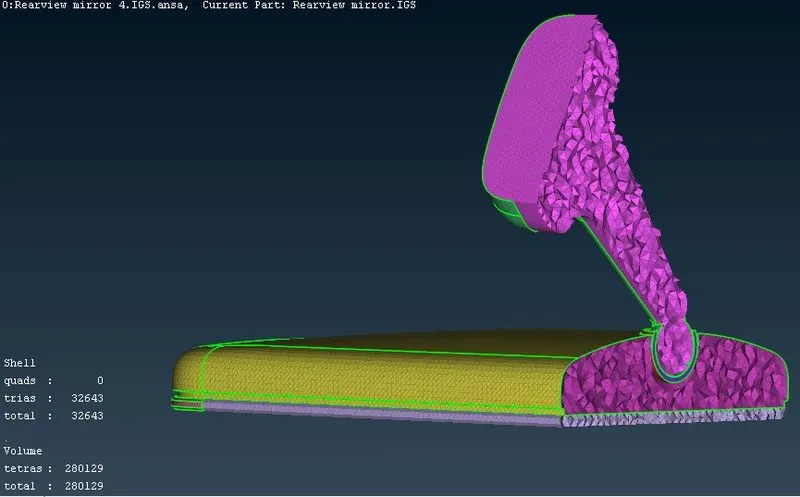
>> The generated tetra volume mesh is shown with a cross sectional view of the rear view mirror shown below.
>> The generated elements are checked for collapse value of 0.2 as specified in the question by activating the Hidden mode.
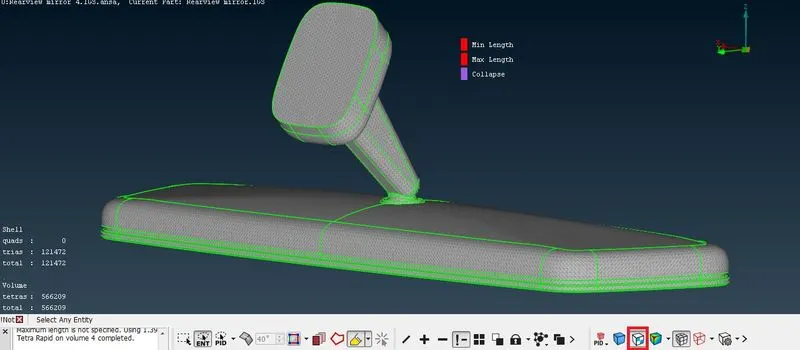
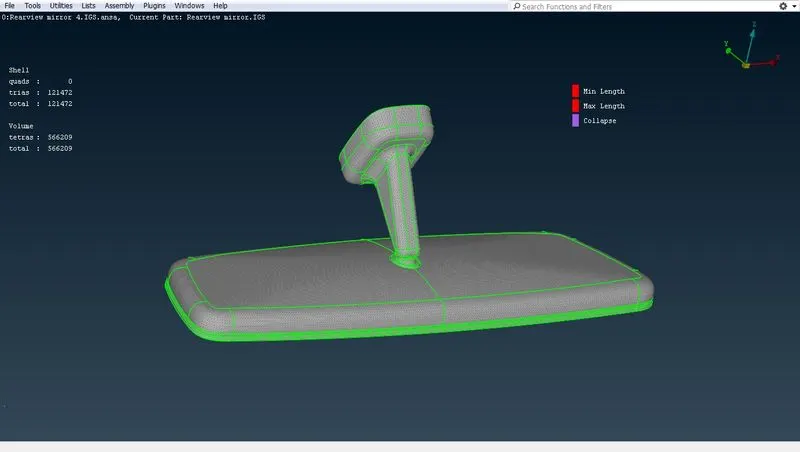
>> The final tetra volume meshed rear view mirror satifying the length criteria for shell elements and collapse criteria for tetra volume elements is shown below.
Learning Outcomes
>> Obtained knowledge of using Ortho tria elements on curved areas and tria elements for plane areas to create surface mesh.
>> Method of performing volume meshing using Tetra mesh was made familiar.
>> Problems occuring during volume meshing, mainly tet collapse was identified and its trouble shooting skill was acquired.
Conclusion
>> The volume meshing of rear view mirror using tetra elements was obtained satisftying the tet collapse value and the element length criterias specified.