Week 5: Prandtl Meyer Shock problem
OBJECTIVE: To perform a Prandtl-Meyer Shock problem simulation using CONVERGE STUDIO.
THEORY:
- Shock flow boundary conditions
When solving any partial differential equation, we need initial and boundary conditions, initial condition define the starting point of the solution and boundary condition define the domain of the solution of PDE. Hence choosing initial conditions and boundary condition is very important. There are various kinds of boundary conditions which are chose based on the type of PDE, some of the boundary condition types are,
Dirichlet Boundary Condition: When imposed on an ordinary or a partial differential equation, it specifies the values that a solution needs to take along the boundary of the domain.
Neumann Boundary Condition: When imposed on an ordinary or a partial differential equation, the condition specifies the values of the derivative applied at the boundary of the domain.
Robin Boundary Condition: it is a specification of a linear combination of the values of a function and the values of its derivative on the boundary of the domain.
Neumann is the preferred boundary condition for supersonic outlets because the values of all the variables are not specified before soling the PDE, only the normal derivative of variables is specified as ZeroGradient and hence we prefer Neumann BC.
- What is a shock wave?
In physics shockwave is the propagating disturbance in the medium whose speed is faster than the speed of sound in that medium. Shock wave generates abrupt changes in the medium such as pressure, temperature and density changes.
When the angle of source is convex angle, we observe oblique shock where the velocity of the air becomes subsonic on the surface of the source, and it displays sudden and discontinuous change in medium properties. But when the angle becomes concave, we observe Prandtl-Meyer Shock/Expansion fan, where the velocity on the surface of the source accelerates and the flow bends to the angle until it becomes parallel to the angled surface, in Prandtl-Meyer expansion fan we see that the changes in the flow properties are not abrupt and are continuous.
- Effect of SGS parameter on shock location
Sub-grid scale is one of the criteria of adaptive mesh refinement, it refines the mesh as soon as there are changes in the medium properties/ flow properties greater than the defined sub-grid scale. In our simulation we observe that at higher value of sub-grid scale, the region of mesh refinement was limited and the refined mesh was not as refined as when the values of sub-grid scale were smaller, also the region of mesh refinement was also bigger. As the SGS value decreases the mesh gets more refined and refinement region also increases because the adaptive mesh refinement captures more values of nodes where it needs to refine the mesh. Also, at lower SGS values the simulation results showed better accuracy in both area of effect and value too.
PROCEDURE:
We start with importing the .stl file of the geometry into CONVERGE STUDIO, once the file is imported, we run a diagnostic check to see for any errors in the geometry as in CONVERGE every shape is made up of triangles.
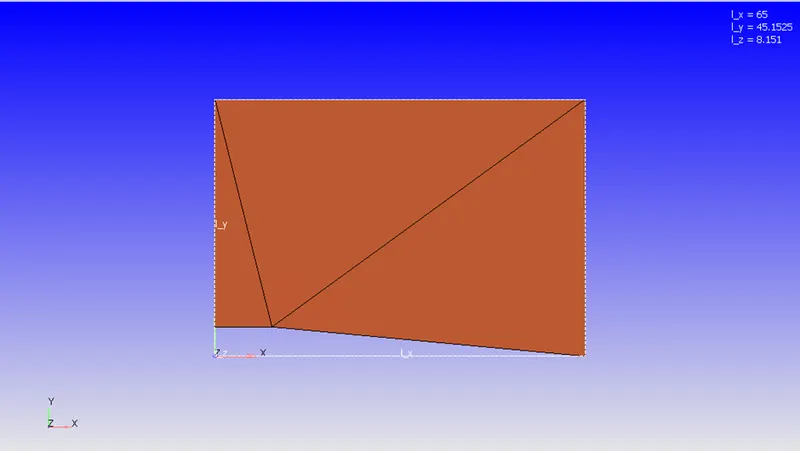
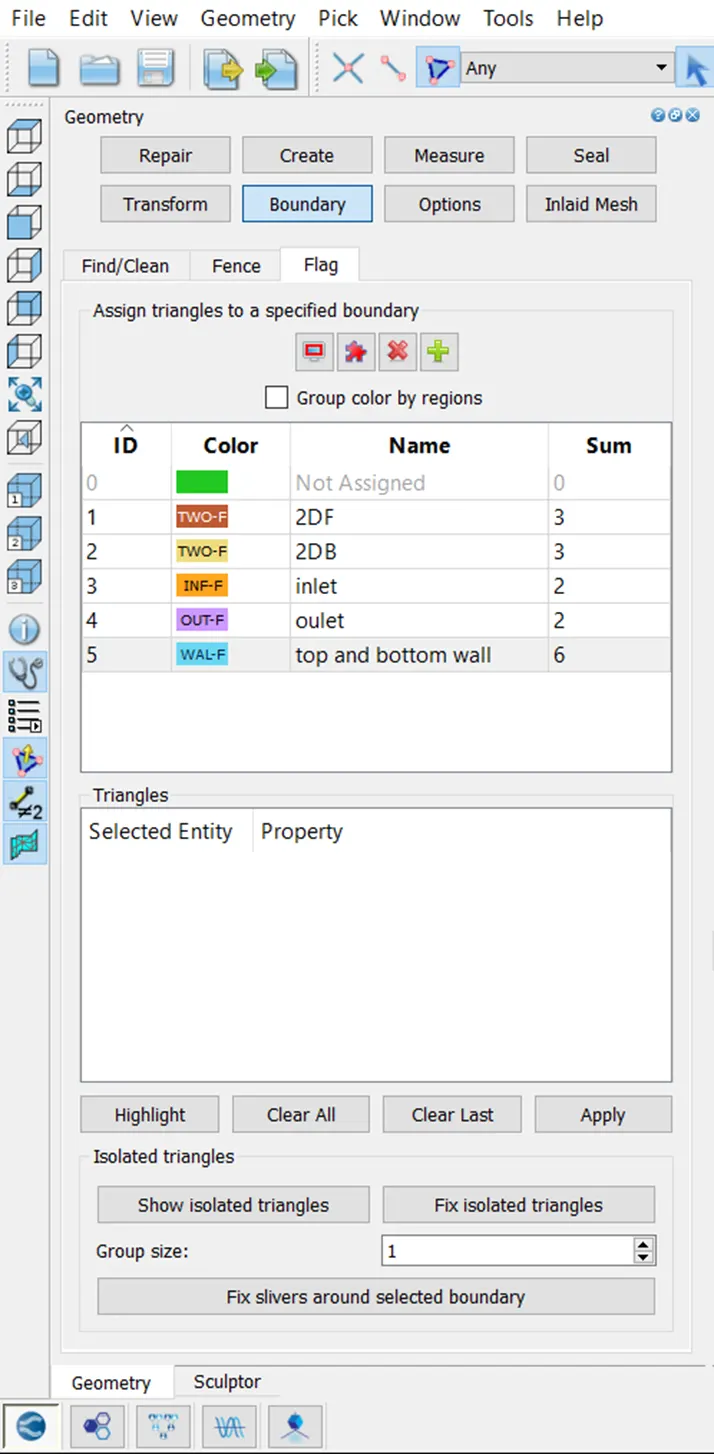
After importing the model we did boundary flagging, the boundary were flagged for case setup of 2D simulation hence the front face and back face were 2D boundaries.
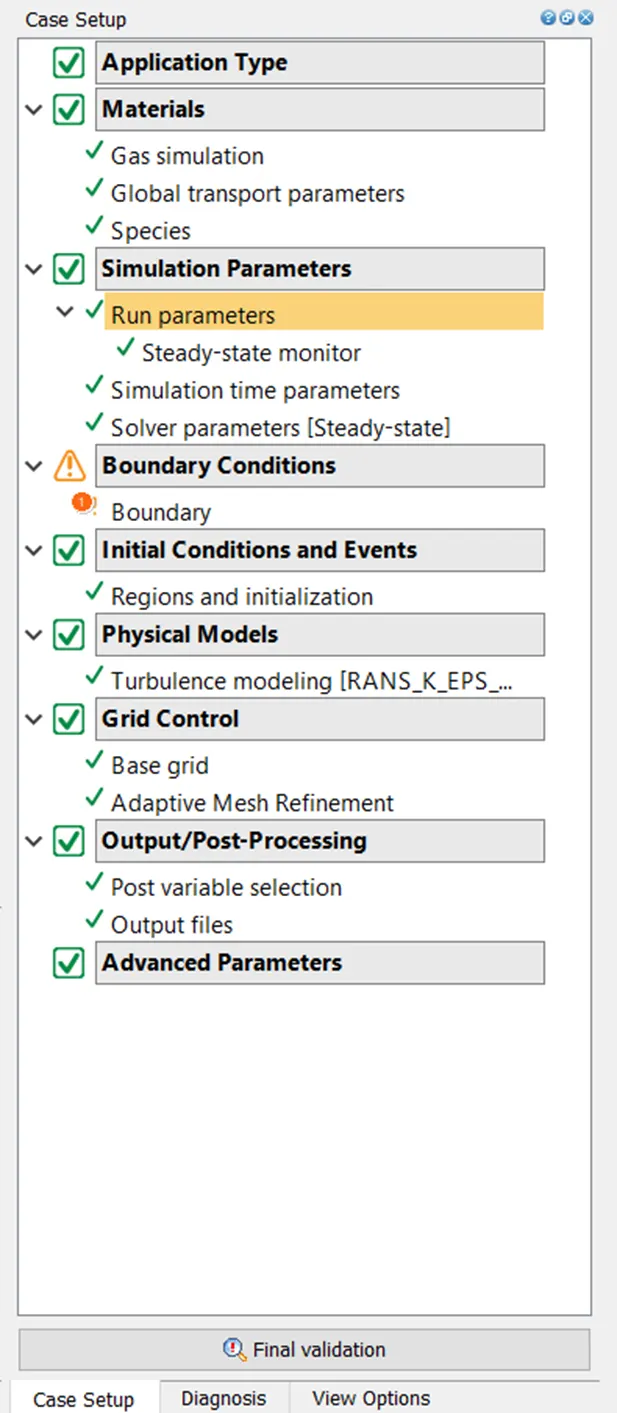
After this we went ahead to begin the case setup and Time-based application was selected.
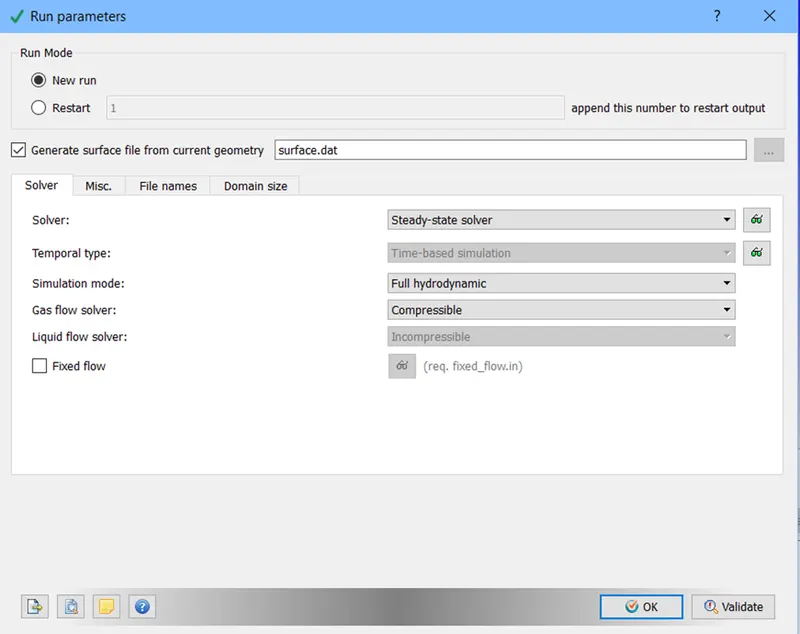
In materials we added air as the species and then other parameters were set at their default. After setting up materials we went to set simulation parameters were we set the run parameters where the solver type was selected to be steady-state solver and the gas flow solver was set to compressible.
We disabled shared memory and checked steady state-monitor. Which was set to monitor avg velocity at outlet boundary.
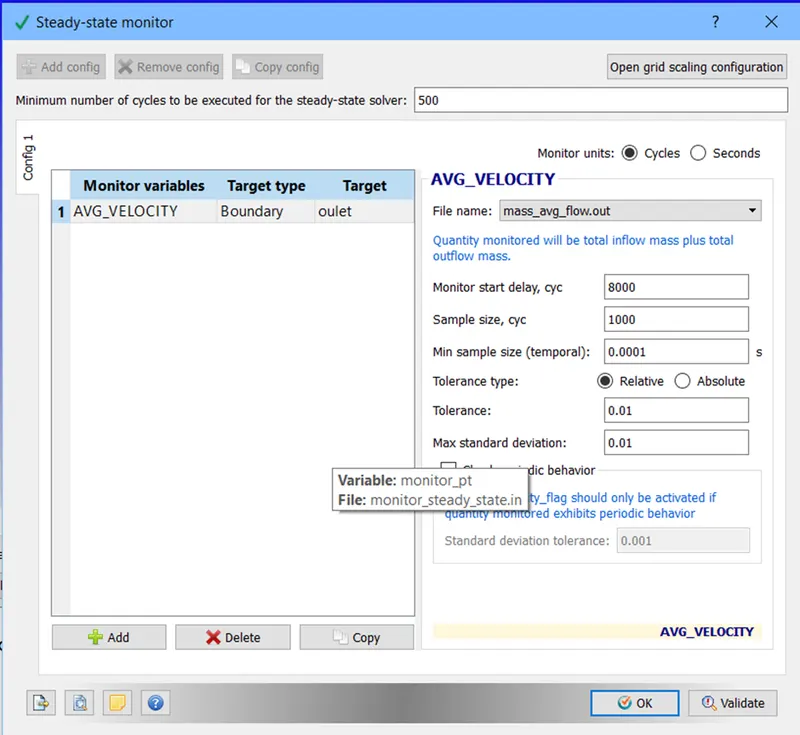
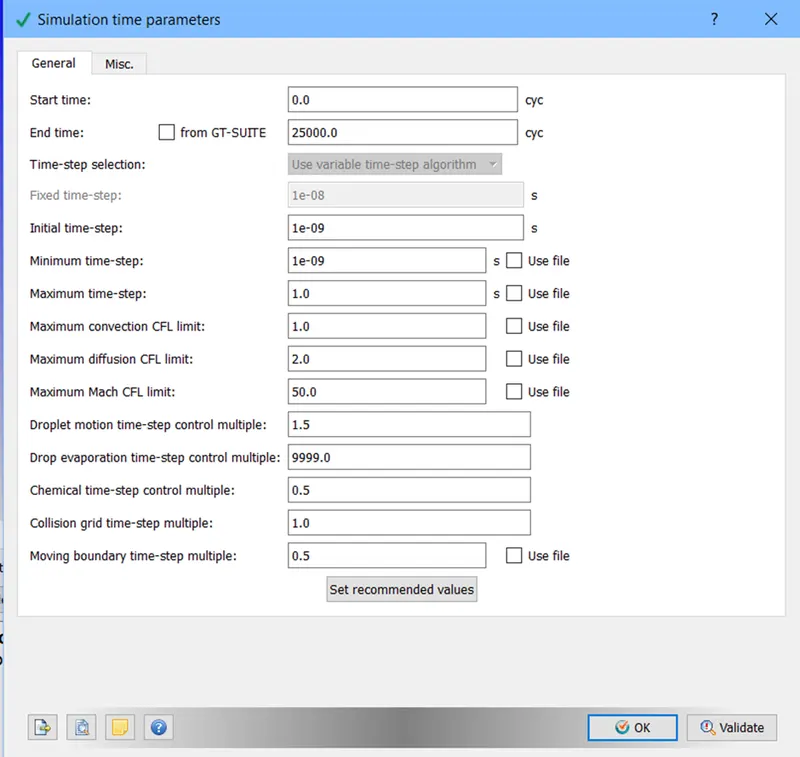
After setting up steady-state monitor we setup simulation time parameter. We setup simulation time parameter as following.
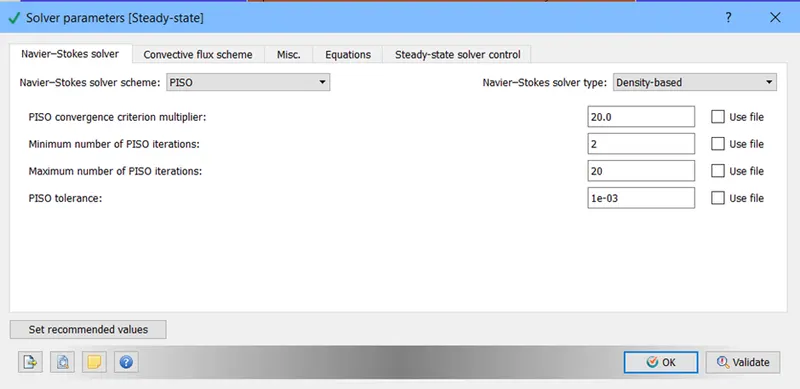
After this in solver parameters we selected NS solver scheme as PISO and selected the density based solver.
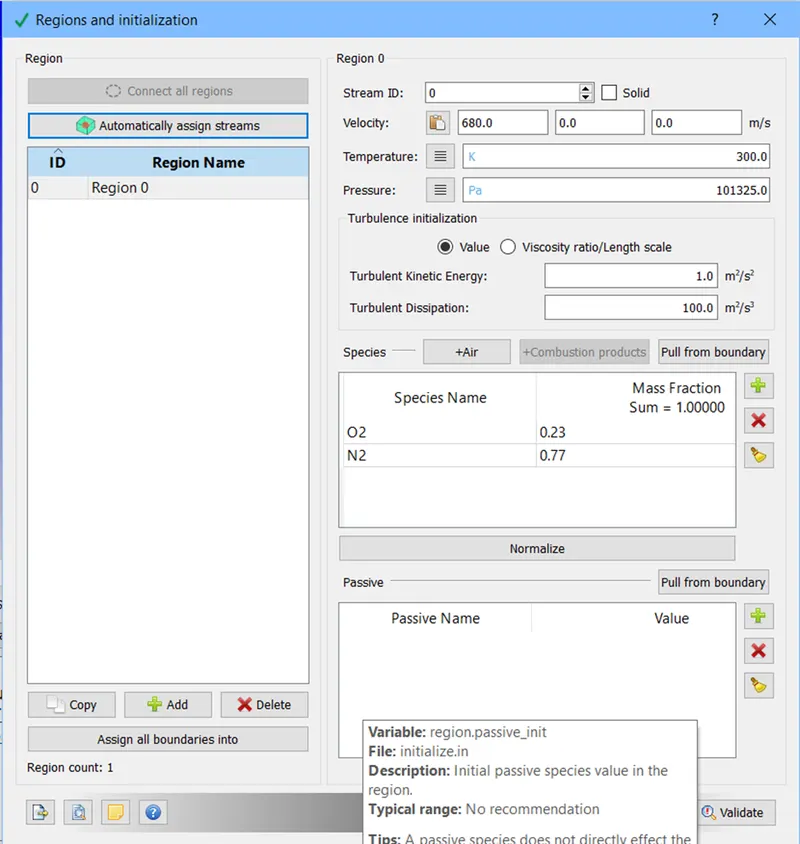
After this we went to setup the region where we created a region0 with species in it being air and gave it velocity as per test cases.
After setting up this we setup boundaries where front and back were set as 2D and the top bottom were setup as fixed wall and the sides as inlet and outlet.
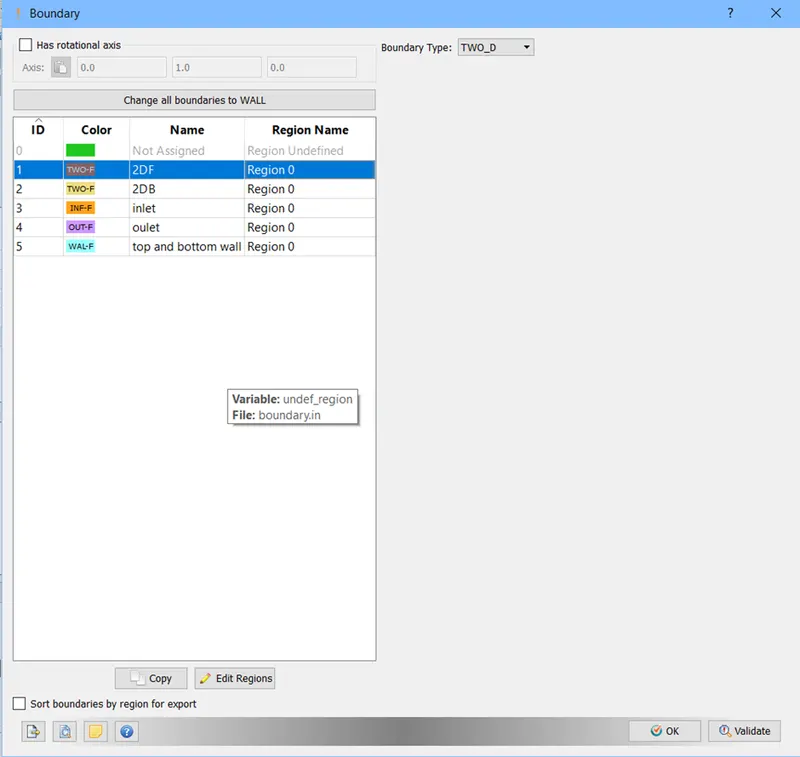
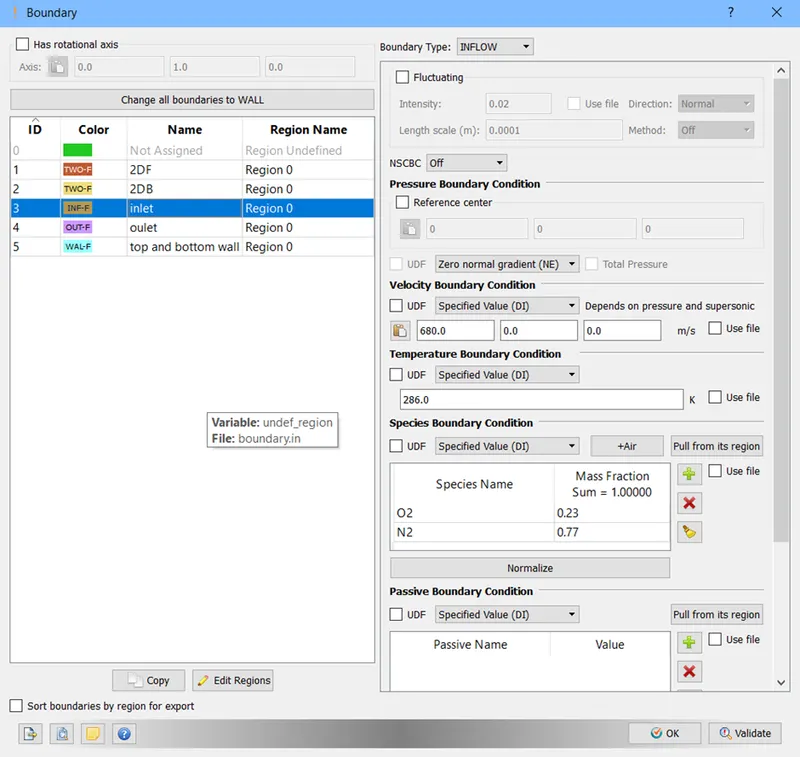
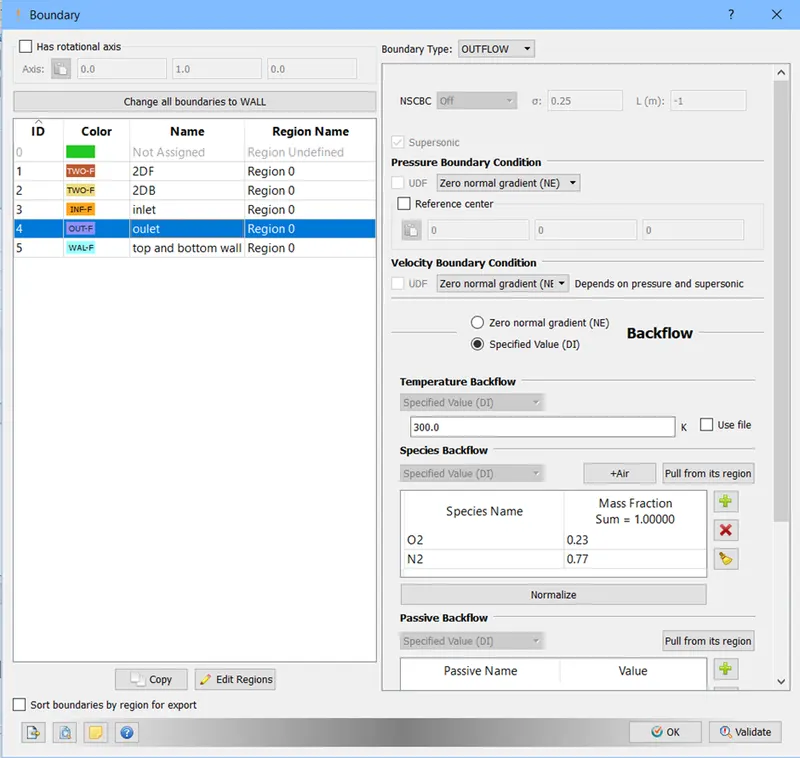
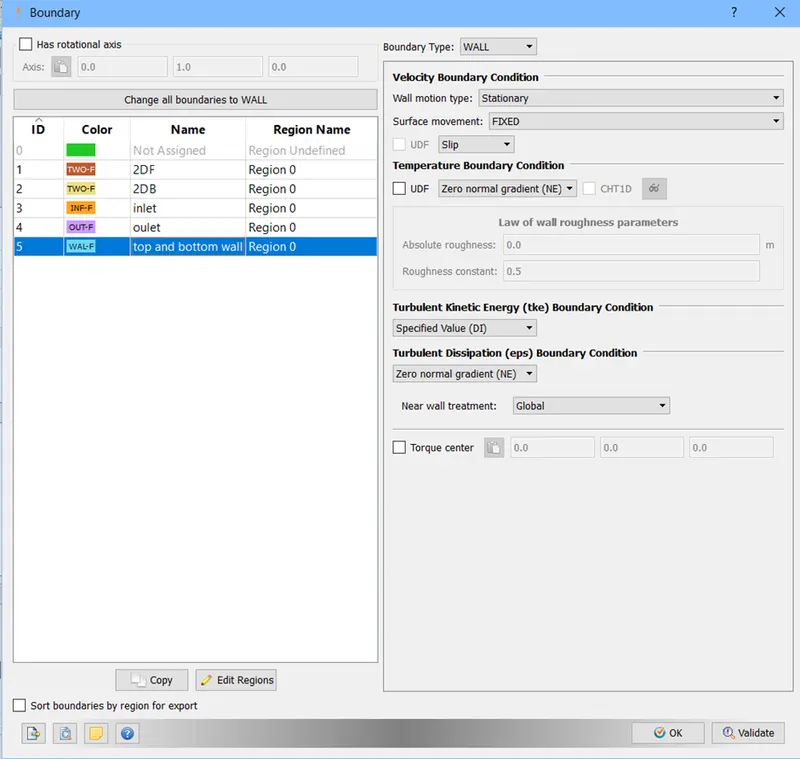
After this we went to setup base grid and activated adaptive mesh refinement and set it up with different SGS values as per the test case.
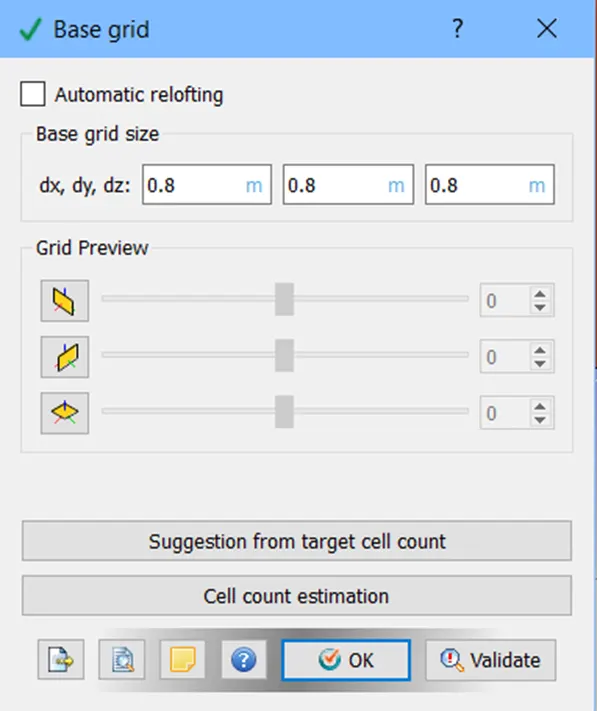
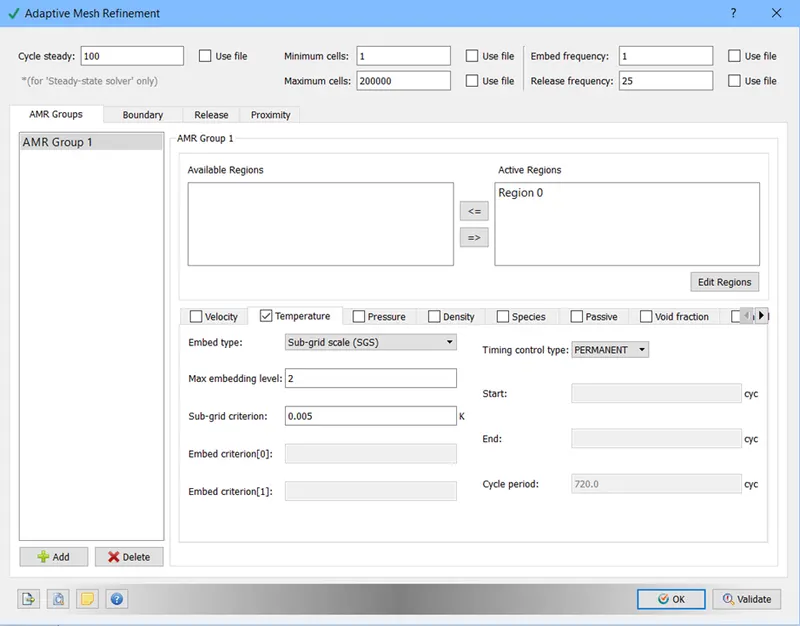
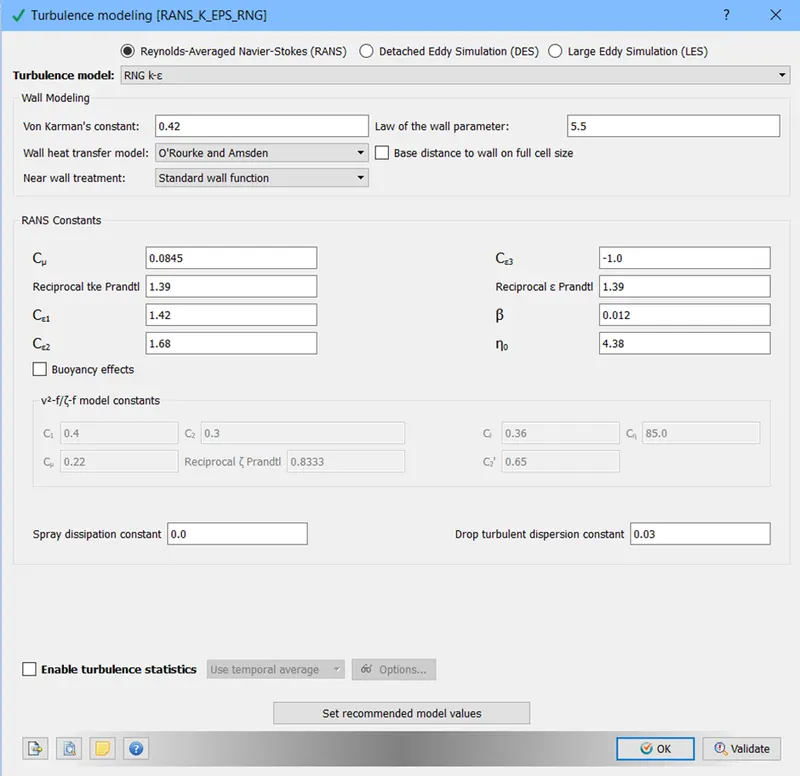
After this we setup the turbulence modelling as default.
After all the setup we went to run diagnostic test and after that we exported all the input files.
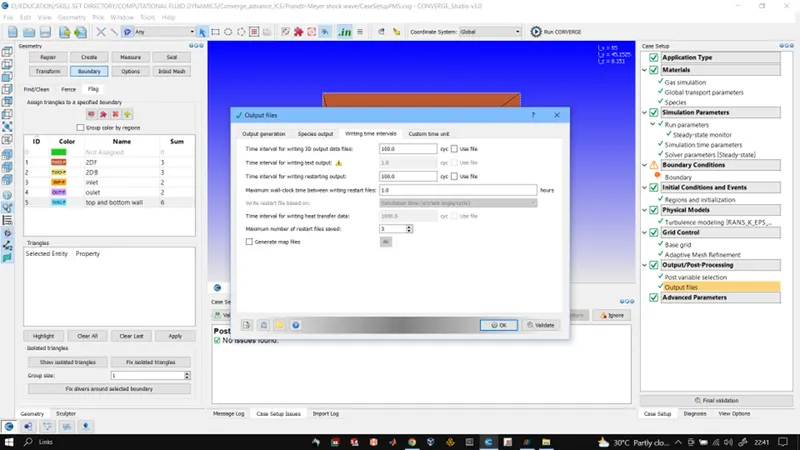
Output files were written and saved as per the above settings.
RESULTS:
CASE1 velocity = 100m/s SGS = 0.05
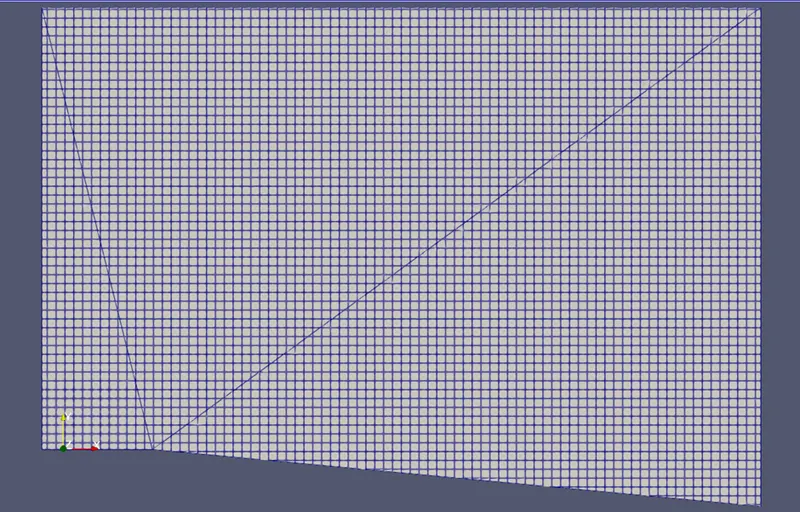
Figure 1: case 1 mesh
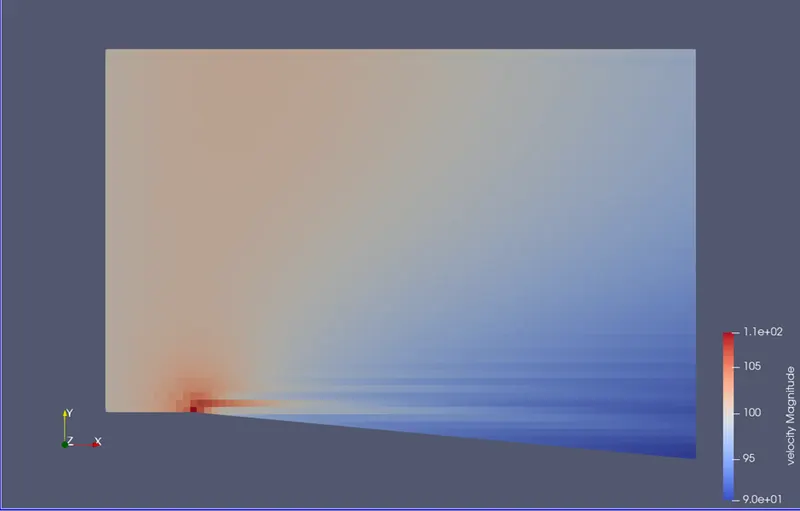
Figure 2: Velocity contour
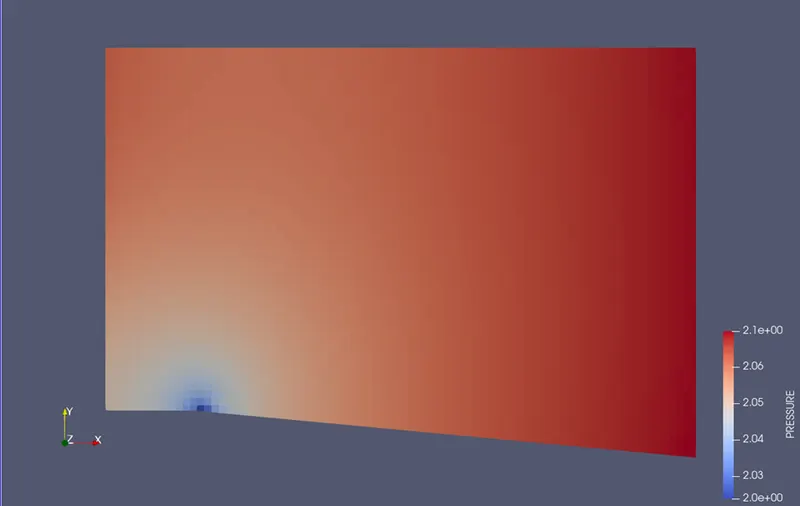
Figure 3: pressure contour
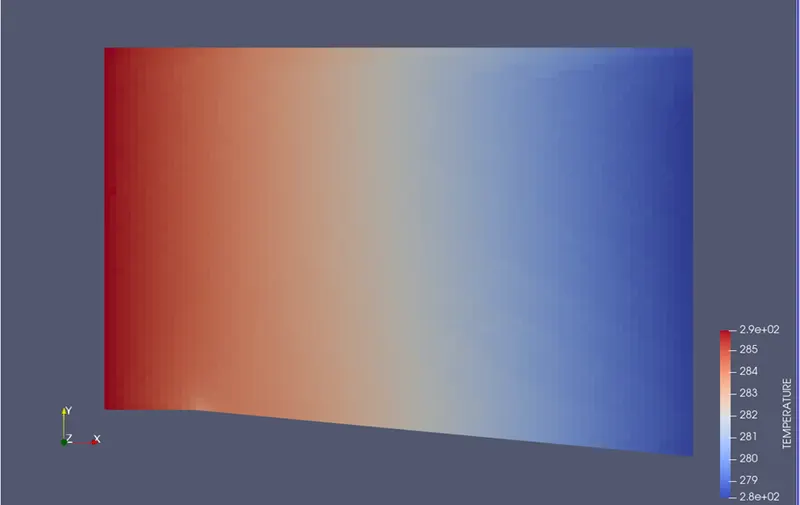
Figure 4: temperature contour
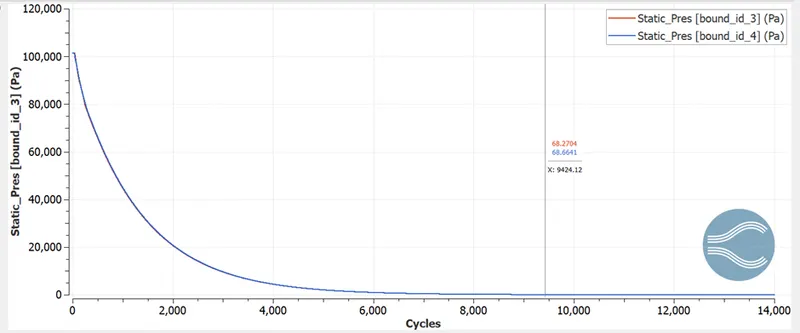
Figure 5: Static pressure graph
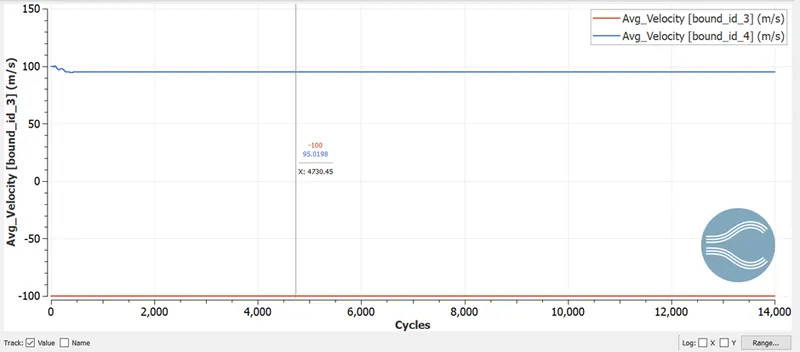
Figure 6: Avg velocity graph
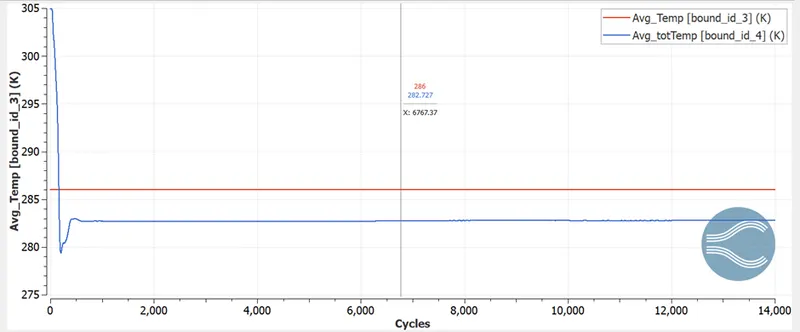
Figure 7: Avg temperature graph
CASE2 velocity = 680m/s SGS = 0.05
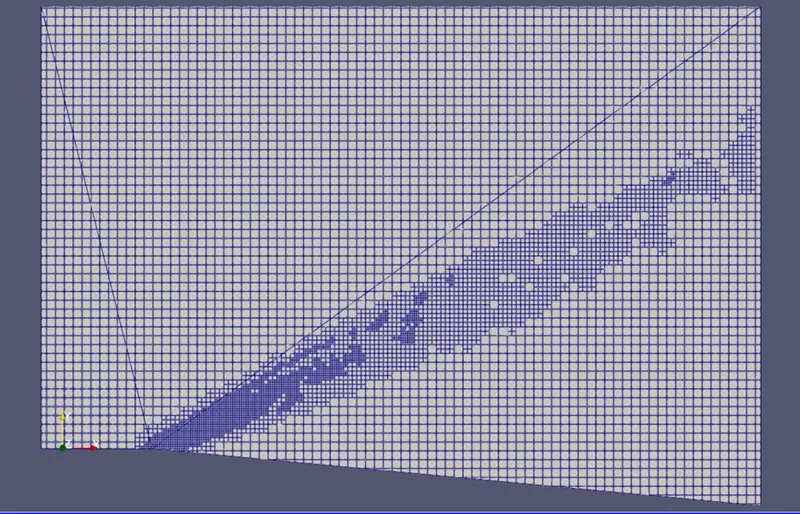
Figure 8: case2 mesh
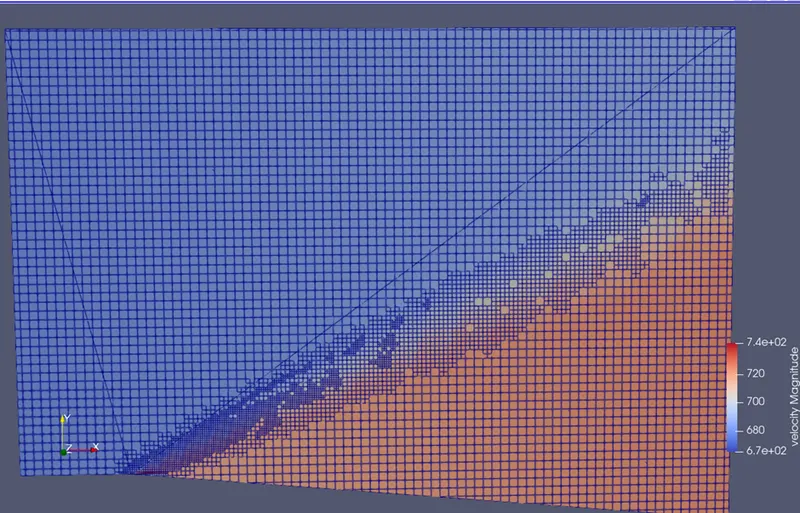
Figure 9: Velocity contour
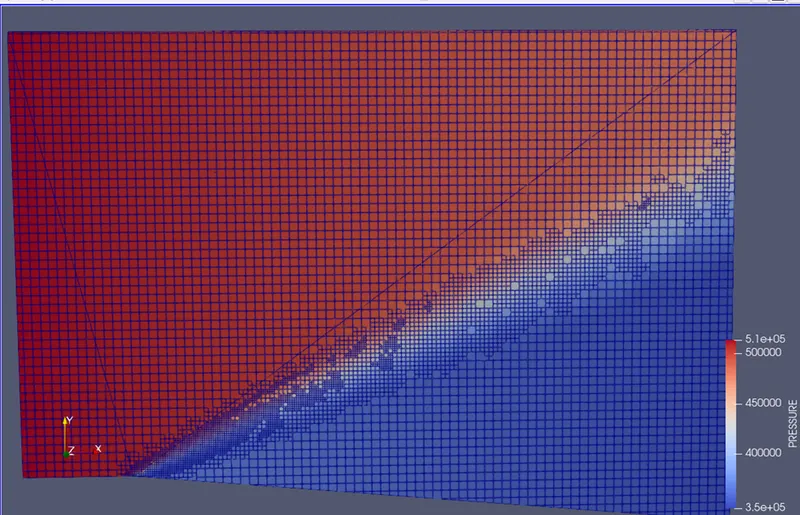
Figure 10: Pressure contour
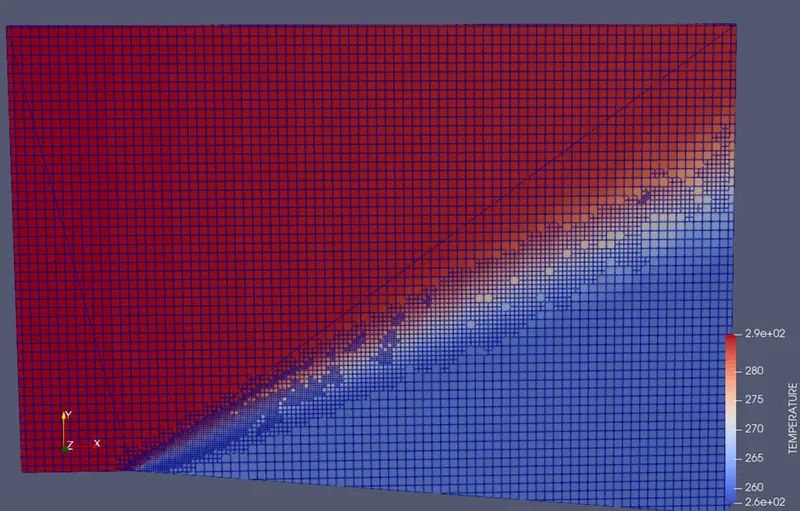
Figure 11: Temperature contour
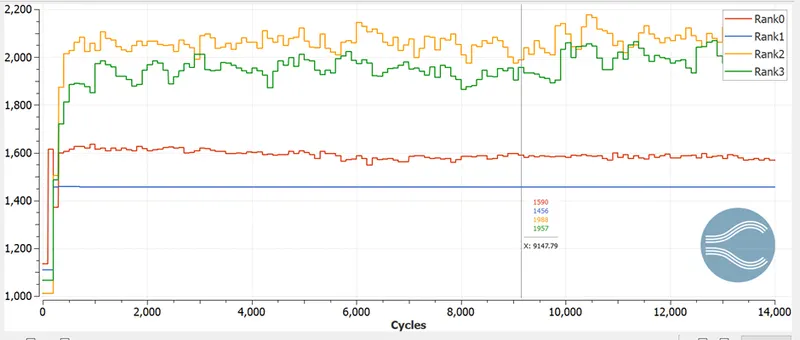
Figure 12: Cell count graph
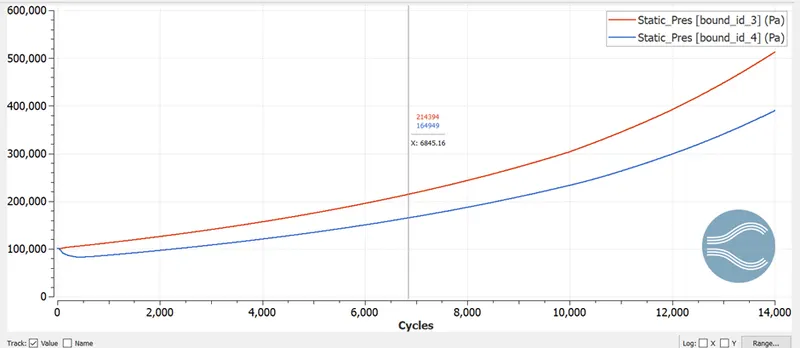
Figure 13: Static pressure graph
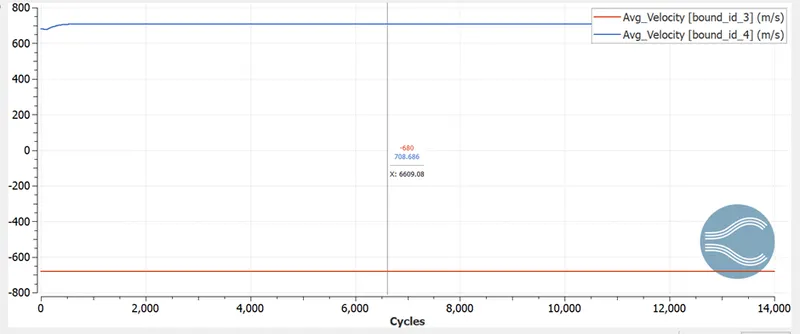
Figure 14: Average velocity graph
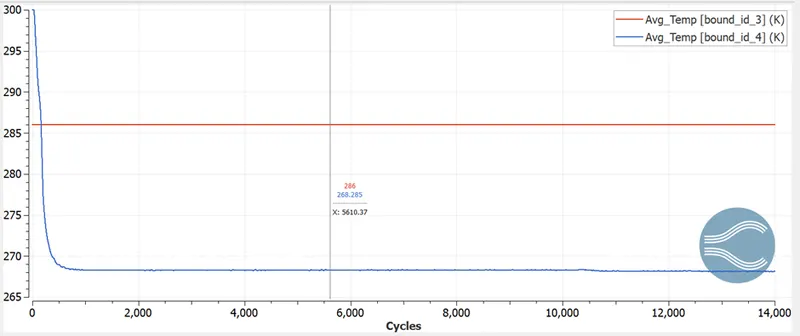
Figure 15: Average temperature graph
CASE3 velocity = 680m/s SGS = 0.005
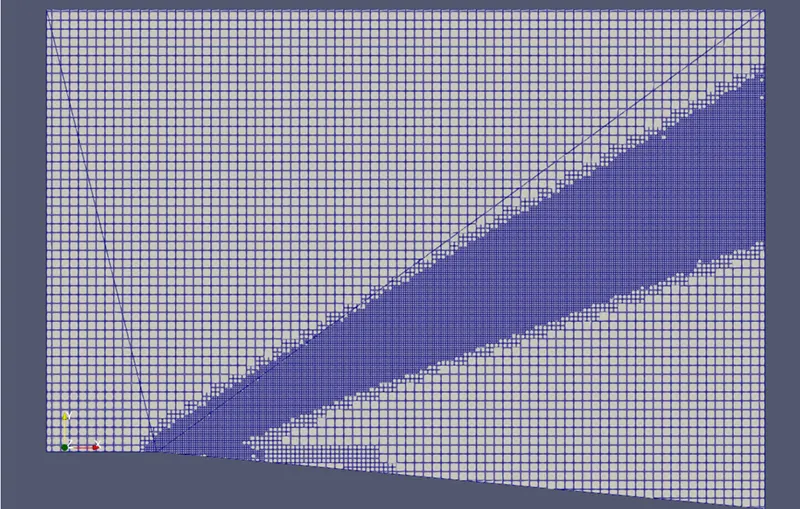
Figure 16: case3 mesh
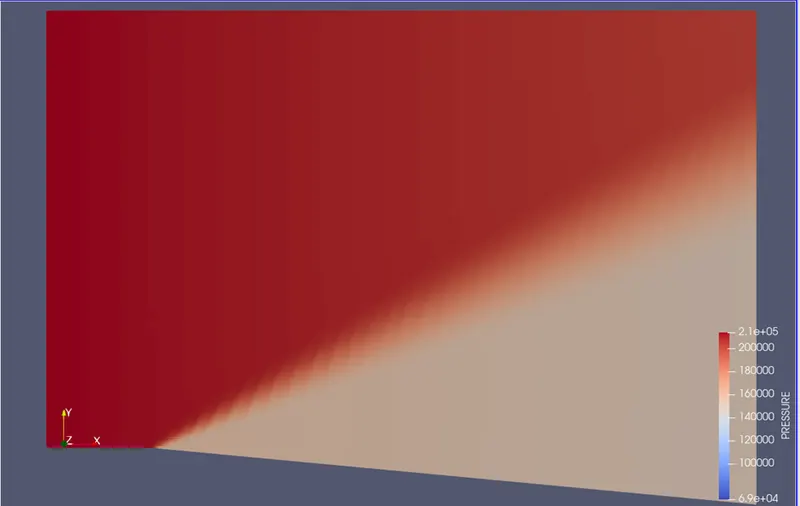
Figure 17: Pressure contour
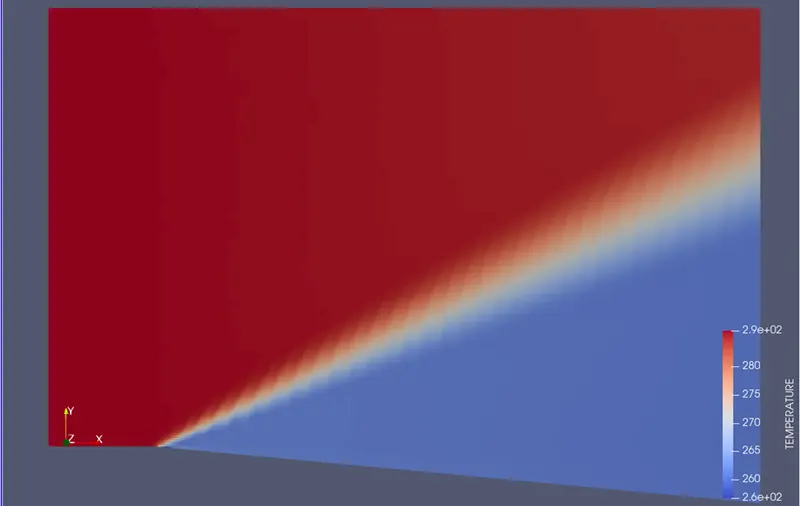
Figure 18: Temperature contour
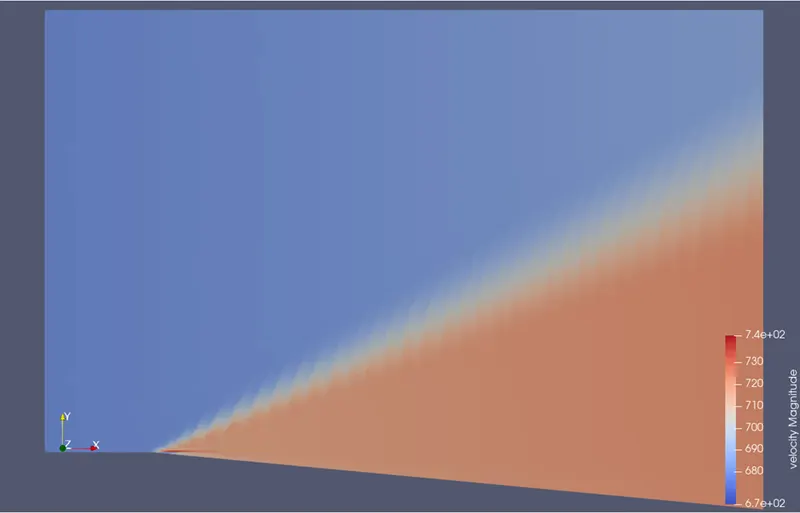
Figure 19: Velocity Contour
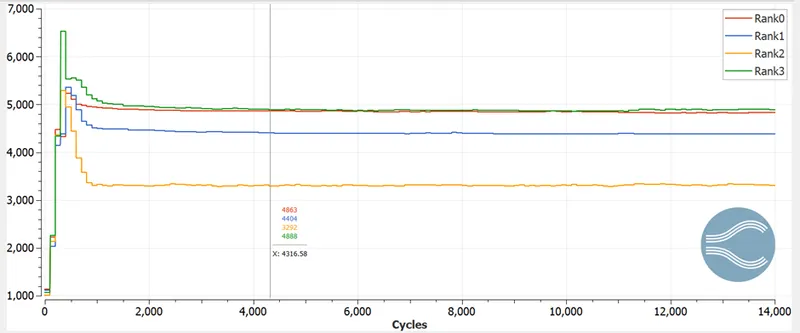
Figure 20: Cell count graph
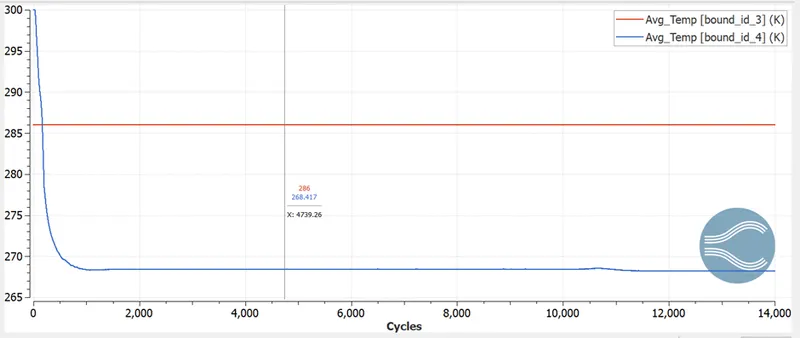
Figure 21: Average temperature graph
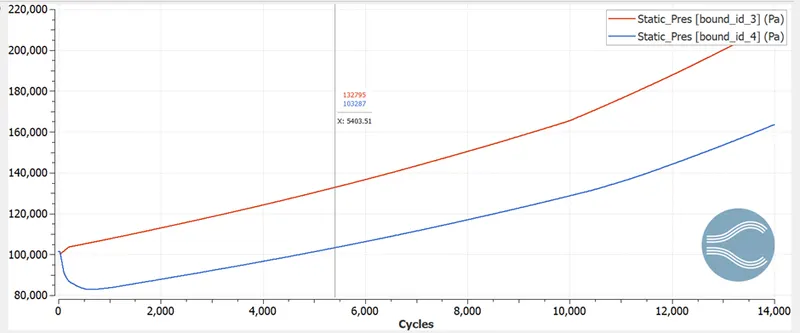
Figure 22: Static pressure graph
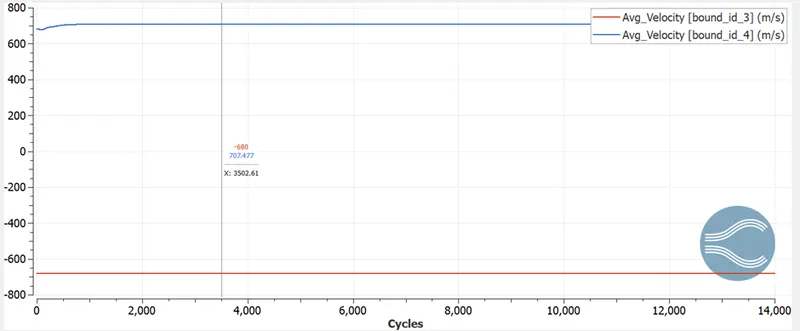
Figure 23: Average velocity graph
CONCLUSION: We observe that medium properties such as temperature pressure and density decrease as the velocity increases after the shock wave generation.
When the velocity was sub-sonic neither any mesh refinement were observed nor we saw any shockwave.
Low SGS values give more accurate results and better adaptive mesh refinement in shockwave region
We observe that there is a smooth and continuous change between medium properties in the shockwave region just opposite to that of oblique shockwave.