Week - 5 - Modelling Spotwelds
AIM:
To create spotweld connections for the given model using the beam amd hexa element in the LS-Dyna.
PROCEDURE:
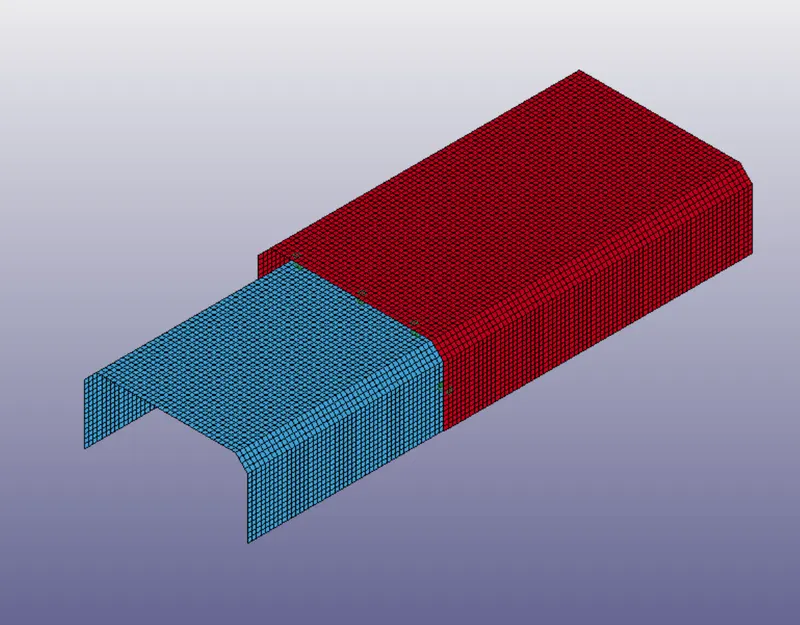
1.Import the given model to the ls-dyna which is in the keyword format and it is meshed.
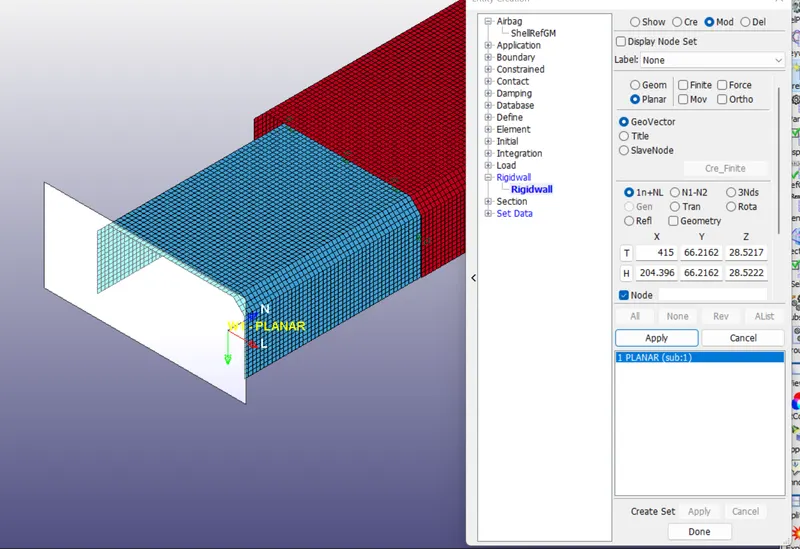
2. create a rigidwall using the create entity option and selct the rigidwall planar and select the N1 and N2 nodes and it shows the rigidwall and accept it.
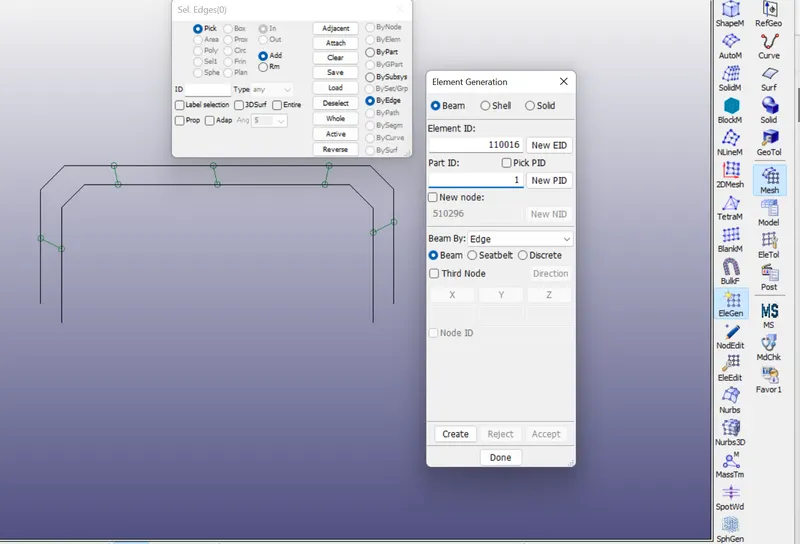
3. First we are following the beam type spotweld, to create beam go to the the element and mesh deck in that select the element generation and with help of two nodes we can create a beam element.
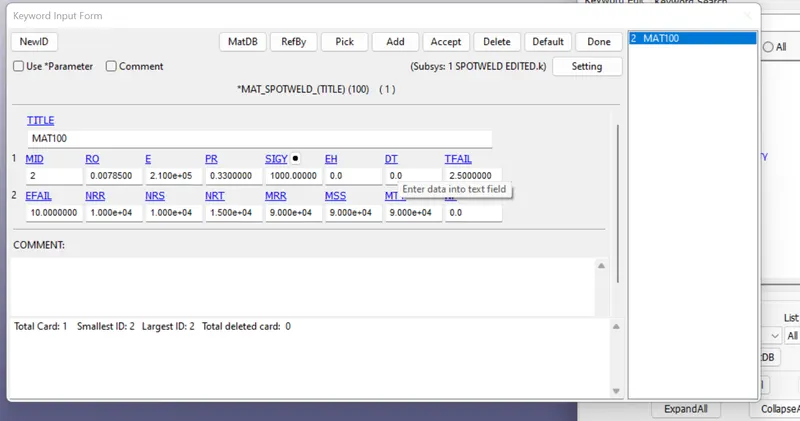
4. MATERIAL CARDS:
SHELL :
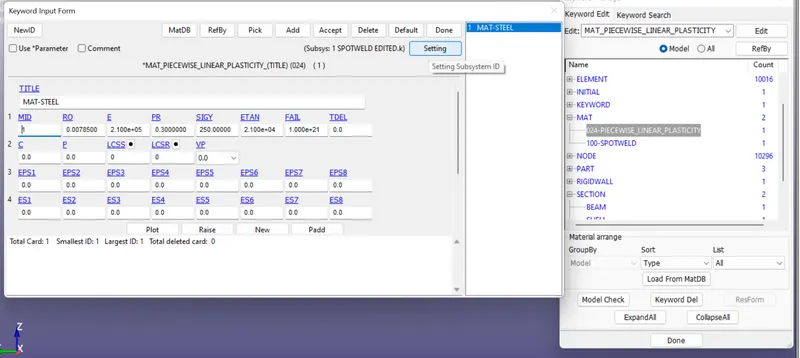
SPOT WELD:
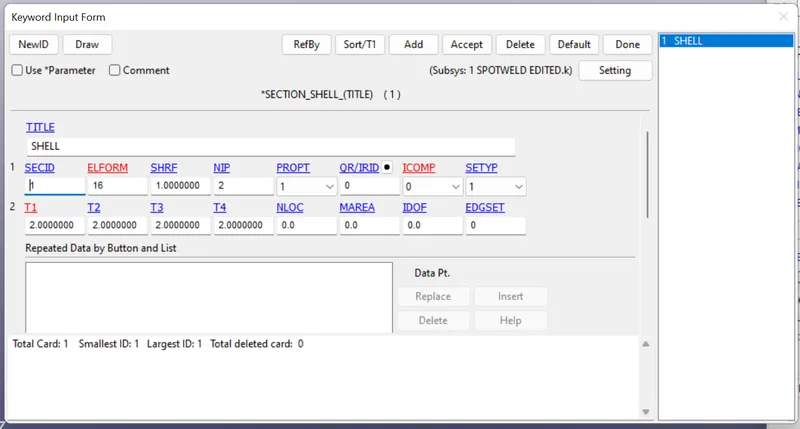
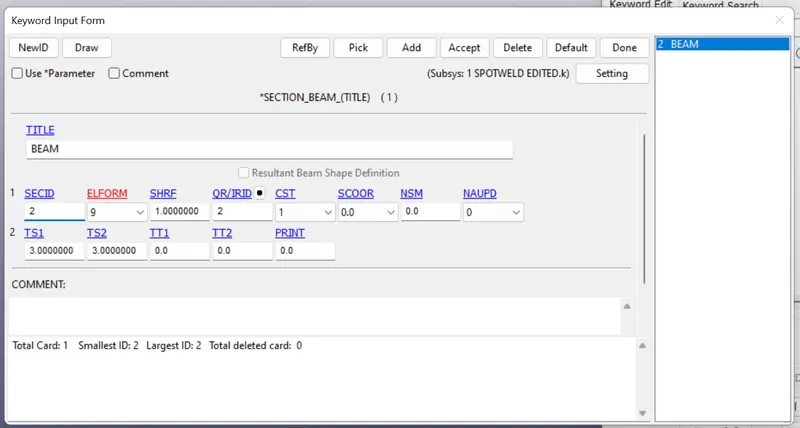
5. SECTION:
FOR SHELL:
FOR BEAM:
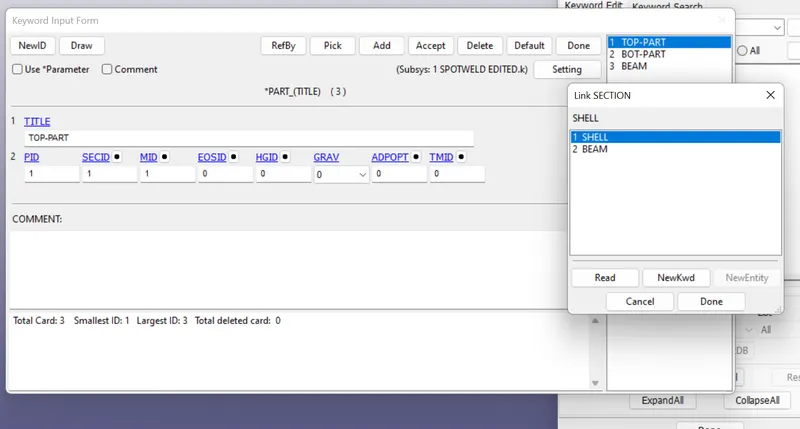
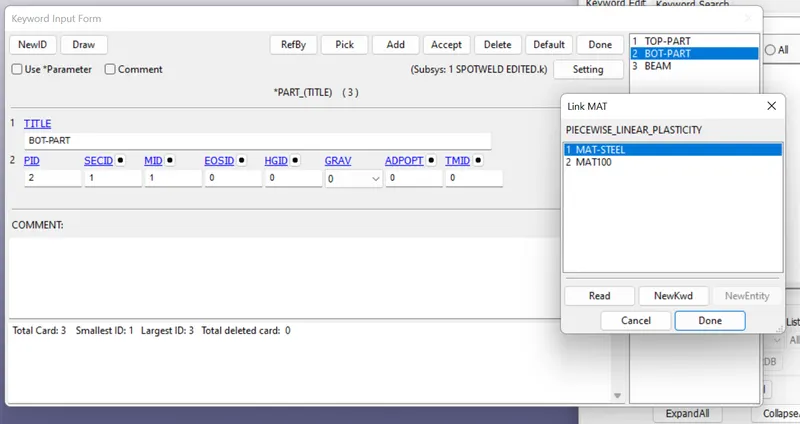
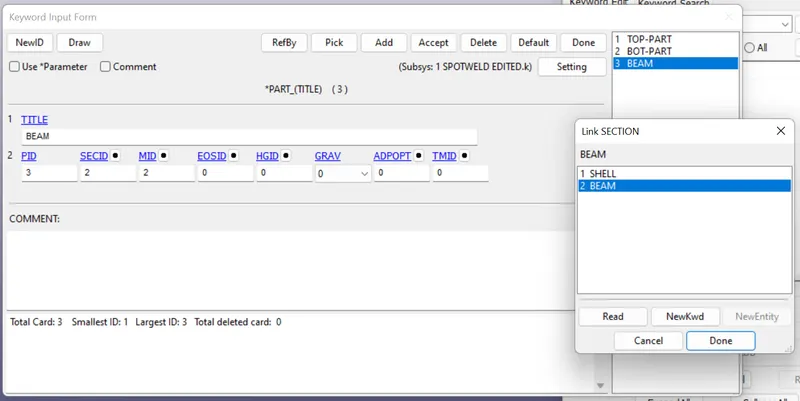
5. PARTS:
TOP BRACKET:
BOT BRACKET:
BEAM:
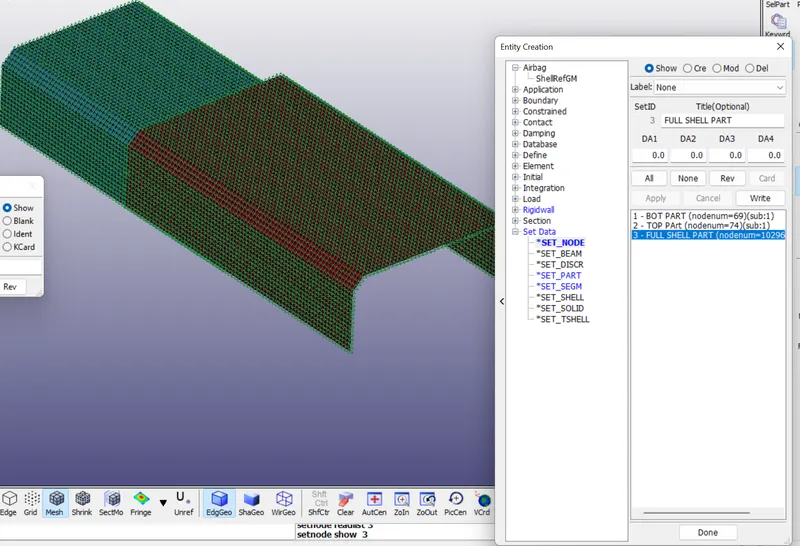
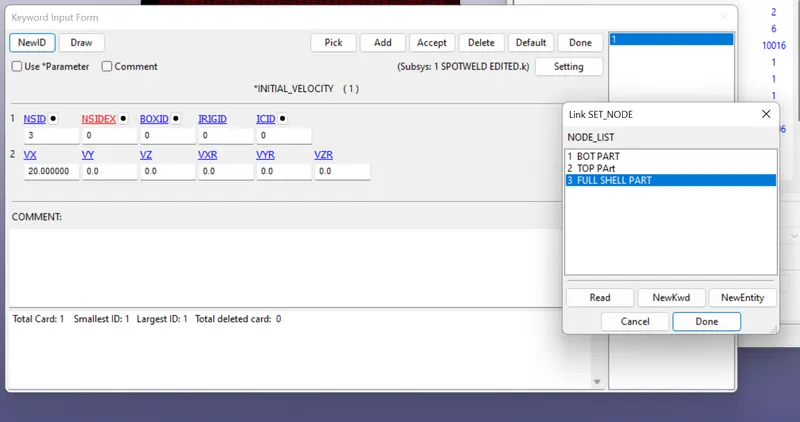
6. NODE SET :
It is define for the velocity flows.
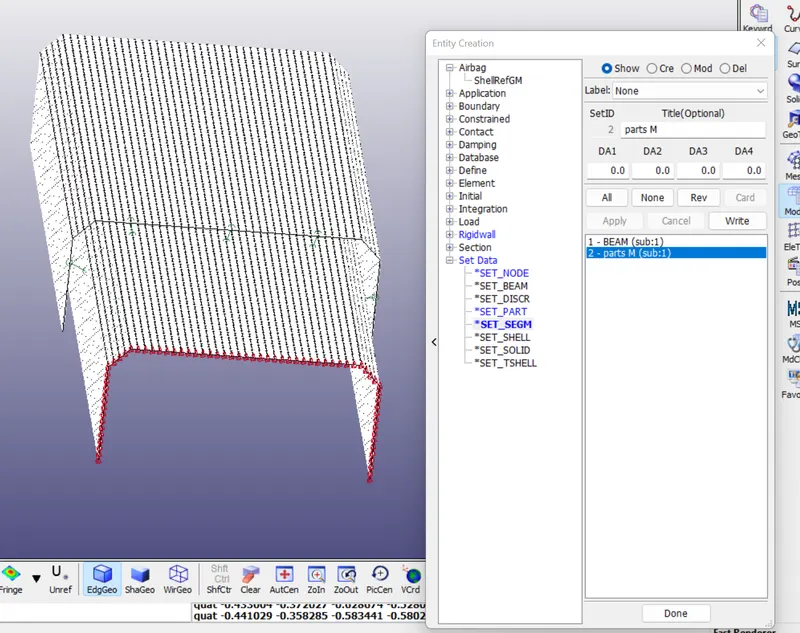
7. SET SEGMENT:
BEAM:
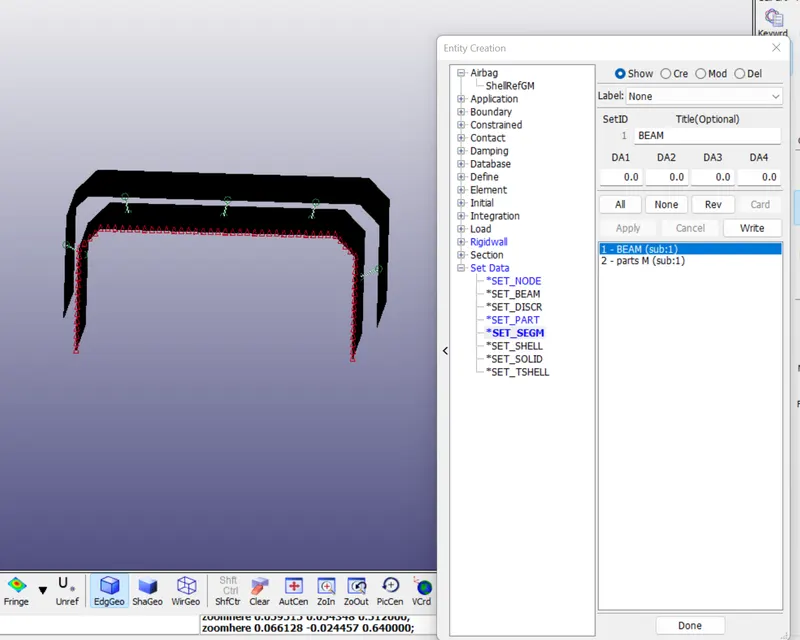
SHELL:
8. INITIAL VELOCITY:
Initial -> Velocity
Here, we consider it as forced drop, in which the velocity is taken as 20mm/(ms^2)
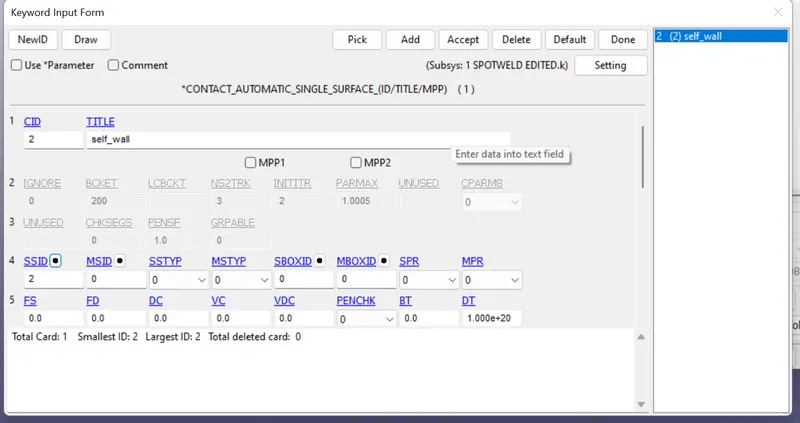
9. CONTACT:
- To create the crash test first we need to have contact connection to the rigidwall, to create that go to the contact keyword and select automatic single surfacee. Here we need to give slave set id using entire shells of the model, create the shell set using the set option and give the id number in the contact keyword and accept it.
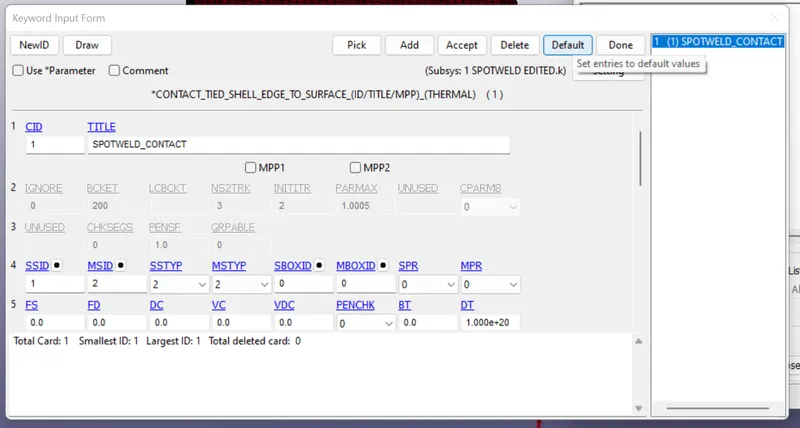
The beam spot weld and shell element using tied contact CONTACT_TIED_SHELL_EDGE_TO_SURFACE .
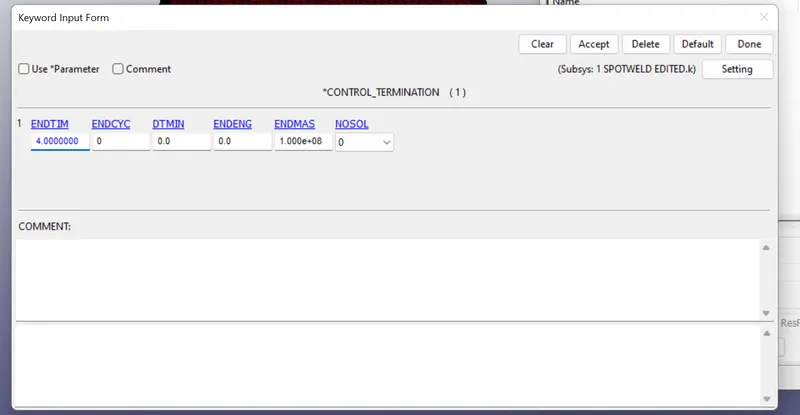
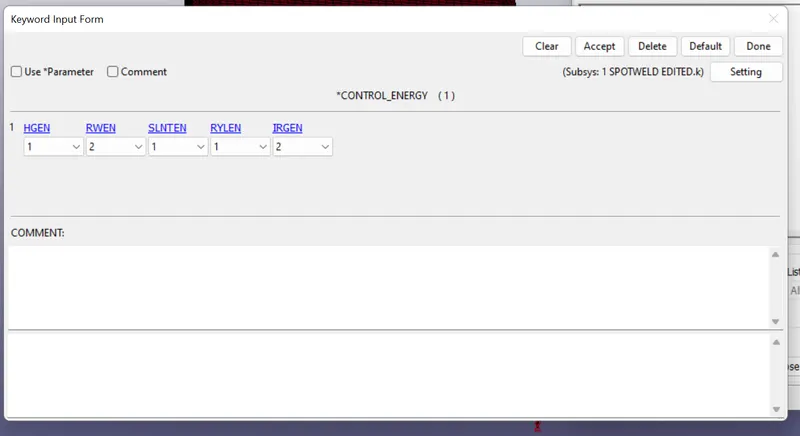
10. CONTROL:
CONTROL_TERMINATION:
CONTROL_ENERGY:
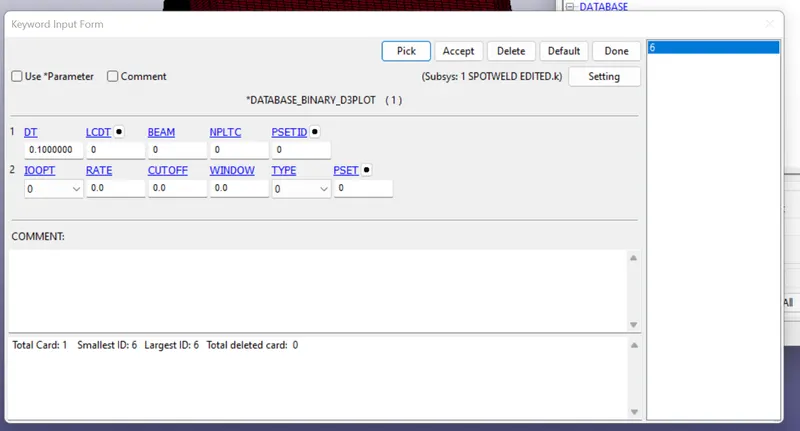
11. DATABASE:
DATABASE_BINARY_D3PLOT:
ASCII_Option:
In this Time output between intervals is specified as 0.08
for the following output Requests,
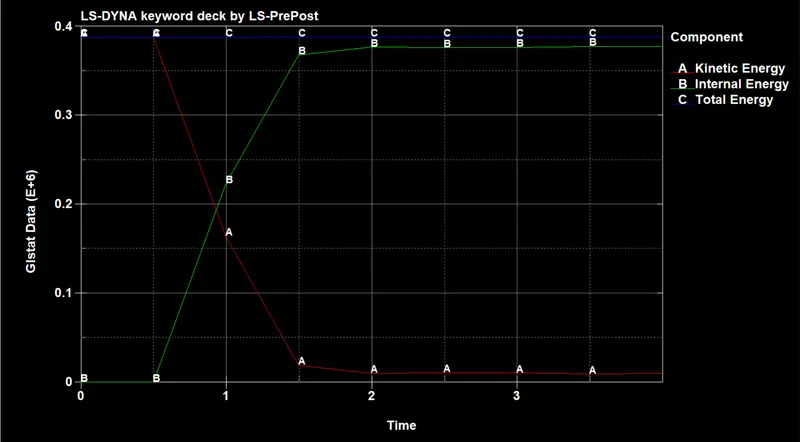
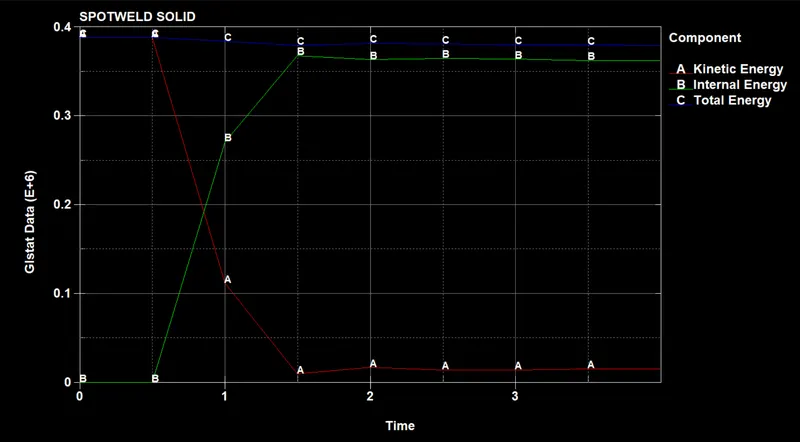
GLSTAT - Global Statics
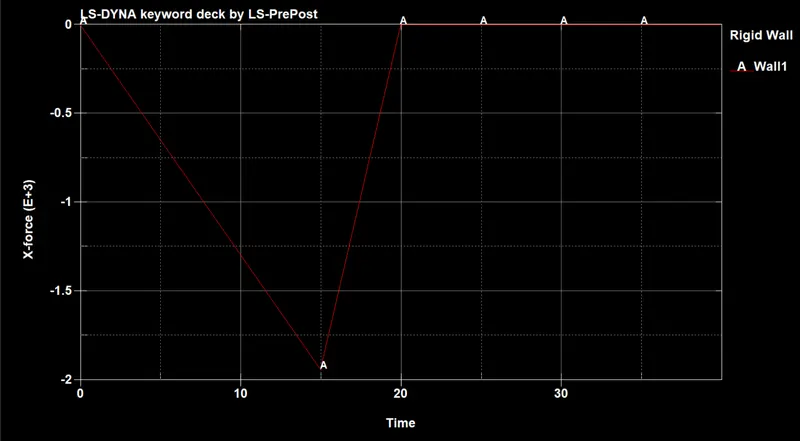
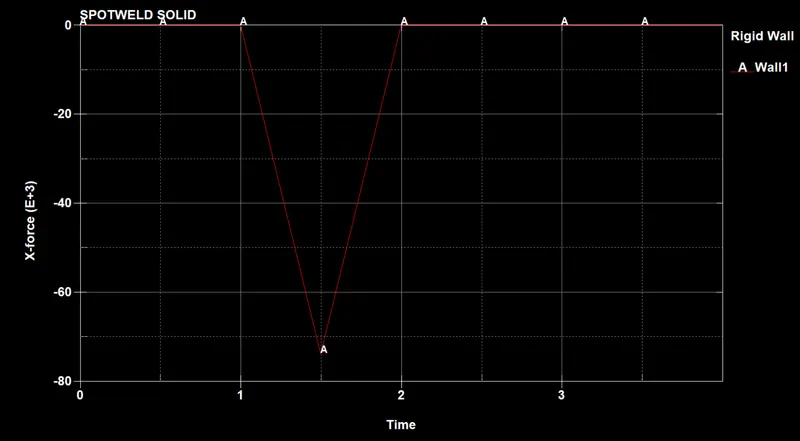
RWFORC - Rigid Wall Forces
SECFORC - Cross Sectional Forces Data
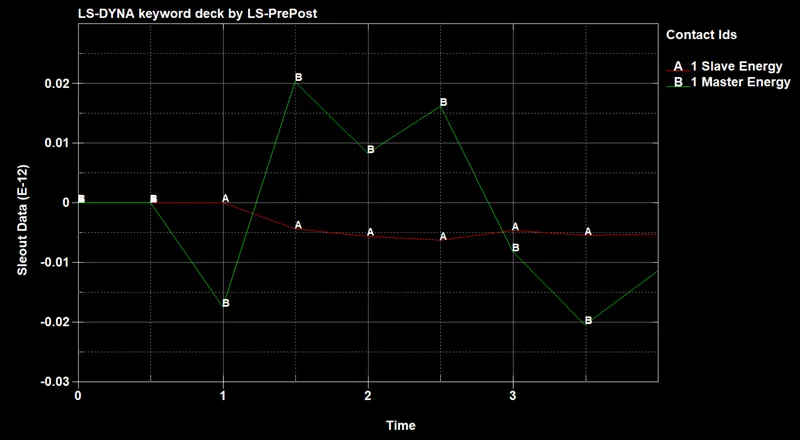
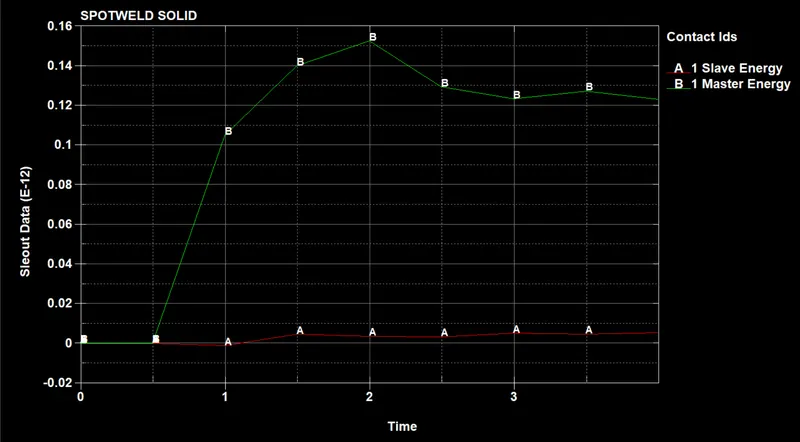
SLEOUT - Sliding Interface Energies
SPCFORC- SPC Reaction forces
SPHOUT - SPH Output data
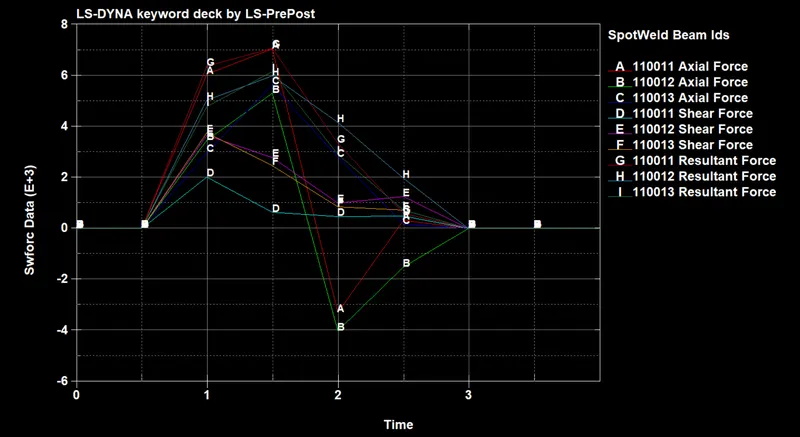
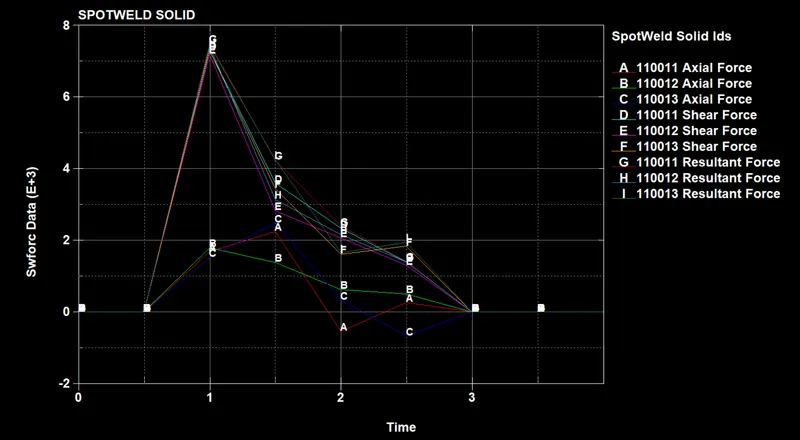
SWFORC - Spotweld Nodal Constraint Reaction Forces
FOR, SOID SPOT WELD:
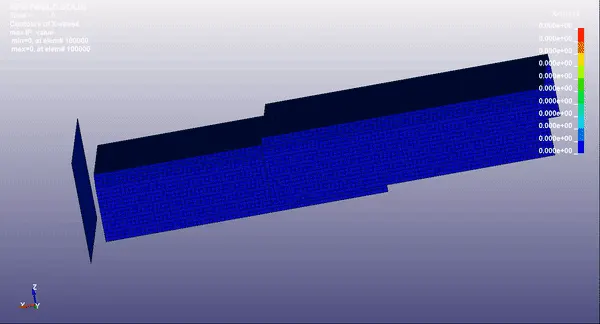
1. To create solid element go to the element generation deck and select the element editing and create the hexa or solid element by selecting the two shell elements between the plates, like this we will create the six hexa elements.
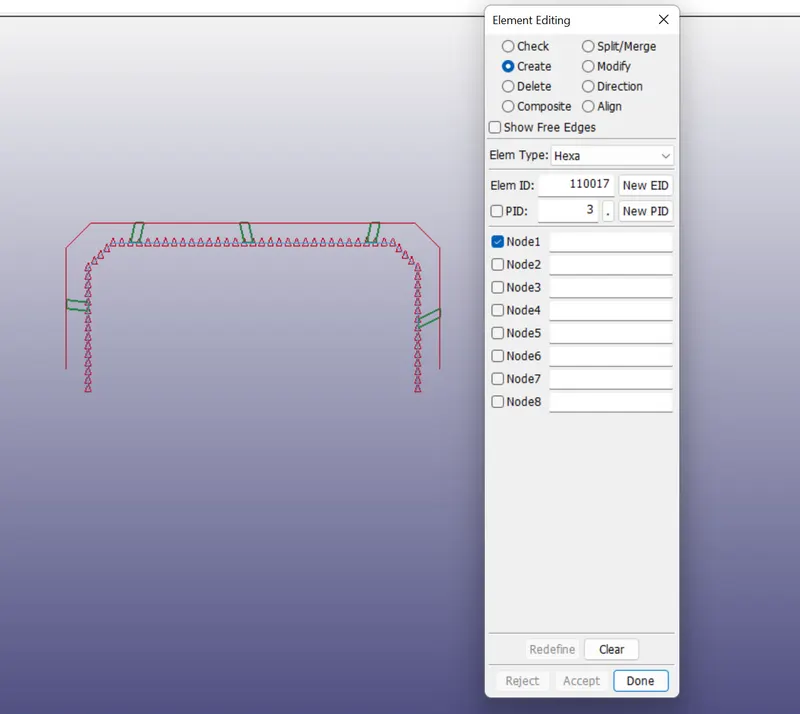
we need to follow same steps above for the solid spotweld method and run the keyword in ls manager to extract the results.
SIMULATIONS :
BEAM SPOT WELD:
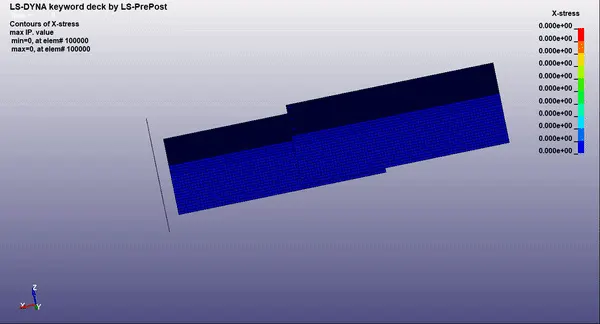
SOLID HEXA SPOT WELD:
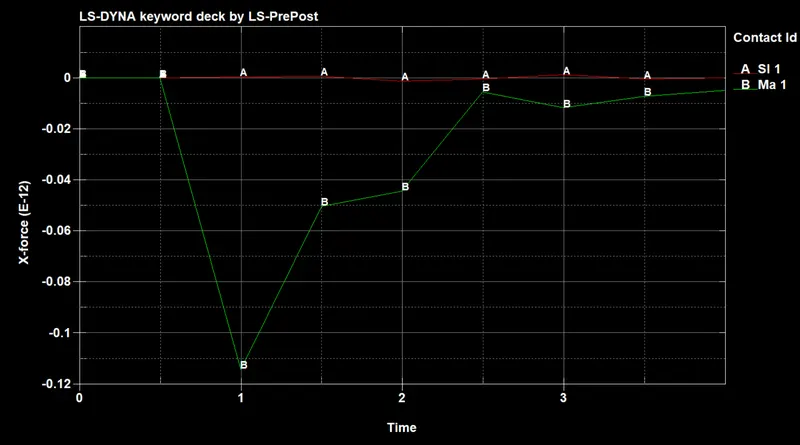
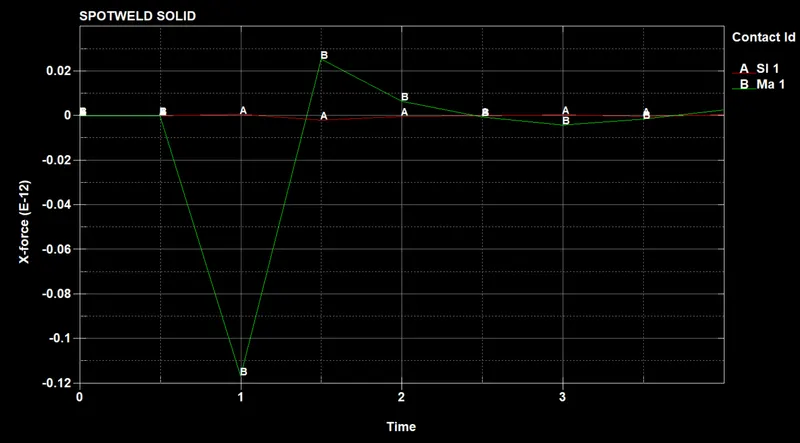
RWFORC:
BEAM :
SOLID:
GLSAT:
BEAM:
SOLID:
RCFORC:
BEAM:
SOLID:
SWFORC:
BEAM:
SOLID:
SLEOUT:
BEAM:
SOLID:
RESULT:
Thus we created two types of connections for the model i.e, Beam and Hexa elements and we run a simulations for both the methods and extracted the results successfully