Week - 5 - Checking and correcting the Normals
AIM: Checking and correcting the Normals using tcl/tk script
OBJECTIVE: The objective of this challenge is:
1. To Write a code to display normals
2. To create a widget containing two buttons for “reverse normals” and “normal off”
3. To assign these procedures to keyboard buttons of our choice
4. To check the null case
PROCEDURE:
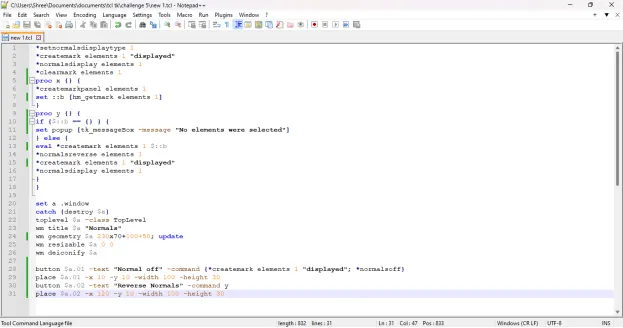
1. To perform the given task, open any code editor ( here we use Notepad++) and type a code as follows:
# To Write a code to display normal
*setnormalsdisplaytype 1
*createmark elements 1 "displayed"
*normalsdisplay elements 1
*clearmark elements 1
proc x {} {
*createmarkpanel elements 1
set ::b [hm_getmark elements 1]
}
proc y {} {
if {$::b == {} } {
set popup [tk_messageBox -message "No elements were selected"]
} else {
eval *createmark elements 1 $::b
*normalsreverse elements 1
*createmark elements 1 "displayed"
*normalsdisplay elements 1
}
}
#To create a widget containing two buttons for “reverse normals” and “normal off”
set a .window
catch {destroy $a}
toplevel $a -class TopLevel
wm title $a "Normals"
wm geometry $a 230x70+100+50; update
wm resizable $a 0 0
wm deiconify $a
button $a.01 -text "Reverse Normals" -command y
place $a.01 -x 10 -y 10 -width 100 -height 30
button $a.02 -text "Normal off" -command {*createmark elements 1 "displayed"; *normalsoff}
place $a.02 -x 120 -y 10 -width 100 -height 30
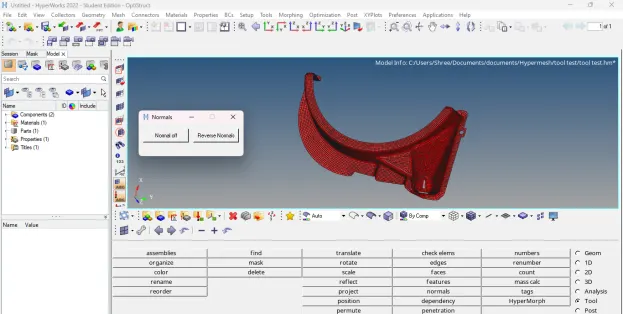
This code creates a new window in hypermesh having name as “Normals” and having geometry of 230x70.
2. After writing the code save the file.
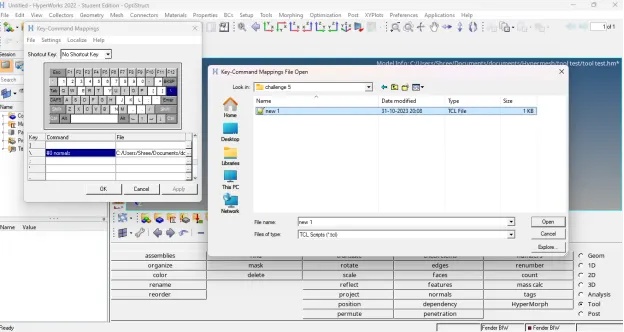
3. Then open any model in hypermesh and run this file in hypermesh using shortcut key assign to it.
4. After running this code in hypermesh, following result will appear:
TCL COMMAND EXPLANATION:
1. *setnormalsdisplaytype: Sets the display type for element normals. This is utilized by the commands that turn on element normals display
2. *normalsdisplay: Turns on the display of 2D and 3D element normals
3. *normalsreverse: Reverses the normals of 2D and 3D elements
4. *normalsoff: Turns off the display of element/surface normals
CONCLUSION: After executing proper tcl/tk code:
1. We are able to display normals
2. We are able to create a widget containing two buttons for “reverse normals” and “normal off”
3. We are able to assign these procedures to keyboard buttons of our choice