Week - 5 - Checking and correcting the Normals
Report week 5 Checking and correcting the Normals
Objective:
- Write a code to display normal as explained in Lecture 5
- Create a widget containing two buttons for “reverse normals” and “normal off”
- Also assign these procedures to keyboard buttons of your choice.
- check the null case also
Problem Statement: to realize requirement above
Tcl command explanation:
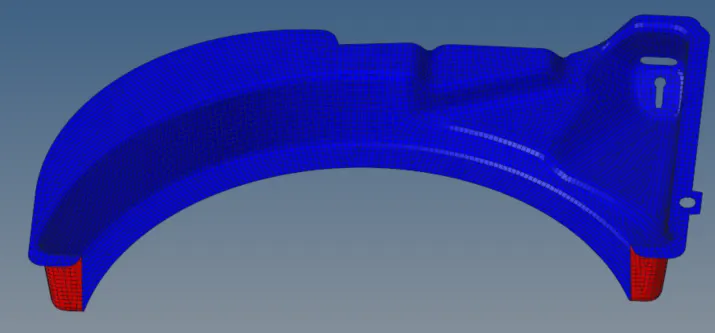
display normal as explained in Lecture 5:
*setnormalsdisplaytype 1
*createmark elements 1 "displayed"
*normalsdisplay elements 1
*clearmark elems 1
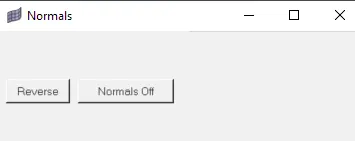
Create a widget containing two buttons for “reverse normals” and “normal off”:
set a .window
catch {destroy $a}
toplevel $a -class toplevel
wm title $a "Normals"
wm geometry $a 230x125+100+200
button $a.01 -text "Reverse" -command {*createmark elements 1 "displayed"; *normalsreverse elements 1}; place $a.01 -x 10 -y 60 -width 80 -height 30
button $a.02 -text "Normals Off" -command {*createmark elements 1 "displayed" ; *normalsoff}; place $a.02 -x 100 -y 60 -width 120 -height 30
assign these procedures to keyboard buttons of your choice: can write separate procedure and assign keyboard
check the null case also:
It can be checked as follow:
if {$::b == {} } {
set popup [tk_messageBox -message "No elements were selected"]
} else {
eval *createmark elems 1 $::b
*normalsreverse elems 1
*createmark elements 1 "displayed"
*normalsdisplay elements 1
Conclusion: All tasks are competed as above
Window:
normal display:
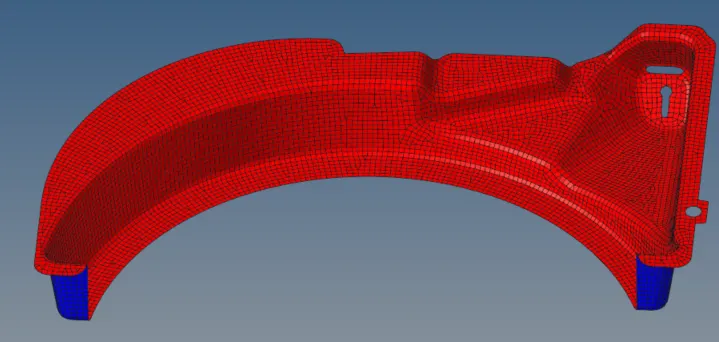
reverse normal:
normal off: