Week - 5 - Checking and correcting the Normals
AIM:
- Write a code to display normal as explained in Lecture 5
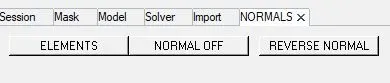
- Create a widget containing two buttons for “reverse normals” and “normal off”
- Also assign these procedures to keyboard buttons of your choice.
- check the null case also
OBJECTIVE:
To write a code to display normals of the elements and two buttons to reverse the normals as well as turn off normals display.
CODE:
*setnormalsdisplaytype 1
*createmark elements 1 "displayed"
*normalsdisplay elements 1
*clearmark elems 1
proc x {} {
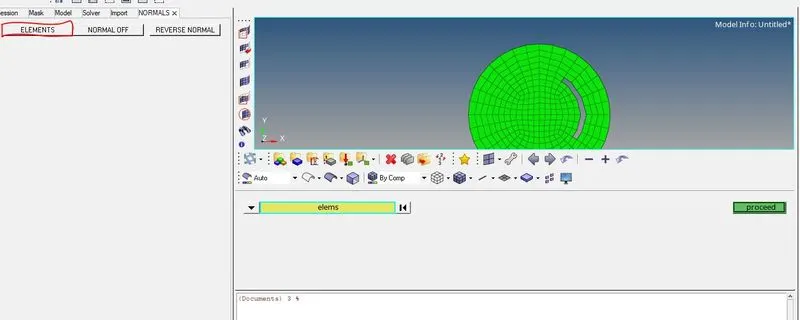
*createmarkpanel elems 1
set ::b [hm_getmark elems 1]
}
proc y {} {
if {$::b == {} } {
set popup [tk_messageBox -message "No elements were selected"]
} else {
eval *createmark elems 1 $::b
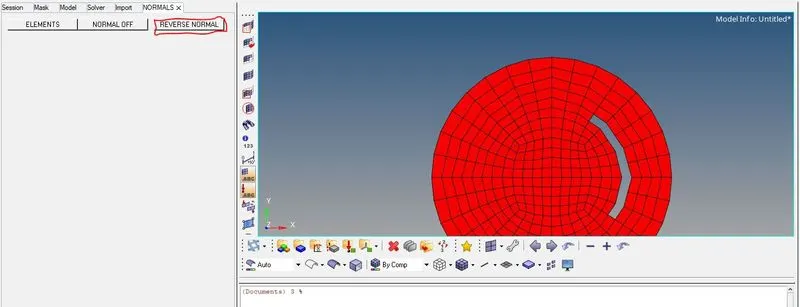
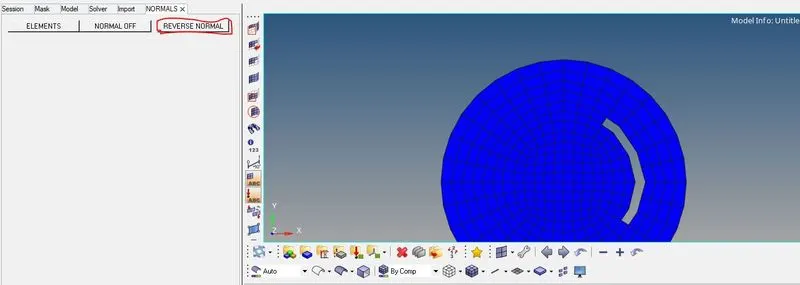
*normalsreverse elems 1
*createmark elements 1 "displayed"
*normalsdisplay elements 1
}
}
hm_framework removetab "Normals"
set a .normal
hm_framework addtab "NORMALS" [frame $a]
button $a.01 -text "ELEMENTS" -command x
place $a.01 -x 10 -y 10 -width 120 -height 20
button $a.02 -text "NORMAL OFF" -command {*normalsoff}
place $a.02 -x 130 -y 10 -width 120 -height 20
button $a.03 -text "REVERSE NORMAL" -command y
place $a.03 -x 260 -y 10 -width 120 -height 20
PROCEDURE:
- *setnormalsdisplaytpeis used to display the type of visualization whether with direction of normal (0) or color(1)
- Then the elements displayed in were selected using *createmarkcommand.
- Normals were displayed for the selected element with color representation using*normalsdisplay elems.
- Functions were created for the reversing the normals and select the elements using proc and these functions are called by assigning the respective buttons.
- To reverse the normals of the selected elements *normalsreverse command is used.
- hm_framework is used to create a separate tab.
OUTPUT:
RESULTS:
- A code is written to display Widget has created which contains two buttons for "reverse normal & off".