Assignment 3-2D Element Formulation Challenge
Aim :- To simulate Comparison of results of base simulation and improved shell element properties of crash beam with plots of forces and various energies
Questions:
Comparison of results with base simulation and improved shell element properties
1.Using the crash beam file from the previous assignment, change the run time to 55 ms.
step 1 :- open name_0000.rad file by importing the file to the import solver deck.
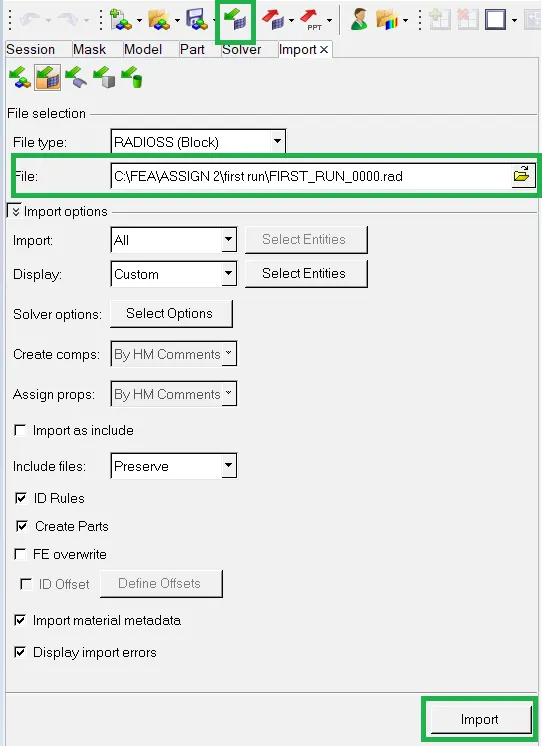
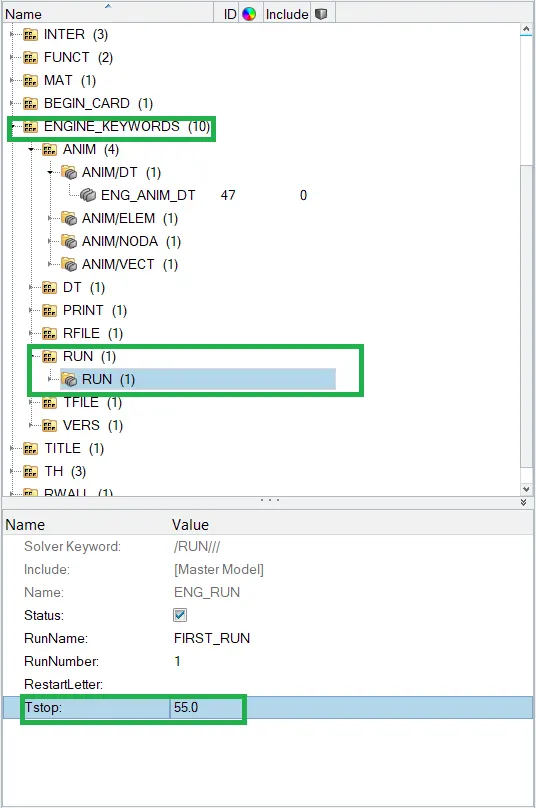
Step 2 :- Go to ENGINE_KEYWORDS > RUN > Tstop. Change it to the 55 (55ms)
2. Change the number of animation steps during simulation to a minimum of 25 and maximum of 60.
Step 1 : Frequency = T stop / steps
lets, take 40 steps ( given max 60 and minimum 25)
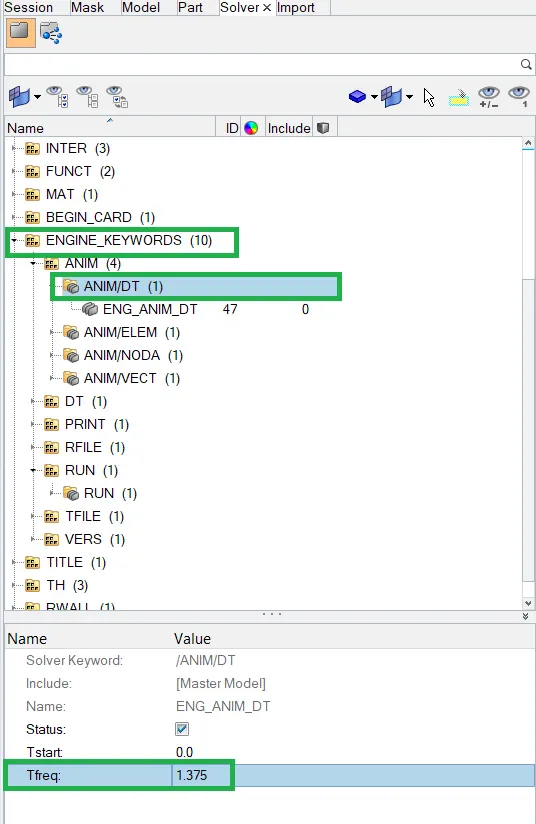
freq = 55/40 = 1.375
Step 2 : Go to ENGINE_KEYWORDS > ANIM > ANIM/DT > change T freq to 1.375.
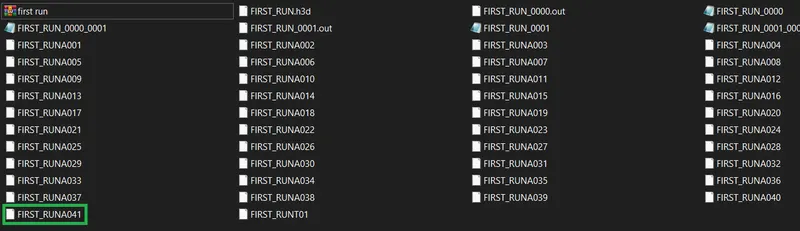
After analyis we can see there are 40 Animation files will be created.
3. Run the base simulation without any modification to element properties.
Step 1 : Run the simulation by Analysis > Radioss > Select the path to save the model > click on Radioss to run the simulation.

In options keep " -nt 4 " to make the analysis faster:
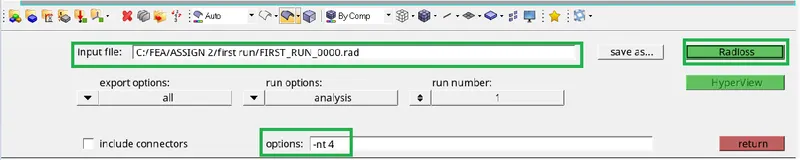
Radioss solver window :
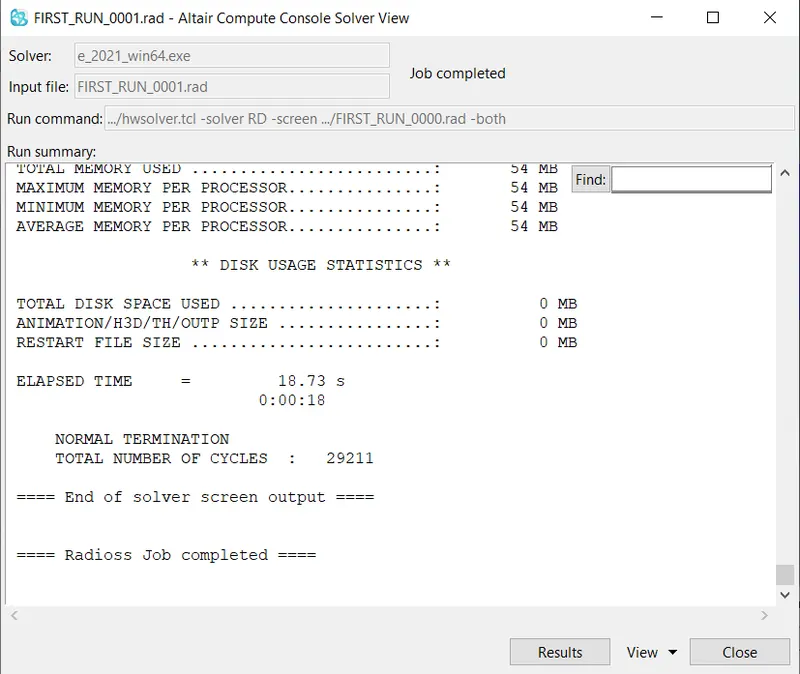
4. At the end of the simulation, do the energy error and mass error checks and determine whether results would be acceptable.
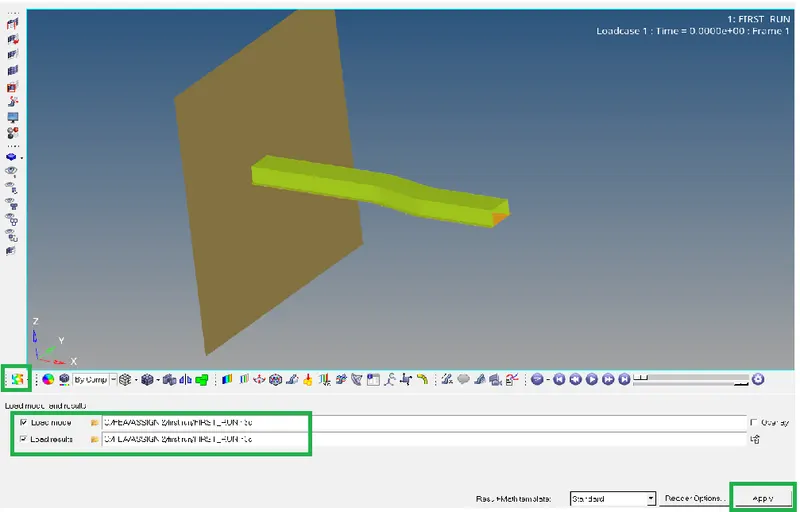
Now go to the hyperview and load the model as shown below and click on apply.
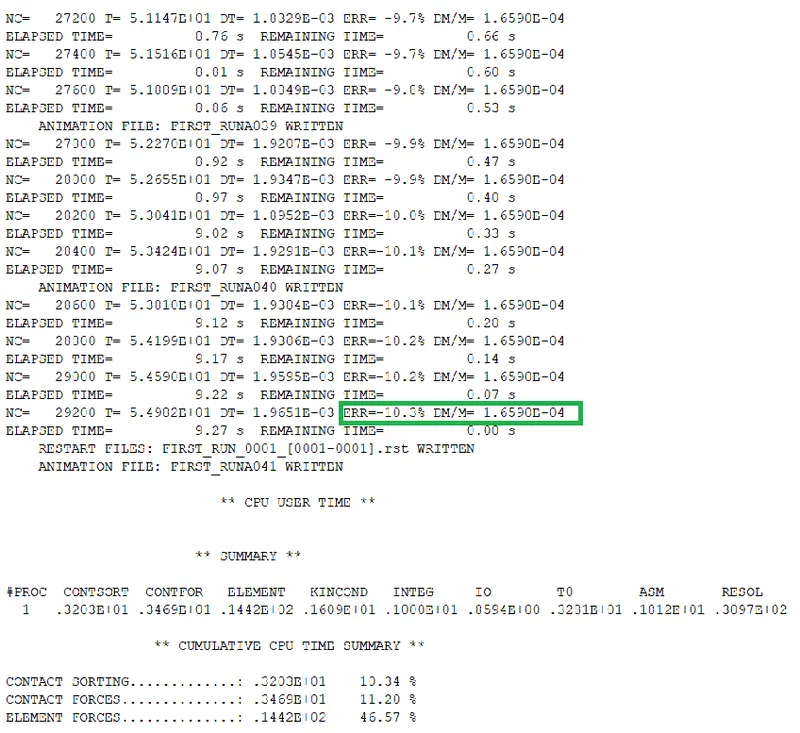
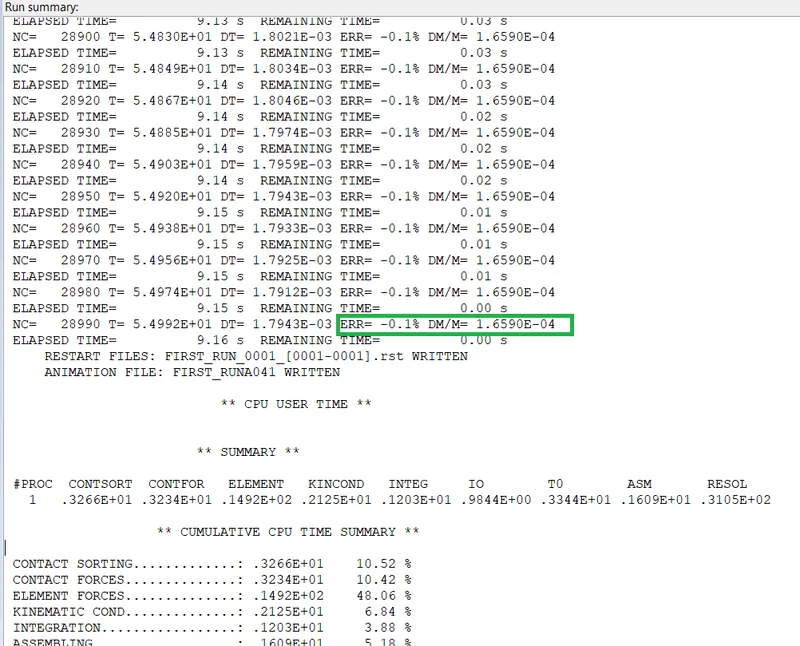
From the out put file we can the mass error of the -10.3% which in the acceptable range of +5% to -15% range.
Similary, mass error is 1.659E-04 which can be upto 2.
so, both are in acceptable range.
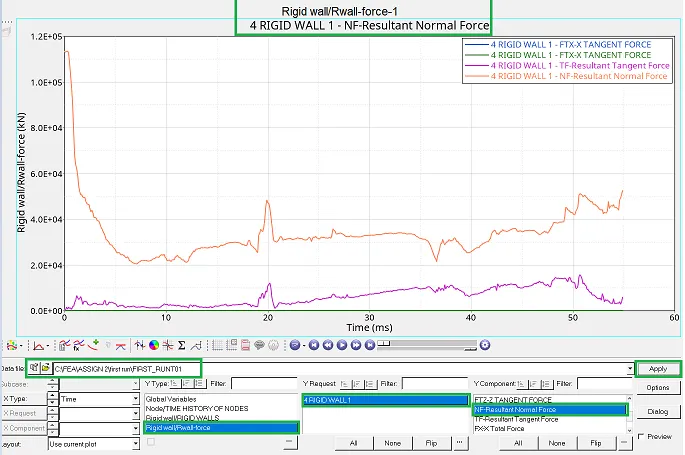
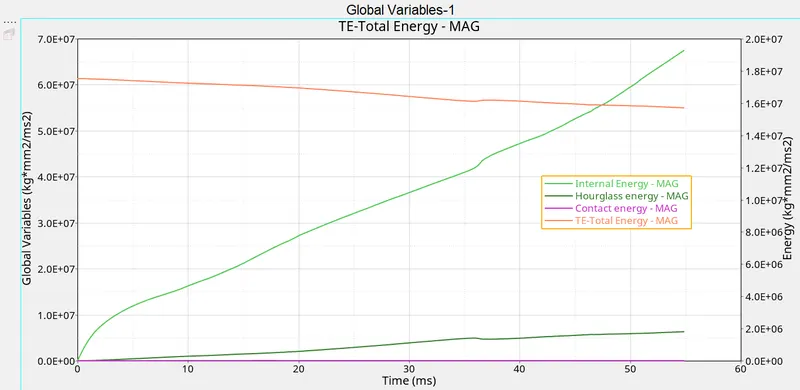
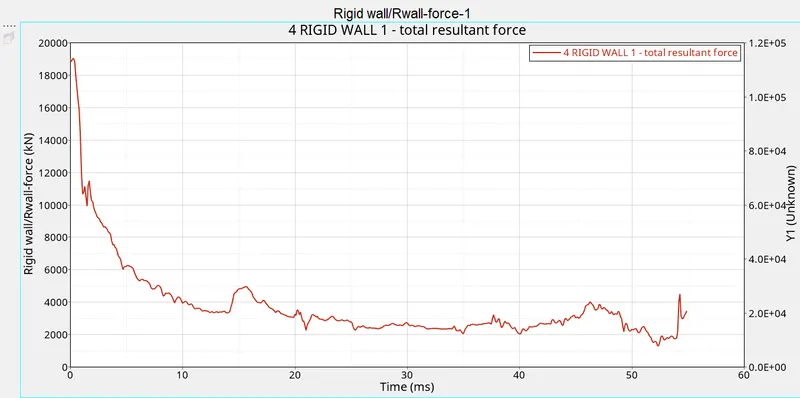
5. If acceptable, Plot rigid wall forces, internal energy, hourglass energy, contact energy, total energy of the simulations.
Graph of Rigid wall forces :
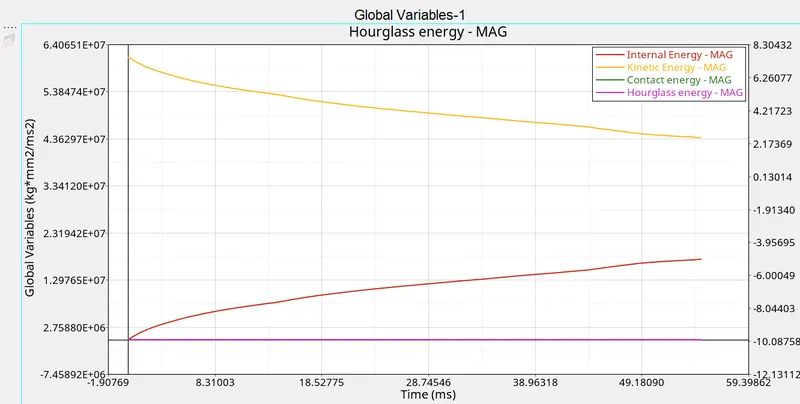
Graph of internal energy, hourglass energy, contact energy and total energy:
6. Change all the shell elements properties to recommended properties, save this as separate, rad files and run the simulation.
7. Follow steps 5 and 6.
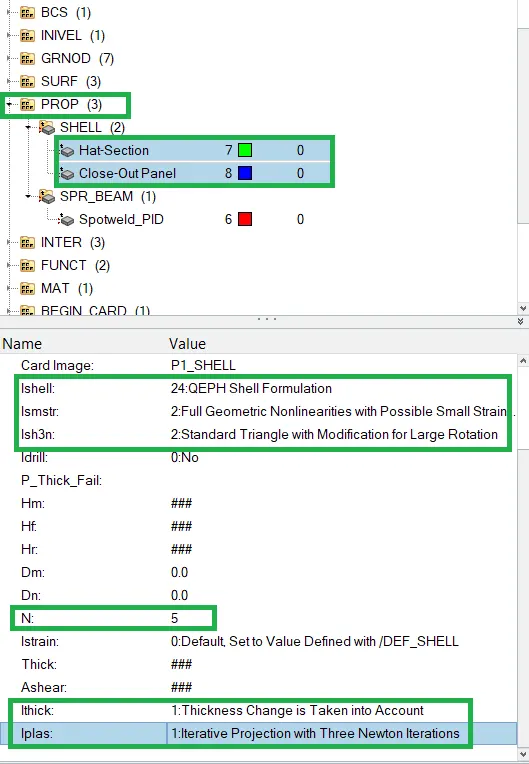
Step 1 : Change the Recommended properties to the shell elements by clicking on the PROP > SHELL > Hat-selection and Close-Out Panel > change Ishell , Ismstr , Ish3n, N, Ithick, Iplas to recommended properties.
Now, we can observe the energy energy error of -0.1% which is 10.3% before. And mass error is 1.659E-04
Graph of Rigid wall forces :
Graph of internal energy, hourglass energy, contact energy and total energy.
8. Create a brief report comparing all the results from steps 5 and 6 for both simulations.
Comparision of result:
Graph of forces for default properties
Graph of forces for recommended properties
Graph of Energies for default properties
Graph of Energies for recommended properties
Output file:
Default element properties : Recommended element properties :
9. Comment whether there is any change in the results and why there is any change in the result.
Yes, there is change in the result they are,
- Internal energy generated with default property is 1.9E+07 J is less than the internal energy generated with recommended property which is 2.18E+07.
- Also there is small difference in kinetic energy at t=0.
- Hourglass energy is zero in QEPH shell formation elements (Case 2) while there is generation of hourglass energy in Q4 shell formation elements (Case 1).
- In Q4 shell element formation energy error is -10.3% and mass error is 1.659E-04 while in QEPH shell element formation energy error is -0.1% and 1.659E-04 which is very less than Q4 elements because it is fully integrated elements.
- In case 1 total energy is decreases while in case 2 graph of total energy is constant which is 6.01E+07).
- All the above energy differences are arises due to in Q4 (Default property) elements hourglass energy is generated while in QEPH elements (Recommended property) gives accurate results while loading and unloading. In Q4 hourglass energy is generated due to only one point of integration which results into hourglass formation. This can be resolved by two method Perturbation method and Viscous method.
Conclusion : Done the analysis of the given model with both recommended element properties and default element properties. compared the results of both the out put files forces and energies in plots. the results are better for the recommended element properties as QEPH reduces the hourglass formation than Q4.