Week 5 Challenge : Surface wrap on Automotive Assembly
Aim:
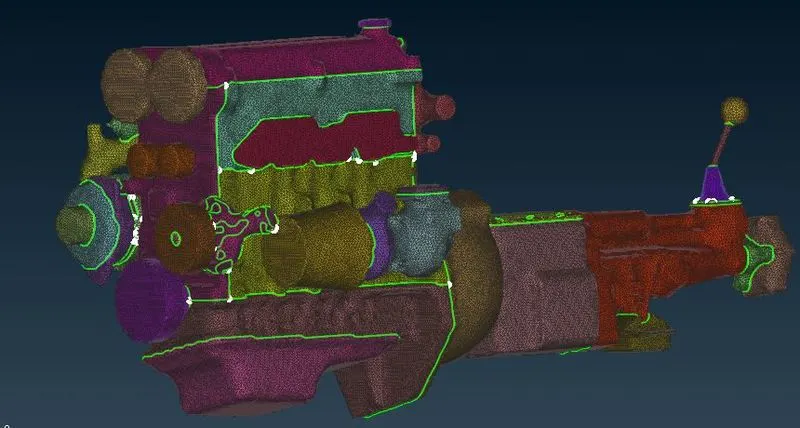
To merge the Engine, Transmission, and Gear Box into one model. Generating Surface wrap with a target length of 3 mm around the integrated model to have a shared volume.
Objective:
To check for the geometrical errors and delete surfaces that are unwanted for the surface wrap.
To Merge all 3 models and perform surface wrap after clearing geometry.
The target length for the Wrap should be set to 3 mm.
Introduction:
The surface wrap is used to create a watertight surface mesh that replicates the exact geometry of the model. The surface wrap is used to perform the external flow analysis which does not require any internal components. The accuracy of surface wrap depends on the element size of the mesh, the smaller the element size better the feature capturing of small and intricate parts. For generating the smaller-sized mesh, the time required is also high. So a proper balance between the selection of mesh element size and computational time becomes critical.
Steps:
All three models like Engine, Transmission and Gear Box model are imported and are checked one by one for any unwanted surfaces present and if any single cons are present. Topo cleanup is done by deleting such unwanted surfaces as an extra ring-like structure protruding from geometry, and extra edges on the surface.
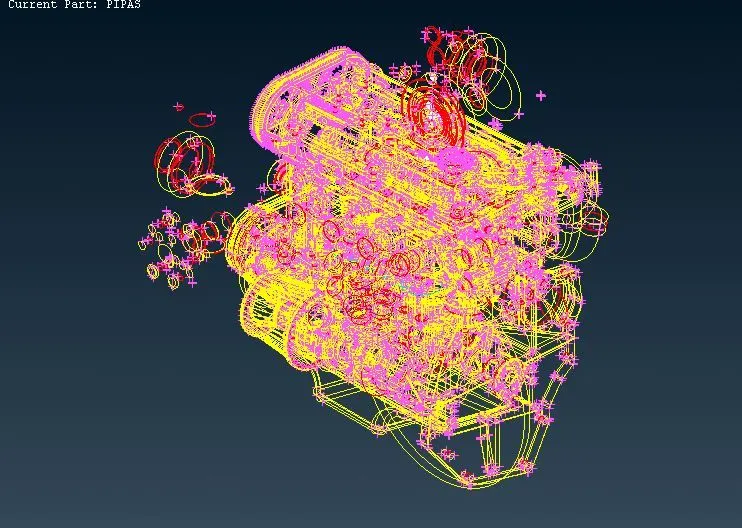
Patch the missed surfaces:
First, we need to import the geometry model from the source folder.
The geometry file contains a lot of irregularities, and discontinuities, so we need to patch all the missing and open surfaces in the geometry.
This can be done by the following procedure;
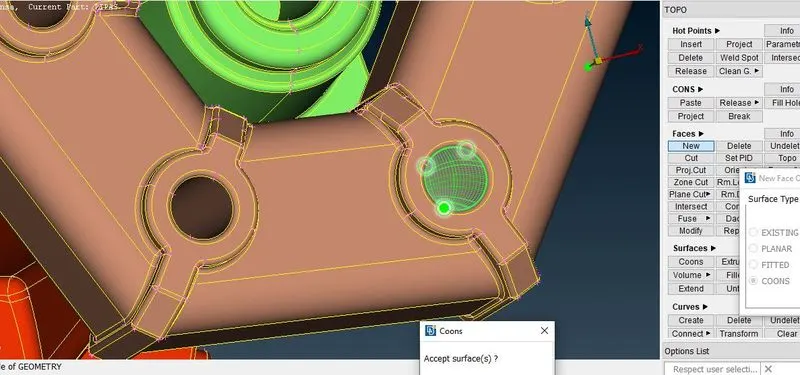
TOPO → faces → new → here we can select any method → to select the cons (this can be done by the entity or PID method) → middle click or surface click.
Removing overlapped surfaces:
In some areas of the geometry, we need to clear the overlapped surfaces.
This can be done by following the procedure;
TOPO → delete → select the surface to be deleted by using entity or PID mode.
Sometimes we need to project the cons to make the single cons into triple cons.
This can be done by the following procedure;
TOPO → cons → project → select the cons → middle click → to select the face where the cons have to be projected → middle click.
Then the geometry needs to be closed i.e holes need to be filled by using New-Coons/Fitted. The open holes result in surface distortion during the wrapping of the model.
Procedure:
Upload the engine ANSA file onto ANSA, first we perform topo-clean up on the engine.
The engine file has a lot of excess parts which are not necessary for the surface wrap. We can select the main important parts in PID mode and hide them.
The round elements are of no use so we have to delete the extra elements.
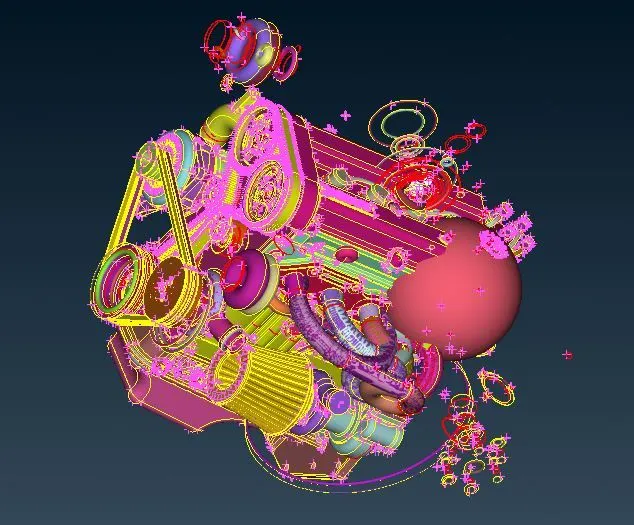
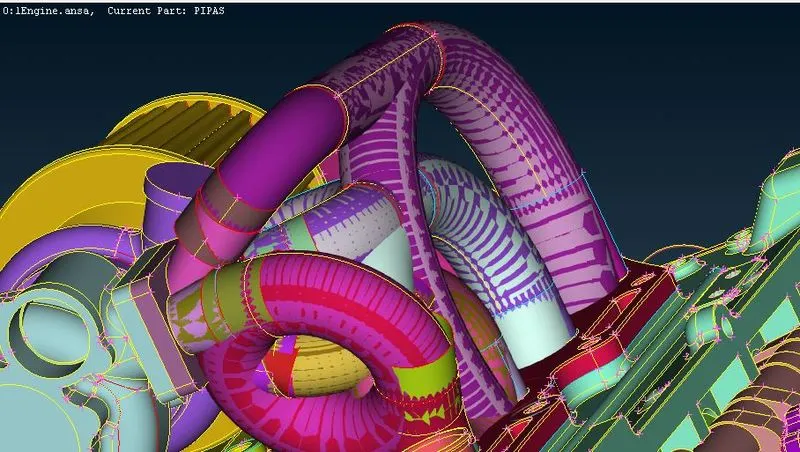
Now we can see the majority of the excess rings and pipes are not needed. We can delete these using the box selection in the delete tool. After deleting, we also delete some of the unwanted components such as the fuel hoses and belts. Next, we fill up all the holes since we are interested only in the surface wrap.
Now we have to take out the rings by using the delete option.
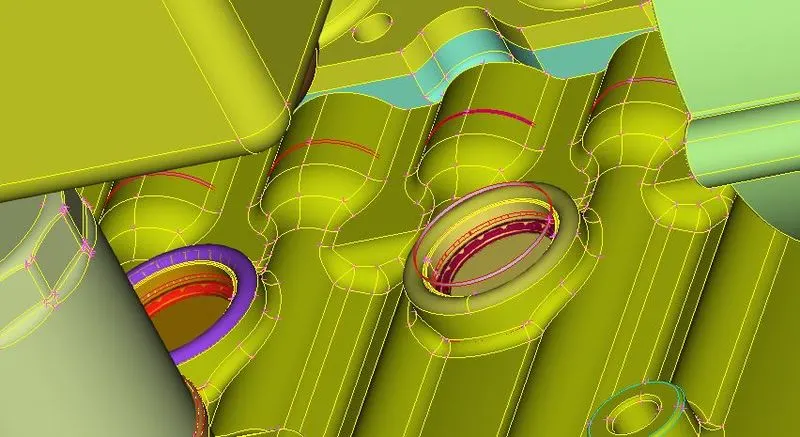
The unwanted surfaces are removed that were present inside the geometry.
The model of the engine has too many ring-shaped objects which are created to give a fillet-like edge. These rings are unwanted items in the model. So the next step involved is identifying the rings and deleting them.
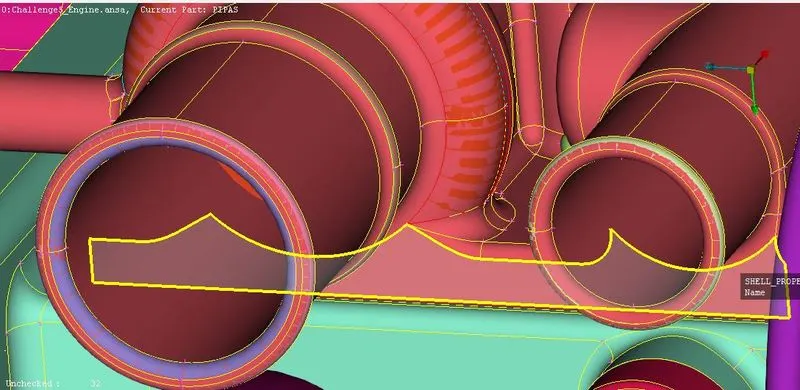
Now the outside surfaces need to be hidden so that we can go inside the engine and remove the additional not required elements.
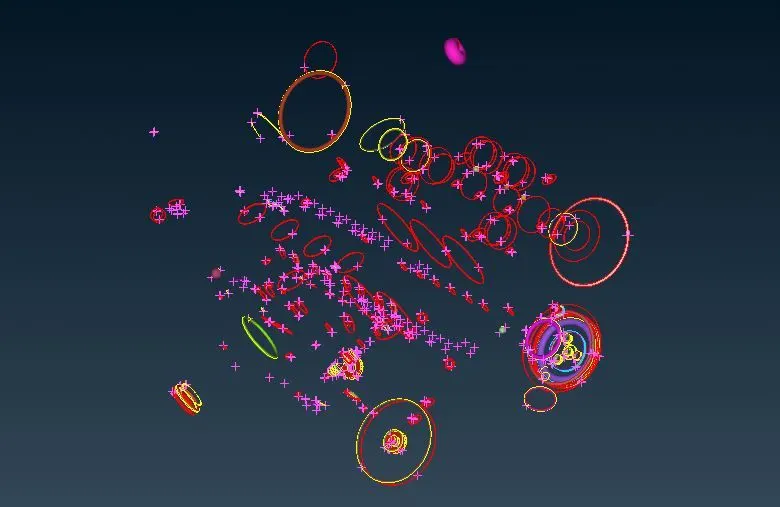
These pips are removed so that we can simplify the geometry.
Then close the all hole that is present in the geometry.
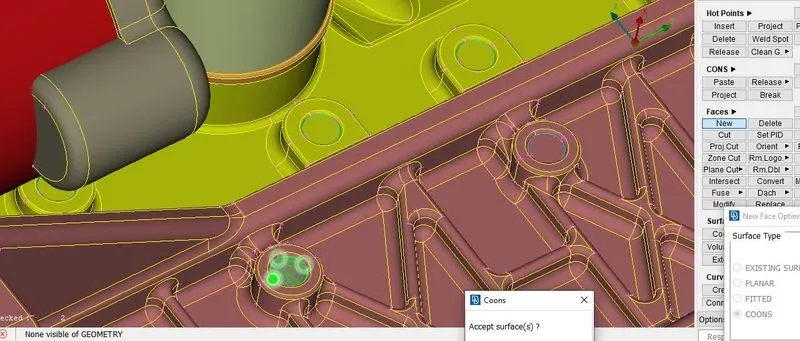
Next, we have to create new surfaces to cover the surfaces which are left open to be covered.
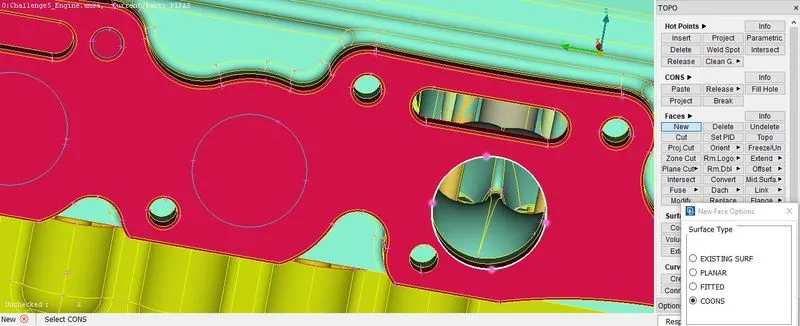
Next, we go to the transmission system where again the geometry clean-up is done.
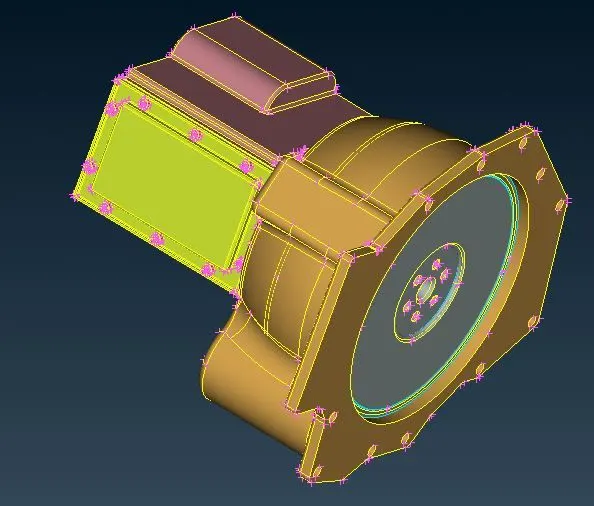
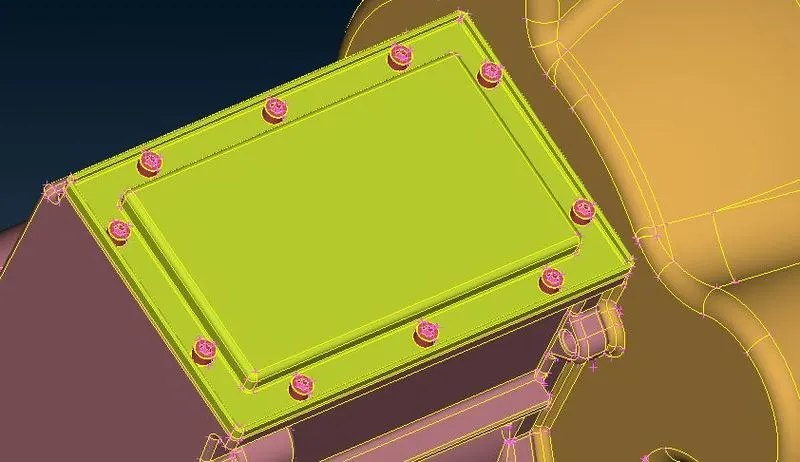
The gearbox is cleaned up.
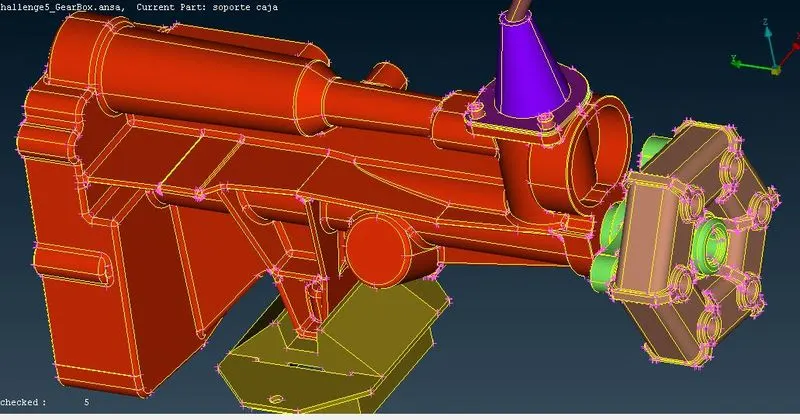
Now, the transmission box and Gearbox are merged into the engine.
Click on file. Select merge. Select the object you want to merge with the current. Click OK. Do the procedure to merge the Engine, Gear Box, and Transmission.
Now we need to merge the 3 individual models into a single model, collectively called automotive assembly.
This can be done by the following procedure;
File → Merge → Select the model to be merged → ok
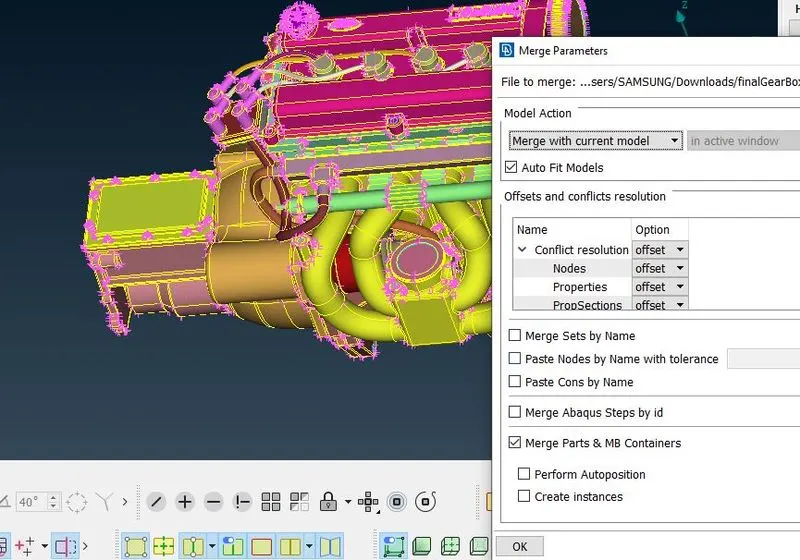
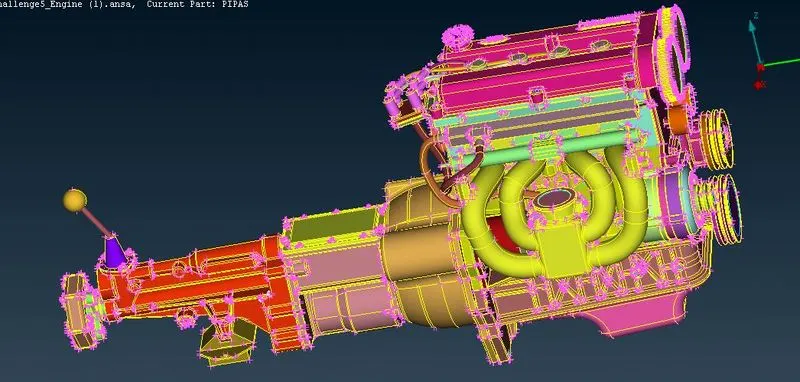
Before merging the bodies, fill the opening of the model by using coons option. Close all the openings so as to get a good surface.
Select the compress option and compress the entire file. It will remove the PIDs which are not assigned. So the number of PIDs is reduced from 1580 to 98.
Next, we go for the surface wrap process.
Surface Wrapping:
Go to the surface mesh deck. In the elements, select wrap. Select a constant length. A new pop-up window is just opened. Double click on empty. An edit window is opened. Double click on untitled.
The Mesh deck is opened to wrap the surface using the ''Constant Length'' in the wrap tool.
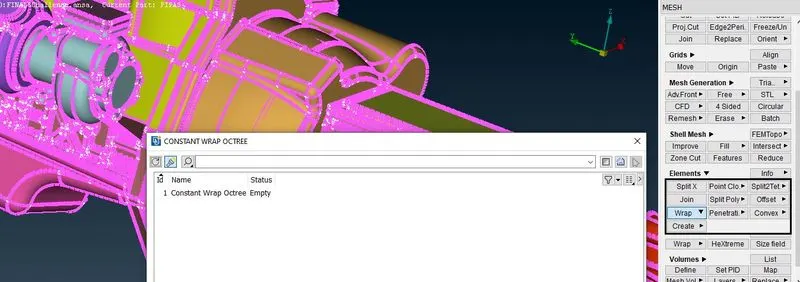
Mesh Deck - Elements - Wrap - Constant Length - New
MESH → Elements → Wrap → Constant length → double click zero → give target length (3mm) → smooth factor (0.5) → ok
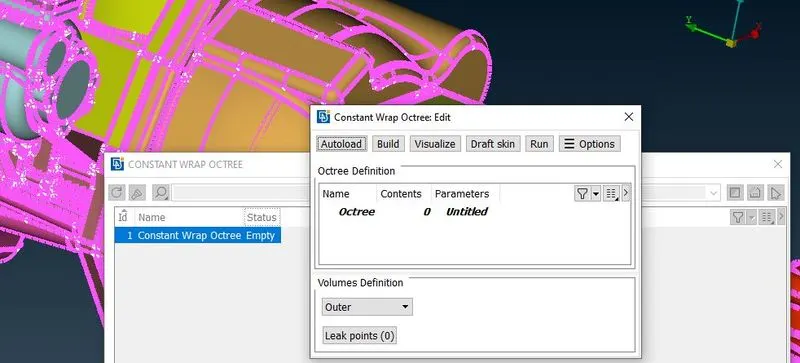
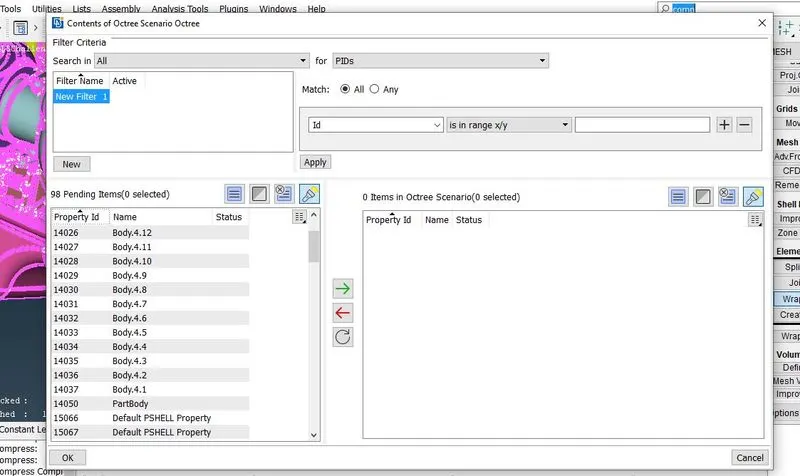
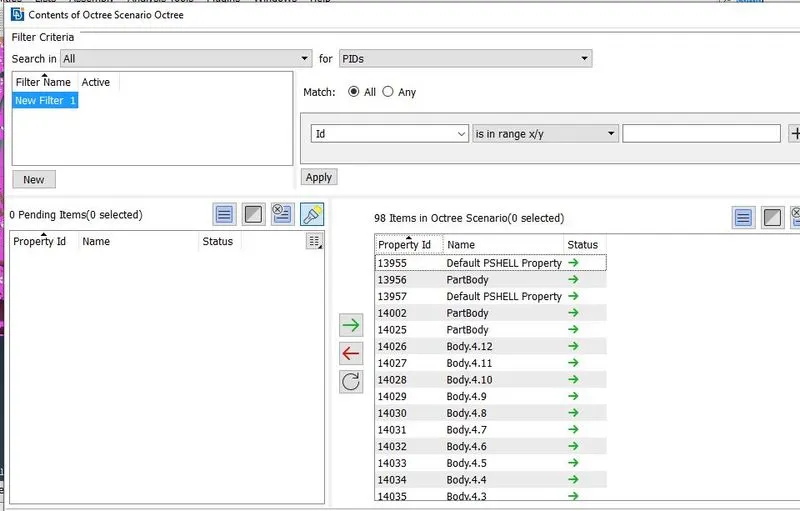
Give the name. Set target length as 3 mm. Click on the mesh. Set the options as mentioned in the video. Click ok. In the previous window, double-click on the contents column. Select all PIDs. Click ok And then click RUN.
Untitled - Castellation - enter mesh length - 3 mm
Mesh - Smooth Factor of 0.5 - Nodes out of Surface - Assign properties from structure
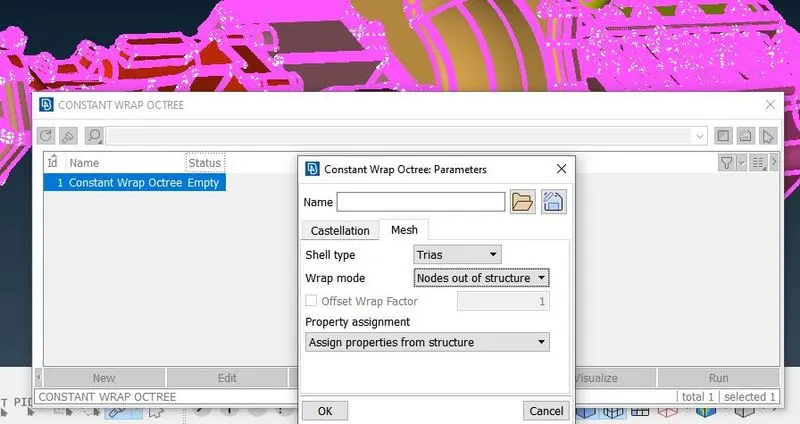
Select '0' - Give a name - And select all PID (cntrl+A) - by pressing the green arrow PID's will move to Octree Scenario
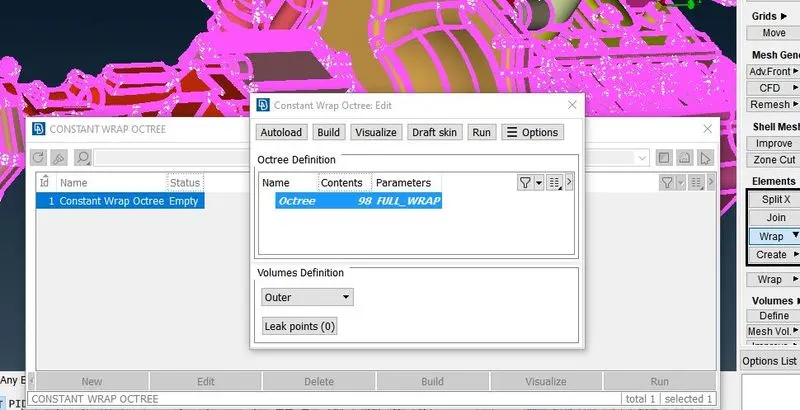
Then select Run and surface wrap will take place. A final surface-wrapped model is shown in Figure.
Conclusion:
Thus the Surface wrap along with eliminating geometrical errors and topo clean up has been generated successfully.
The surfaces are easier to perform since it does not depend on the quality of the wrap on each material as we are not interested in physics in the body. The effective surface wrap is achieved on the given body for a given mesh length of 3mm.
For it to get the finer surface wrap we need to reduce the mesh size which even takes a lot of time to generate the surface mesh and consumes time but generates a good geometrical mesh.
Model Link:
https://drive.google.com/file/d/1P1uowhT7wvAlPfPpZBXb2OE_Jyv18IPh/view?usp=sharing