Week 5 Challenge : Surface wrap on Automotive Assembly
Surface wrap on Automotive Assembly
Aim:
To create a surface wrap on automotive assembly using ANSA.
Objective:
To create a surface wrap on automotive assembly of engine, transmission box and gear box model using ANSA with constant mesh target length of 3 mm having a triangle (tria) mesh element type.
Introduction:
ANSA is a comprehensive CAE pre-processing software for finite element analysis that delivers all of the flexibility needed for complete model build up, from CAD data to solver input file, in a single unified environment.
Mesh generation is the process of defining continuous geometric forms such as 3D models by employing 1D, 2D, and 3D mesh face shapes by means of discretization. The finer the mesh, the more precisely the 3D model is specified.
The surface wrapper encircles the geometry of interest, resulting in a volume with no crossing surfaces or non-manifold edges. The surface wrapper encircles the geometry of interest, resulting in a volume with no crossing surfaces or non-manifold edges.
Steps:
- Import the CAD geometry
- Clean up the geometry by TOPO deck
- Apply the mesh conditions using mesh deck
- Generate the surface wrap
Procedure:
- Geomentry cleanup for surface wrap
- Deleting the unwanted surfaces
- Modifying the necessary surfaces
- Closing the openings
- Open the engine CAD model by importing the CAD model file which having the extension of .ansa which can be seen in Fig.1.
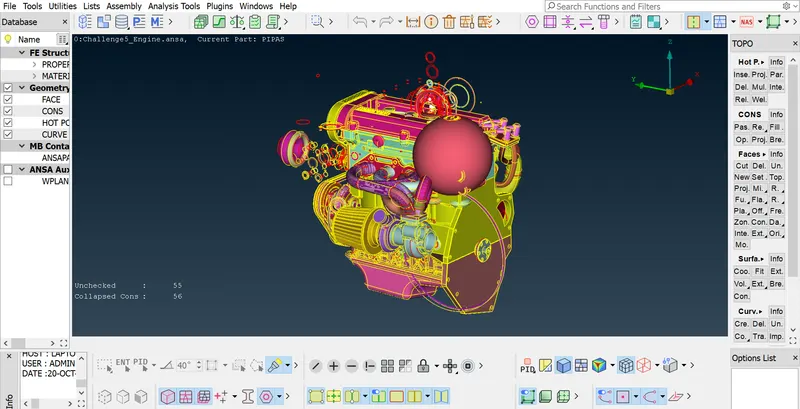
Figure 1
- After geomentry cleanup, the engine CAD model in Fig.2 was ready for the surface wrap.
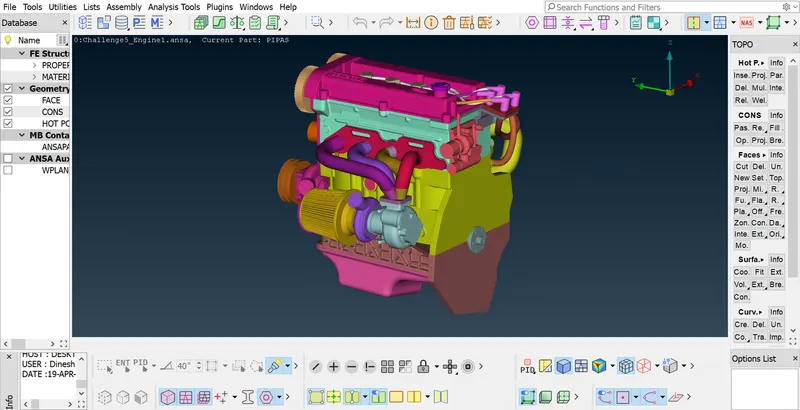
Figure 2
- Open the transmission CAD model by importing the CAD model file which having the extension of .ansa which can be seen in Fig.3.
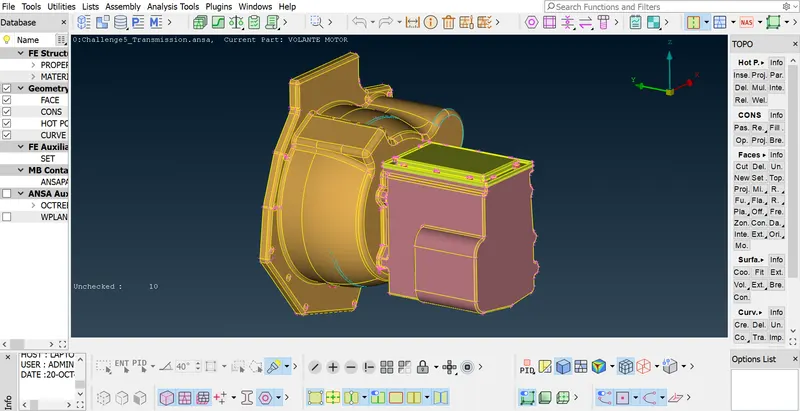
Figure 3
- After geomentry cleanup, the transmission CAD model in Fig.4 was ready for the surface wrap.
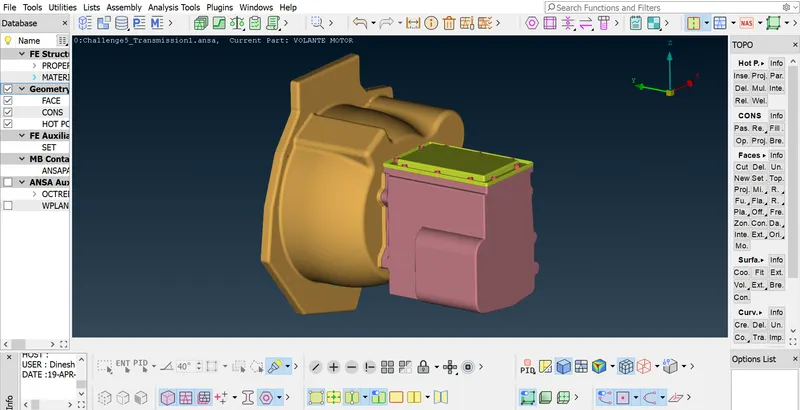
Figure 4
- Open the gear box CAD model by importing the CAD model file which having the extension of .ansa which can be seen in Fig.5.
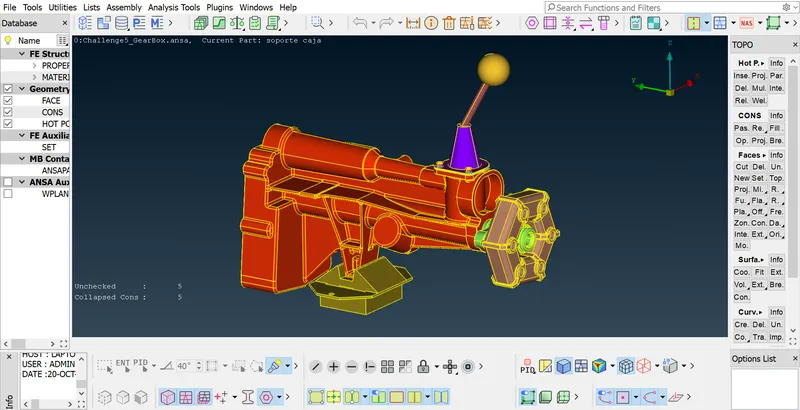
Figure 5
- After geomentry cleanup, the gear box CAD model in Fig.6 was ready for the surface wrap.
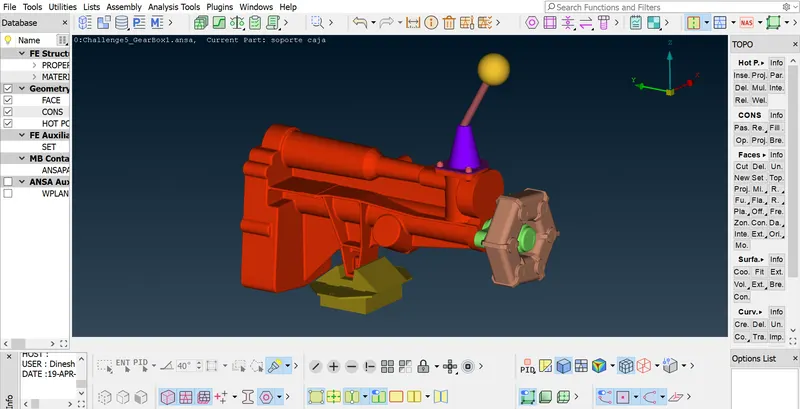
Figure 6
- After geomentry cleanup on necessary CAD model, now import each of the required model for assembly by merge option in file manager. Automotive parts assembly of engine, transmission box and gear box model were seen in Fig.7.
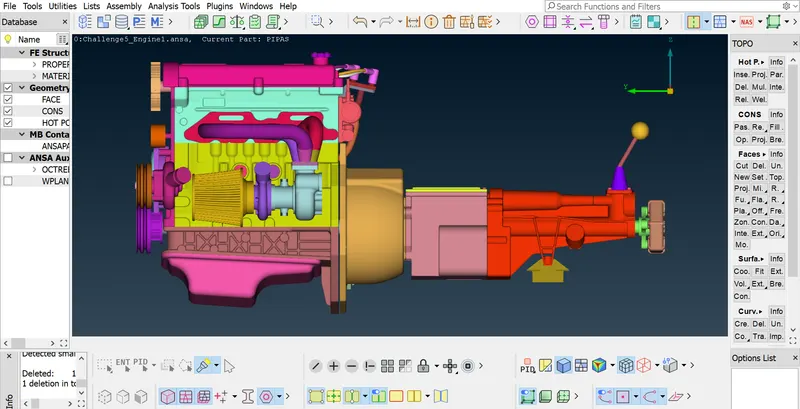
Figure 7
- After assembled all the model, in the mesh deck by using wrap option under elements tool, set the meshing length for wrapping as 3mm by selectiong the required PIDs to be wrapped. From Figs. 8 and 8.1, we can note that wrapping over the assembly surface has been done without any quad elements.
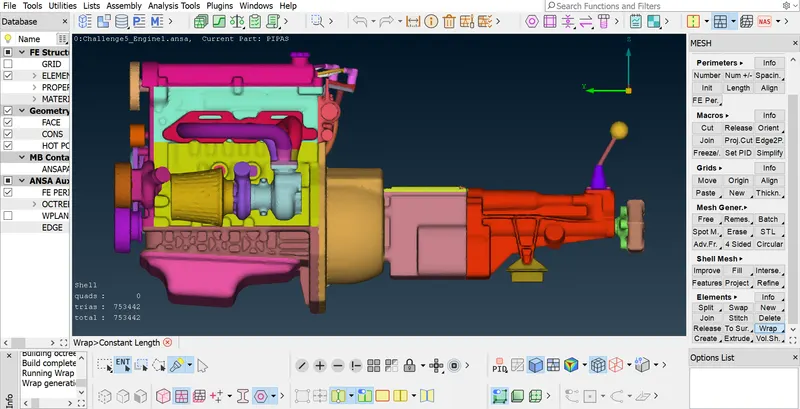
Figure 8
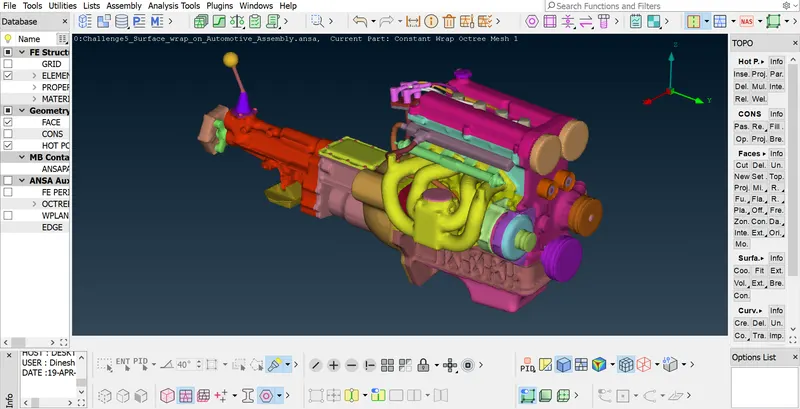
Figure 8.1
Learning outcome:
I learnt how to clean the model by deleting unwanted surfaces and to do the surface wrapping on a model by assembling the components of the model.
Conclusion:
Surface wrapping had been done on automotive assembly model by doing the TOPO clean-up and wrapped with a constant mesh length on an assembly having the mesh element of tria which yields 753442 number of mesh elements with no quad elements.
File Link: https://drive.google.com/file/d/1lQ-hImTVpJP397TNteHiHXv-6WicIgS0/view?usp=sharing