Project 1 : CFD Meshing for Tesla Cyber Truck
CFD MESHING FOR TESLA CYBER TRUCK
Aim:
To create a volumetric meshing for the CFD analysis of tesla cyber truck in wind tunnel using ANSA.
Objective:
To create a volumetric meshing of tesla cyber truck in wind tunnel using ANSA, for the CFD analysis with different mesh target length for different components with mesh element type of Tetra CFD.
Introduction:
ANSA is a comprehensive CAE pre-processing software for finite element analysis that delivers all of the flexibility needed for complete model build up, from CAD data to solver input file, in a single unified environment.
Mesh generation is the process of defining continuous geometric forms such as 3D models by employing 1D, 2D, and 3D mesh face shapes by means of discretization. The finer the mesh, the more precisely the 3D model is specified.
A surface mesh is a collection of polygonal faces, commonly triangle (Tria), that collectively create the object's surface covering. A surface mesh has the benefit of being quick to produce and useful for visualisation.
Volumetric meshes are polygonal representations of an object's inner volume used in 3D computer graphics and modelling. Volumetric meshes additionally discretize the item's internal structure, in contrast to polygon meshes, which solely represent the surface of an object as polygons.
Steps:
- Import the CAD geometry
- Clean up the geometry by TOPO deck
- Check for geomentry errors.
- Apply the mesh conditions using mesh deck
- Generate the surface mesh
- Detect the volumes
- Delete the unwanted volumes
- Generate the volumetric mesh for the required volumes.
Procedure:
- Open the CAD geometry by importing the CAD model file which having the extension of .ansa which can be seen in Fig.1.
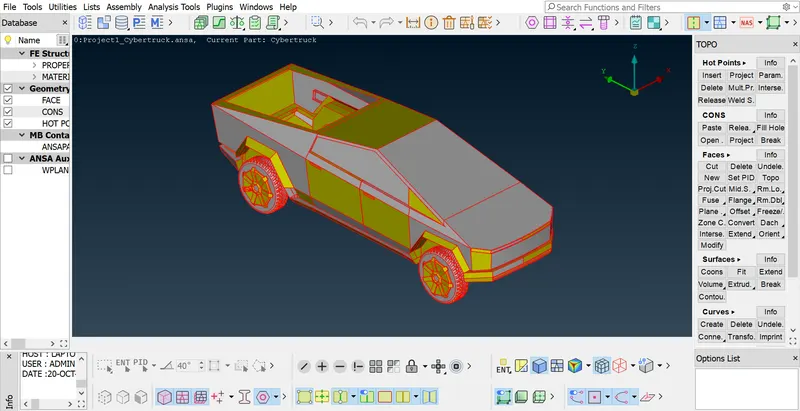
Figure 1
- To make the smooth shapes of body surface, we apply the mesh length as 1mm for entire body and we can see the final smooth surafces in Fig.2.
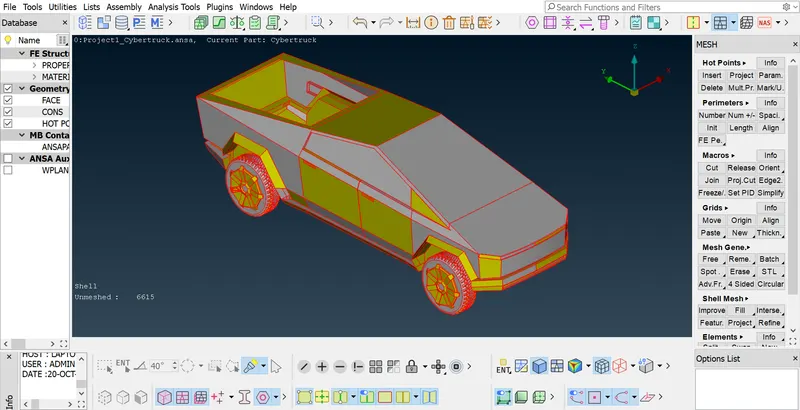
Figure 2
- As the given geomentry was symmetric about the center, we can delete the half of the symentriy geomentry in order to reduce the working time and usage of memeory which can be seen in Figs.3, 3.1 and 3.2.
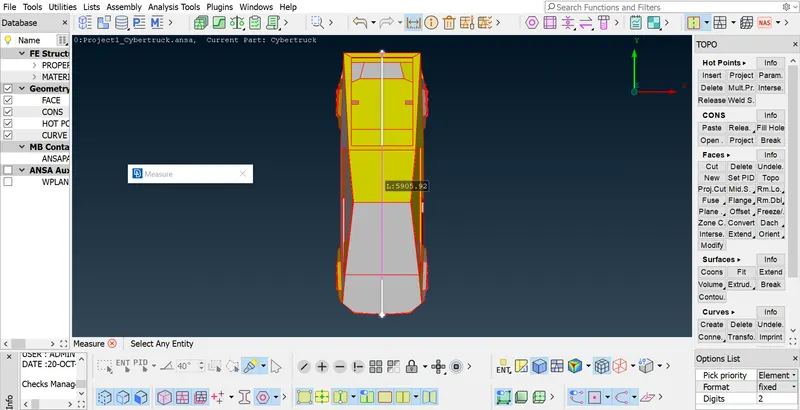
Figure 3
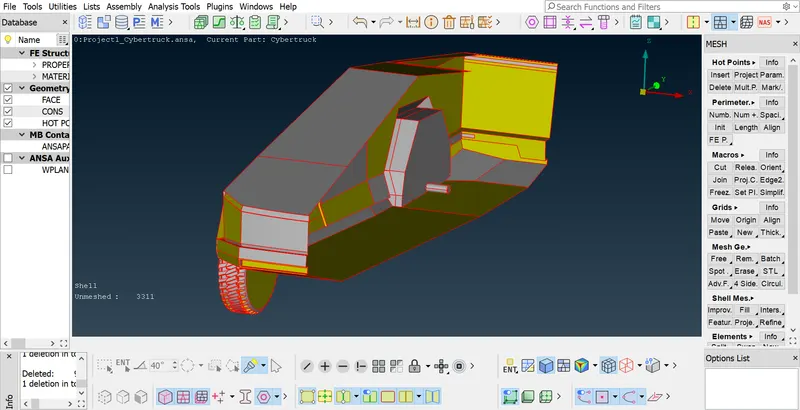
Figure 3.1
Figure 3.2
- From Fig.4, we can see that geometry error has been shown to be resolved by creating the required surfaces or by modifying the existing surfaces by using tools like cut, fill hole in TOPO deck.
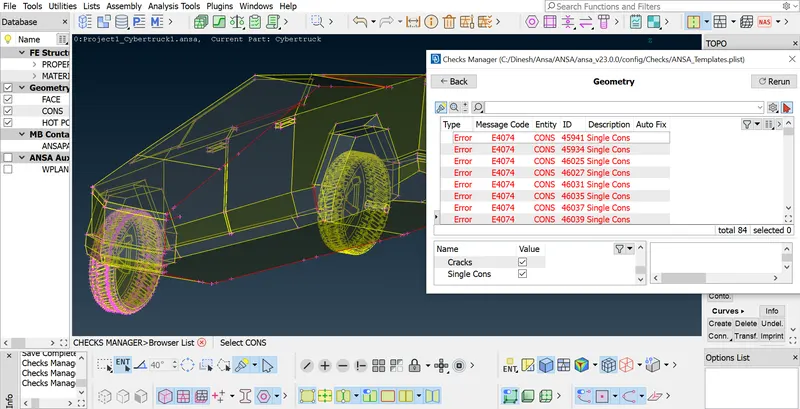
Figure 4
- From Figs.5 and 5.1 we can see that the geometry error has been resolved by creating the required surfaces or by modifying the existing surfaces by using tools like cut, fill hole in TOPO deck. But you can seen some of the single cons error has been shown which can be resolved after mirroring the half of symentric geomentry.
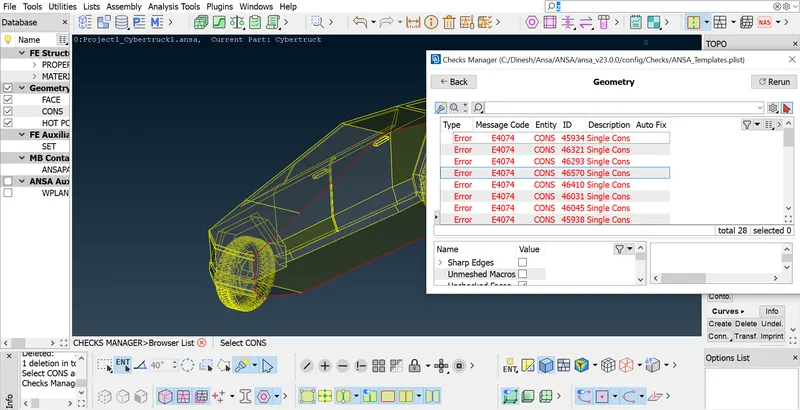
Figure 5
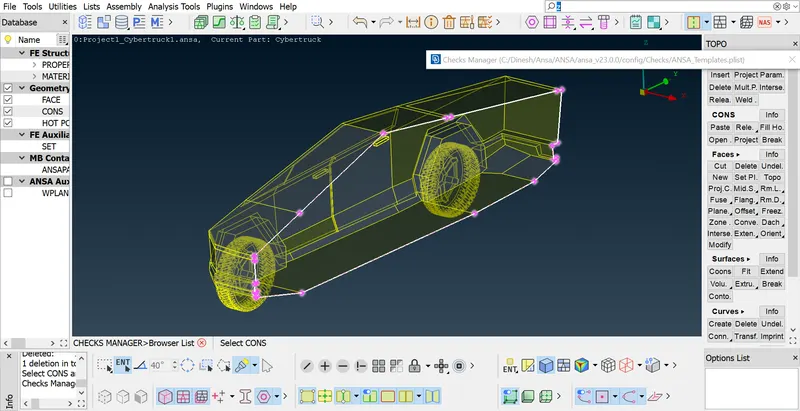
Figure 5.1
- Before going for meshing, assign the PID region for the common set of surfaces based on the different components in the model. PID regions has been assigned which can be seen in Fig. 6.
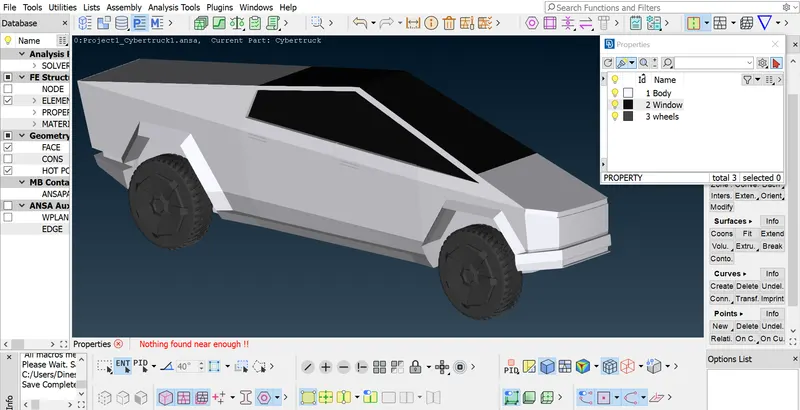
Figure 6
- To perform surface mesh with the given mesh target lengths as per PIDs are
- Body - 3 mm
- Wheels - 2 mm
- Window - 2 mm
- Then in mesh generation tab using spot mesh tool create the triangular (Tria) mesh on the surface of tesla cyber truck model. From the Figs. 7.1 to 7.3, we can see that the surface of tesla cyber truck model was meshed for different body and the mesh’s were in triangular (Tria) element and there is no quads element which can be evident in the details panel which is located in the side bottom of the interface. Now the model was ready for the volumetric meshing.
Surface mesh on Body
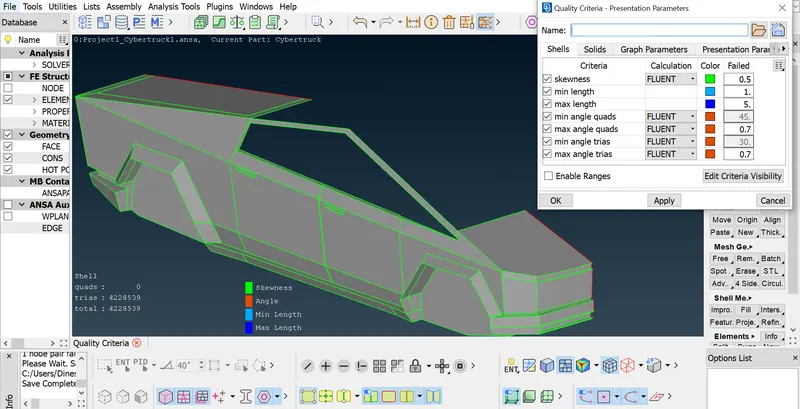
Figure 7.1
Surface mesh on Wheels
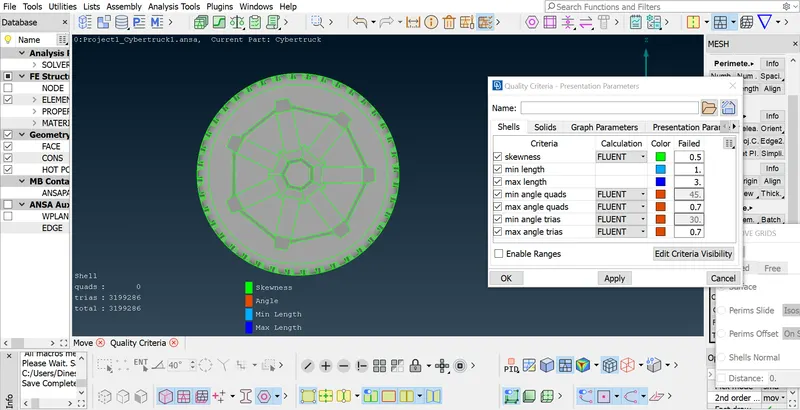
Figure 7.2
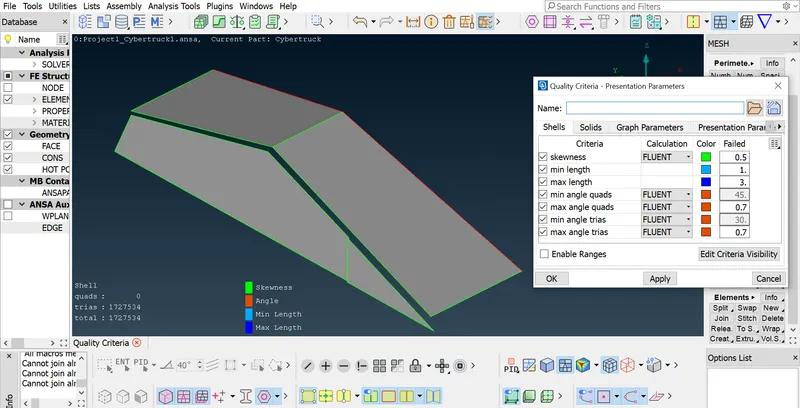
Figure 7.3
- After finishing the surface meshing on the BMW car for differnt body, mirror the half symmentric geomentry and do the topo for if any single cons which can bee seen in Fig.8.
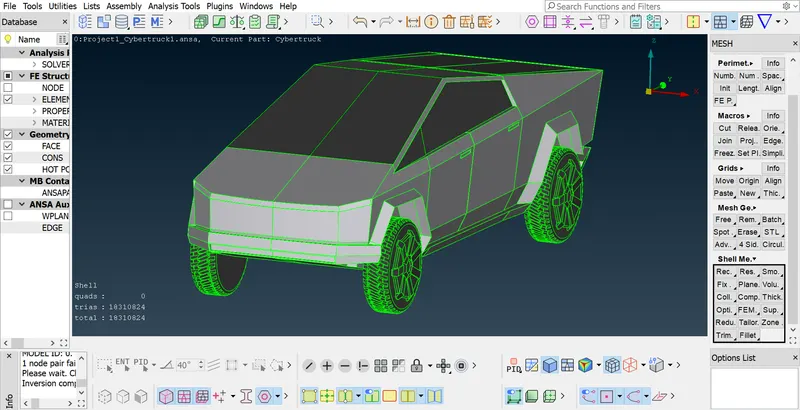
Figure 8
- Do the geomentry checkup for the complete geomentry for any eroor before going for volume detection. we can see no error in the complete gromentry in Fig.9.
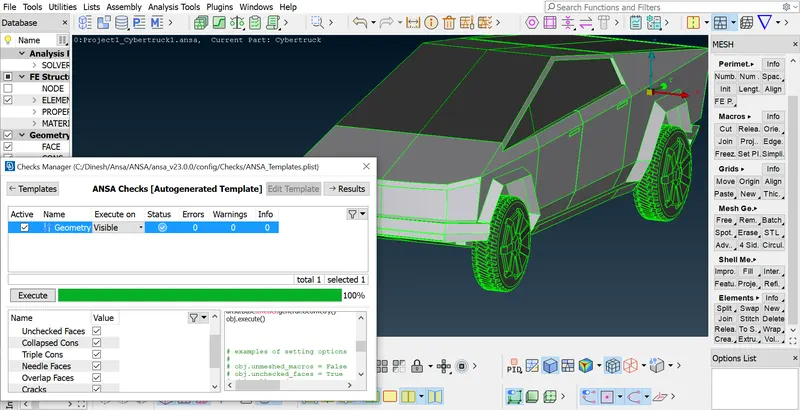
Figure 9
- Now we have to create the wind tunnel for that first mesure the length (L) of the object which has to b placed inside. Length of the component can bee seen in Fig.10.
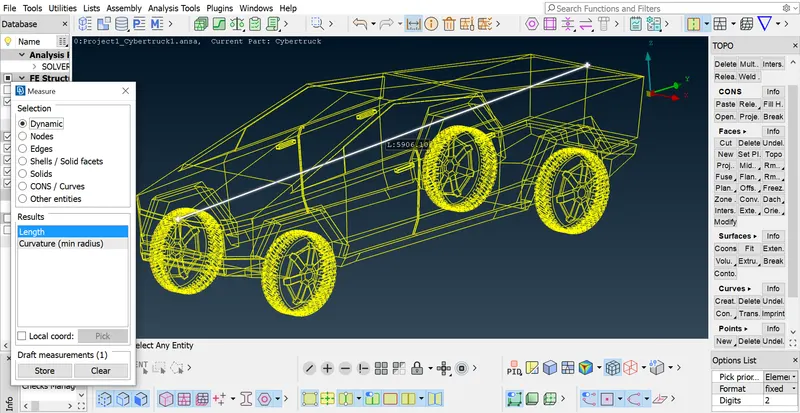
Figure 10
- Volume of the tunnel was 6L from back of the car and 4L from front of the car and 3L from top of the car and L from each of the car and 75 mm from bottom of the car. A tunnel with car inside can bee seen in Figs. 11 and 11.1.
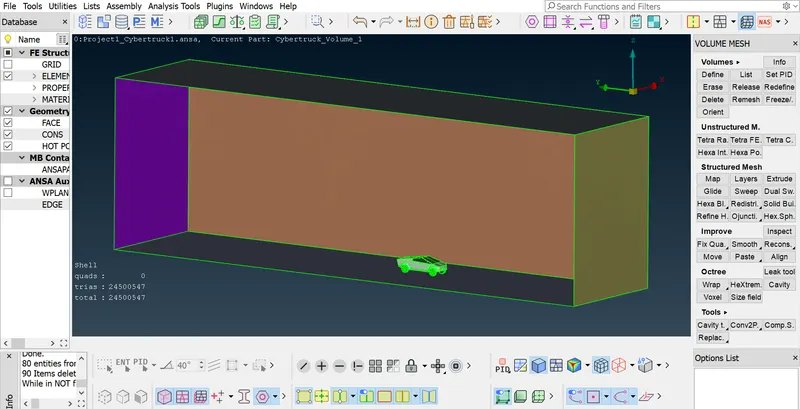
Figure 11
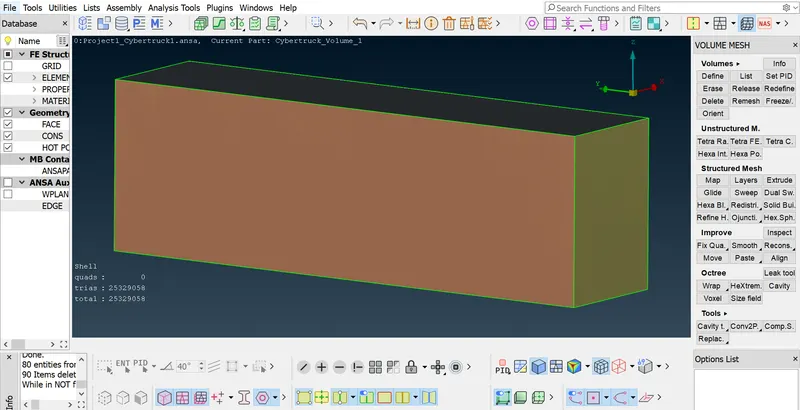
- In the volumetric mesh deck, by using define option, auto detect the available volumes for the whole data base which can be seen in Fig. 12. Then delete the unwanted volumes.
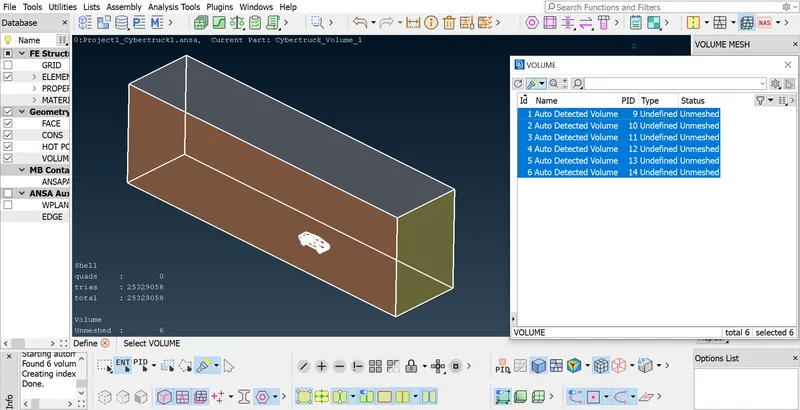
Figure 12
- By setting the volumetric mesh element type of Tetra CFD, mesh the required volumes to be meshed. The given model has been volumetric meshed with Tetra CFD, but It requires more compuational power due to large number of surface mesh.
Learning outcome:
I learnt how to fix geometry and surface mesh flaws to generate the volumetric mesh for tesla cyber truck in wind tunnel model, as well as how to remedy mesh errors and how to correct such mistakes.
Conclusion:
Volumetric mesh had been done for the tesla cyber truck in wind tunnel model by doing the TOPO clean-up with no geometry error with a different mesh length for different components and having the surface mesh element of tria which yields a number of mesh elements of 25329058.
File Link:
Until Surface Mesh: https://drive.google.com/file/d/1uDQ3tyLSkXO4m72EtTOvmc8beG7opBvH/view?usp=share_link