Week 5 Bending of iPhone
AIM:
- To perform iPhone bending test using ansys workbench.
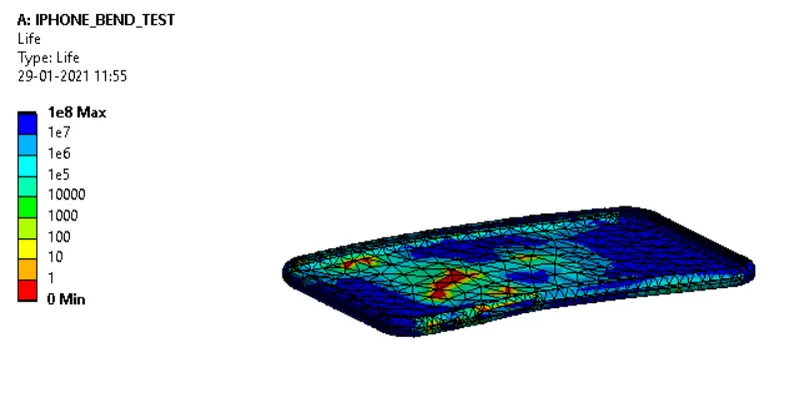
- To determine the fatigue life for aluminum case.
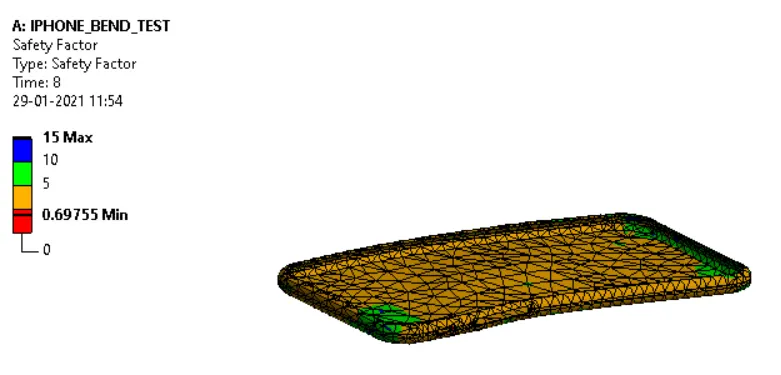
- To find the safety factor of aluminum alloy NL.
PROCEDURE:
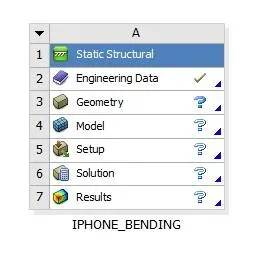
- Create a static structural analysis system and rename it as iPhone bend test.
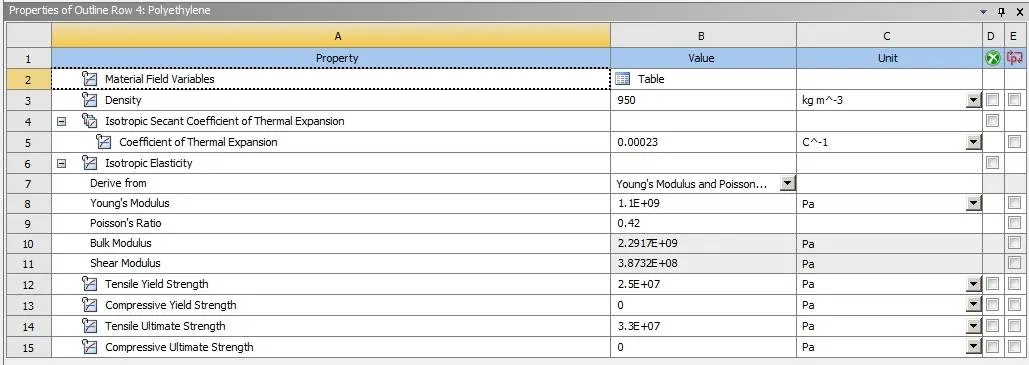
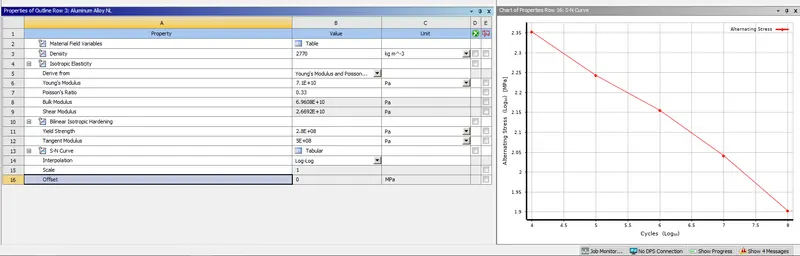
- Open engineering data add aluminum alloy NL and polythene and create glass material by duplicating polyethylene and rename the material like glass and for aluminum, alloy NL defines S-N curve using below values.
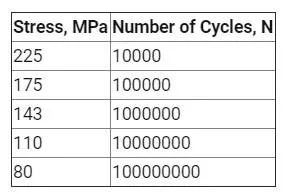
Material properties:
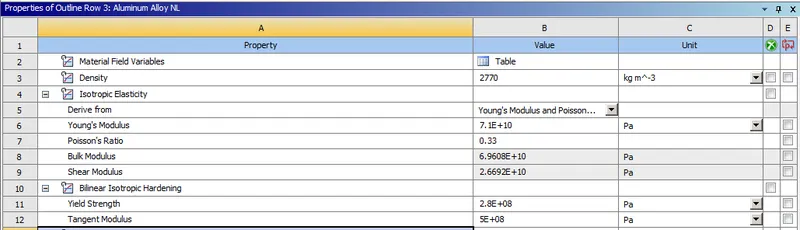
ALUMINUM ALLOY NL:
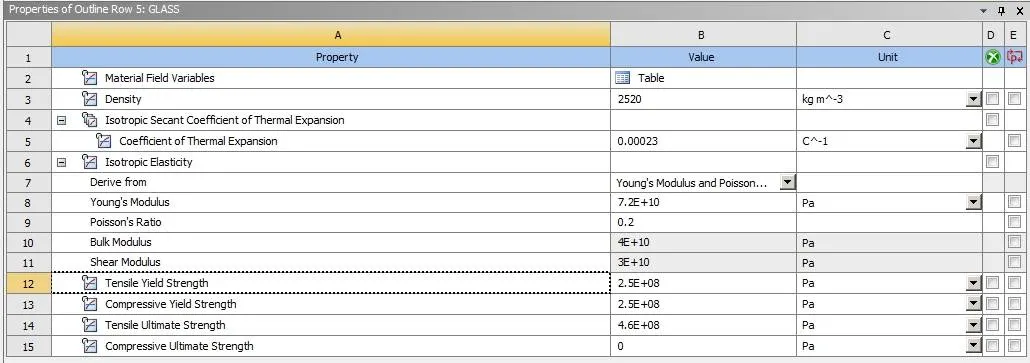
GLASS:
POLYETHYLENE:
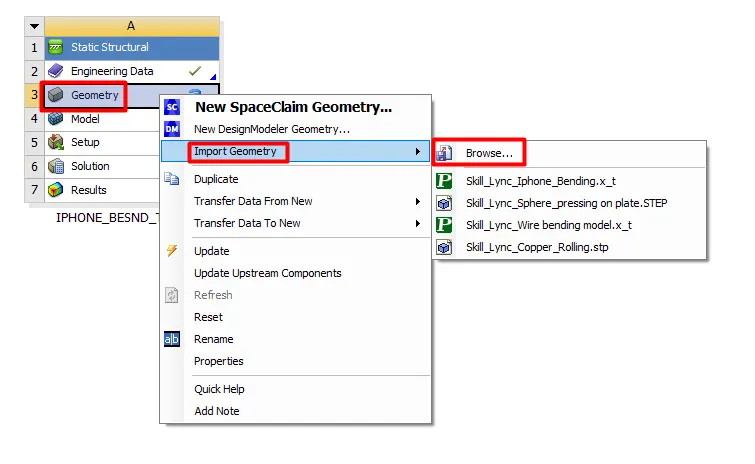
- Browse to file location and import geometry.
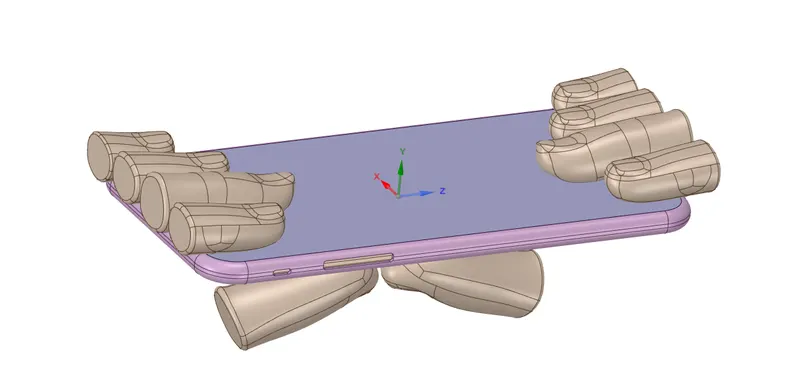
- Open the geometry using Spaceclaim.
- Edit geometry merges the unwanted surfaces using the repair merge option.
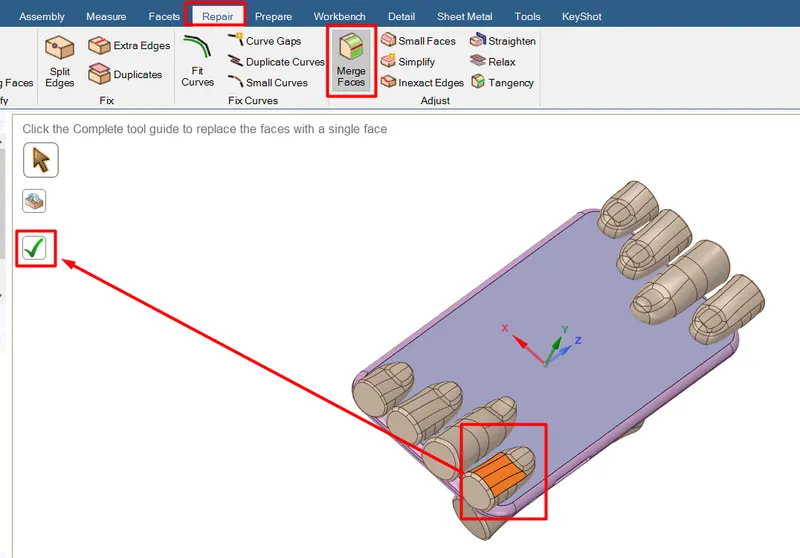
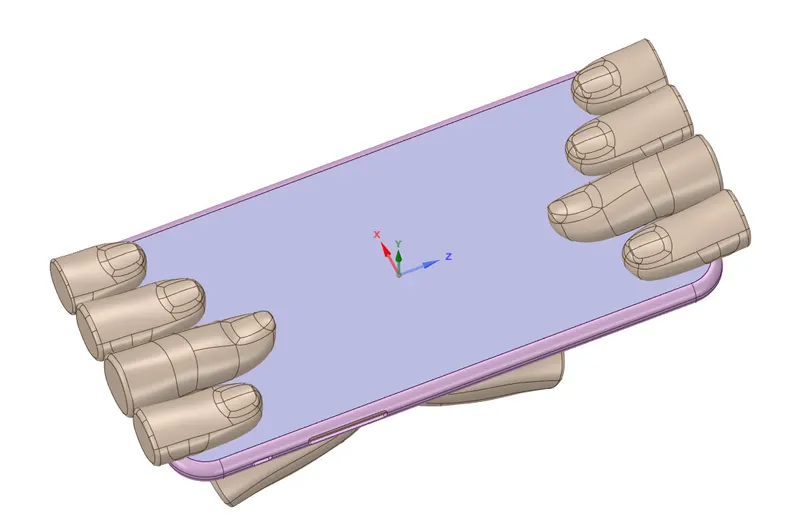
- Open ansys mechanical to set up the analysis.
- Rename the geometries.
- Assign the glass for the screen of the iPhone and the frame assign aluminum alloy NL and for the inner body assign polyethylene.
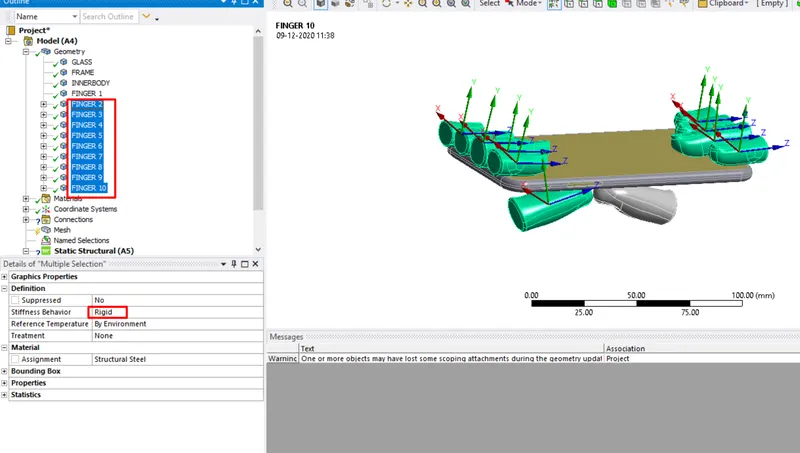
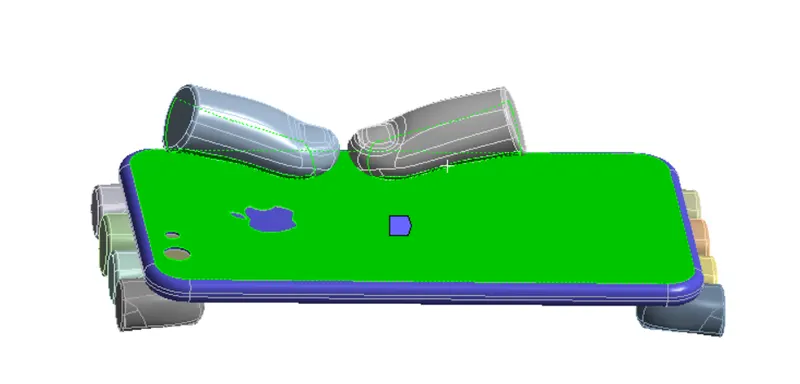
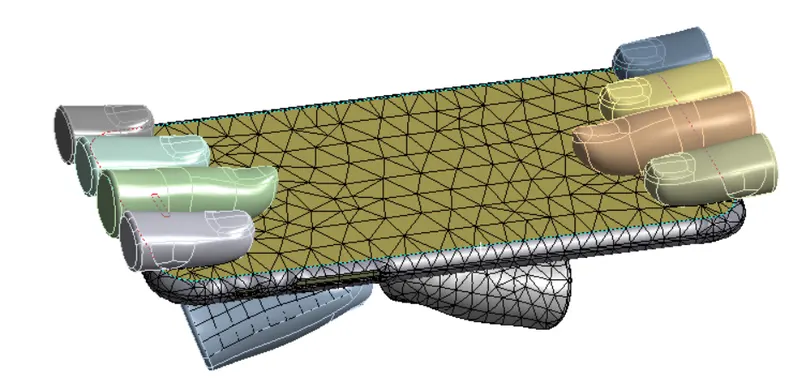
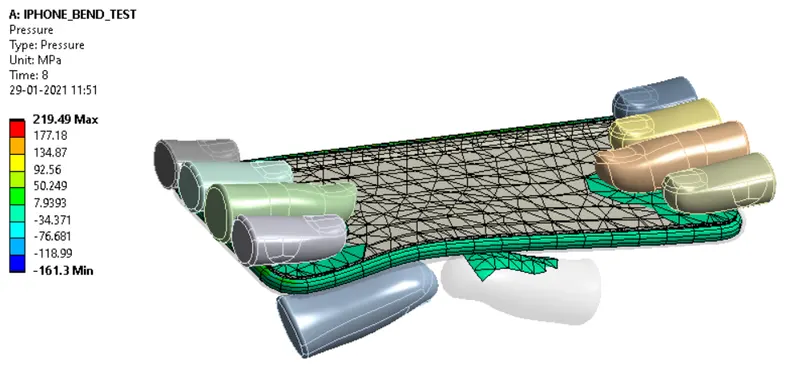
- Change the stiffness behavior of the fingers to rigid except for the pushing finger as shown below.
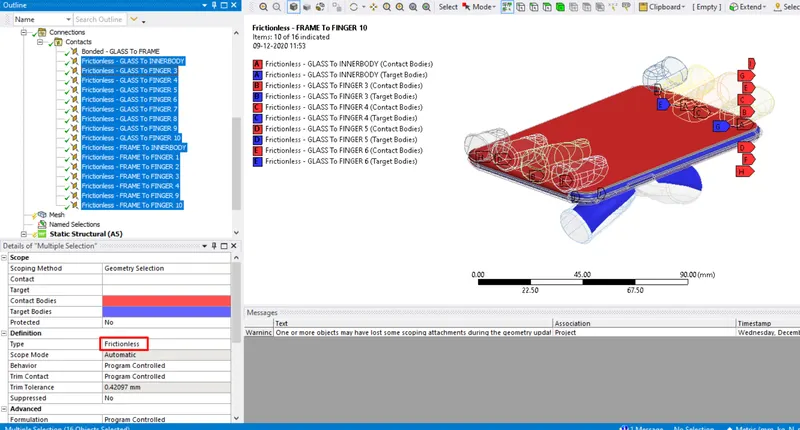
- Now delete the unwanted contacts, Select all the contacts and rename them based on the definition.
- Select all the contacts except the contact between the display and the frame and change the contact type to frictionless.
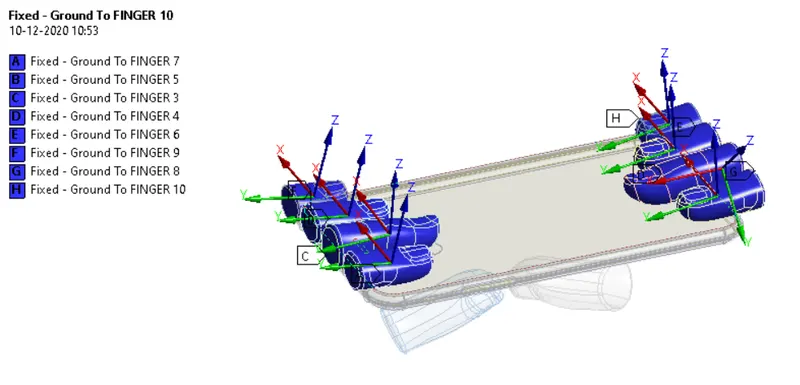
- Now select the surfaces of all the fingers one after the other and create a fixed joint from body to ground.
- Create the translation joints to the bottom fingers.
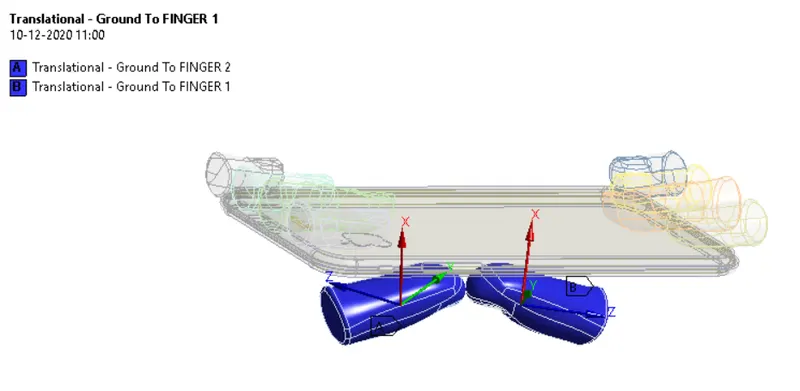
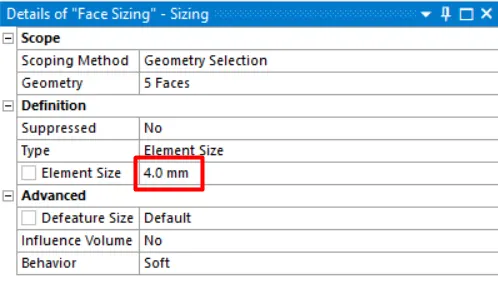
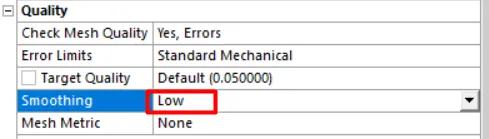
- Now go to meshing insert sizing for the frame and bottom surface of the two pushing fingers and give an element size of 4 mm. Change the smoothing to low.
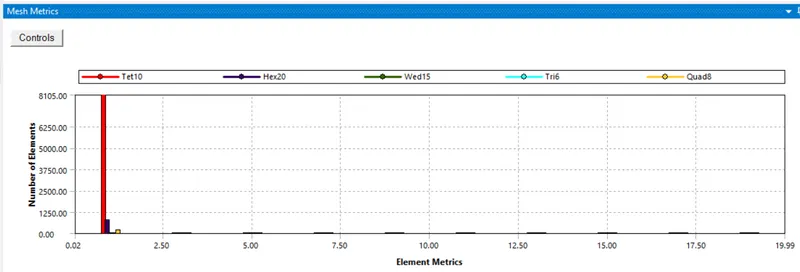
- The above image represents mesh metrics which gives details about the element quality and type of elements used for analysis.
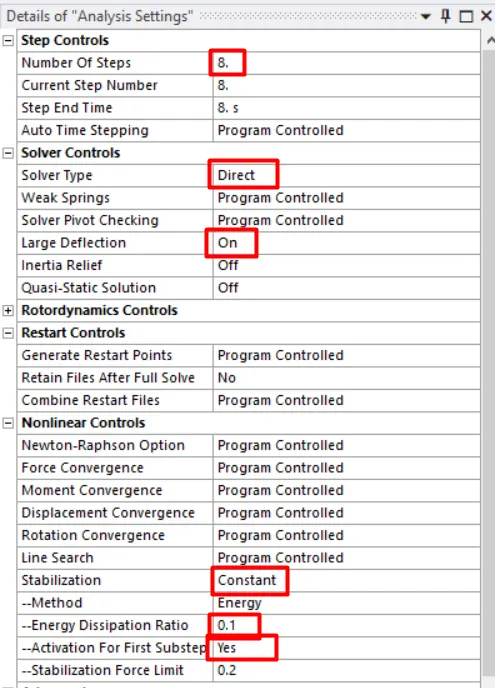
- Now go to analysis settings change the number of steps to 8 select all the 8 steps and change the solver type to direct and turn large deflection on and change the weak springs to program-controlled.
- Change the output controls to yes change the activation of the first substep to yes.
- Select stabilization as constant and energy dissipation ratio to 0.1.
- Create fixed support for the inner body.
- Create displacement support for the frame and make it constant along x and z-directions.
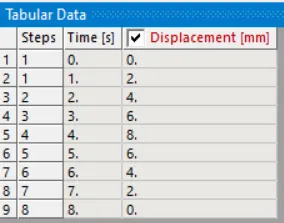
- Apply joint loads for the two translational joints loading is given in tabular data as below.
- Now input the output results require that are directional deformation along y-direction for frame and equivalent stress and equivalent strain in the frame.
- Solve the model for results.
CASE- 2:
- For case two Move the bottom fingers from their defined position to the given position X= 22.5mm & Z= 10mm and obtain the results for the simulation.
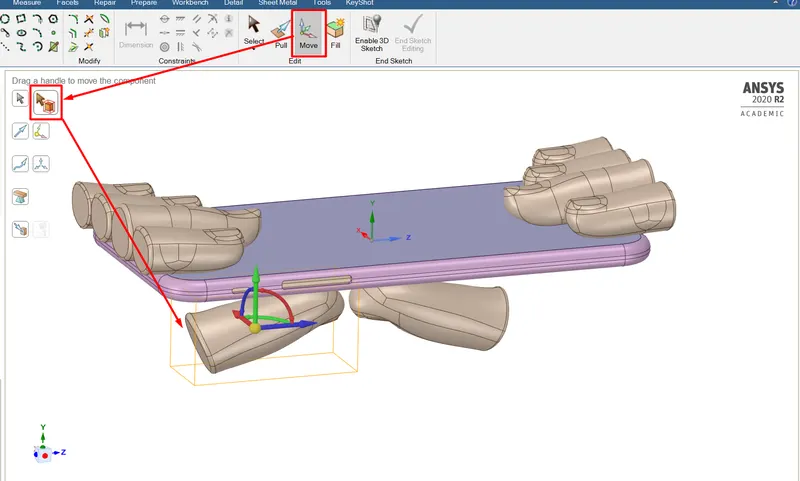
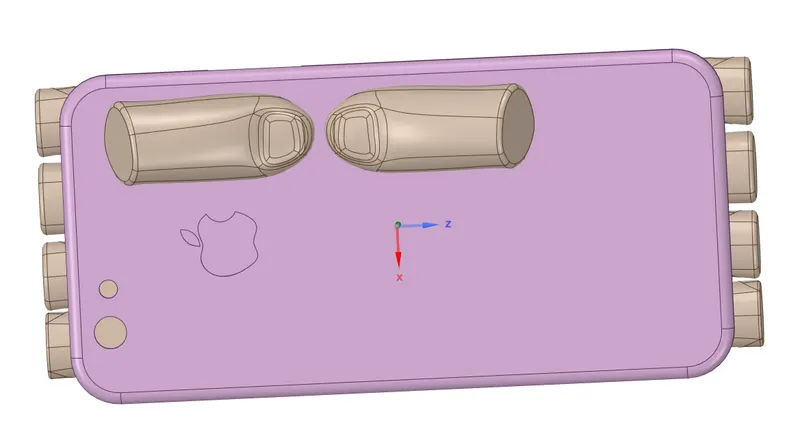
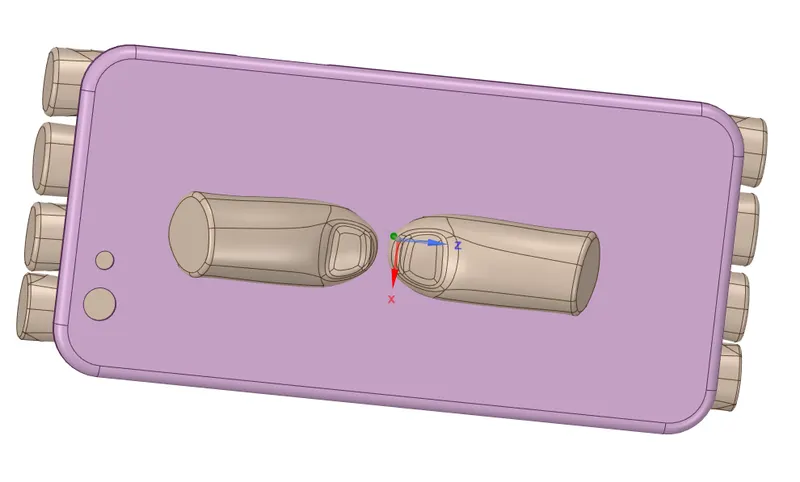
- For case-2 define the S-N curve for aluminum alloy NL.
- Repeat the same procedure as case-1 for analysis setup.
- Input the fatigue tool under solutions. Select the frame using the body filter and insert the life under the fatigue tool.
- Evaluate all the results to find the life of the frame.
Results:
CASE-1:
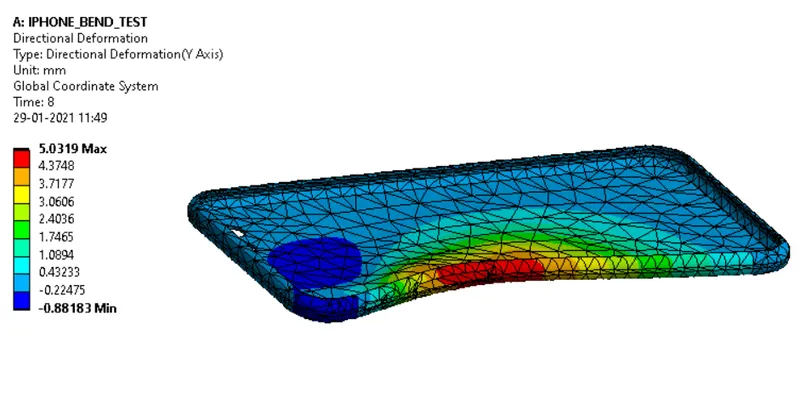
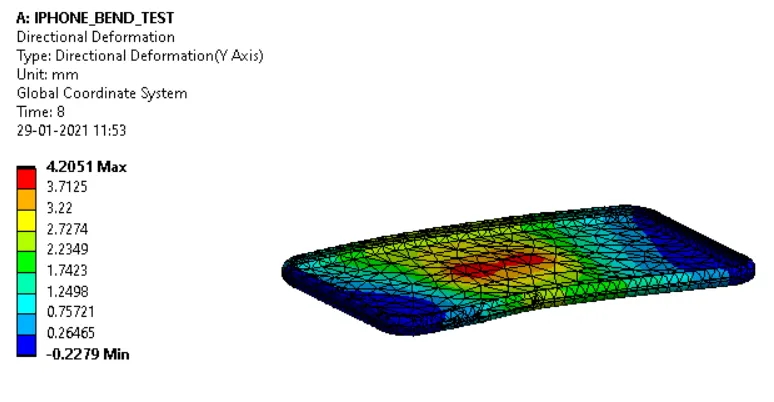
DIRECTIONAL DEFORMATION ALONG Y-AXIS:
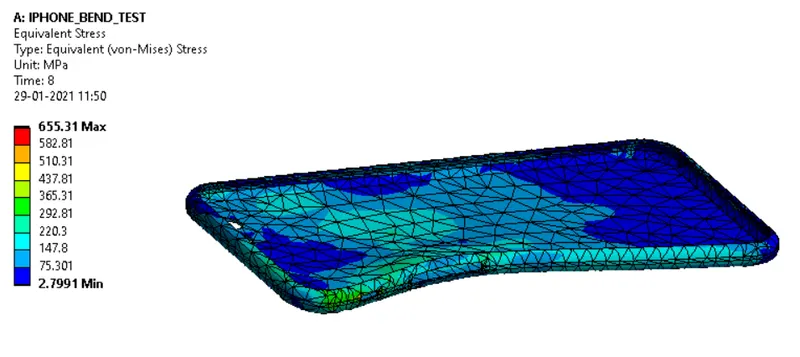
EQUIVALENT STRESS:
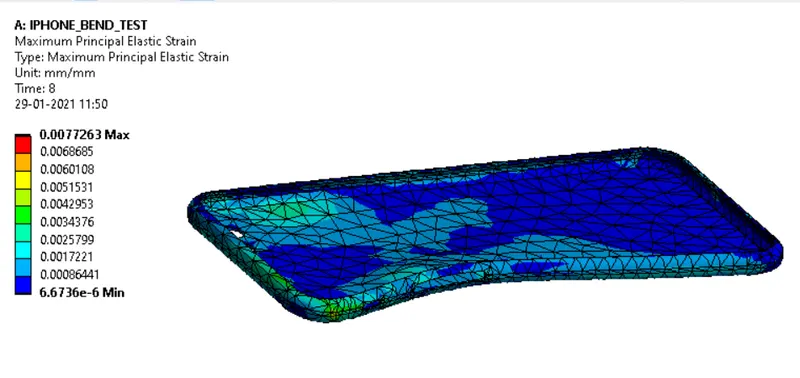
MAXIMUM PRINCIPAL ELASTIC STRAIN:
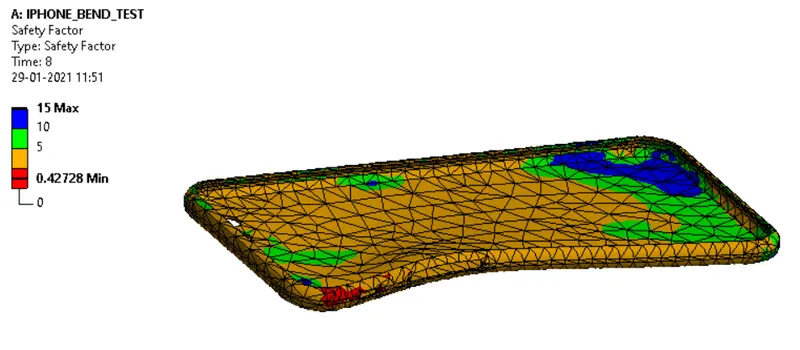
SAFETY FACTOR:
CONTACT PRESSURE:
CASE-2:
DIRECTIONAL DEFORMATION:
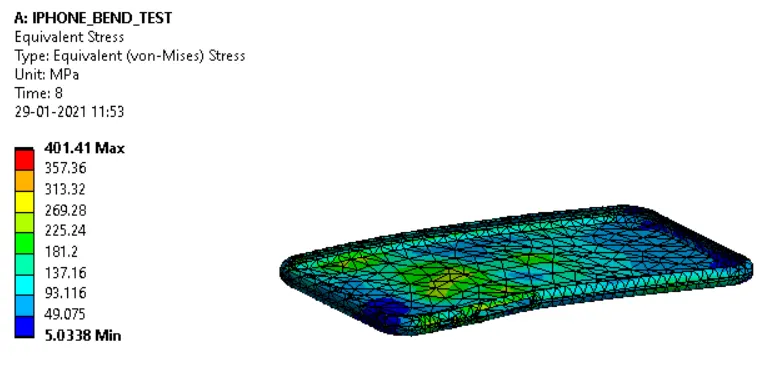
EQUIVALENT STRESS:
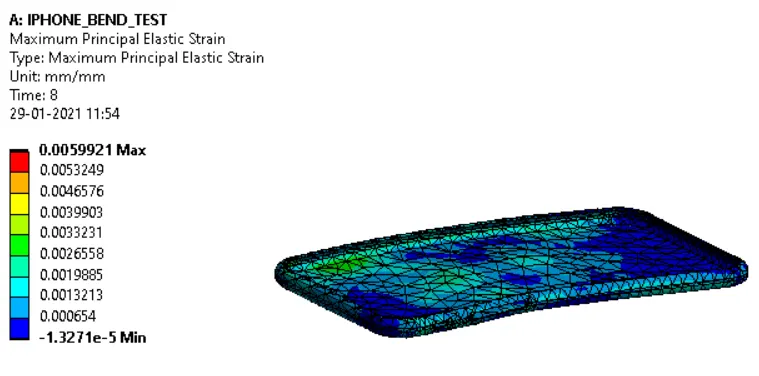
MAXIMUM PRINCIPAL ELASTIC STRAIN:
SAFETY FACTOR:
FATIGUE LIFE:
CONCLUSIONS:
- The iPhone bending simulation is performed successfully and results are obtained.
- The bottom fingers from their defined position to the given position X= 22.5mm & Z= 10mm are moved under SpaceClaim and the iPhone bending simulation is performed successfully and the results are obtained.
- The shift in the position from the edge to the middle increased the stress generated in the iPhone and the principal strain decreased.