Week 5 Battery characteristics using drive cycle
Objective :-Lithium ion battery generic model charge discharge using UDDS data
Procedure :-
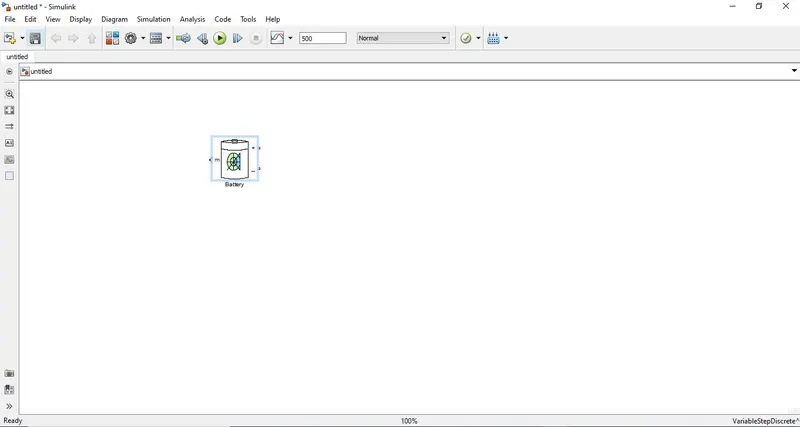
- Select the generic battery model from Simulink library
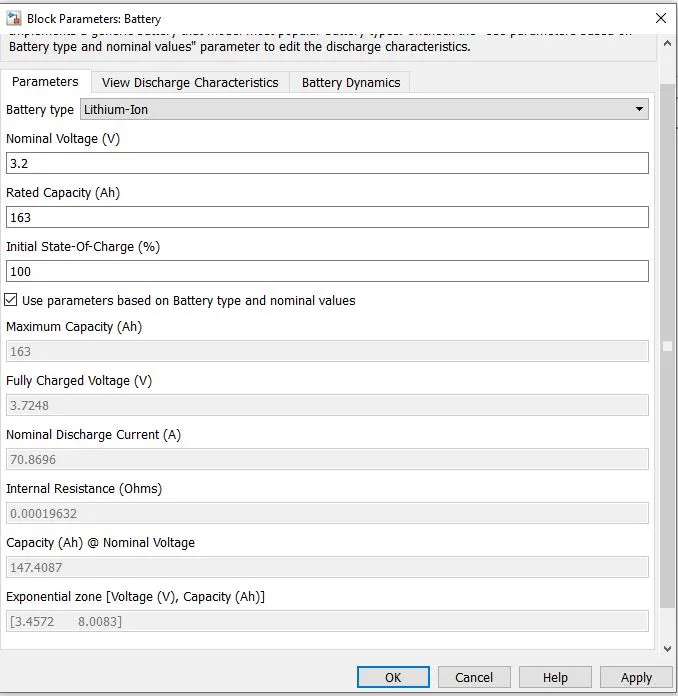
- Set Battery Parameter
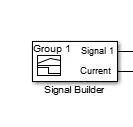
- Select Signal Builder block
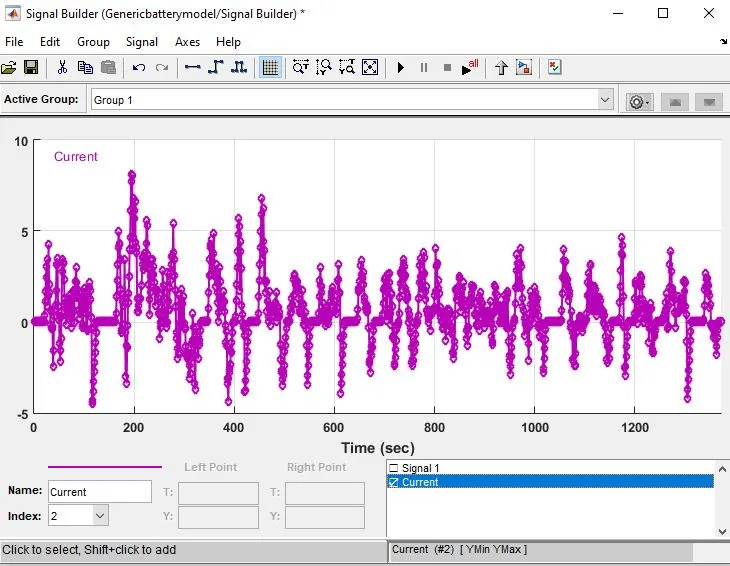
- Double click the block and impoert the UDDS file.(download it from https://docs.google.com/spreadsheets/d/1Dpc65UgskuMB3eVvZHb8sDUGip_HN1tF/edit#gid=73183158)
- Rename import signal 1 as Current and change the Time axes limit to 1372 sec and Y asix limit from -5 to 10.hide the signal 1 by doublecheck the signal box.
- Connect the current output to battery and signal to terminator .
- Select Controlled Current Source
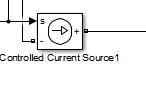
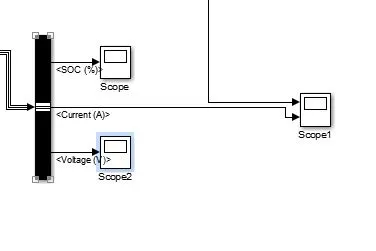
- Select Bus selector / Powergui and Scope to see the result .
Matlab Simulink Model
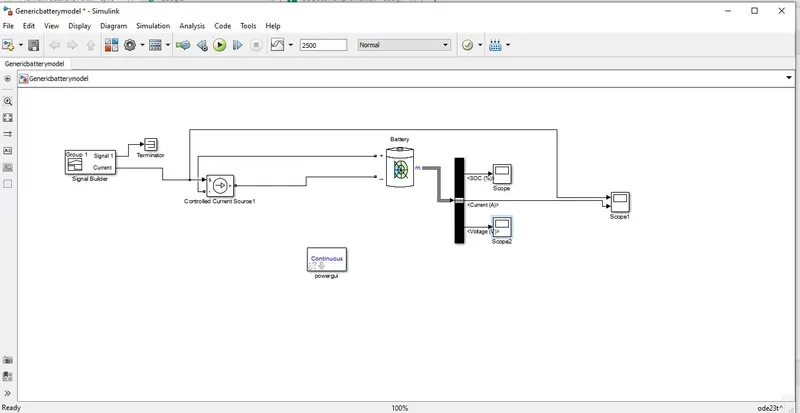
- Connect the current ouput to controlled current source
- Connect CCS (-) to battery (+) terminal and CCS (+) to battery (-).
- Connect battery M to bus selector and bus selector to scope
Simulation Results
SOC
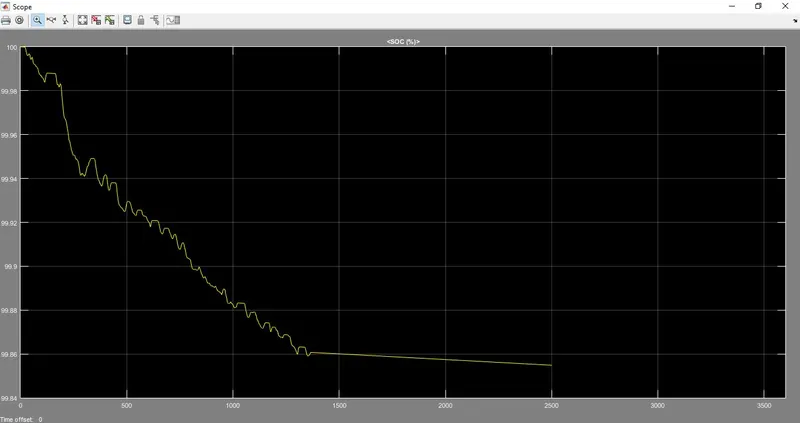
- Initial SOC is 100% ,battery is fully charged
- SOC going down means battery is dischargind and SOC going up after some time means battery is charged by regenerative braking
- Over all SOC is decreasing from 100 % to 99%
Current
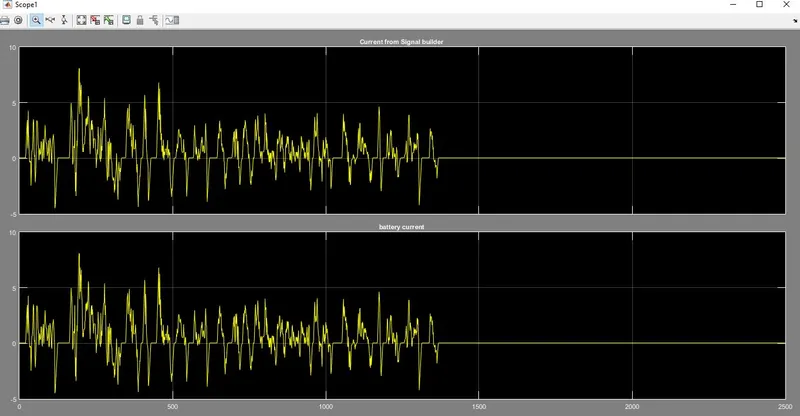
- Positive current means battery is discharging
- Negative current means battery is charging
Voltage
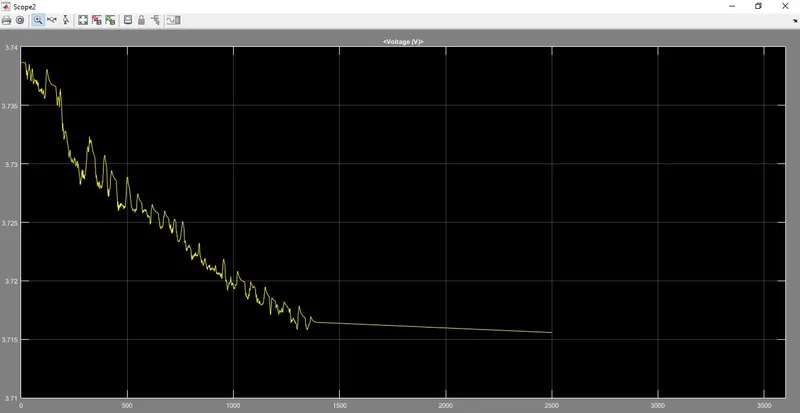
- Voltage is going down from full charge voltage range 3.74V to 3.715V at the end of UDDS cycle of 1370sec.
- It shows that battery is discharging .