Week - 5 - 2D meshing for Plastic components
Answer:
Meshed Bottle Cap with assigned thickness:
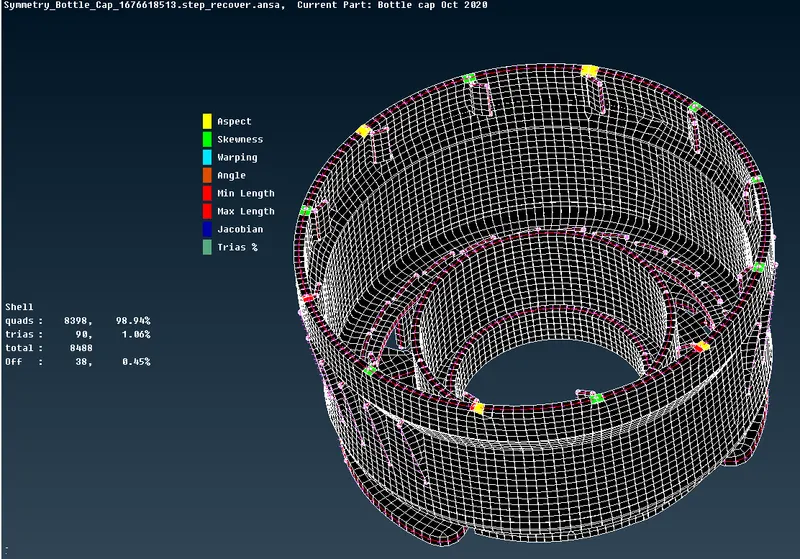
Failed elements:
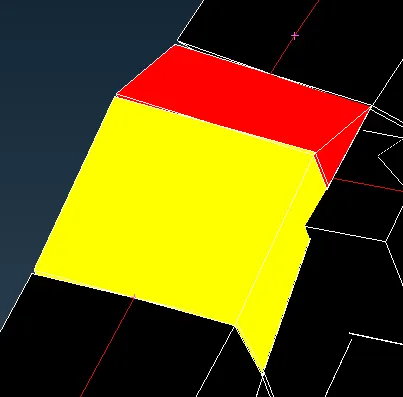
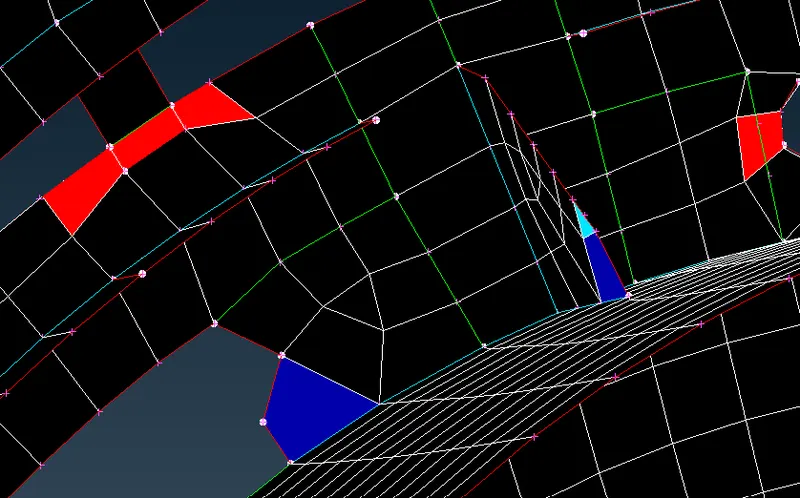
Failed elements due to
1.Min length-red
2.Max length-red
3.Jacobian-Blue
4.SKewness-green
5.Warpage-Light green
6.Aspect Ratio-yellow
Procedure:
1.Open ANSA Software.
2.Import the model into ANSA.
3.Do the necessary geometry cleanup first with the help of Checks manager.
4.Now go to checks manager and check the quality.
5.If there are errors found after execution then select all collectors and click on fix to reduce or eliminate the errors in the geometry.
6.After successful execution, Give the quality criteria as per the given question.
7.Go to Mesh parameters and set the target length to 1 unit and also specify min length and max length.
8.Then Extract midsurface by taking reference from Parent geometry by using offset or Midsurface.
9.Now go to mesh module and go to perimeter section and click on length command to give the target length.
10.Now start meshing the geometry part by part.
11.Several commands used:
i.Mesh gemeration:Best-to mesh the given part of geometry.
ii.Shell mesh:Reconstruct-It will rebuild the mesh and rearrange the elements of existing mesh.
iii.Shell mesh:Smooth-This command moves the elements of the mesh and mostly reduces failed elements.
iv.Elements:split:this command will split the element into trias and move them forward in the mesh.
v.Grids:Paste-This command will paste two nodes and moves tria backward in the mesh.
vi.Elements:Swap:This command is used to shift the tria element side ways.
vii.Grids:Move-This command is used to reduce max. and min. size error in the mesh for translating the elements by selecting one node of an element.
12.Manage the trias and mesh flow properly.
13.Assign thickness by measuring from Parent geometry.
14.Finally save the model with suitable name.