Week 4 -Wire Bending Challenge
OBJECTIVE:
Compare the results of ROLLING OF WIRE with different materials and check how stress and deformation taking place in the different cases.
CASE 1: COPPER ALLOY
1. Download the model from the challenge.
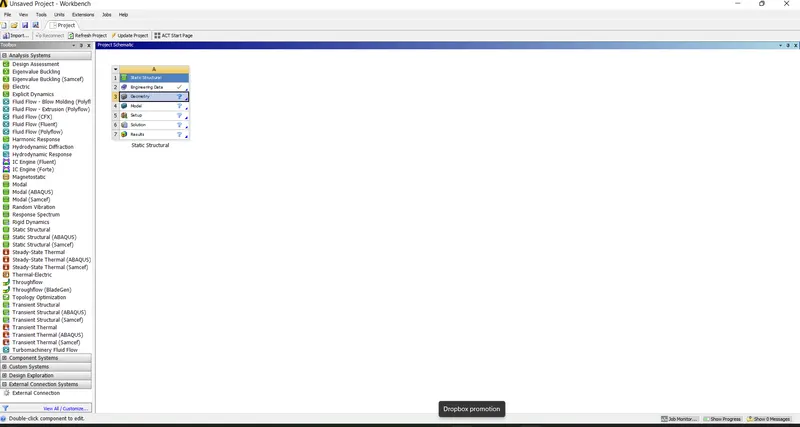
2. Open the ANSYS workbench and drag the static structure analysis.
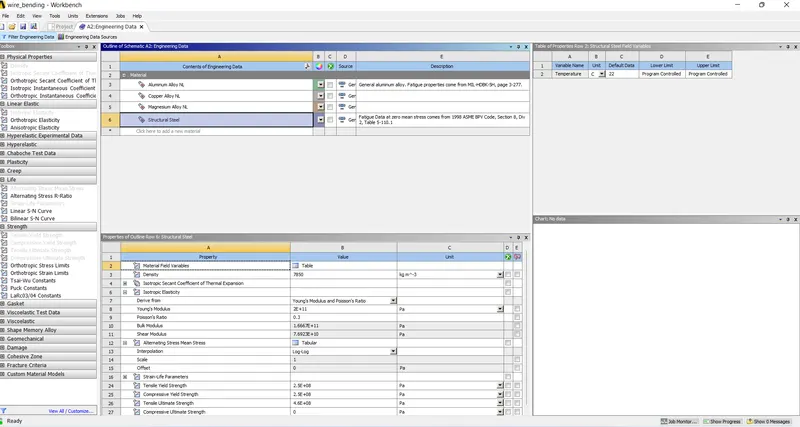
3. Double click on the engineering materials and add the aluminium nonlinear alloy, copper NL alloy and magnesium NL alloy.
4. now right click on the geometry, import the model downloaded.
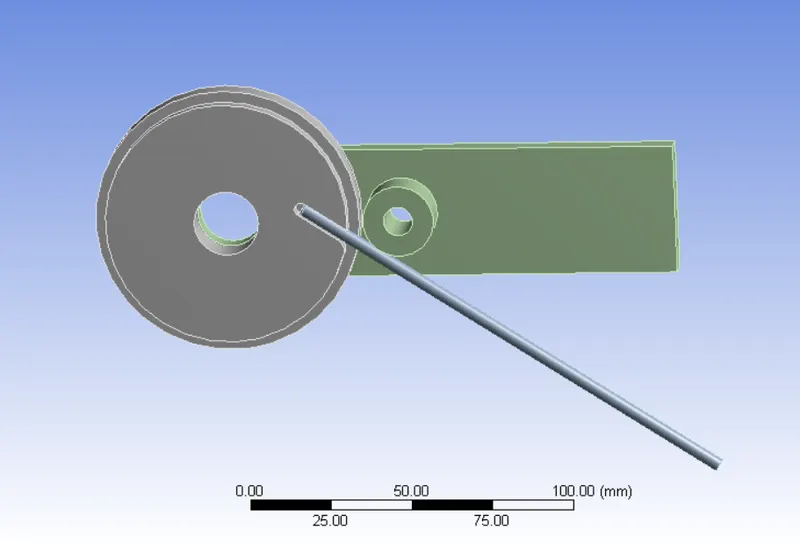
5. Now double click on the model. And check the model loaded properly or not.
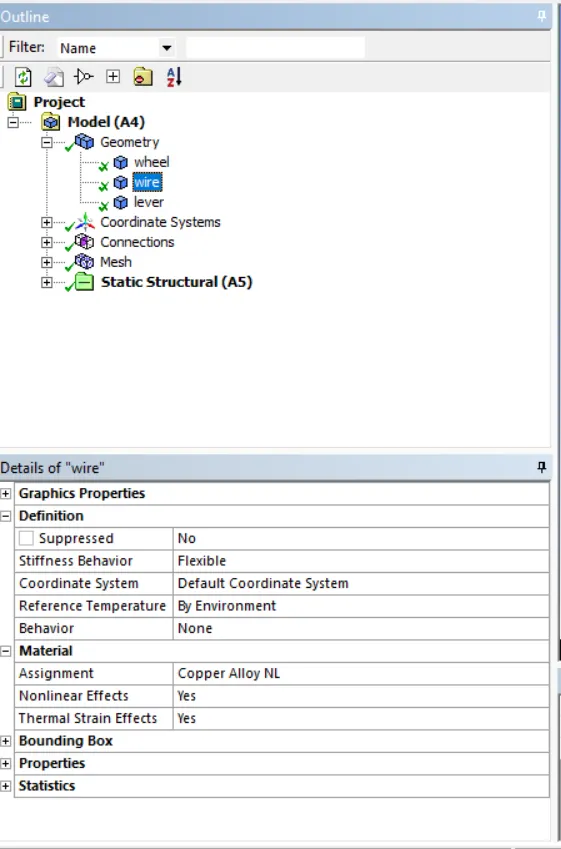
6. Now click on the geometry in the outline tree. And assign the copper NL alloy to the wire.
7. Now click on the contacts. It shows some default contacts. And make that re arrange the contact on basis of definition.
8. Delete some contact which is default given by ANSYS. And also, some contact as shown below and change the contact as friction with coeffient of friction is 0.2
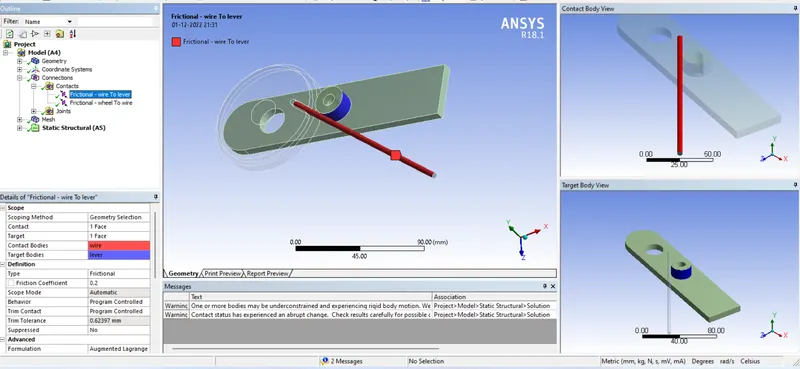
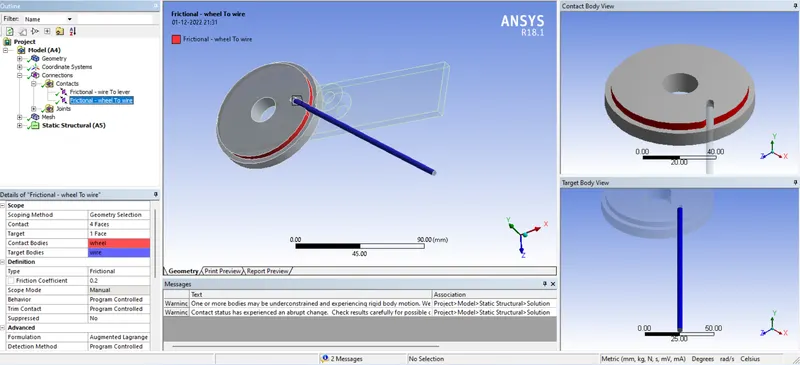
9. Add the join to rotate the lever.
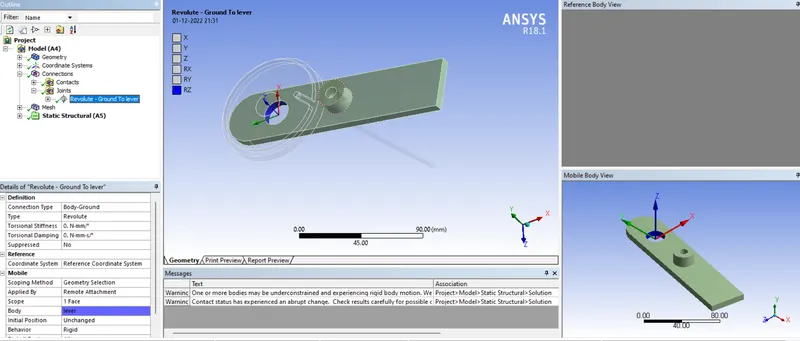
10. Click on the mesh and insert the two-mesh tab. In one mesh tab select the 4 parts as shown below and mesh with 2 mm element length.
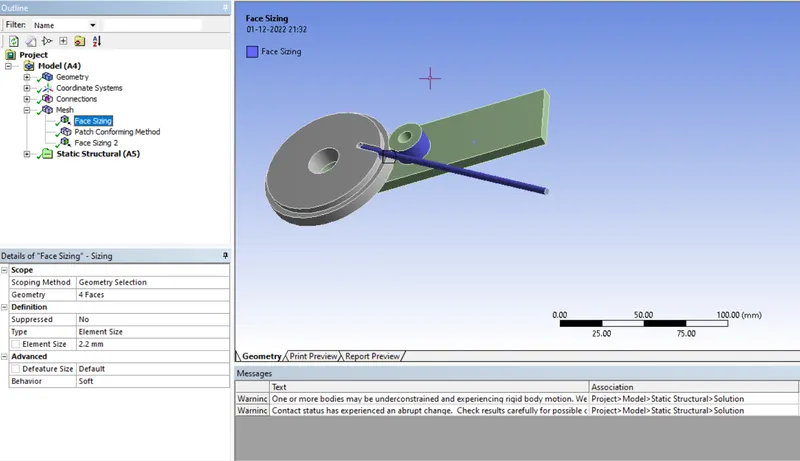
11. In the second mesh tab use sphere of influence mesh with radius 7 mm and elemental length of 0.8 mm.
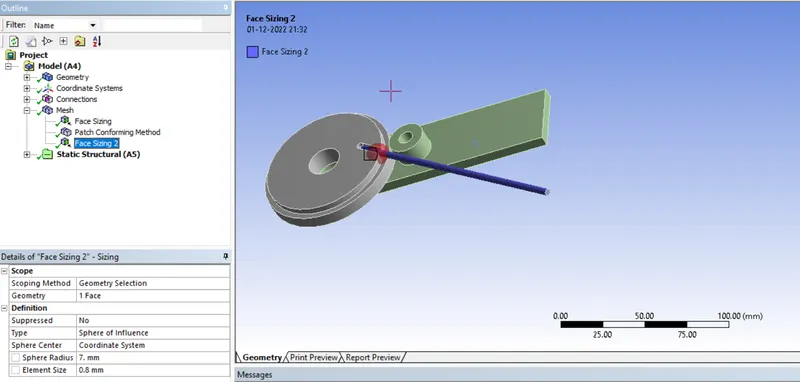
12. Insert the method of mesh. And change to the tetrahedral meshing.
13. Now generate the mesh.
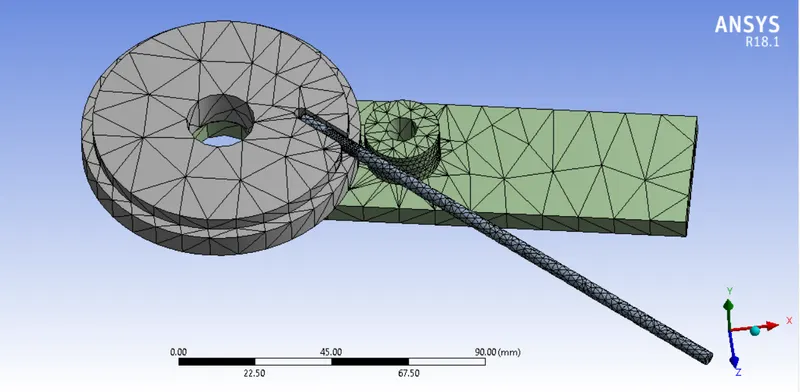
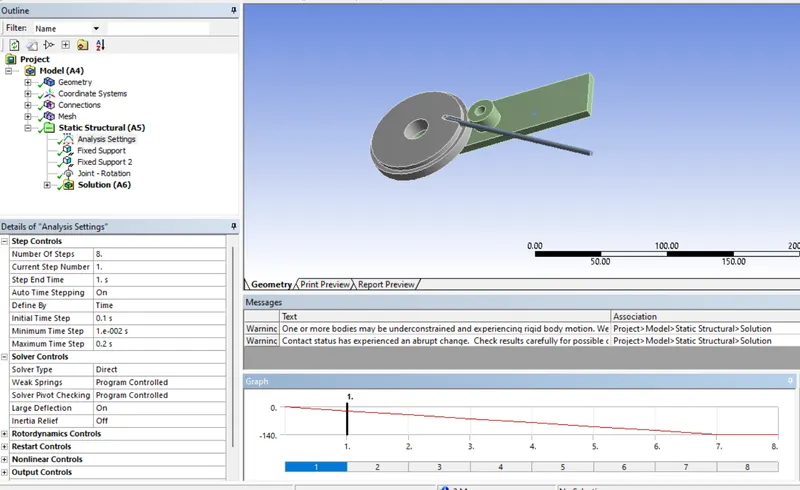
14. Now go to analysis setting and use 8 steps to run the solution and make it ON Large deformation. And change the setting below.
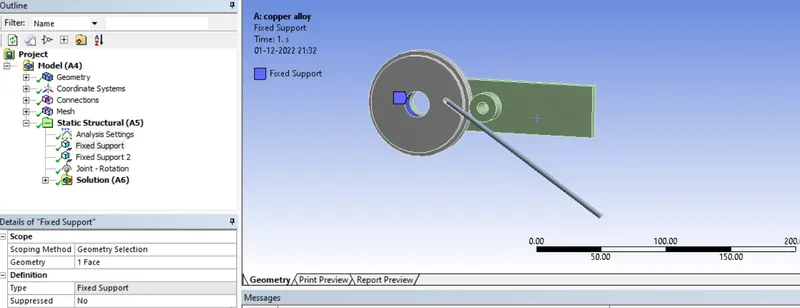
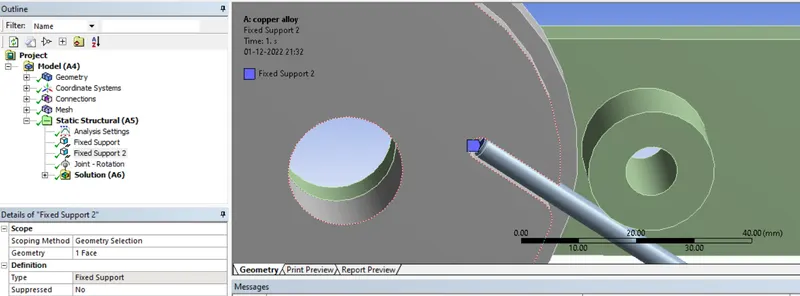
15. Now insert the fixed support and fix the wheel and again insert the fixed support fix the wire at tip in the slot of wheel.
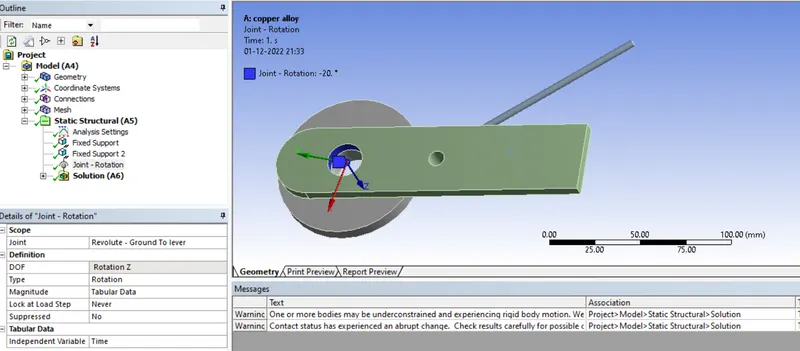
16. Now insert the revolt joint with the following inputs.
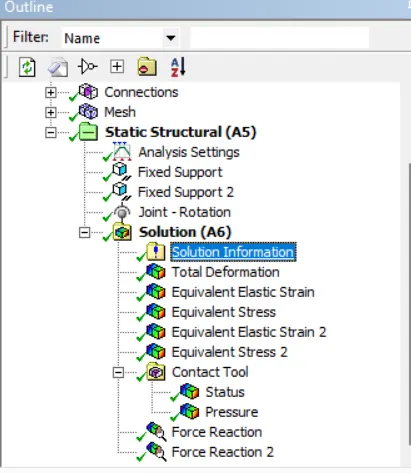
17. Now insert the solution parameters as shown below.
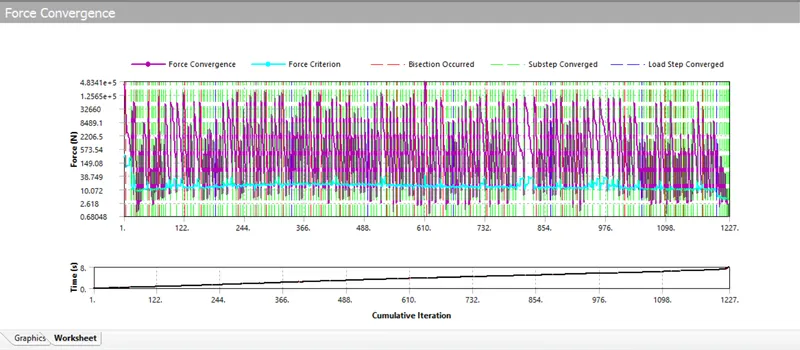
18. now click on slove. we can see force convergence while it solving the solution.
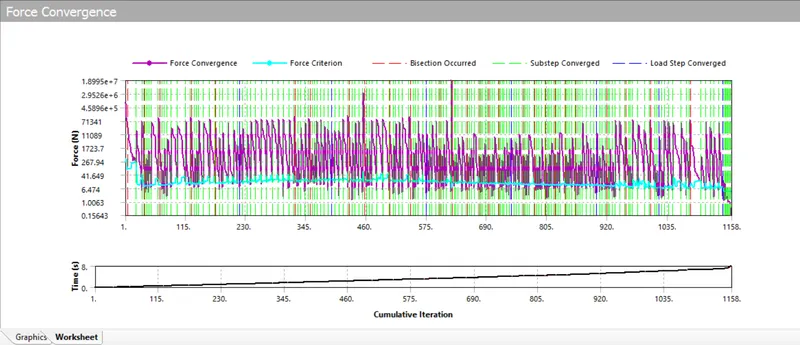
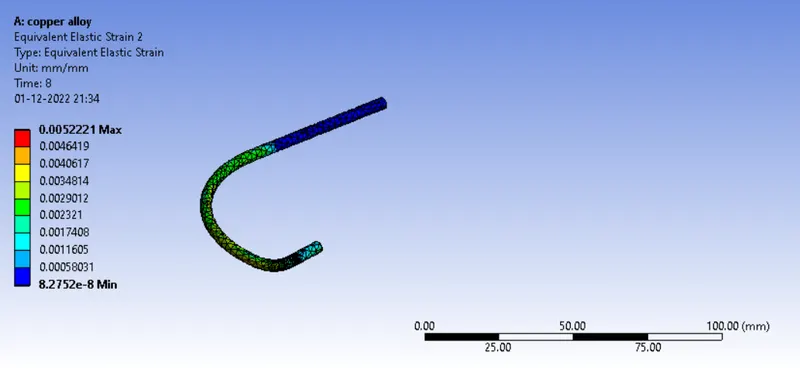
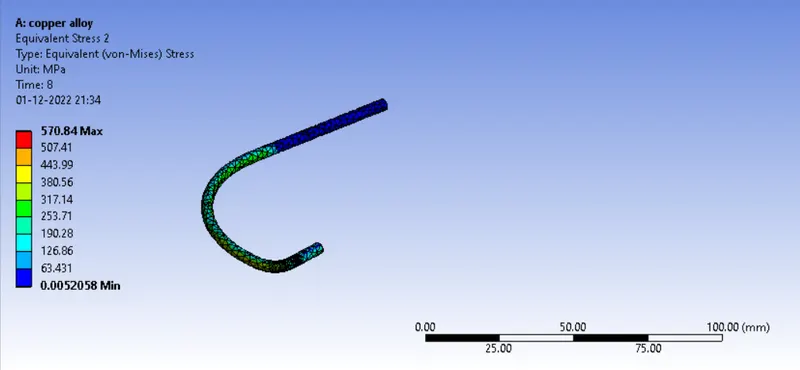
18. Now solve the model. After providing the solution it shows the following results.
CASE 2: ALUMINIUM ALLOY
1. Now duplicate the model static analysis.
2. Now double click on the model. The model will open in the model tab.
3. Now change the materials and change material of wire to aluminium alloy.
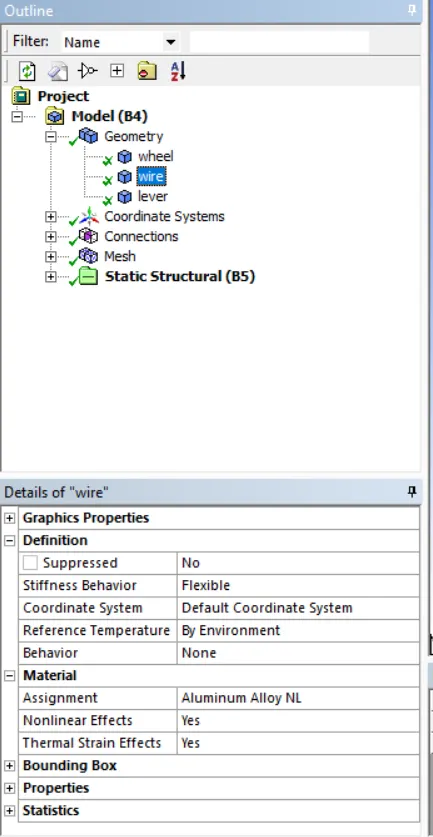
4. Now solve the model. And wait until the solution we get. while solving the solution we can force convergence.
5. The results are shown below.
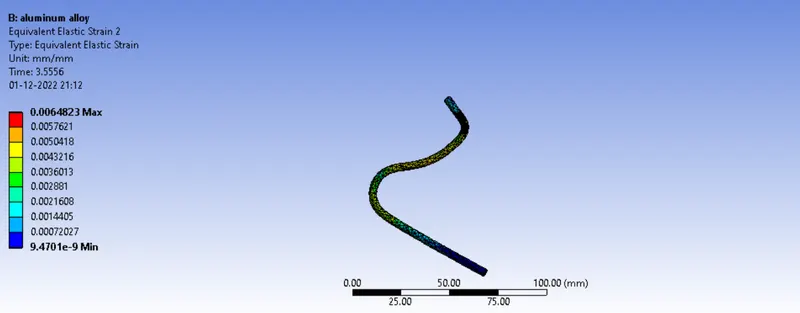
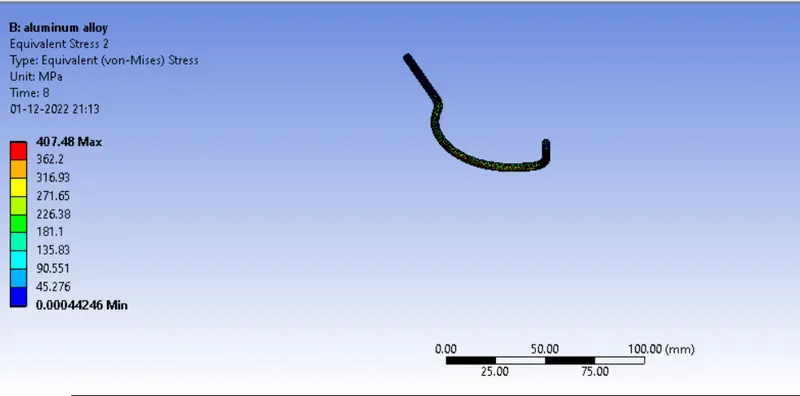
CASE 3: MAGNESIUM ALLOY
1. Now duplicate the model static analysis.
2. Now double click on the model. The model will open in the model tab.
3. Now change the materials and change material of wire to Magnesium alloy.
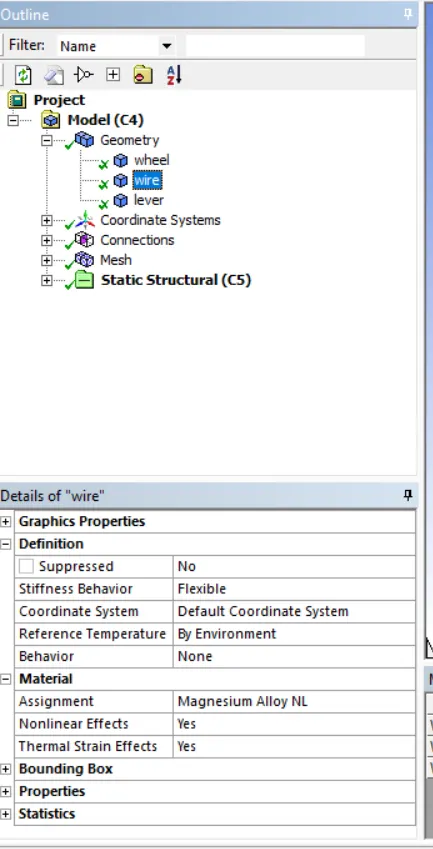
4. Now solve the model. And wait until the solution we get.while solving the solution we can force convergence.
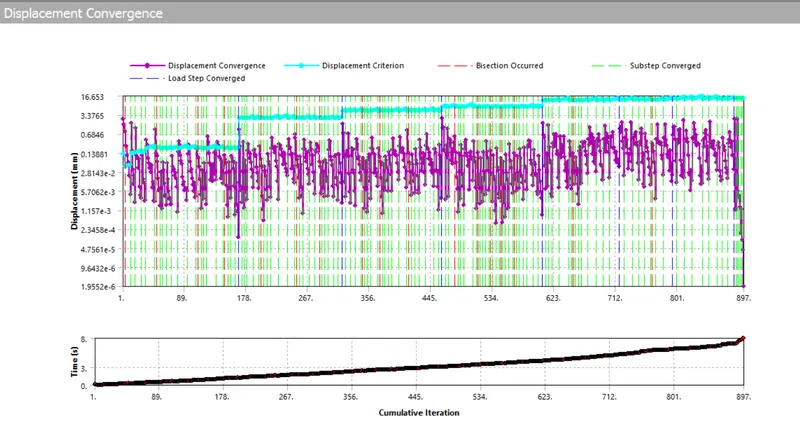
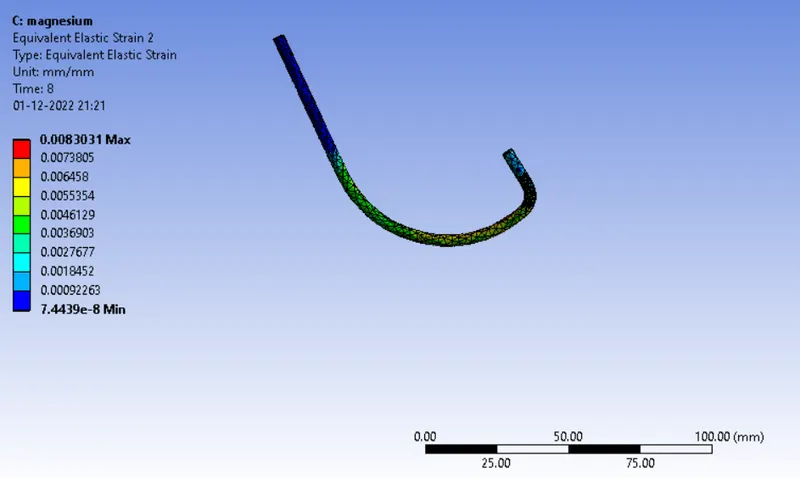
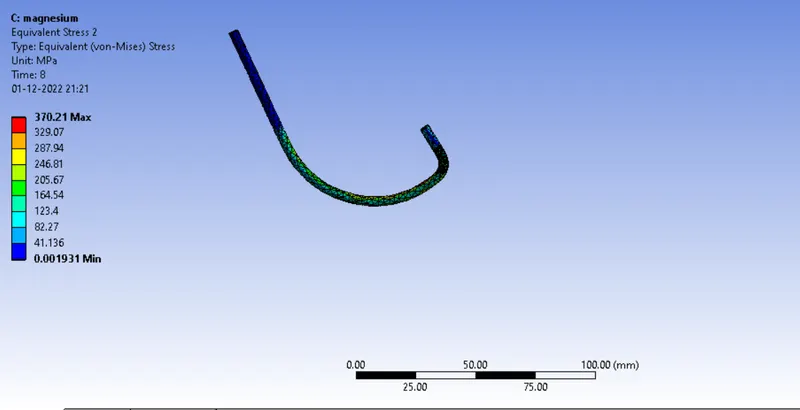
5. The results are shown below.
OBSERVATION :
The stress develpoed in the three cases mentioned below.
1. Copper NL alloy 570.84 MPa
2. Aluminium NL alloy 407.48 MPa
3. Magnesium NL alloy 370.21 MPa
The strain develpoed in the three cases mentioned below.
1. Copper NL alloy 0.000522
2. Aluminium NL alloy 0.00064
3. Magnesium NL alloy 0.000830
by observing the stress and strain values of different values, the stress developed in the copper is maximum but strain is minimum. but in case of magnesium stress is minimum and strain is maximum. so, the magnesium is less force to to get bending operation.