Week - 4 - Crash Box Simulation
AIM :
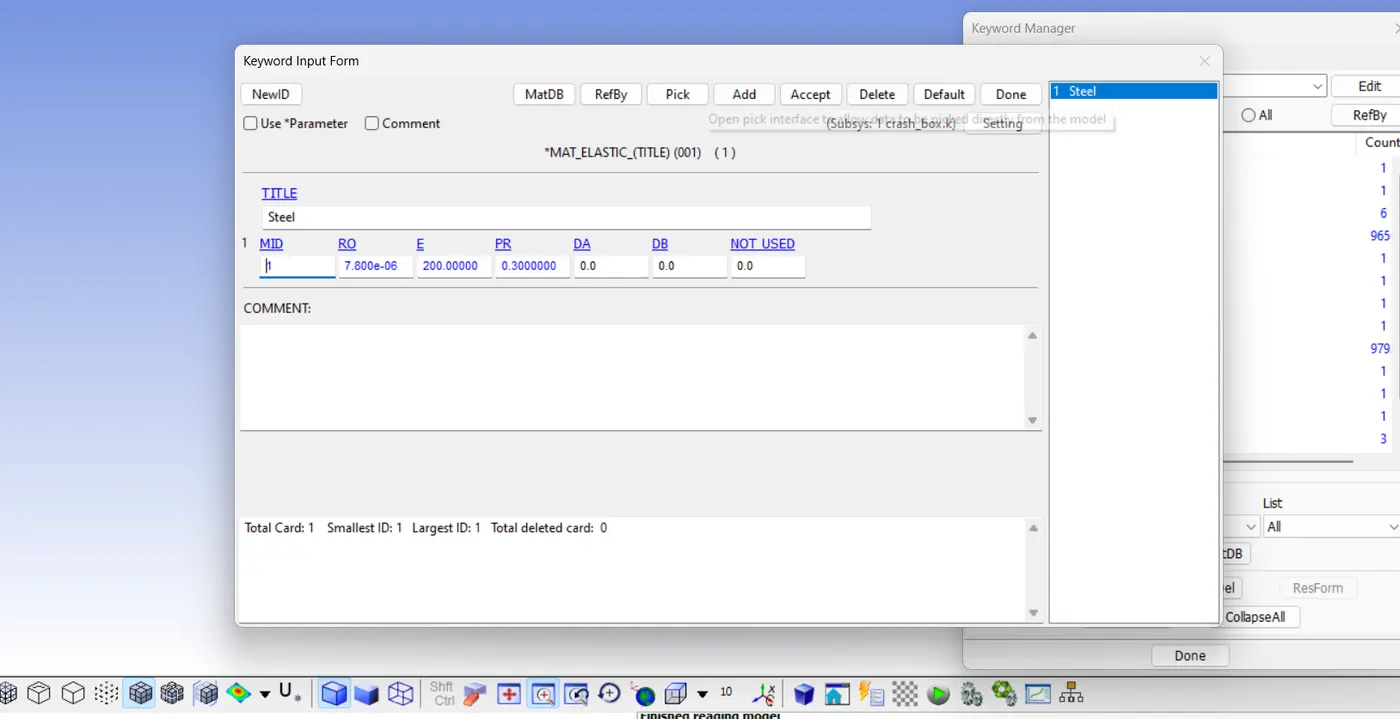
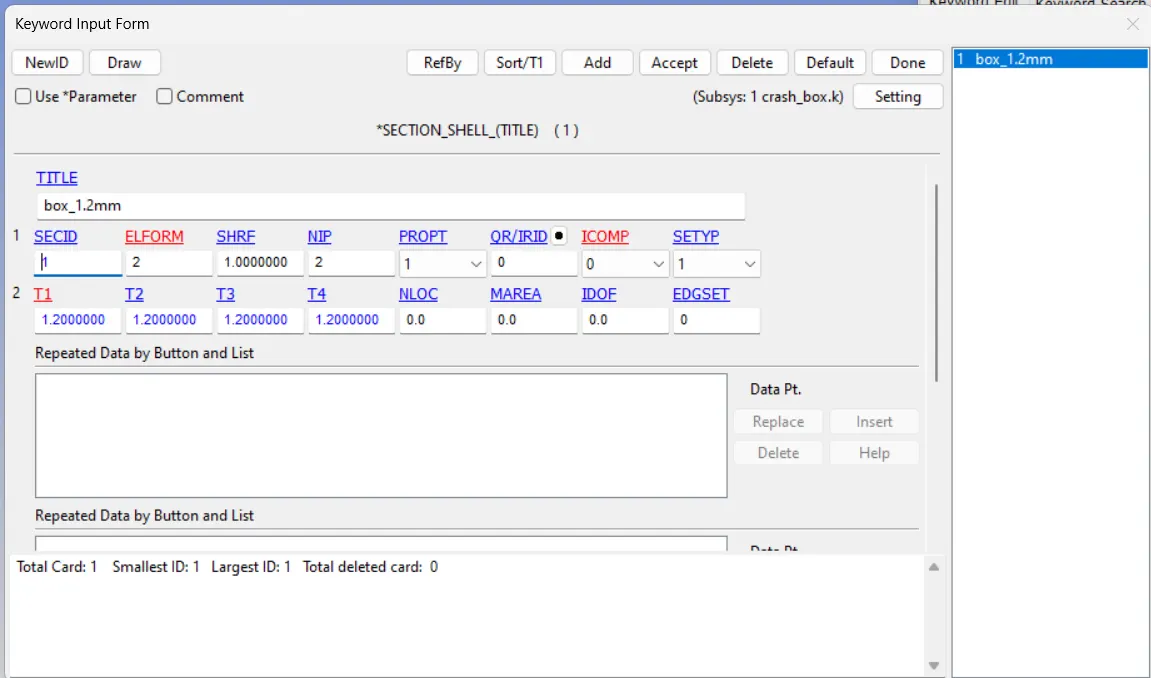
The crash box should crash into a rigid wall with a velocity of 50 kmph. I have to define the material of the crash box as steel. And the thickness of the crash box should be 1.2mm in first simulation and 1.5mm for second simulation.
PROCEDURE:
STEP 1: OPEN THE .k FILE
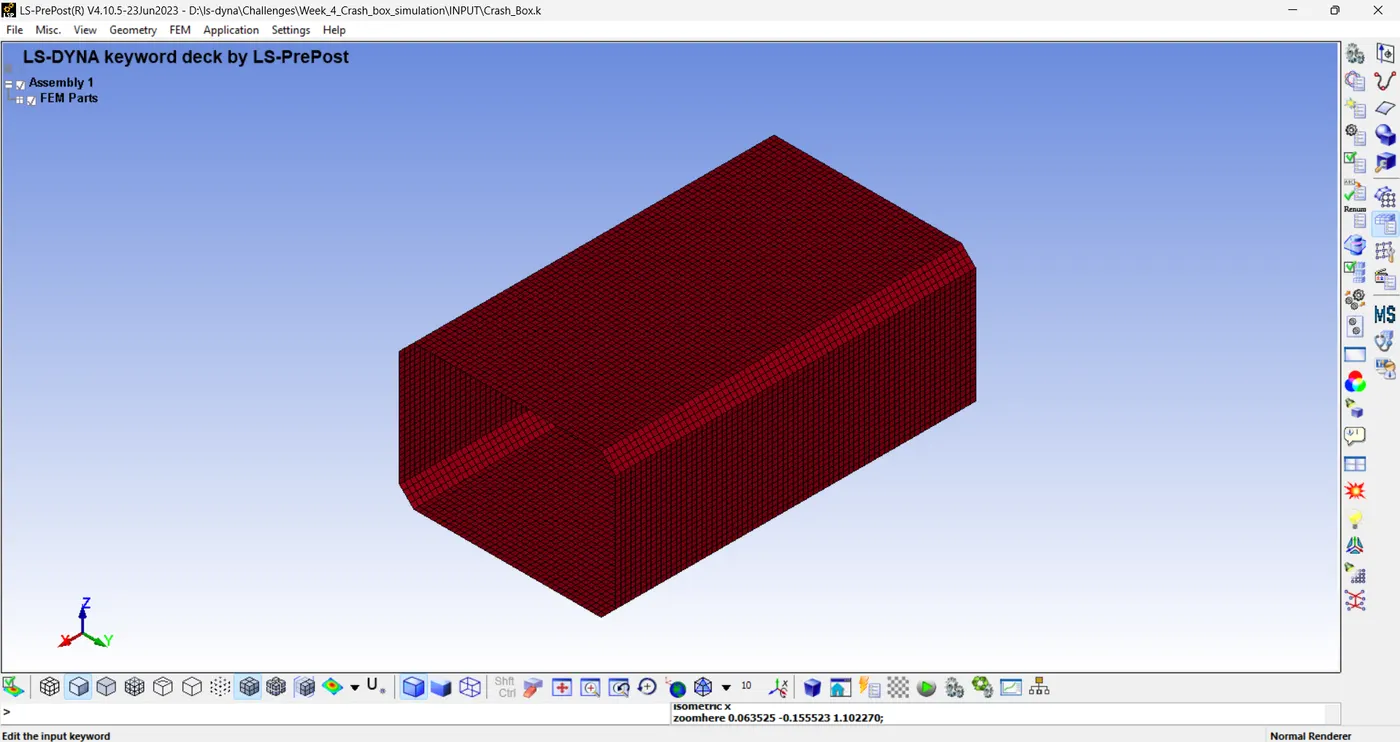
STEP 2: THE GIVEN KEYWORDS ARE.
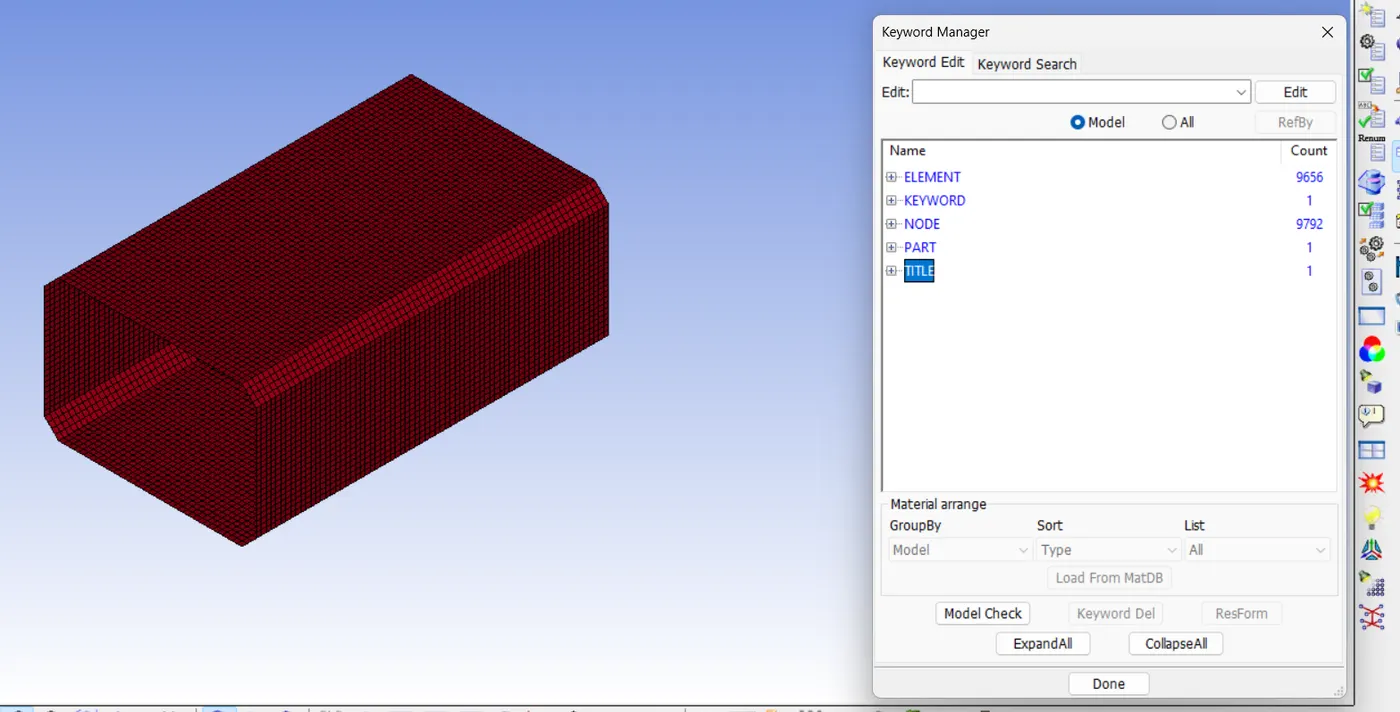
STEP 3: MAKE A RIGID WALL.
Go to model and part > keyword manager > All
Rigid wall > planar
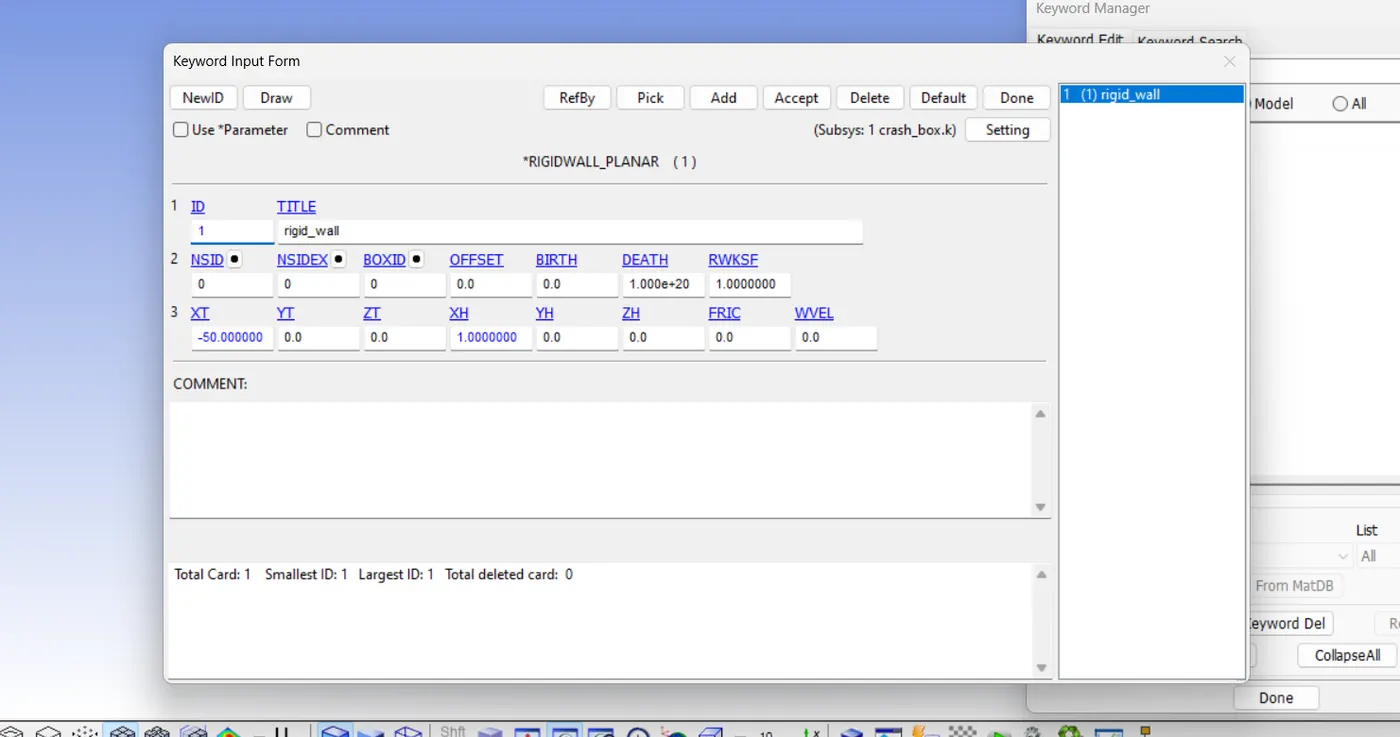
STEP 4: DEFINE MATERIAL.
go to keyword manager > All > MAT > 001_ELASTIC
STEP 5: DEFINE SECTION.
go to keyword manager > All > SECTION > SHELL
STEP 6: DEFINE THE VELOCITY OF CRASH BOX
Go to keyword manager > All > INITIAL > VELOCITY_GENERATION
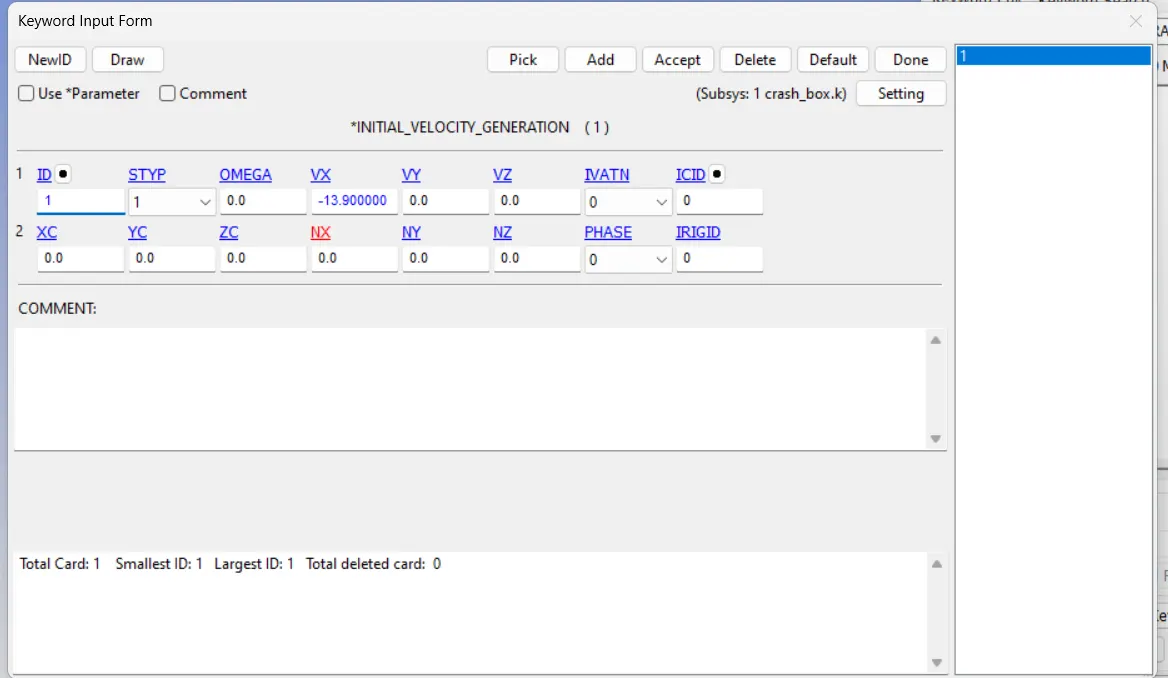
50 KMPH = 13.9 MPS (here -13.9 is given, because the crash box should travel in the negative x-axis)
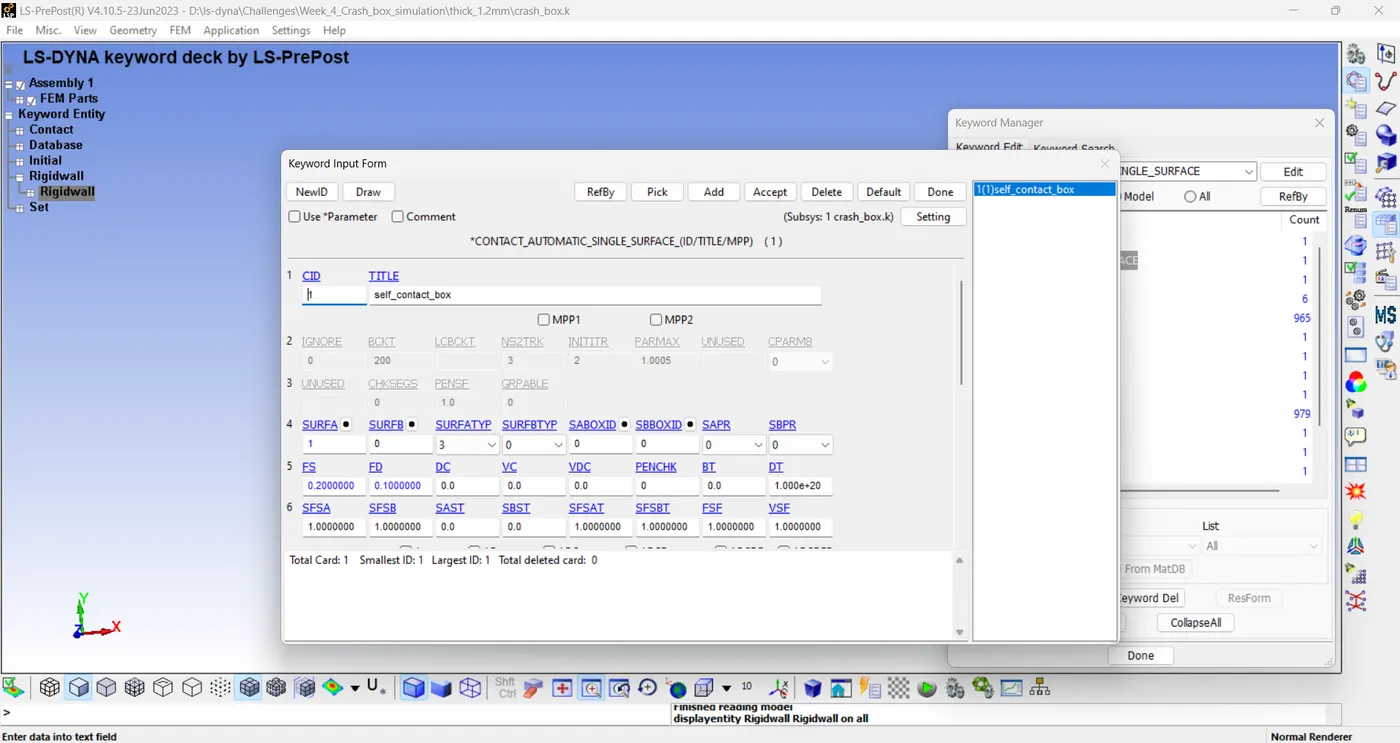
STEP 7: DIFINE CONTACT
Go to keyword manager > All > CONTACT > AUTOMATIC_SINGLE_SURFACE
STEP 8: DEFINE TERMINATION TIME
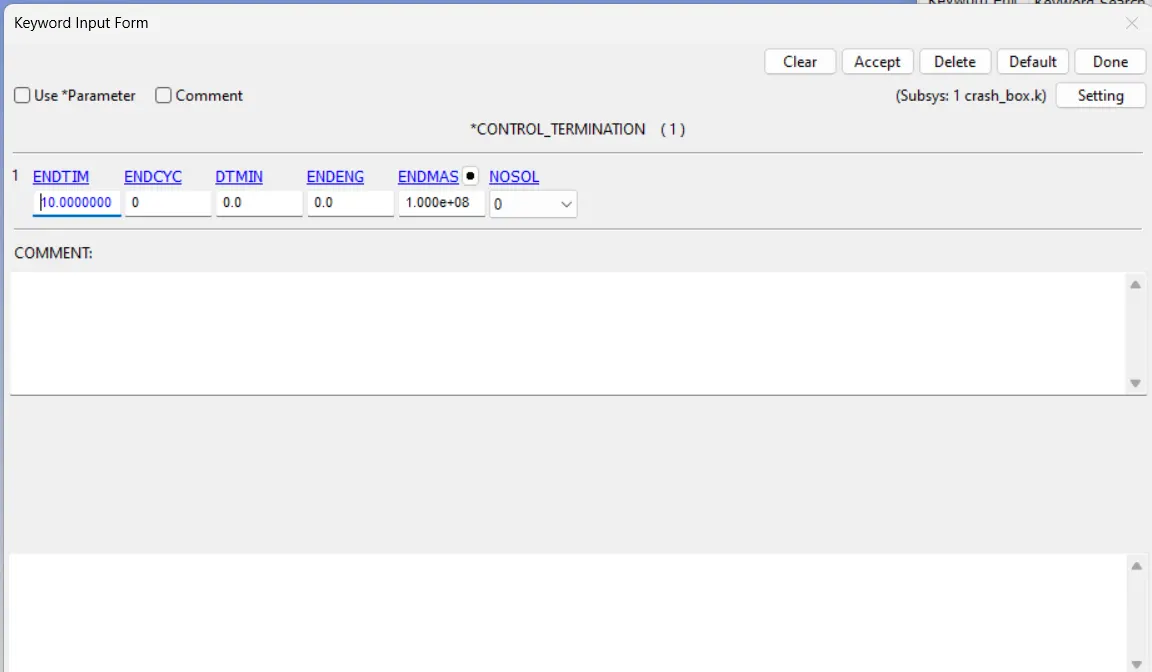
Go to keyword manager > All > CONTROL > CONTROL_TERMINATION
ENDTIM= 10.
STEP 9: DEFINE OUTPUTS.
Go to keyword manager > All > DATABASE > D3PLOT
DT= 2
keyword manager > All > DATABASE > ASCII
GLSTAT, DT=2
SLEOUT, DT=2
RCFORC, DT=2
SECFORC, DT=2
CONCLUSION :
KINETIC ENERGY PLOT:
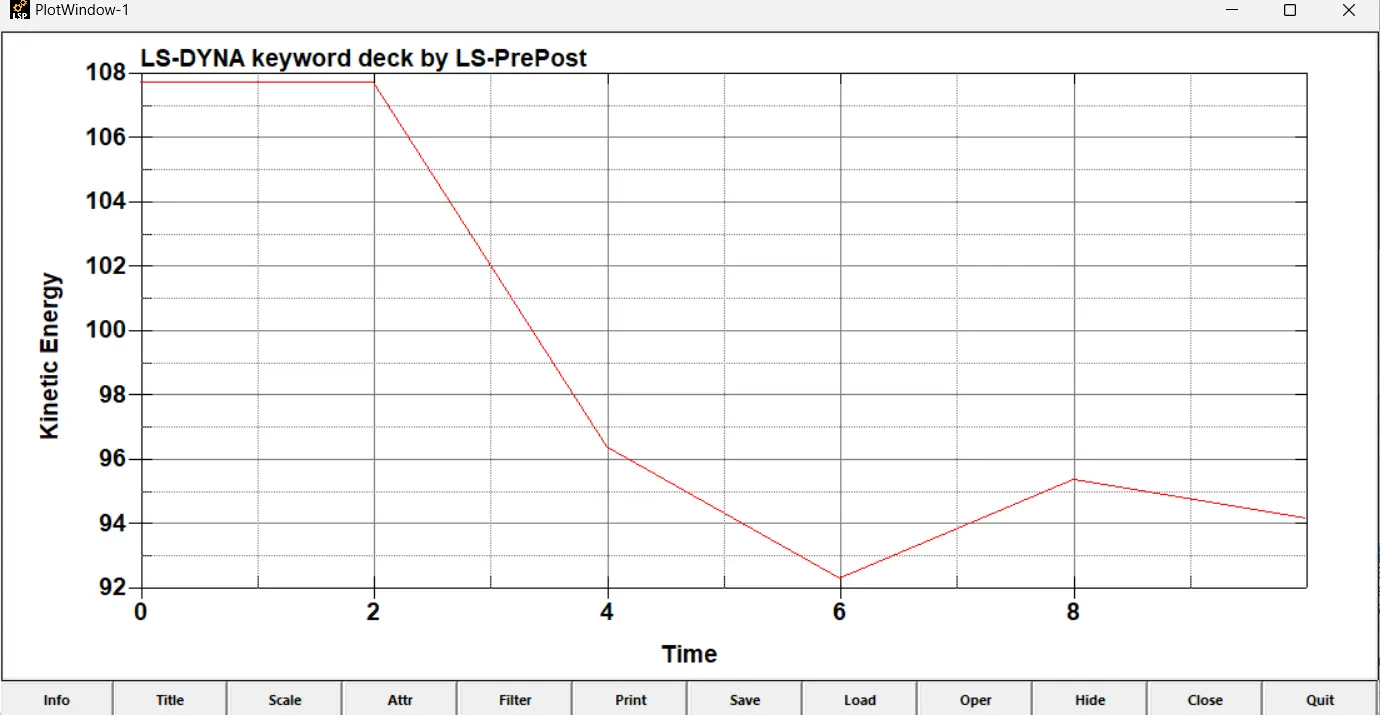
upto 2 ms the kinetic energy is constant after decreases
TOTAL ENERGY PLOT:
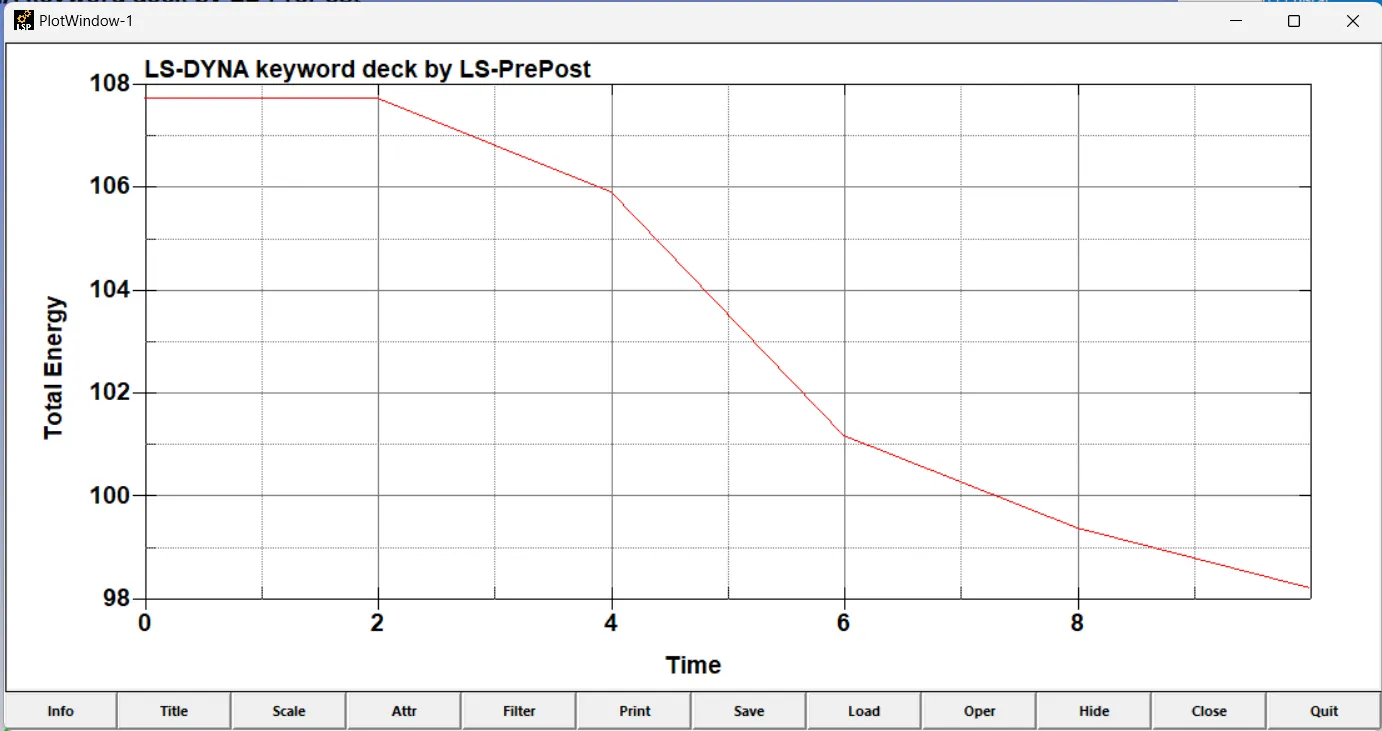
INTERNAL ENERGY PLOT:
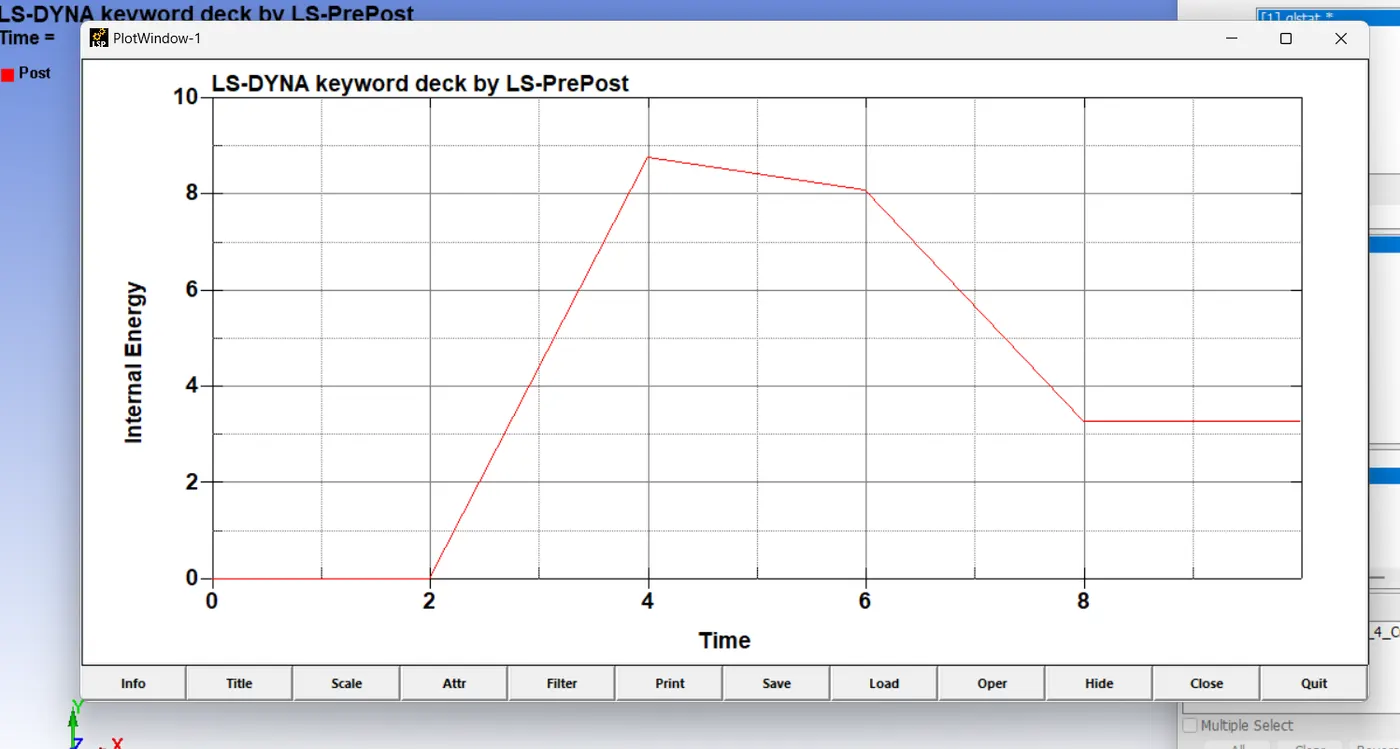
Internal energy is almost opposite of kinetic energy
SLIDING ENERGY PLOT:
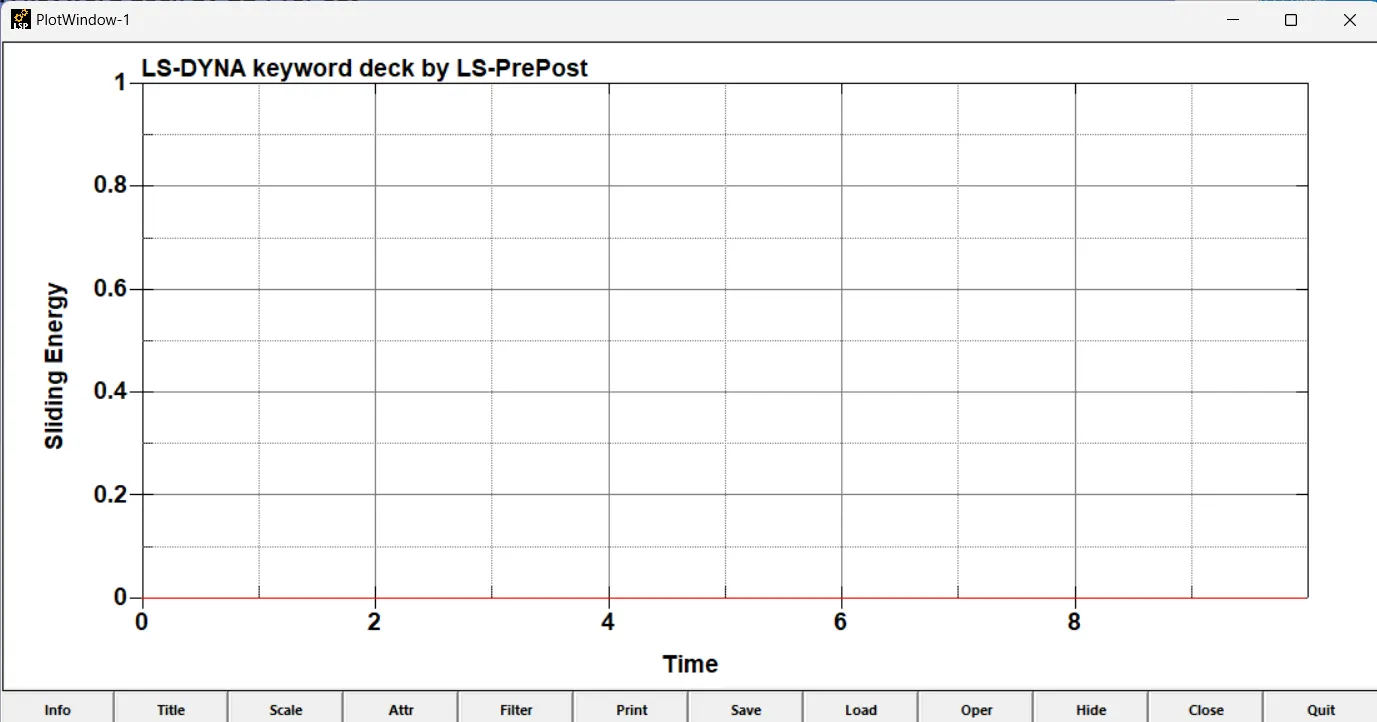
here no sliding energy
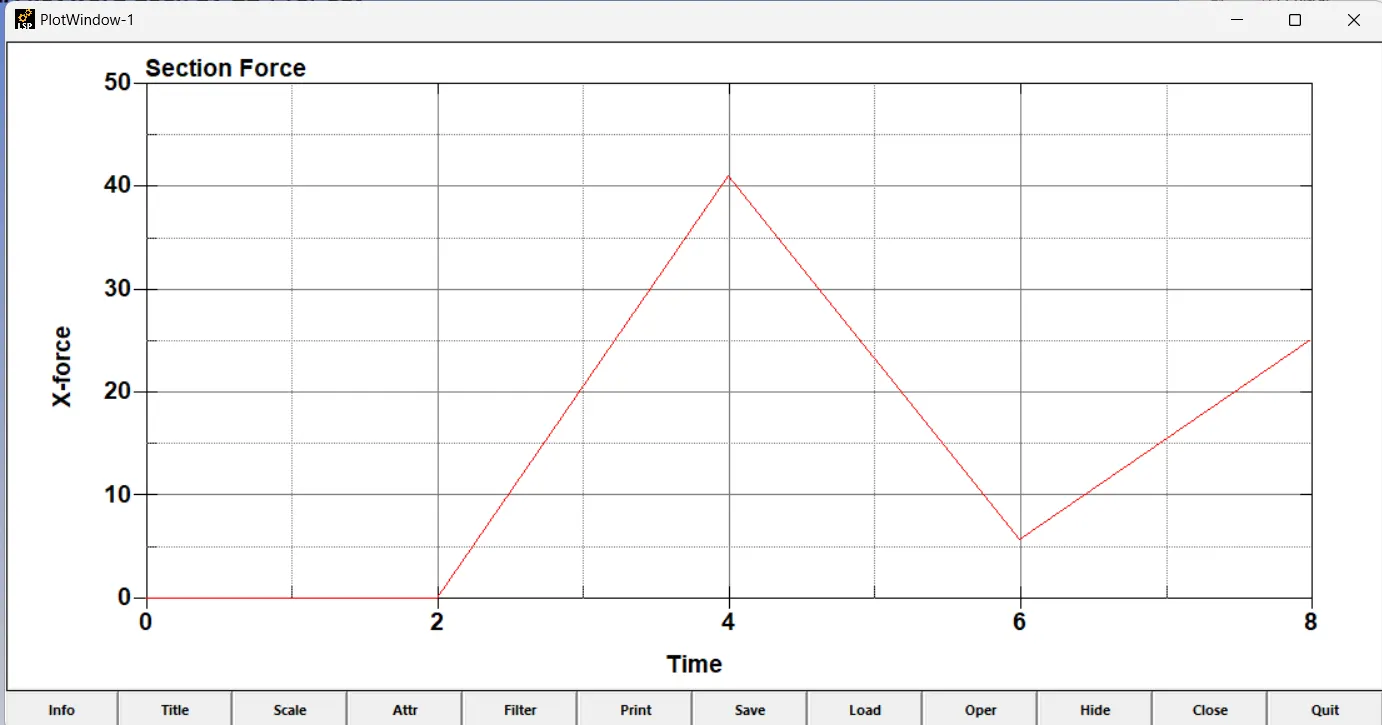
CROSS SECTIONAL FORCE IN THE MIDDLE OF CRASH BOX
--------------------------------------------THANK YOU---------------------------------