Week- 8 - Solid meshing
AIM:
For the given rear view mirror component,check for the geometrical errors and mesh the surfaces with the given 2D element quality criterias.And use tetra element to mesh the volumes defined in the model and check for the given quality after volume meshing.
PROCEDURE:
STEP 1: OPEN CAD MODEL.
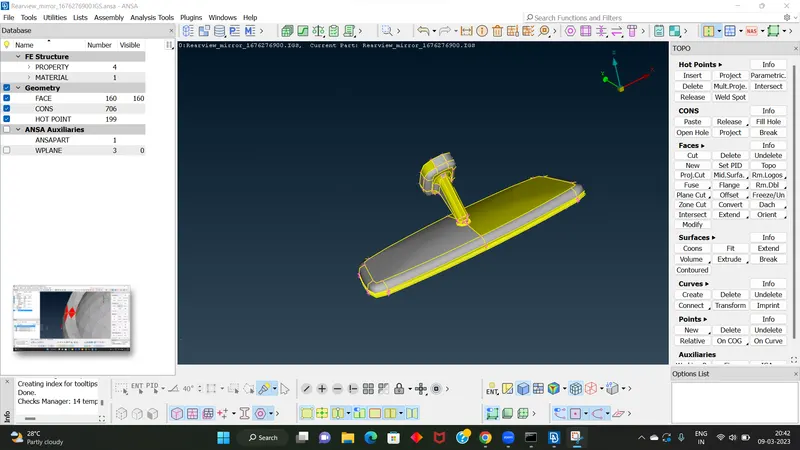
this is the parent geometry
STEP 2: USING TOPO OPTION.
This option is used for stiching the parent geometry together.
IN TOPO MODULE, faces > topo
STEP 3: USING ORIENT OPTION.
This option is used for proper orientation of the geometry.
IN TOPO MODULE, faces > orient
STEP 4: GEOMETRY CHECK UP.
After completing the orientation the next step is geometry check up.Here we are checking the geometry for there is any errors are present or not.If there is any errors presnt means we want to fix it.There is a option called AUTO FIX cliking on it means that error will clear automatically.Otherwise we want to clear manually .once geometry check up finished there highlighted a green signal.
check manager > geometry
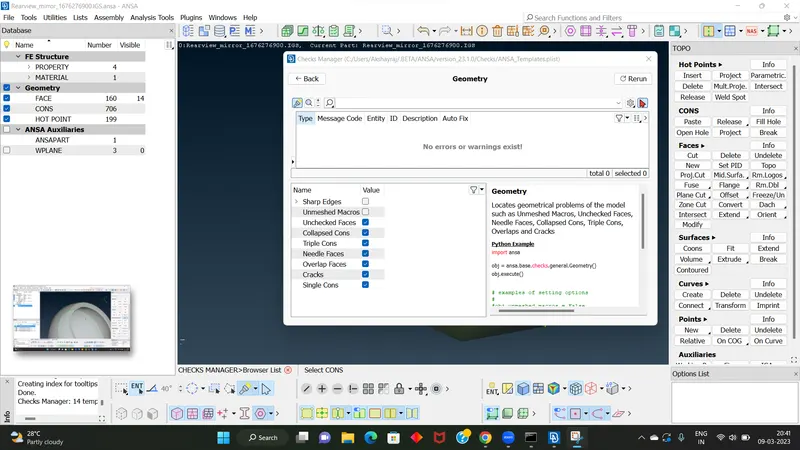
no geometric errors.
STEP 5: ADD MESH PARAMETER.
Here we want to add average length as per question [set it as 1]. Here we choosing only tri element.
STEP 6: ADD QUALITY CRITERIA.
Quality criteria values are added as per question.For shell mesh we were added maximum and minimum length.For solid mesh we were added tet collapse.
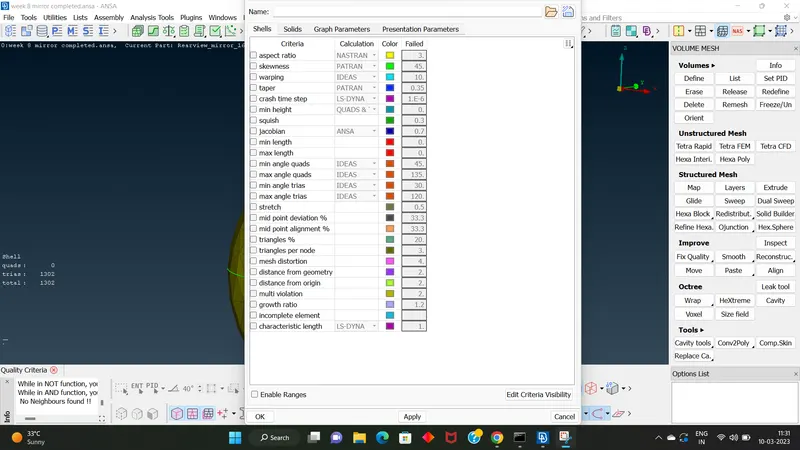
for shell mesh[ max & min length]
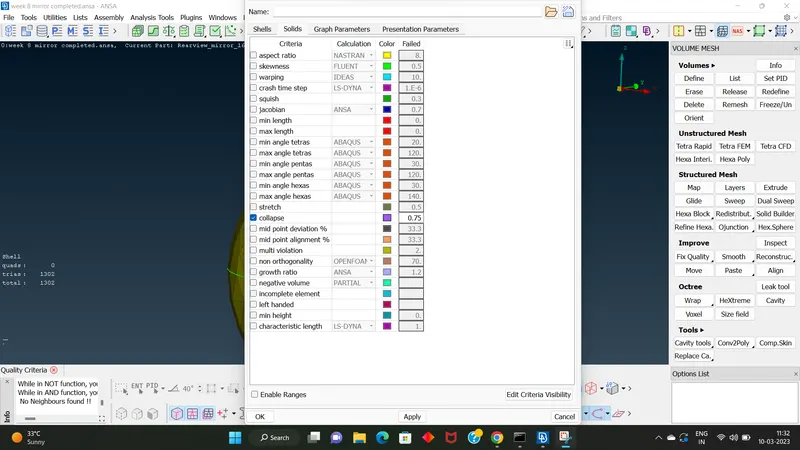
for solid mesh[tet collape]
STEP 7: ADJUSTING THE PERIMETER LENGTH.
Go to classic mesh module , perimeter > length [set it as 1]
STEP 8: MESHING.
a] SHELL MESHING[2D]
In classic mesh module. mesh generation > best
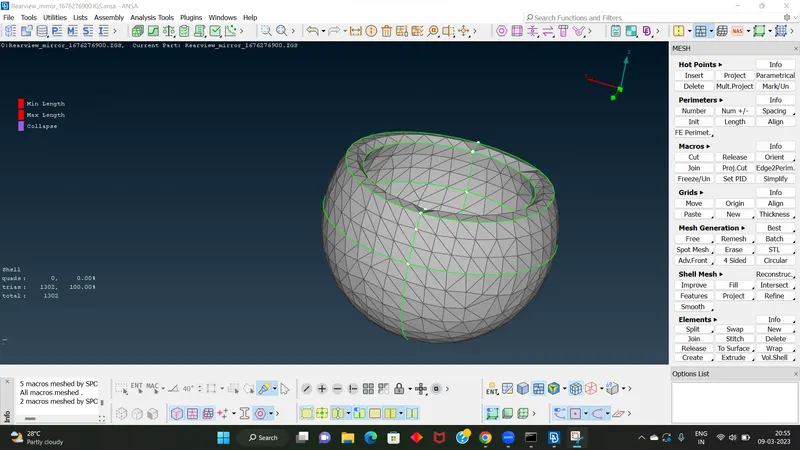
For getting better mesh flow we were used 1.Reconstruction
2.Smooth
Use hidden feature option for evaluate thereis any errors.
b] VOLUME MESHING[3D]
After completing the shell meshing we moved to solid meshing.
first we defining a volume. In volume mesh module, volumes > define
After defining the volume move to meshing.
unstructured mesh > tetra FEM
[also set a new PID]
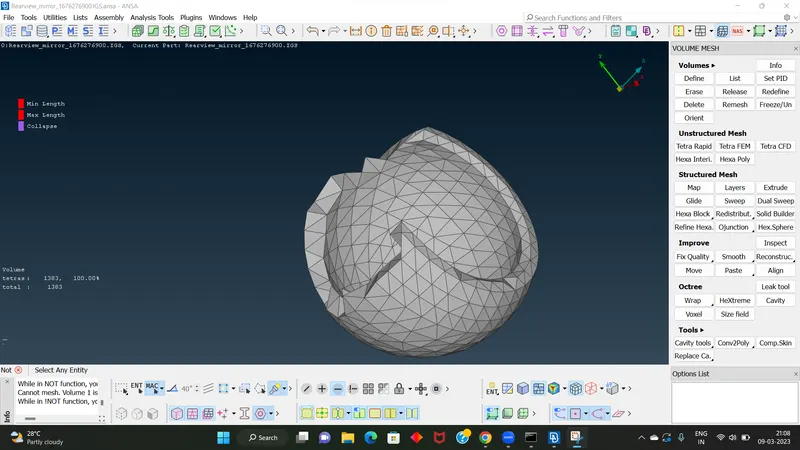
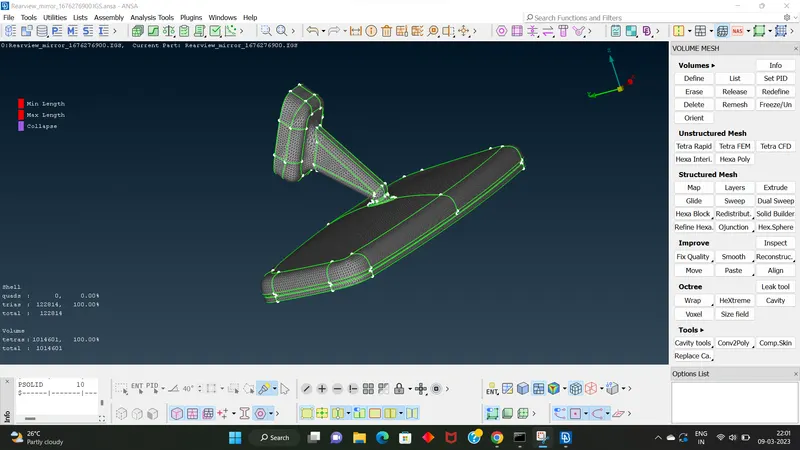
ENTIRE SHELL MESH
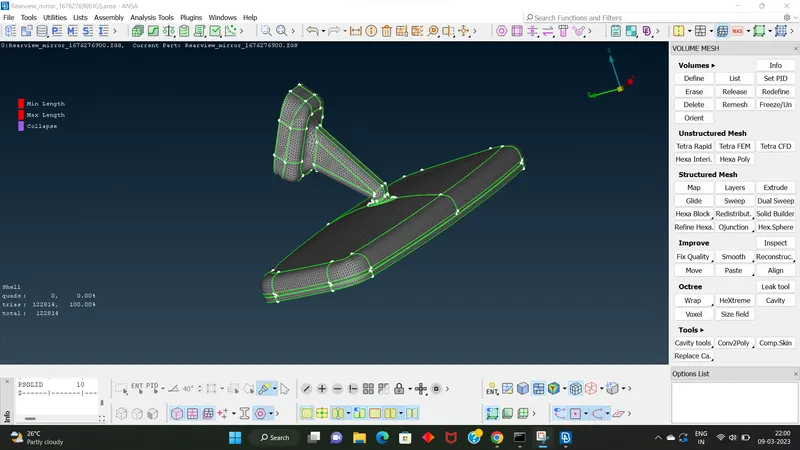
ENTIRE VOLUME MESH
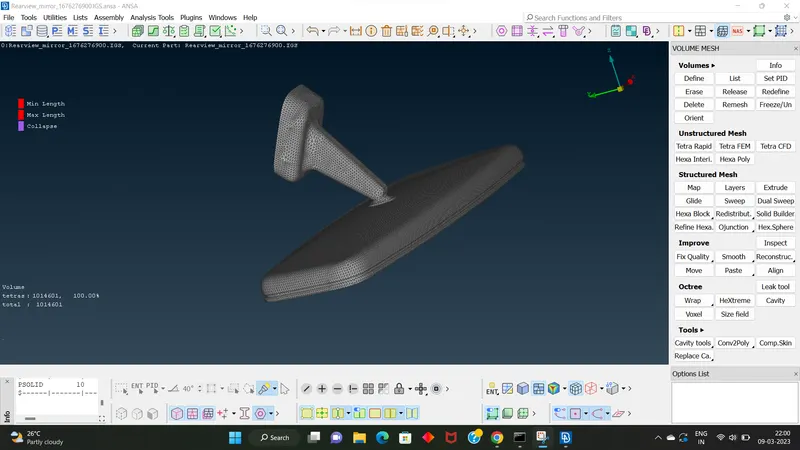
FINAL MODEL IMAGE
LEARNING OUTCOMES:
1.Here I learned solid meshing.
2.Learned how to set tria element only.
3.learned how to set tet collapse.
CONCLUSION:
This is my first challenge for doing solid meshing.After completing the challenge I learned how to manage solid meshing....
Thank You............
-----------------------------------------------------------END---------------------------------------------------------------------------------