Week 3 - 2D meshing for Sheet metal
- OBJECTIVE:
To take the midsurface for all the components after checking the geometrical errors and mesh the midsurface with the given element quality criteria.
- PROCEDURE:
STEP 1: OPENING THE CAD MODEL
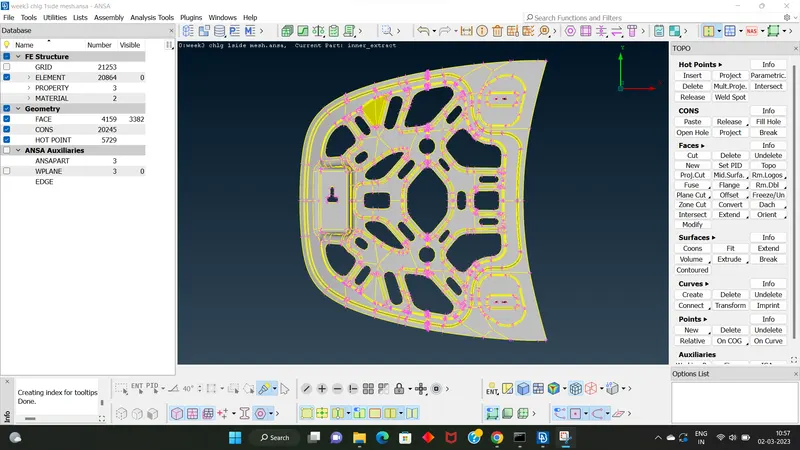
this is the parent geometry model
STEP 2: USING "TOPO OPTION" FOR STICHING THE UNSTICHED PARTS
STEP 3:GO TO "ORIENT OPTION"
In TOPO module faces > orient
STEP 4:GO TO "CHECK MANAGER"OPTION
check manager >geometry
This option is used for checking the errors in the parent geomtry.If there showing errors means we want to clear it.There is option "AUTO FIX"this means this software autometically fix the errors.And some errors we cannot fix automatically.Here we use mannual method for clearing the errors.
STEP 5:MID SURFACING
After geometrical check up we go to manual mid surfacing.
In TOPO module faces > offset
Then selecting the offset option and select the part where we want to midsurfacing.Clicking middle mouse button then pop up a window where we adding the half value of parent geometry thickness.
HERE GIVEN THAT A SYMMETRIC CAD MODEL,SO WE WANT TO ELIMINATE THE HALF PART OF THE
PARENT GEOMETRY.
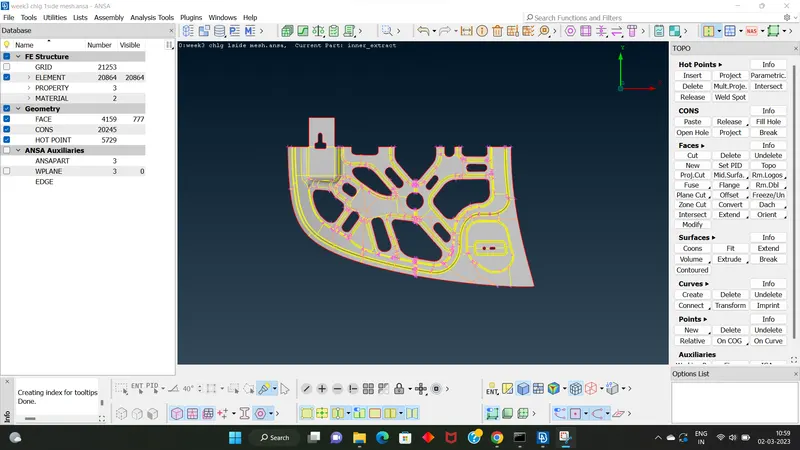
this is the half part of midsurfaced parent geometry
STEP 6: ADD THE MESH PARAMETER
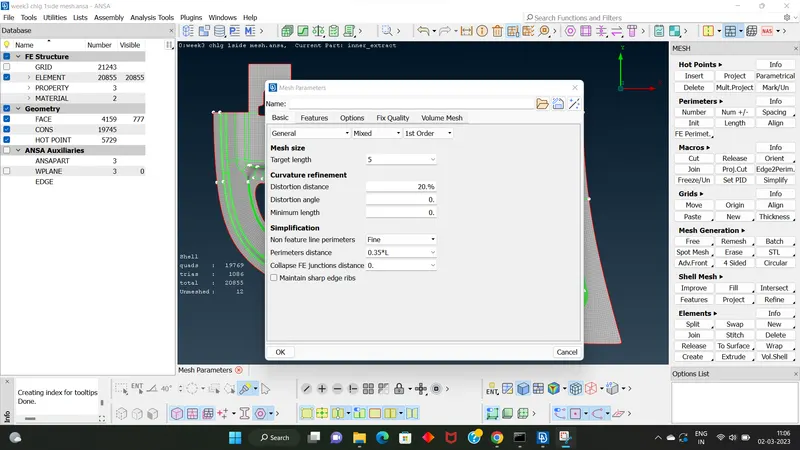
target value specified on question
STEP 7: ADD THE QUALITY CRITERIA
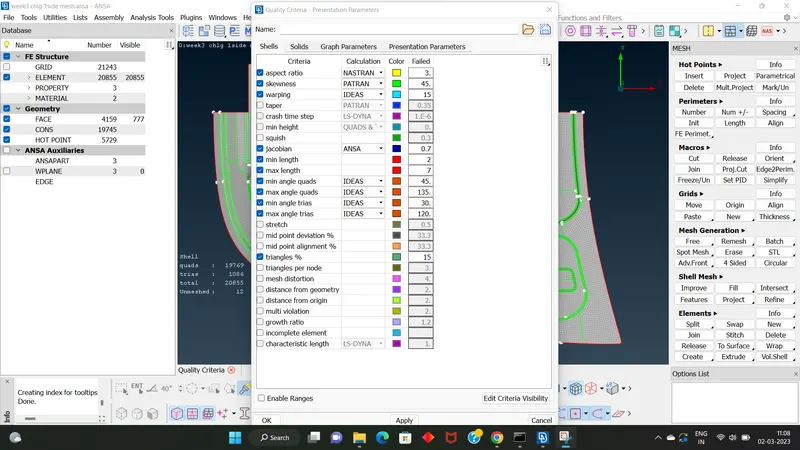
the quality criteria values are given the question
STEP 8: ADJUSTING THE PERIMETER LENGTH
In "classic mesh module" perimeter > length
STEP 9: MESHING
Here we using best option
In CLASSIC MESH module Mesh generation > best
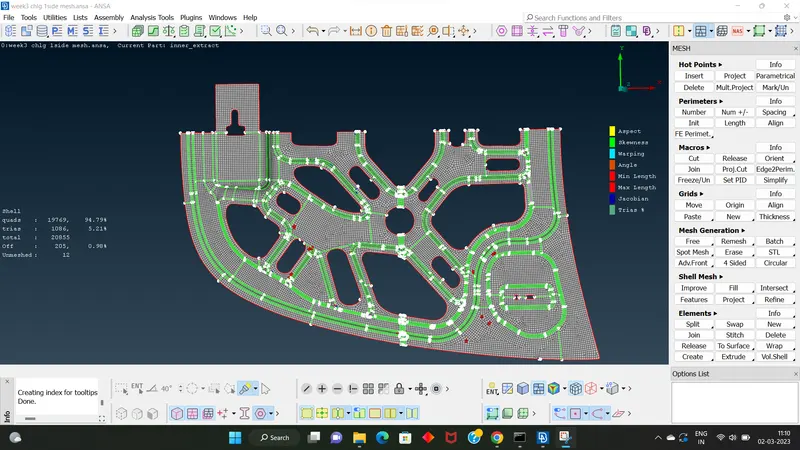
[is there any issues according to quality criteria there will highlight the problems.].
> And for getting a proper mesh flow we using 1. faces > cut
2.macros >cut
> For managing tri element mesh flow we using 1.element >split
2.element >swap
3.element >join
4.shell mesh >collapse.
>For getting proper mesh we using 1. shell mesh> reconstruction
2. shell mesh > smooth
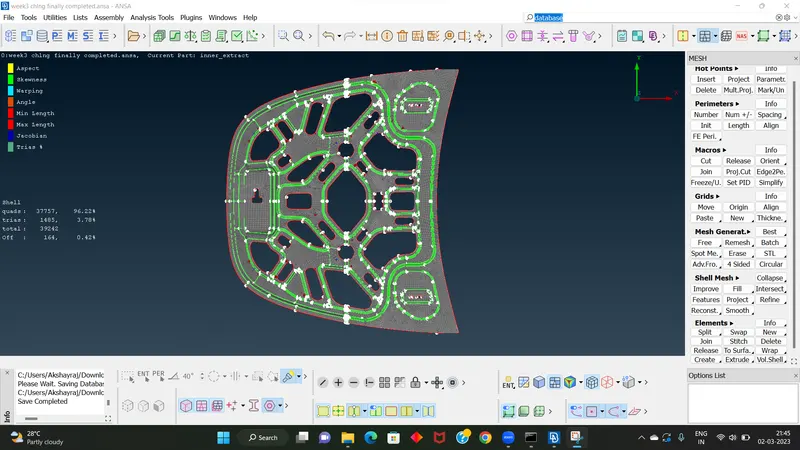
meshing completed
STEP 10: ADD THICKNESS
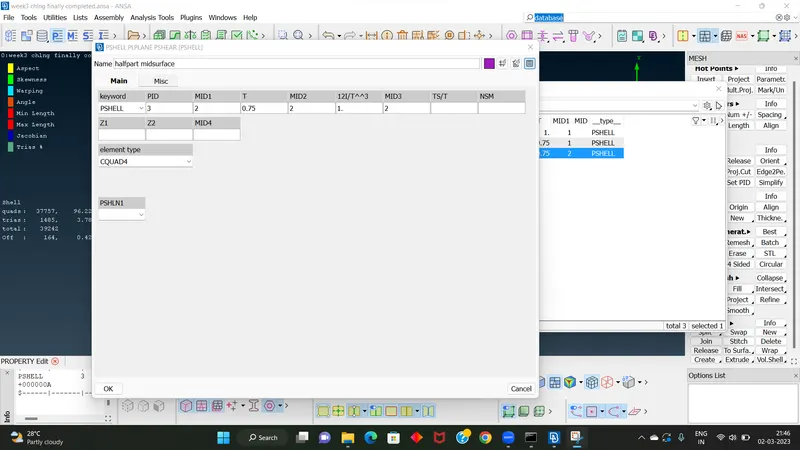
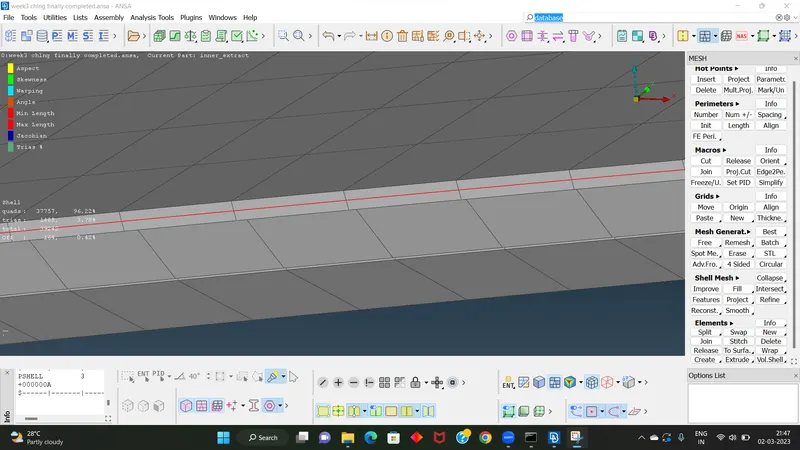
after adding the thickness we can see like this....
- RESULT: Here I completed meshing on cad model after midsurfacing and applied thickness value on it.The model can pass all the given quality parameters.