Week - 4 - Crash Box Simulation
AIM: To Simulate a crash test for a Crash Box which is impacting on rigid wall for two different condition 1.2 mm and 1.5 mm.
PROCEDURE:
- Firstly we will import .k file in LS-Dyna Workspace.
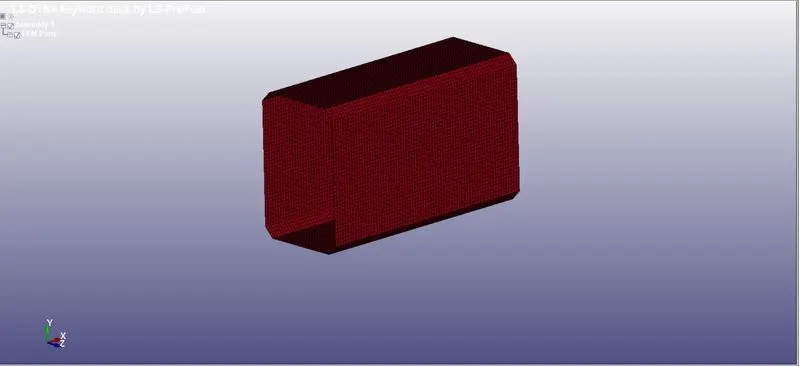
- We will be modelling the rigid wall which mimic surface or volume that are frequently used to present stiffer structure that are either stationary or in motion.
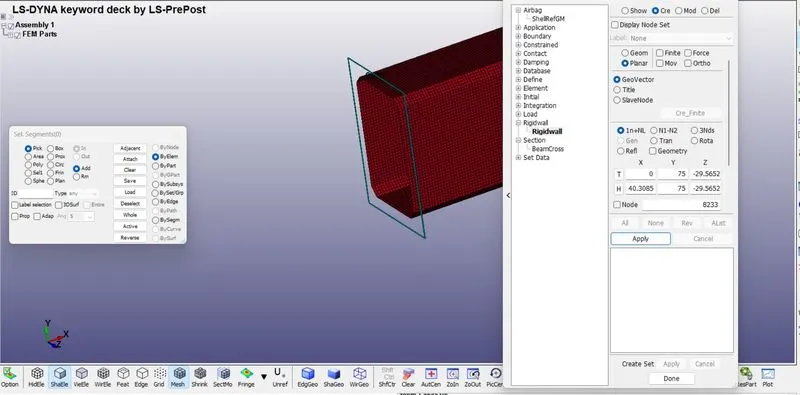
- A plane rigid wall is created in front of crash box by selecting a node on the edge, Select Planar option and then GEO-VECTOR then 1n+NL.
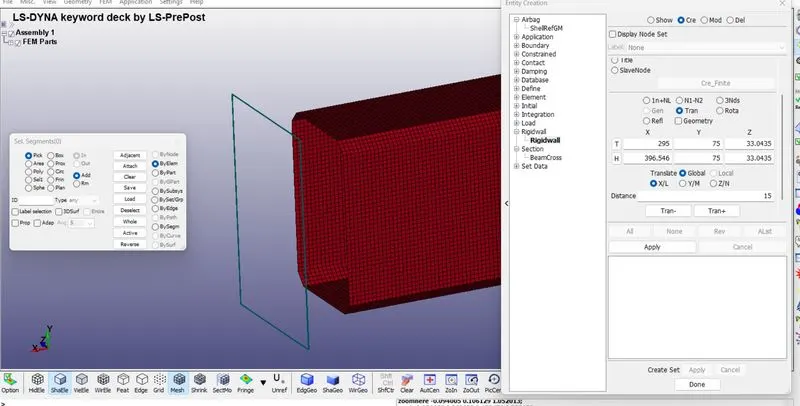
- Now we will translate the rigid wall to some distance in direction of the velocity of crash box.
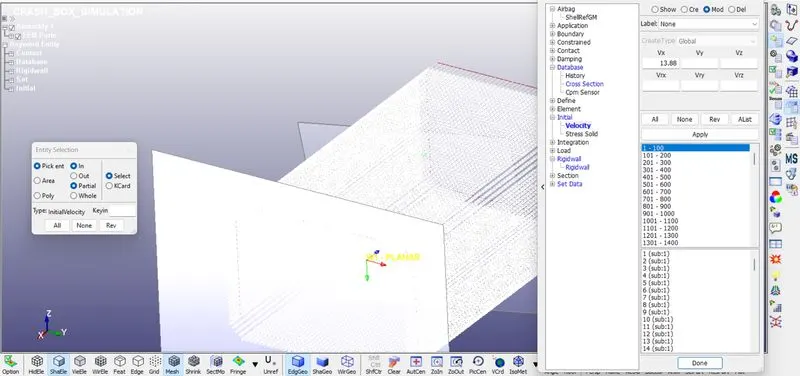
- The crash box will hit the rigid wall at an velocity of 13.88 mm/ms.
- After creating rigid wall we will create node set (NSID) for all the shell elements of the crash box.
- For that we will go to create entity under set data and create a new SET_NODE by selecting all the elements of the box.
- Now assigning the NSID in the initial velocity as shown below (50KMPH=13.88 mm/ms).
- Shell Card is required to define section properties for shell elements.
- For that we will go to Keyword manager then sectiontehn shell then we will give sectionid and title.
- Choosing element formulation value ELFORM as 2 (Belytschko-Tsay type elements).
- And also assigning thickness of shell element as 1.2 mm for the initial simulation and for other one we will give thickness as 1.5mm.
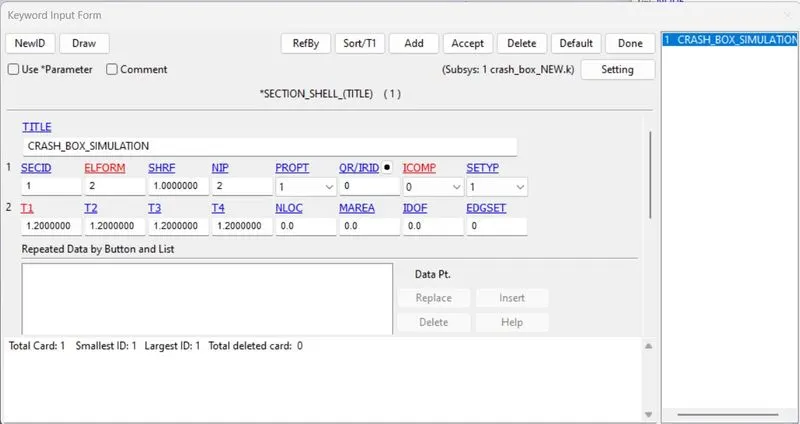
- For CrashBox we will assign material as steel which is non-linear characterstic maetrial.
- For assigning we will go to Keyword Manager selecting option MAT then 024-PICEWISE_LINEAR_PLASTICITY material card. Give it a meterial ID and Title.
- As I am using KG-MM-MS unit system, we will provide characterstics value of steel as follows:
- Density of Steel (RO)- 7.850E-06
- Youngs Modulus of Elasticity (E)- 210
- Poissions Ratio(PR)- 0.33
- Yield Stress (SIGY)- 265
- Tangent Moduslus (ETAN)- 1 to 2 % of Youngs modulus so we have taken as 4.
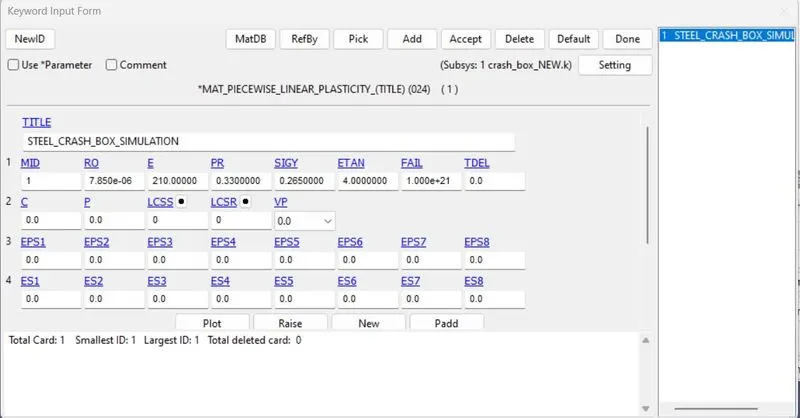
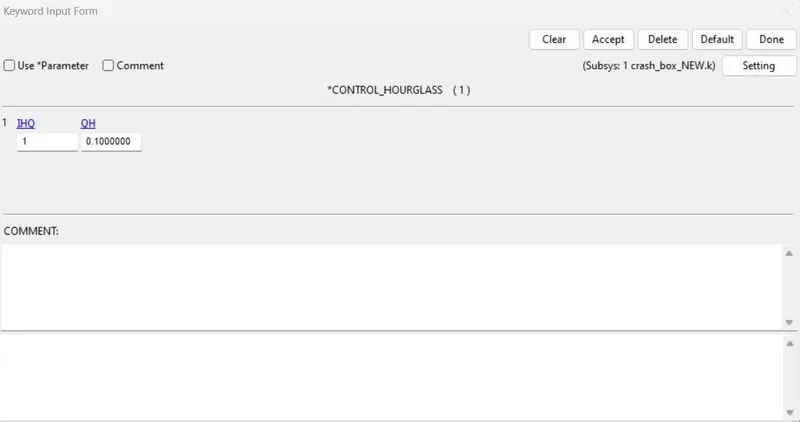
- Hourglass can be defined in control card. This is used to reduce or control hourglass energy during the simulation.
- After assigning all the necessary keyword or data we will assign Part.
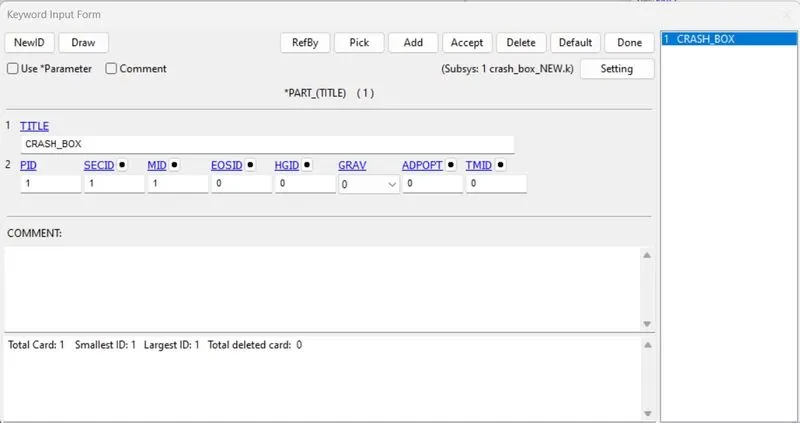
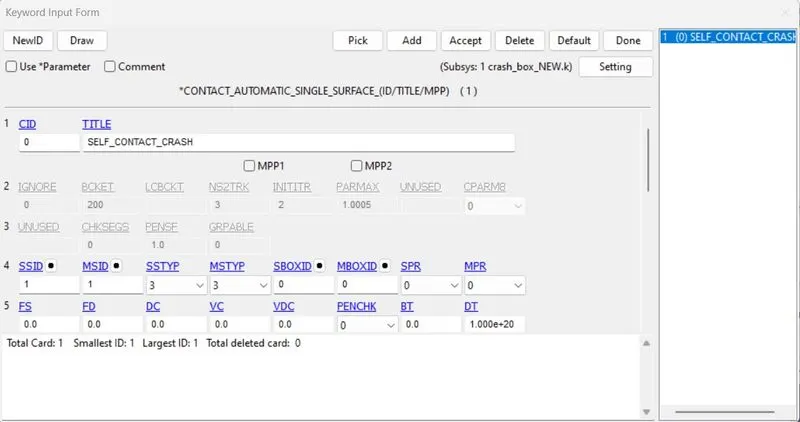
- Contact card can be assigned after part card and can be used to defined self-contact for crash box elements can have contact between themselves after the deformation. Therefore, define AUTOMATIC_SINGLE_SURFACE contact.
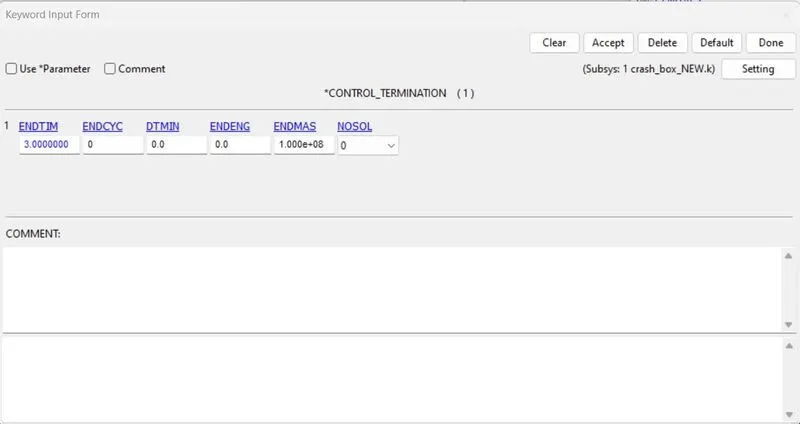
- Now we will define the termination time of the simulation which is necessary to run the simulation. The termination time is given as 3ms in Control simulation keyword as shown in attach image below.
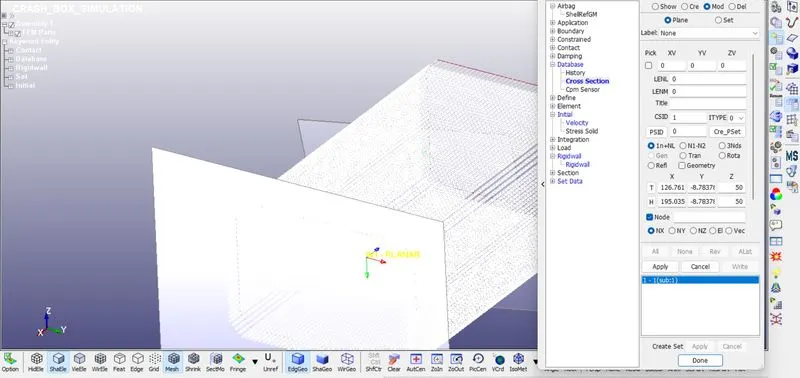
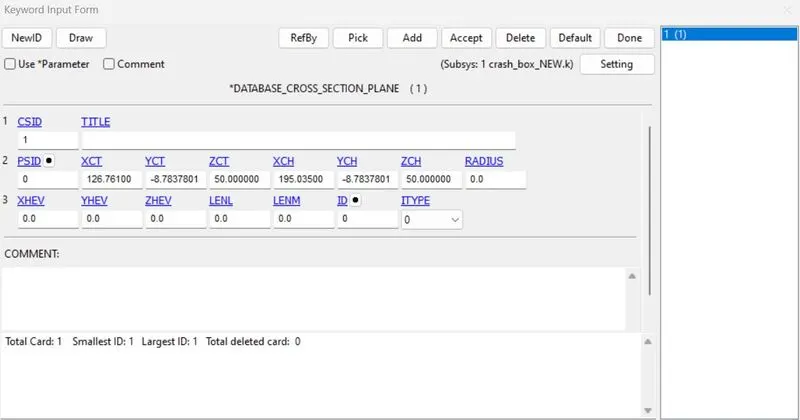
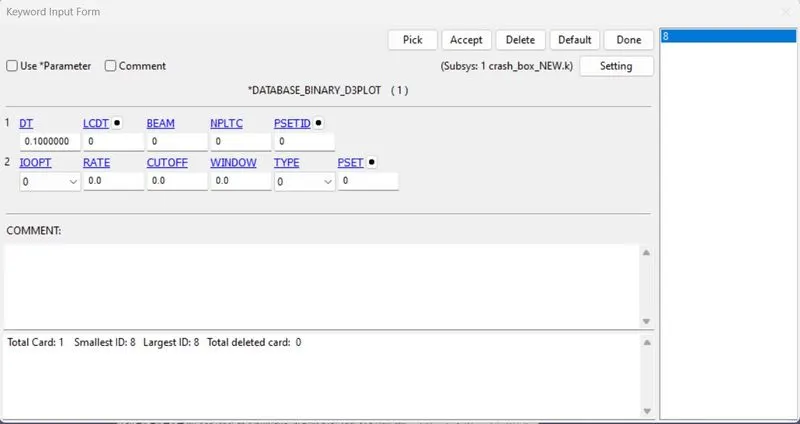
- Afterwards we will give cross-section can be created under Database Keyword to measure all the cross sectional forces.
- Usually, two rows of elements are selected as a section or asimple plane creation can also be done.
- For Post-Processing Results the required outputs are d3plot and ASCll options are-ELOUT,GLSTAT,NODOUT,RCFORC,RWFORC,SECFORC & SLEOUT.
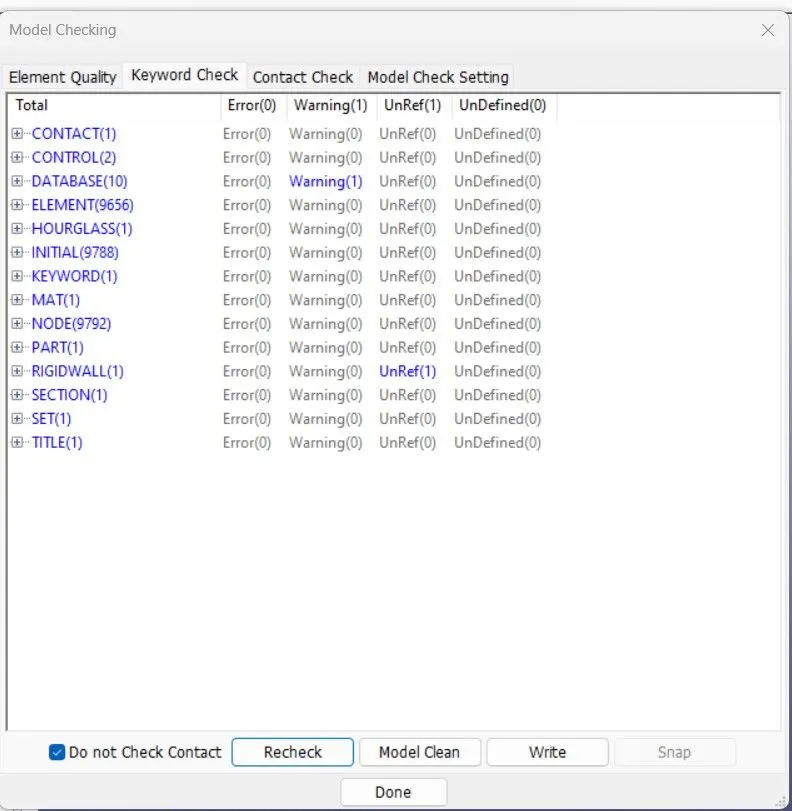
- Model Checker we will check for the error. Since their is no error we can go ahead and run the simulation.
- After crating all the necessary files for simulation and checking the model , we will save the model as keyword file with .K extension. To run the model, we will go to File then Run LS-DYNA. We will browse this keyword file and then run the simulation for shell thickness 1.2mm and then for shell thickness 1.5mm.
- Both simulation ends with Normal Termination. Therefore, all the models are simulated successfully.
RESULTS AND PLOTS:
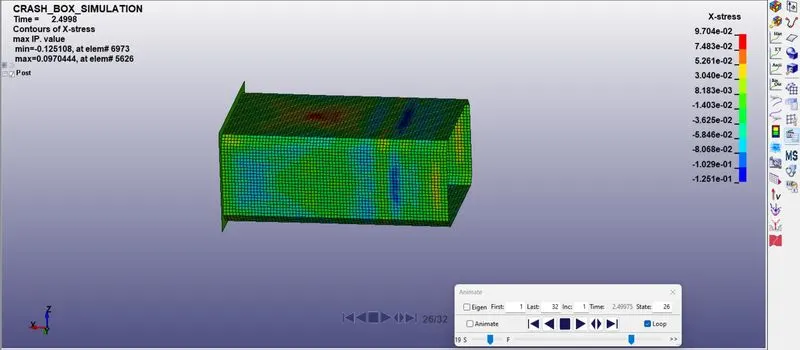
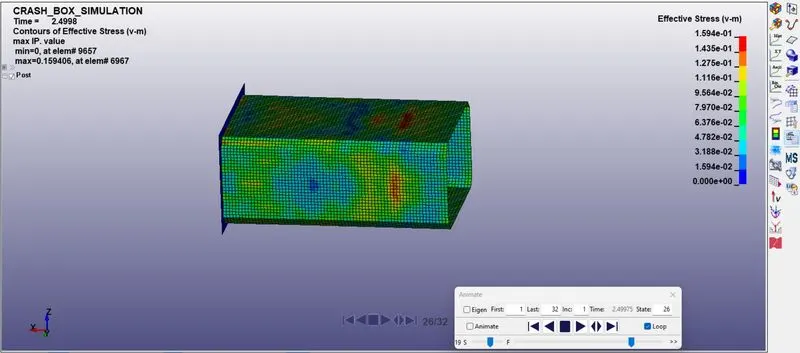
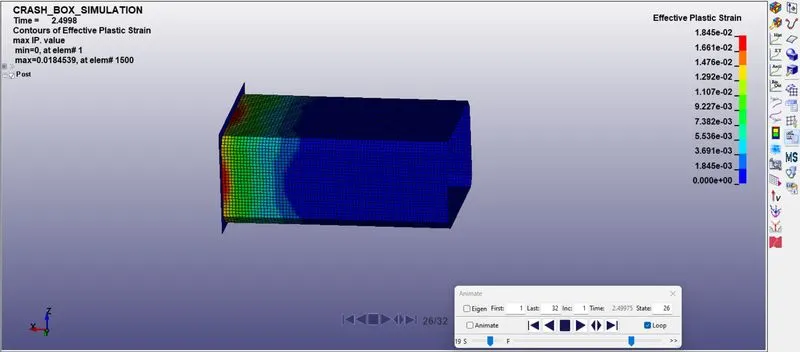
The D3Plot output file is opened in LS_PrePost. The animation of Von-Mises strees, X-stress and Effective Plastic Strain for 1.2mm thickness.
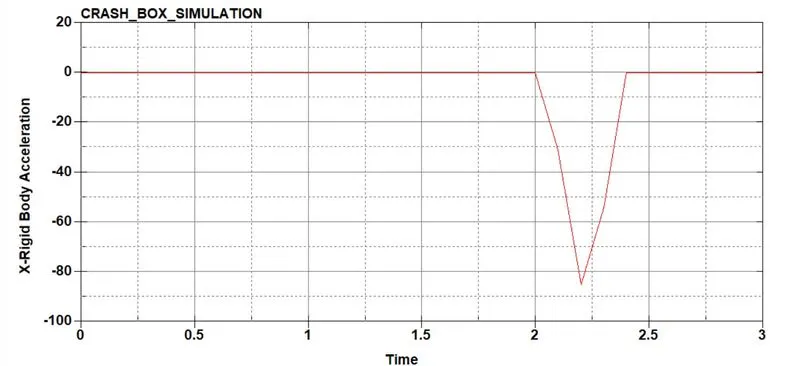
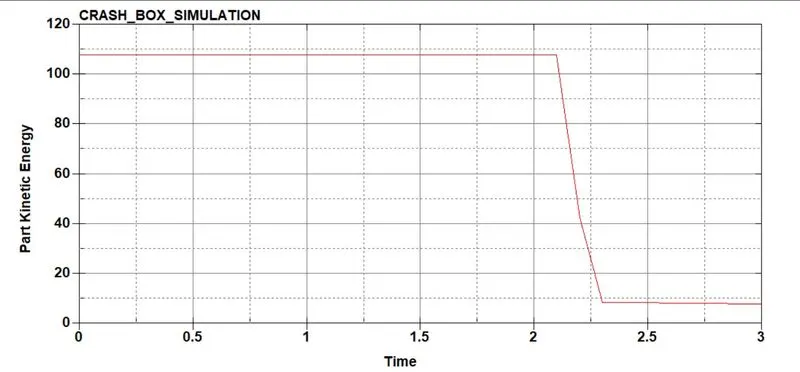
Part Kinetic Energy and Resultant Acceleration Graph.
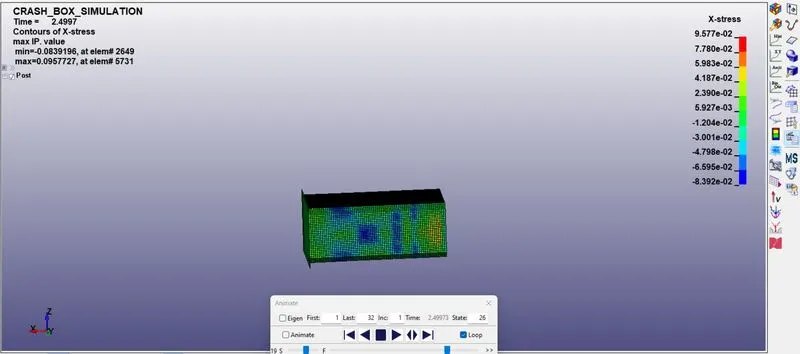
The D3Plot output file is opened for 1.5mm. The animation for Von-Misses Stress, X-Stress and Efective Plastic Strain.
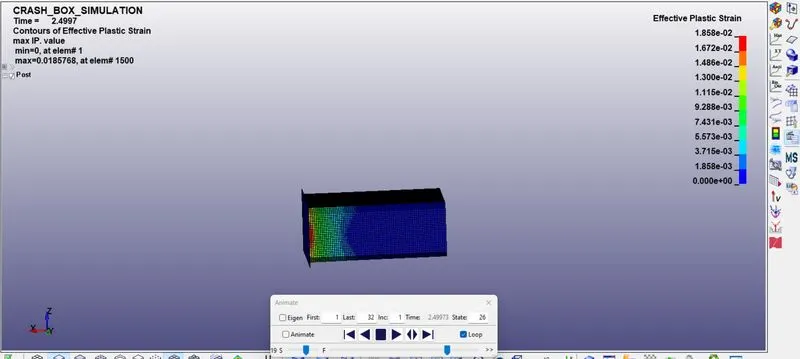
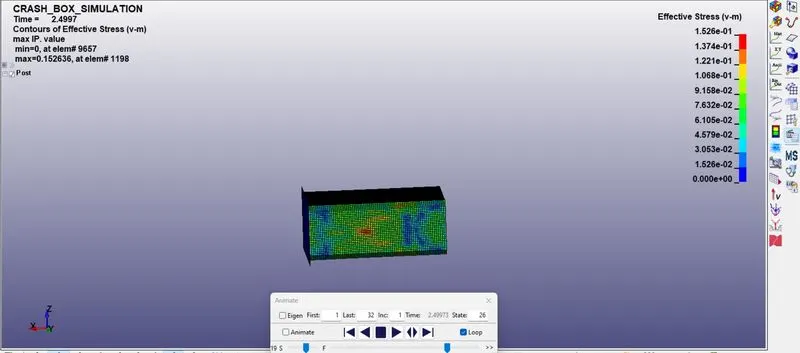
Kinetic Energy and Resultant Accleration Graph.
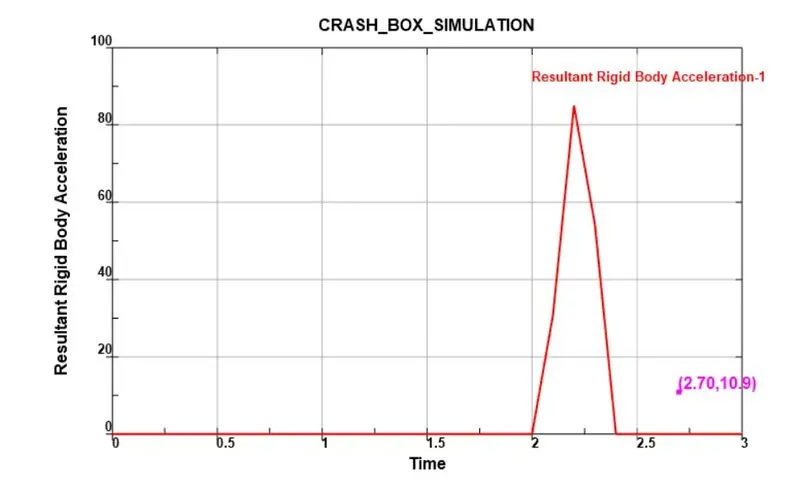
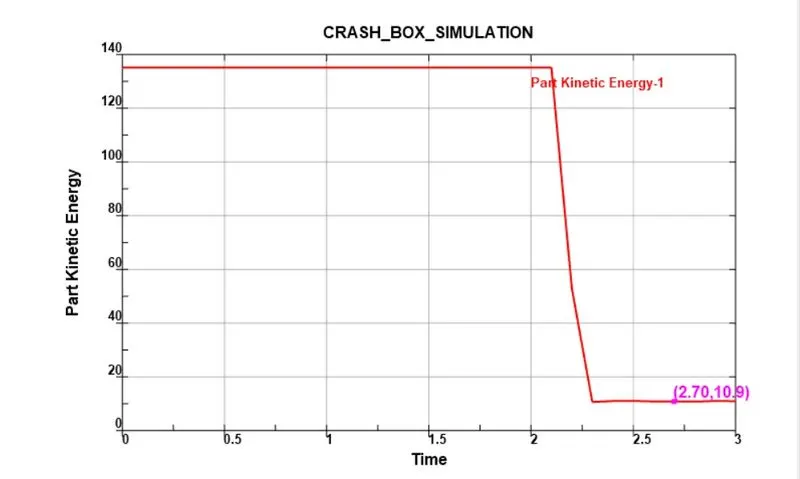
CONCLUSION:
This Crash Box Simulation is done succesfully with 1.2mm and 1.5mm thickness respectively. All the objectives are fullfilled. From comparing the plots and animations we can say that simulation results will change as the thickness of the model changes.