Week 4 Challenge : CFD Meshing for BMW car
REPORT
AIM
CFD Meshing of BMW car inside Wind Tunnel
OBJECTIVE
- Detailed geometry clean-up of the BMW M6 Model.
- Generation of a surface mesh on the model.
- Analyze and correct the quality of the mesh.
- Setting up a wind tunnel around the car.
THEORY
Topology is concerned with the properties of a geometric object that are preserved under continuous deformations, such as stretching, twisting, crumpling and bending; i.e. without closing holes, opening holes, tearing, glueing, or passing through itself.
A topological space is a set endowed with a structure, called a topology, which allows defining continuous deformation of subspaces, and, more generally, all kinds of continuity. Basic examples of topological properties are the dimension, which allows distinguishing between a line and a surface; compactness, which allows distinguishing between a line and a circle; connectedness, which allows distinguishing a circle from two non-intersecting circles.
MODEL
Meshing is done with the given target length and element Quality Criteria.
- Body – 3 mm
- Lights – 4 mm
- Grills – 1 mm
- Rims and Tyres – 2mm
- Optical Rear view mirror – 2 mm
- Window – 2 mm
- Silencer – 3 mm
- Logo – 1 mm
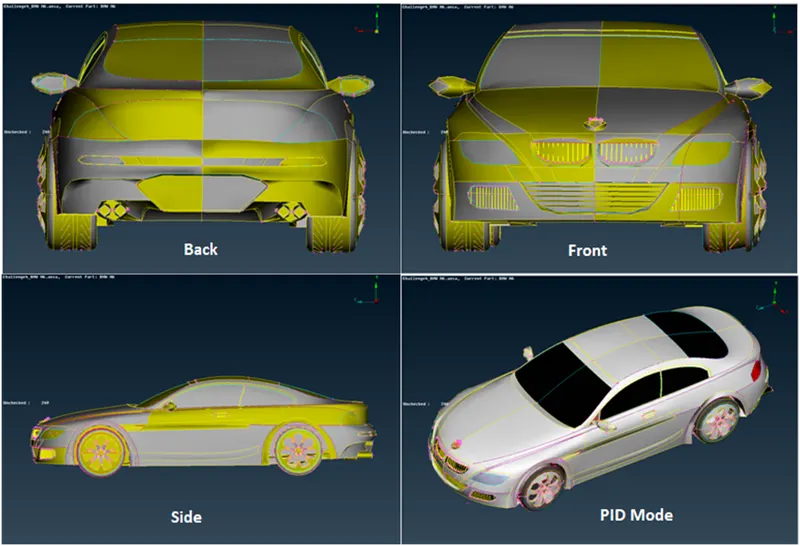
The symmetry approach is taken for the half model to complete meshing. All the 2D elements in the model are expected to clear the quality criteria, i.e. Off elements should be zero.
PROCEDURE
Geometry clean-up
Cons resolution rectification method
- Either Use the fine option in auxiliaries by choosing an edge at a time. This process can be a bit exhausting.
- Or choose the length option in mesh mode and assign the perimeter and macros value to the model as 1 i.e. default value. This helps in reducing the distance between the two adjacent nodes.
Perform clean-up by selecting individual PIDs using !Not option toolbar. Delete the half part of the geometry containing more half cons.
Grills
Delete the unnecessary surfaces on the grill. This can be done using the cut option under the faces section. To refine the geometry, old surfaces can be deleted and new surfaces using the fitted or Cons option can be created found in the New option. Interior extruded surfaces can be deleted according to the necessity.
Tires and Rims
The motive here is to make tires completely contact-free from the body. Project the cons of the circle of tires onto the rims using the cons à Project option. Then delete the common surfaces present in between tires and rims. Also, remove the unwanted surface on the bottom surface. Repeat this process with the back tire too. After performing geometry cleanup perform geometry check-up on selected PID.
Similarly also check with the rearview mirror for any single cons and uneven surfaces. Rectify the error using the same commands mentioned above. After performing cleanup for every part on the half body of the car, assign PIDs.
PID Manager
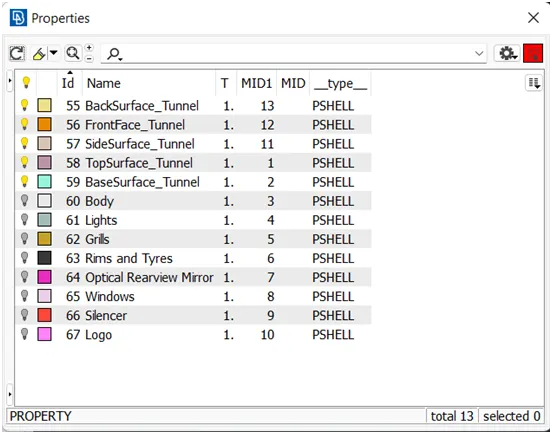
Apply PIDs individually selecting major distinct parts of the geometry.
Surface Mesh
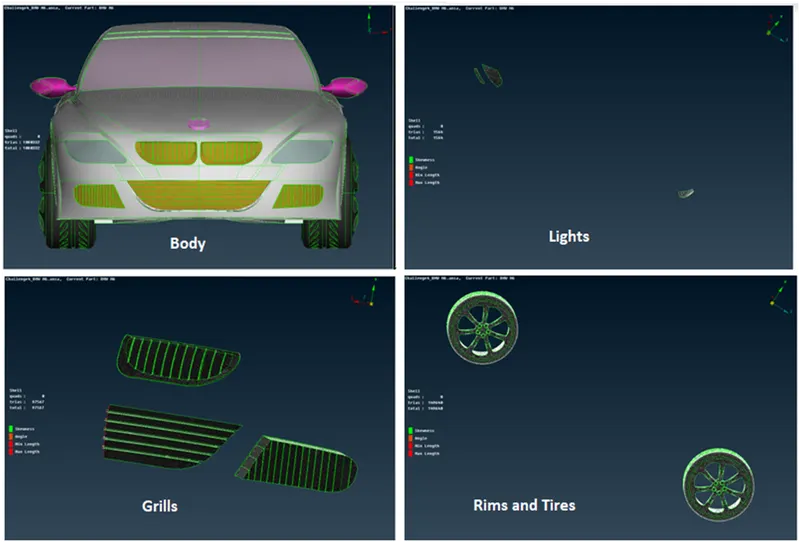
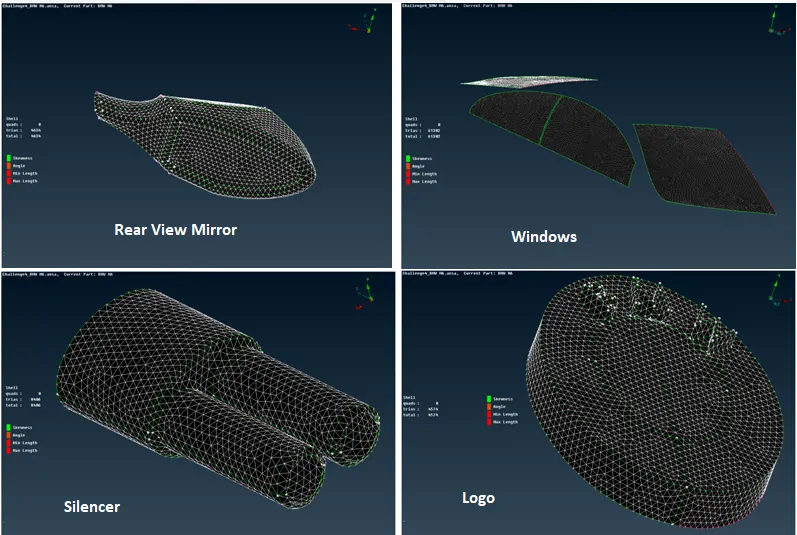
Mesh has to be performed on individual PIDs, starting from smaller PIDs to moving on the bigger ones. The method for creating the mesh is the same. Assign the mentioned mesh length and element quality criteria; also provide mesh length to perimeters and macros.
|
Parameter ( mm ) |
Body |
Lights |
Grills |
Rims and Tires |
Optical Rear View Mirror |
Windows |
Silencer |
Logo |
|
Mesh Length |
3 |
4 |
1 |
2 |
2 |
2 |
3 |
1 |
|
Minimum Length |
1 |
3 |
0.3 |
1 |
1 |
1 |
1 |
0.4 |
|
Maximum Length |
5 |
5 |
2 |
3 |
3 |
3 |
5 |
2 |
Note: While meshing body PID do not use the perimeters option on the cons that are attached to different PIDs to prevent losing meshing on the other parts.
Symmetry
In TOPO mode, symmetry operation is performed.
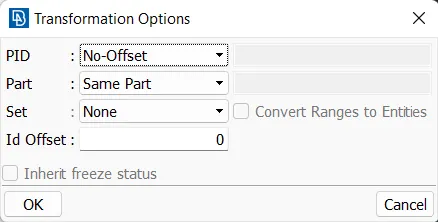
Transform à copy
Here, three node selection is required which can be chosen from the geometry accordingly. Clicks enter. After the replica is created check for any single cons shown in the geometry using geometry check. One should paste the single cons and make the geometry error-free before moving on to a further step.
Wind Tunnel
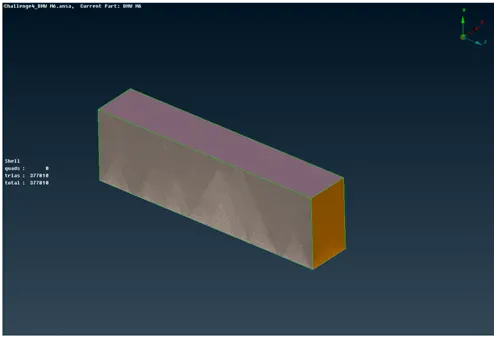
A wind tunnel is used for CFD simulations and has to be designed in ANSA. The wind tunnel is a cuboid shape and the car is enclosed by it. The inlet of the wind tunnel is 4 times the characteristic length of the car from the front of the car, and the outlet of the wind tunnel is 6 times the characteristic length of the car from the back of the car. The height of the wind tunnel is 3 times the characteristic length of the car from the top of the car. While the width of the wind tunnel is 1 time the characteristic length of the car from the sides of the car.
For this BMW car, the characteristic length was measured to be 1300 mm.
Using this information, multiple vertices of the wind tunnel were created using TOPO à Points à Relative
These points were joined to form a linear curve using TOPO à Curves à Create
The curves were then used to create surfaces using TOPO à Faces à New
The curves and points were then removed. PIDs can be created for all the surfaces of the wind tunnel.
The Meshing of Wind Tunnel Parameters
- Bottom side of tunnel mesh length 20 mm
- Front and Back side mesh length 50 mm
- Top side mesh length 100 mm
- Perimeters à Spacing à Constant Length and assign min value as 20 mm and max as 100 mm
LEARNING OUTCOMES
- Accurate clean-up is required in order to obtain the desired volume on which CFD analysis can be performed.
- It is important to keep in mind the actual geometry cannot be tampered with but can be moulded during TOPO cleanup while keeping in notice the actual motive for the analysis.
- Here the final volume created between the car and wind tunnel was required in order to perform analysis which can only be attained after a very refined cleanup performed on the geometry.