Week 4 Challenge : CFD Meshing for BMW car
Notice: - After the volumetric mesh of the wind tunnel the size of the file is more than 700MB, but in the challenge submission time it is not supported because of its large so I am sharing the google drive link please download from the link
Link:- https://drive.google.com/file/d/1NuW8xf82t-9-k3xdLvlSosj3F2pI6-z2/view?usp=sharing
Aim
Check and solve the all-geometrical error of the BMW M6 car model in the half portion and assign PIDs, after meshing the half portion and doing symmetric on the other side. Doing the volumetric mesh of the wind tunnel.
Procedure
In the source file of the BMW, the M6 model have many types of error which have to fix all the errors. These errors are missing surface, single cons and triple cons, overlapping surface and some extra surface. In this model, firms have to delete half portion of the car which can help us to verify the errors. We use the 3 modules of the ANSA TOPO module, surface mesh module and volumetric mesh module.
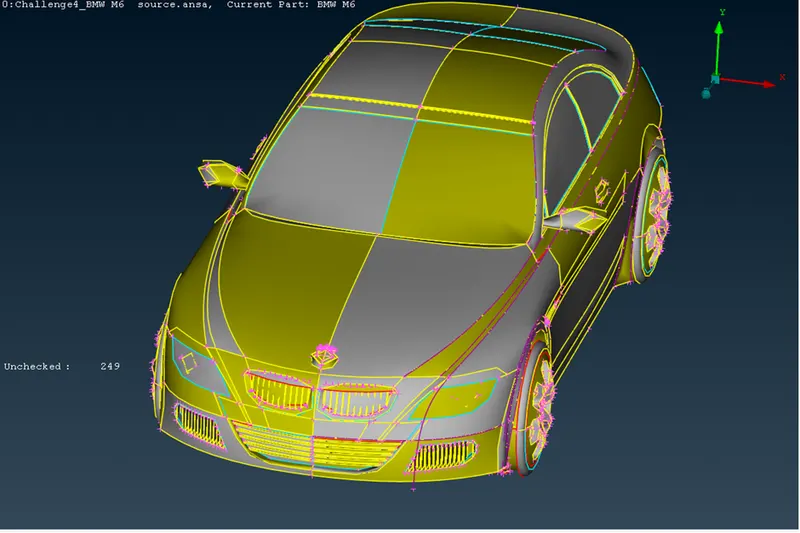
(Model with error)
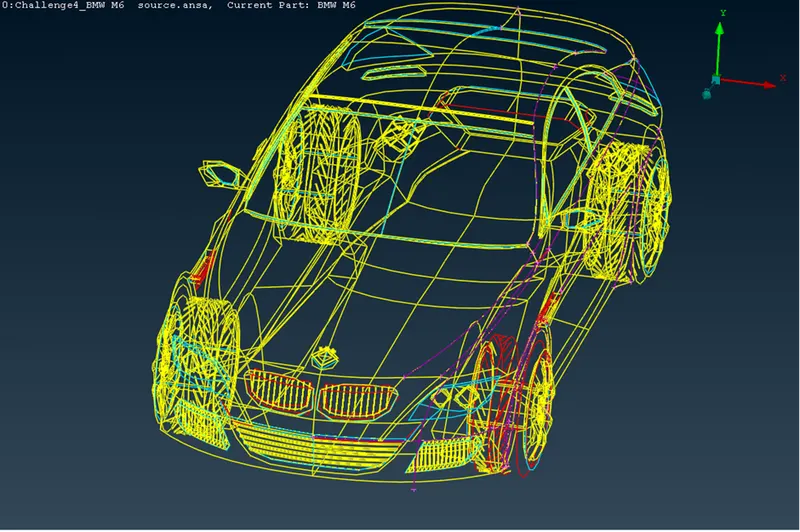
(Wireframe view with errors)
Use of TOPO module
In our half portion of the car model, we can see some errors, these are the presence of single cons, the presence of triple cone, some surfaces are missing and overlapping surfaces. In our TOPO module, our aim is to fix all the errors and create a single volume inside the car. In this module, we create and assign the PIDs. First, we delete the half portion of the car where we will do symmetric the other side. In this half-model view, we can see all the single cons and triple cons in the different PIDs.
In the error fixing time, we use many tools like insert hot points, create and cut cons, intersect surfaces, create the curve, topo, release, etc. after using all these tools we can remove the errors.
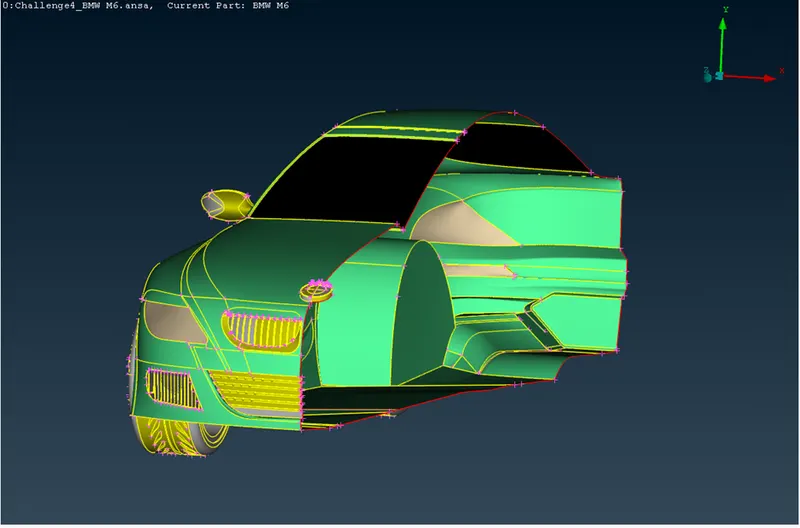
(After fixing the error)
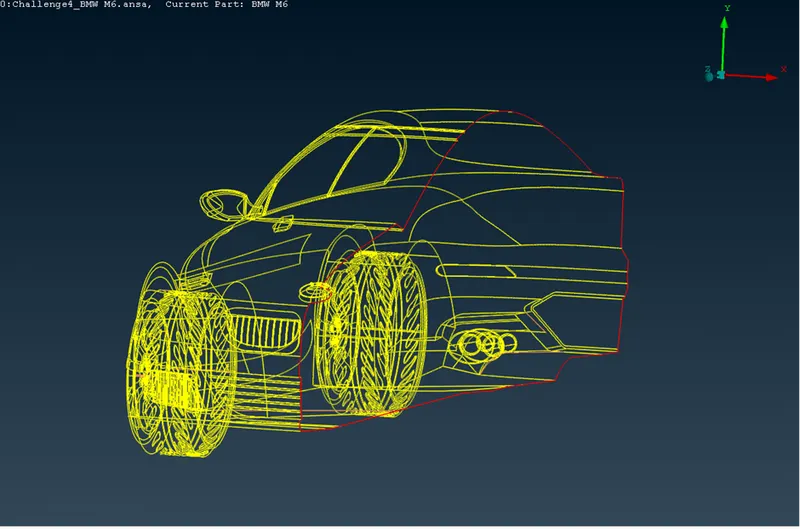
(After fixing the error wireframe mode)
In the above images, we can see all the single cons and triple cons are removed, here only one single con is shown which will be symmetric in later. After doing these we will create PIDs which are
- Body
- Windows
- Grills
- Lights
- Silencer
- Rim and tyres
- Optical rear-view mirror
- Logo
After creating all the PIDs we will assign them as present in the car, after doing these we can move to the mesh module.
Use of surface mesh module
After fixing all the errors in the car we can do the surface meshing of the PIDs with different sizes of elements and element size should be tried. In the meshing process the default size of the aspect ratio and skewness of the elements, manually we will give the minimum and maximum element size. We will see the meshing error in two view modes shadow mode and hidden mode. In the shadow mode, we will define the element size and minimum element size with tria element type in mesh parameters. In the quality criteria in the mesh module, we give the maximum and minimum element size also we can edit all the other parameters like skewness, aspect ratio, etc. But in the body meshing, we do not give the minimum or maximum element size because it will erase other PIDs mesh elements.
- The body mesh size of 3mm without minimum and maximum element size
- Window mesh size is 2mm with minimum 1mm and maximum 3mm mesh length
- Grills element size 1mm with minimum 0.4mm and maximum 2mm mesh length
- Light mesh size 4mm with minimum 3mm and maximum 5mm mesh length
- Silencer mesh size 3mm with minimum 1mm and maximum 4mm mesh length
- Rim and tyre mesh size 2mm with minimum 1mm and maximum 3mm mesh length
- Optical rear view mirror mesh size 2mm with minimum 1mm and maximum 3mm mesh length
- Logo mesh size 1mm with minimum 0.1mm and maximum 2mm mesh length
After surface meshing, we will so symmetric in the transfer option and copy in the other side.
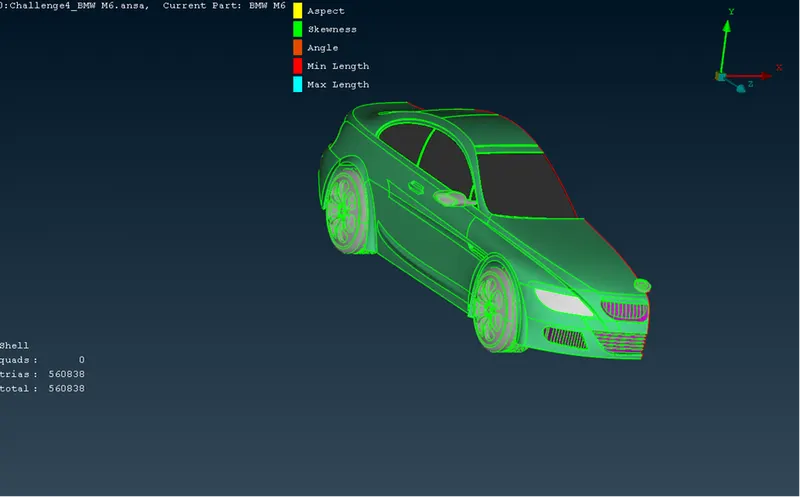
(After mesh in the hidden mode)
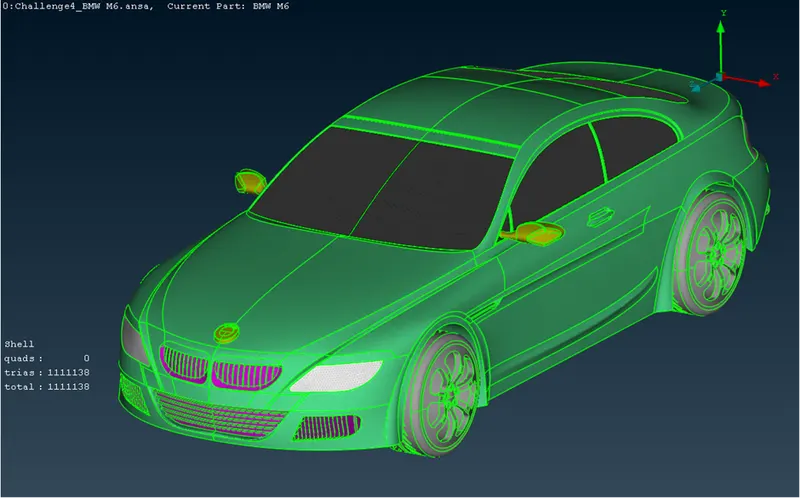
(After symmetric shadow mode)
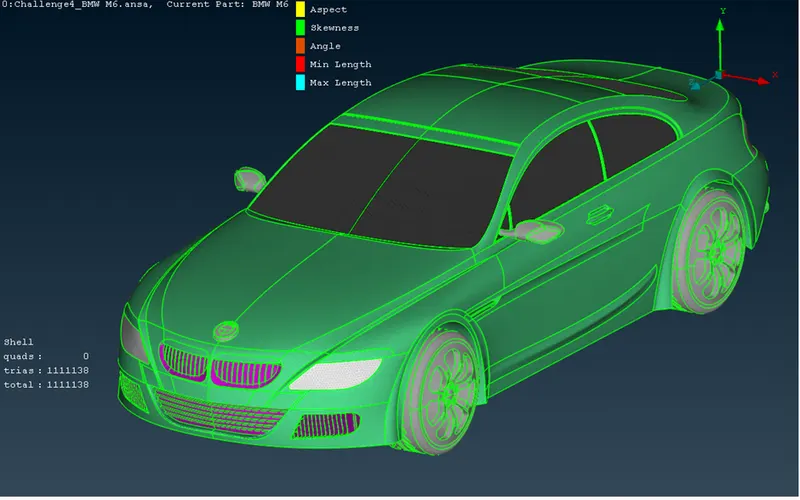
(After symmetric hidden mode)
After the surface meshing of the car, we will create a wind tunnel with the length of the car for the creation of we have created surface some distance from the car. We have the car length of 1310mm and create a surface on 6 sides bottom, top, front, back, left and right side with the following distance
X = 1310mm
- Front surface with distance 4*X = 5240mm
- Back surface with distance 6*X = 7860mm
- Top surface with distance 3*X = 3930mm
- Left and right surface with a distance of 1310mm
- Bottom surface is close to the wheel of the car
That all distances will measure from the nearest car surface after creating and assign the PIDs. After the PIDs assign we will mesh the surfaces with a size of the element with element type is tria
- Top surface mesh size will be 100mm
- Bottom surface element size will be 20mm
- And the other 4 side size will differ from 20 to 100mm with the spacing option
Use of volumetric mesh module
After the surface mesh of the car and wind tunnel surface, we can do the volumetric mesh. In the volumetric mesh, ANSA will detect 8 volumes automatically that will show in the image.
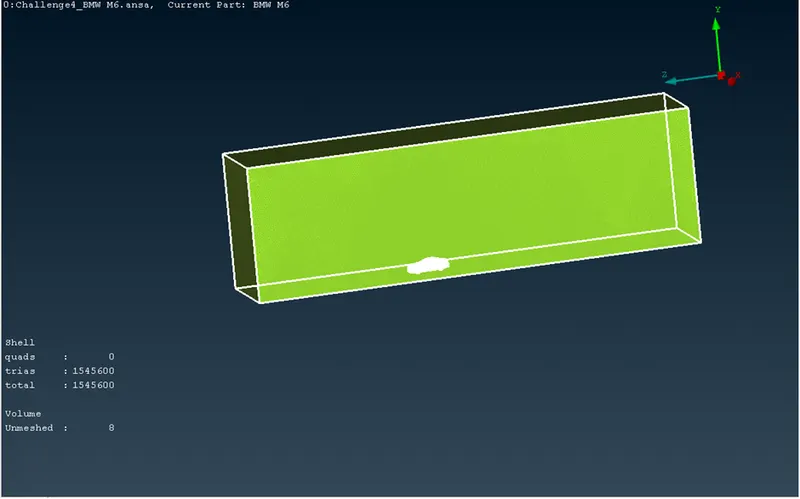
(Defining volumes)
After detecting the volumes we will delete 7 volumes except the wind tunnel and apply meshing with the element type tetra CFD.
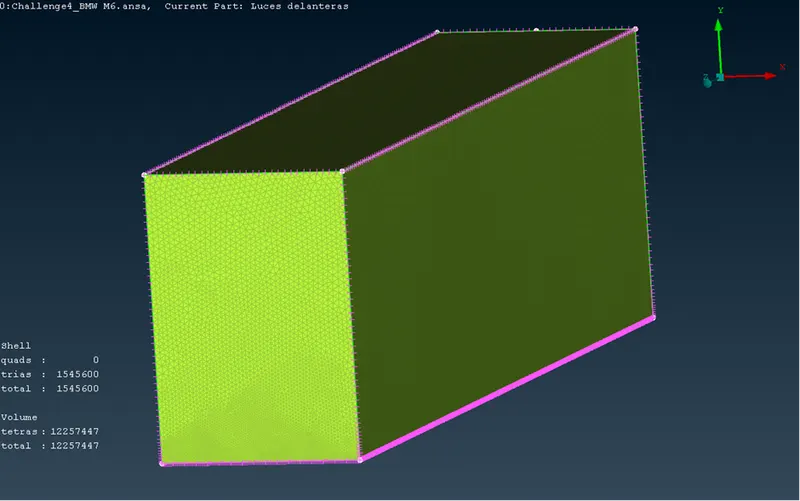
(Wind tunnel meshing)
Result
After the volumetric mesh of the wind tunnel, we can see the half portion of the wind tunnel with the tetra CFD element type
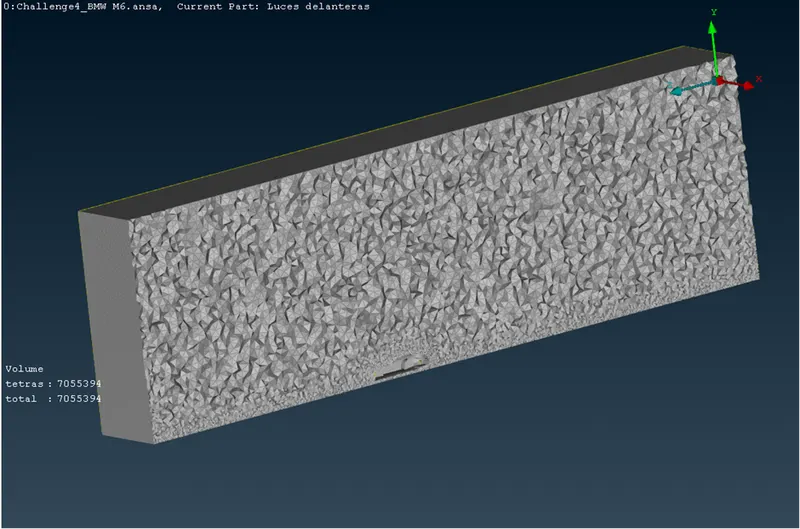
(Wind tunnel half portion view)
Conclusion
In these 3 modules, we have used many tools for fixing the errors, creating and assigning PIDs, surface meshing of the car and wind tunnel at last we have done the volumetric mesh of the wind tunnel. In between the TOPO module and volumetric meshing, we have used many tools and many different techniques to solve the errors.
Notice: - After the volumetric mesh of the wind tunnel the size of the file is more than 700MB, but in the challenge submission time it is not supported because of its large so I am sharing the google drive link please download from the link
Link:- https://drive.google.com/file/d/1NuW8xf82t-9-k3xdLvlSosj3F2pI6-z2/view?usp=sharing