Week 4 Challenge
1)
ANS:-
Dead load calucation:-
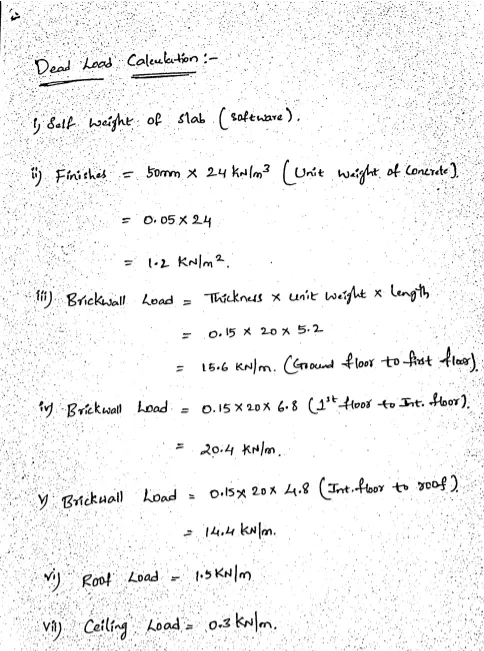
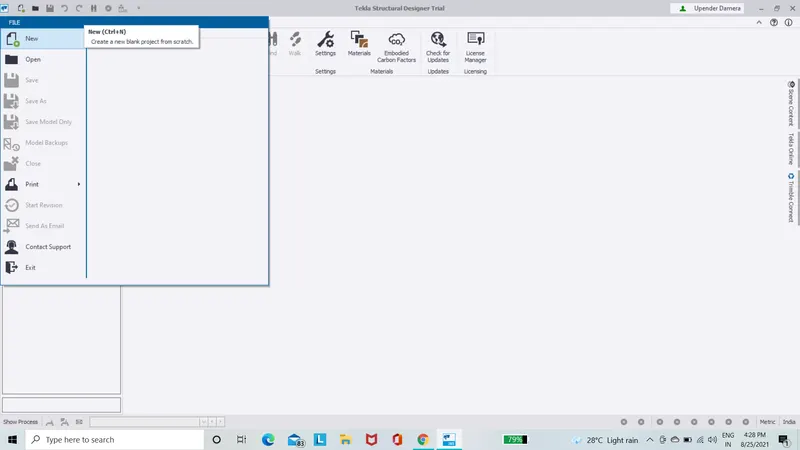
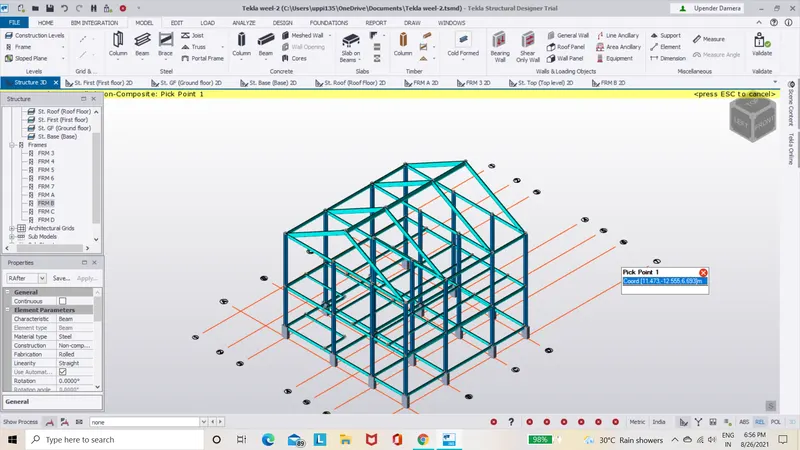
- After doing the above calculations,open TEKLA software and open the week-3 challange.
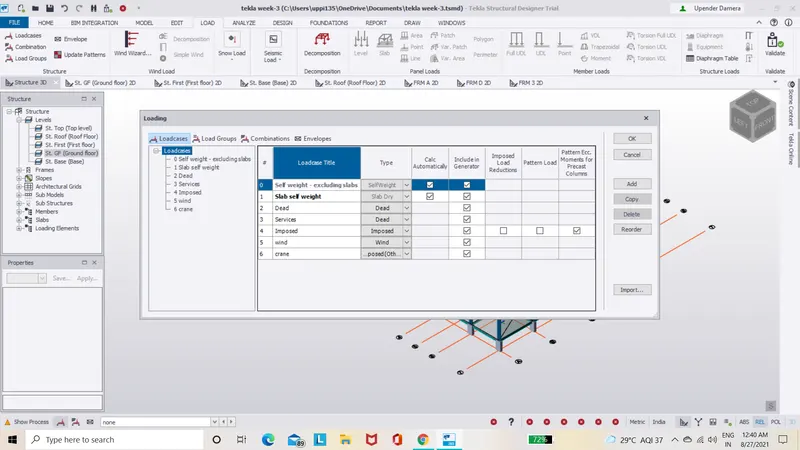
- Next go to Load option in tha ribbon in that select the Load cases and enter the following cases.
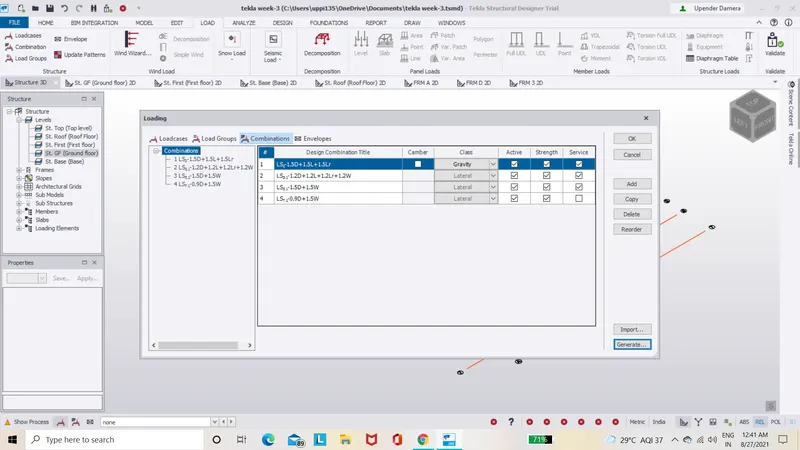
- After that click on the on the Load combinations and in that click on generate the load combinations.
- Next go to the Load option and select area load and enter the value 1.2KN/m and click on slab and load will be applied on slab.
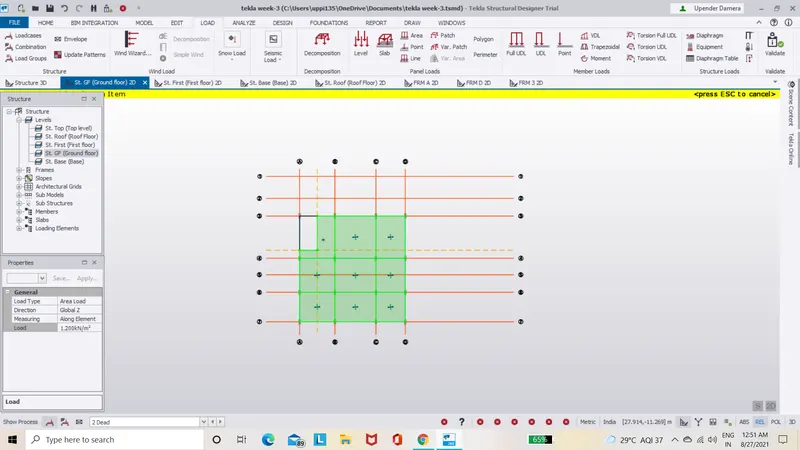
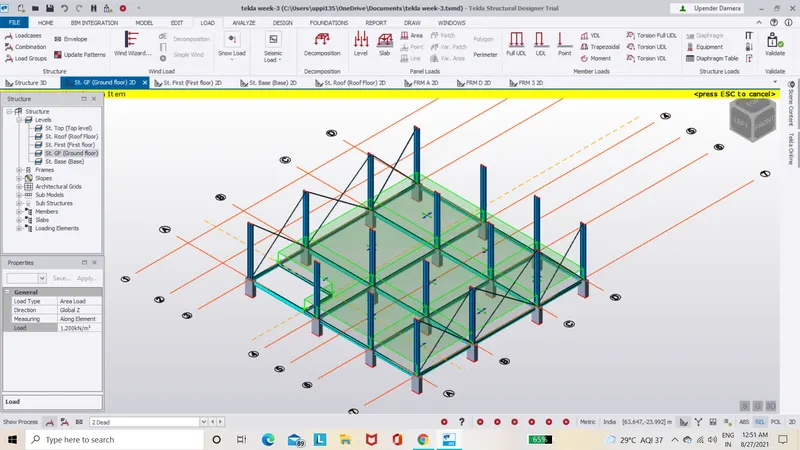
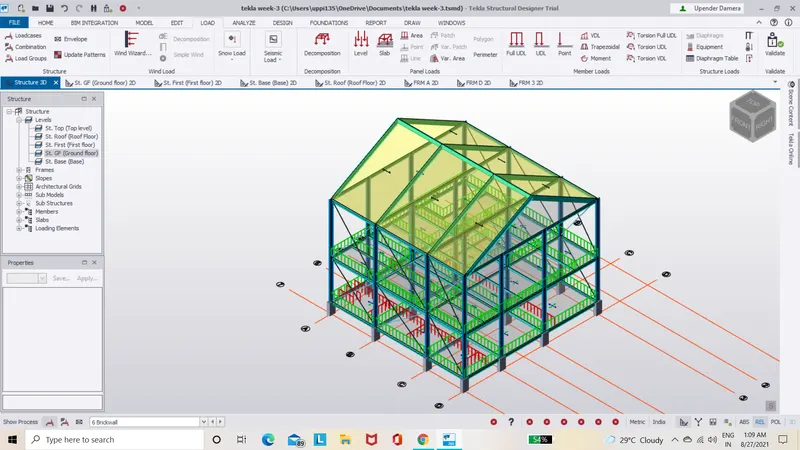
- Similarly apply the load to the different floor levels as shown below.
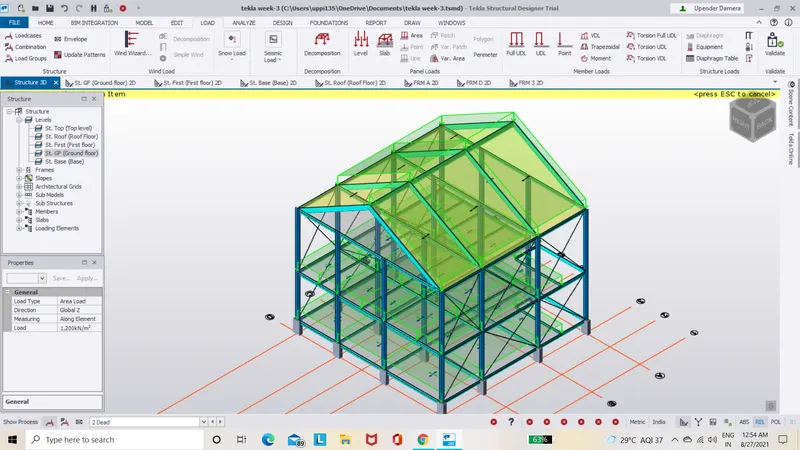
- Next we have to apply the Brickwall load on the brickwalls on different floor levels.
- To apply the brickwall load ,go to load select UDL and enter the value as 15.2Kn/m for ground floor and select all the beams,load will be applied.
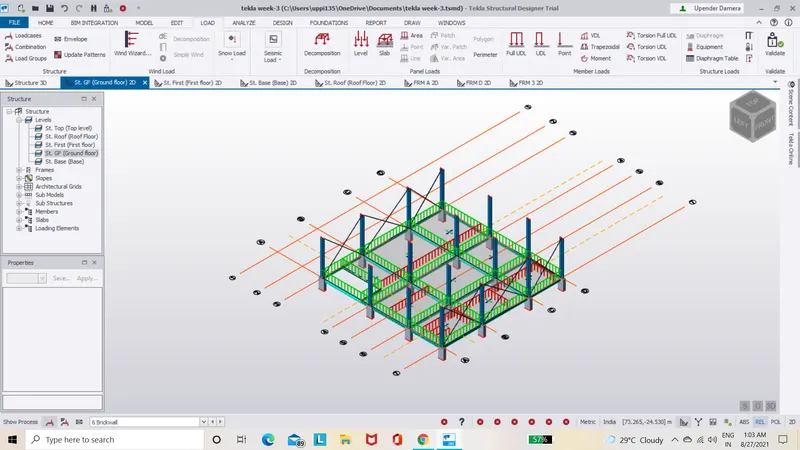
- Similar way apply the loads for secondary beams.
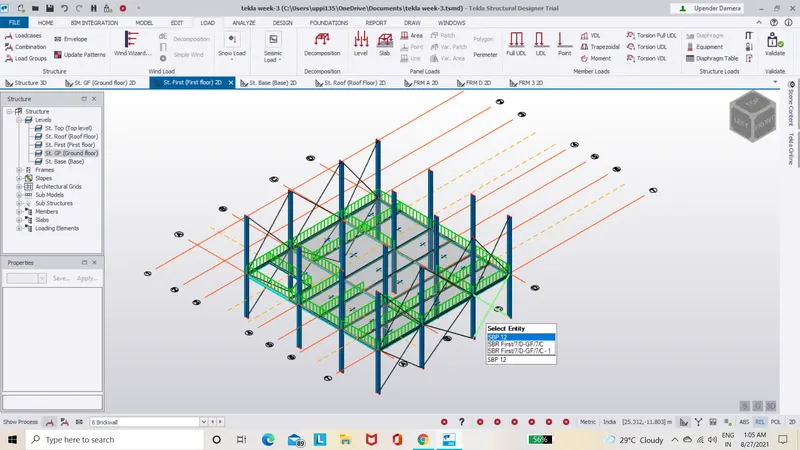
- Repeat the same procedure for next floor and roof.as shown below.
2)
ANS:-
Live loads for industrial Building:-
- Stair case=5KN/M2.
- Workshop=5KN/m2.
- Office=3KN/m2.
- Corridor=5KN/m2
- Meeting room=5KN/m2.
- Store Room=5KN/m2.
- Toilet=2KN/m2.
- Canteen=3KN/m2.
- Equipment=5KN/m2.
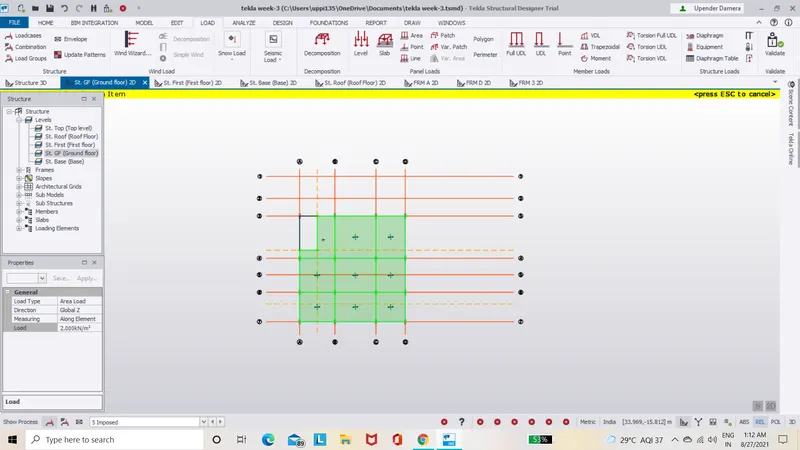
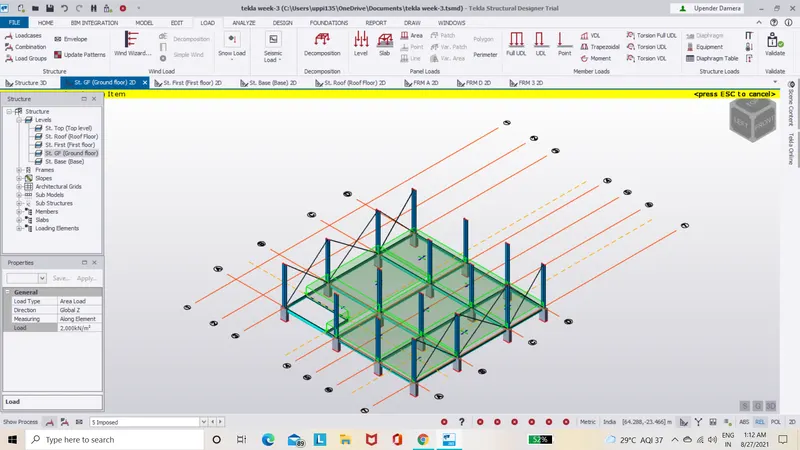
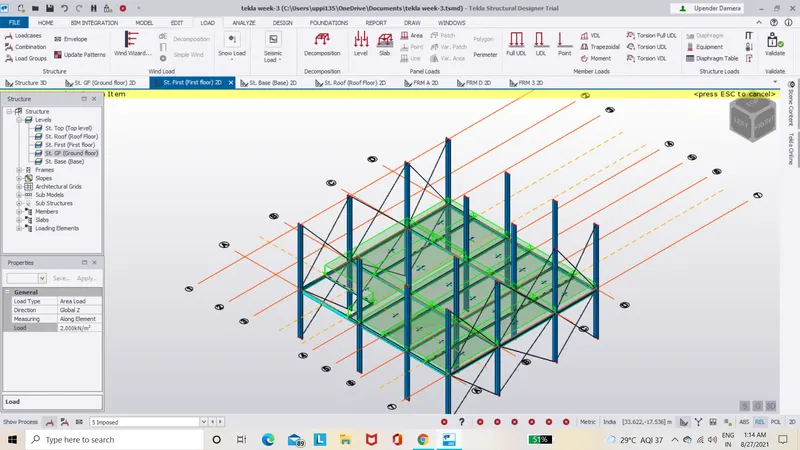
- Taking all these live loads from IS 875 part2,they will be applied on all the rooms of all the floors.
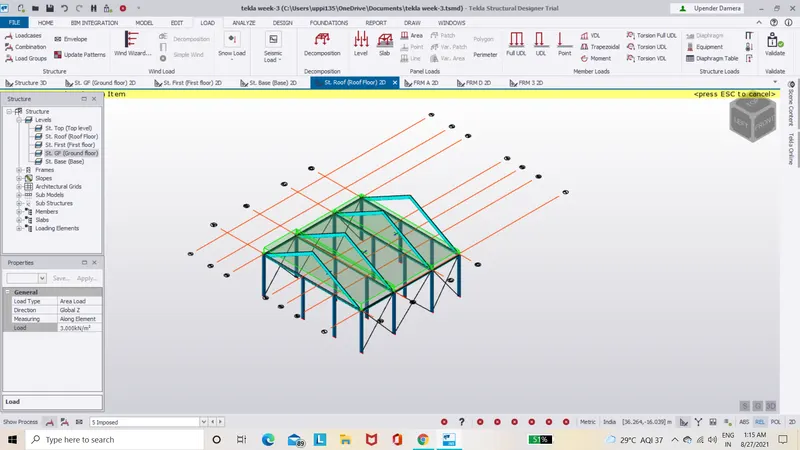
- Apply the live loads for all the floor as shown below.
3)
ANS:-
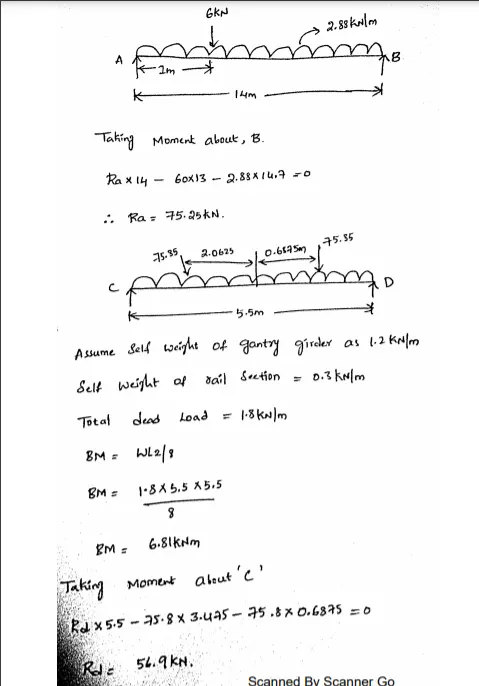
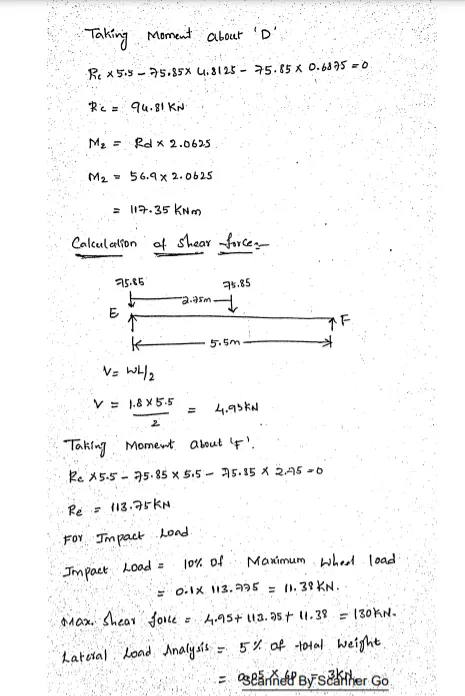
Caluculation for 5T crane loading based on following iputs:-
- Centre to Centre of wheel = 10m
- Weight of crab = 40 KN
- Number of wheels = 4
- Wheel base = 2m