Week 4- Challenge
AIM: To create the different type of 1D element such as ROD,BEAM,BAR and also to apply mass magnitude on the following components with given cross section dimension and degree of freedom(DOF).
OBJECTIVE:
Create the midsurface on the upper geometry to create midsurfacing by following command "Geometry+midsurface+select the surface on the given geometry,the same procedure will follow for the next geometry to create midsurface by follow the same command. Rename the both midsurface with bracket 1 and bracket2. and change the color as well.
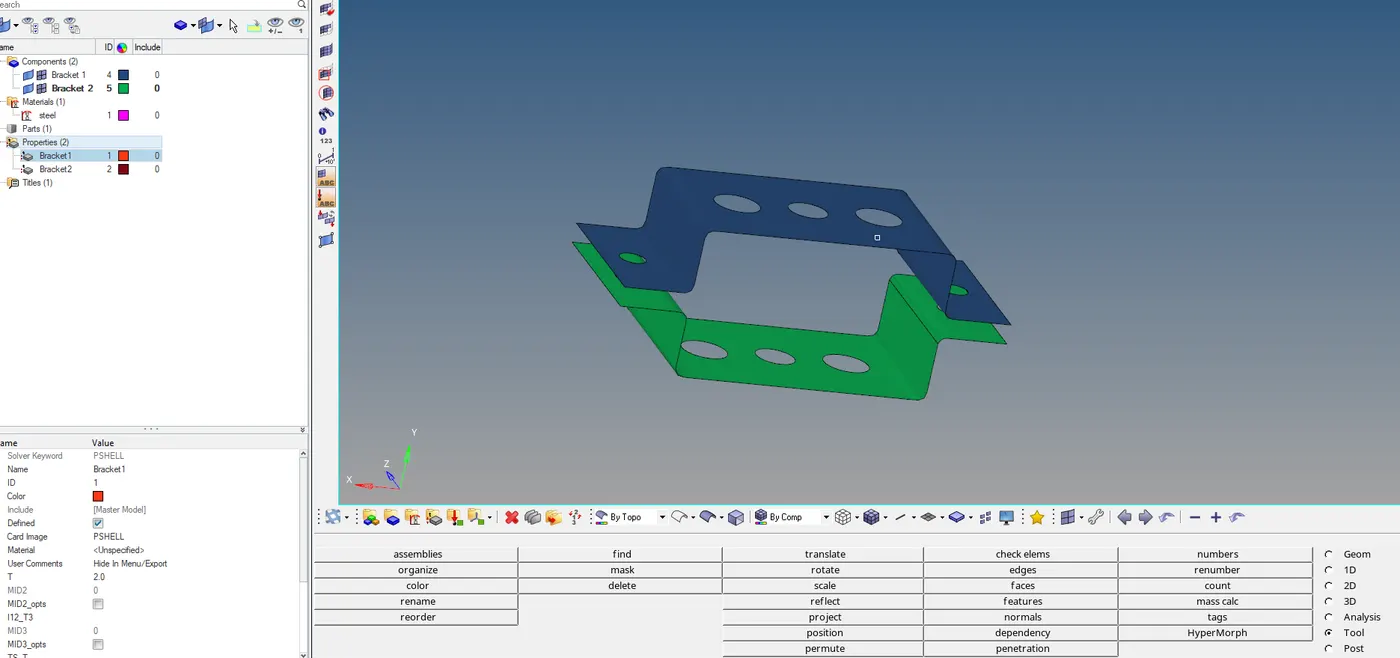
Now delete the solid part and solid wire frame of the bracket by foloowing comand "delete+ solids+All+Delete entity"
Also delete both the solid parts and wire frame from the section components,so after deleting bracket left with mid surface.
For 3D representation assign to thickness, to assign it to create a material.
Material 1:Steel
To give thickness to both bracket create Property "Bracket 1 and Bracket 2"and assign both properties to mid surface.
Assign material to respective property with specific component.
Now perform 2D mesh, but before meshing give Washer split at 2mm and then perform 2D mesh with element size 10mm and element type Mixed select surface and do the mesh.
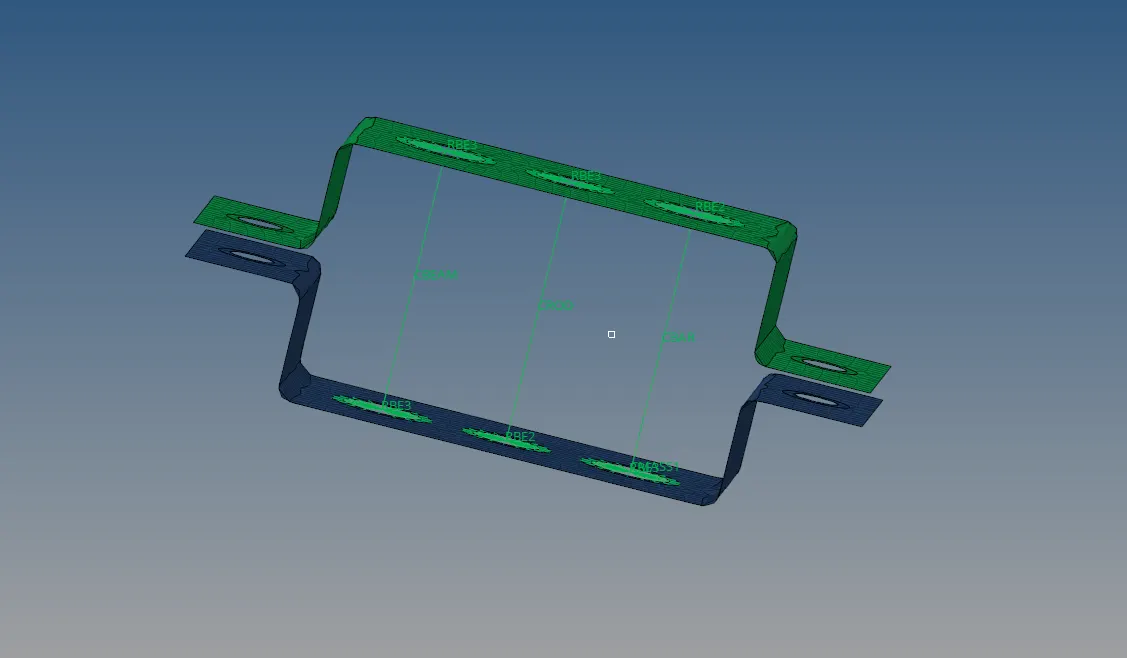
Meshing was performed on geometry because to have the node before creating 1D element.
"To create 1D elements on the bracket". The first element is to create rigid (RBE2) ,(RBE3) link on section (a),(b,(c).Then connect all upper and lower RBE2 and RBE3 with CBEAM,CROD,CBAR accordingly.
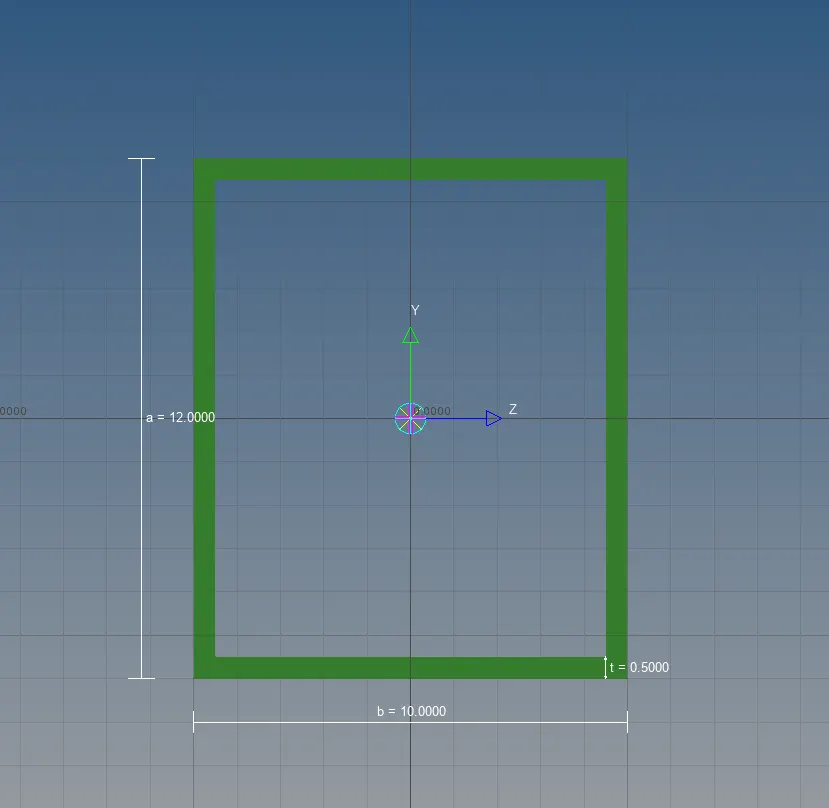
Rod element dimension (box)
BOX- Dimension a= 12 mm
dimension b=10 mm
Thickness t= 0.75 mm
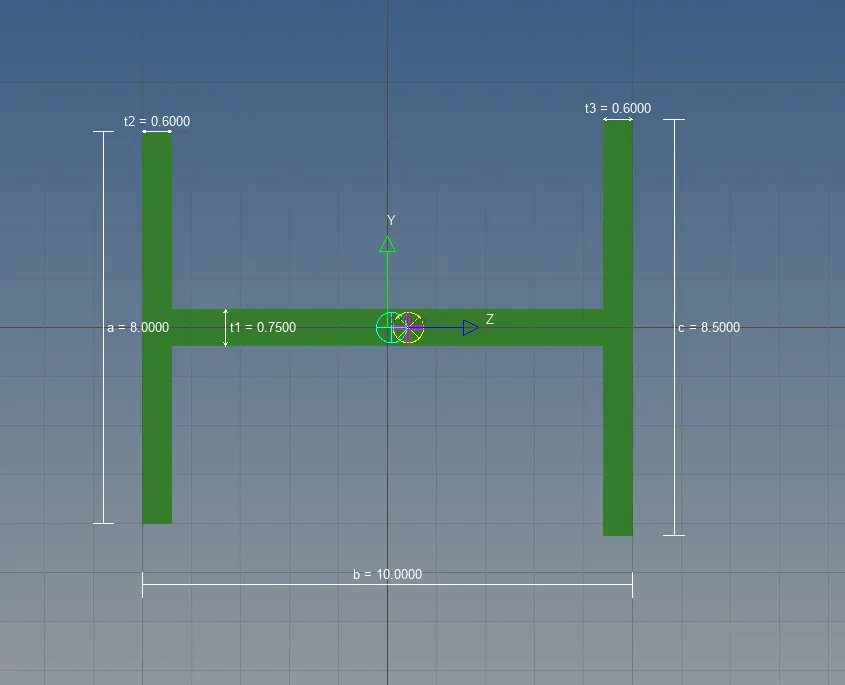
Beam element dimension (I section)
I Section- Dimension a= 8 mm
Dimension b= 10 mm
Dimension c= 8.5 mm
Thickness t1= 0.75 mm
Thickness t2= .6 mm
Thickness t3= .6 mm
Bar element Dimension(cross-section)
: Dimension DIM1= 5 mm
Thickness DIM2= 1.2 mm
Dimension DIM3= 10 mm
Thickness DIM4= 1.2mm
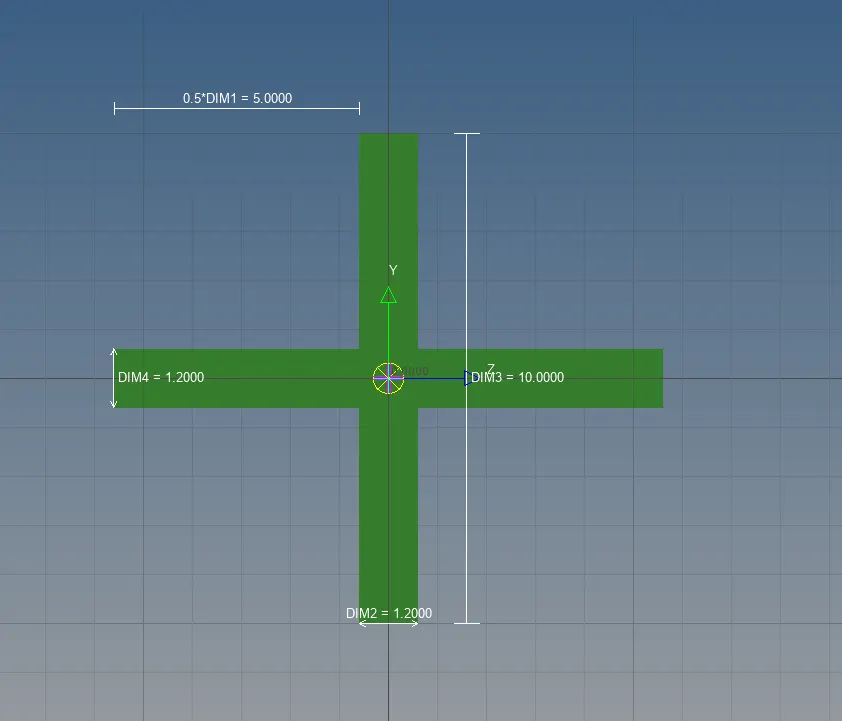
Create the property on each of the element for Rod,Beam, and Bar because all the three components are in the Bracket 2 so they will have different properties.
ROD Card image-PROD Beam section Rod
BEAM Card image-PBEAM Beam section Beam
BAR Card Image-PBAR Beam section BAR
Now properties are assigned to get component with respect to their cross-section but to visualise cross-section of each component give command "1D detailed element representation".
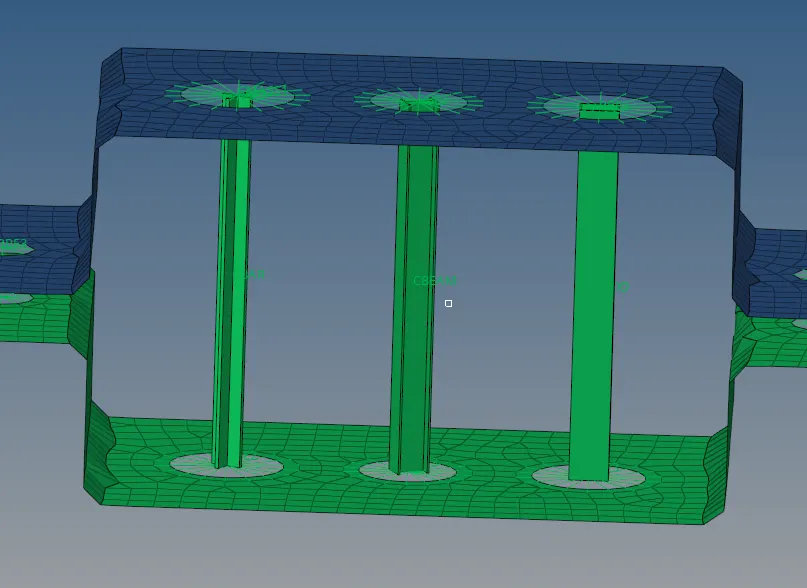
To Get the Midsurface 2D into the 3D component, command "2D detailed element representation".
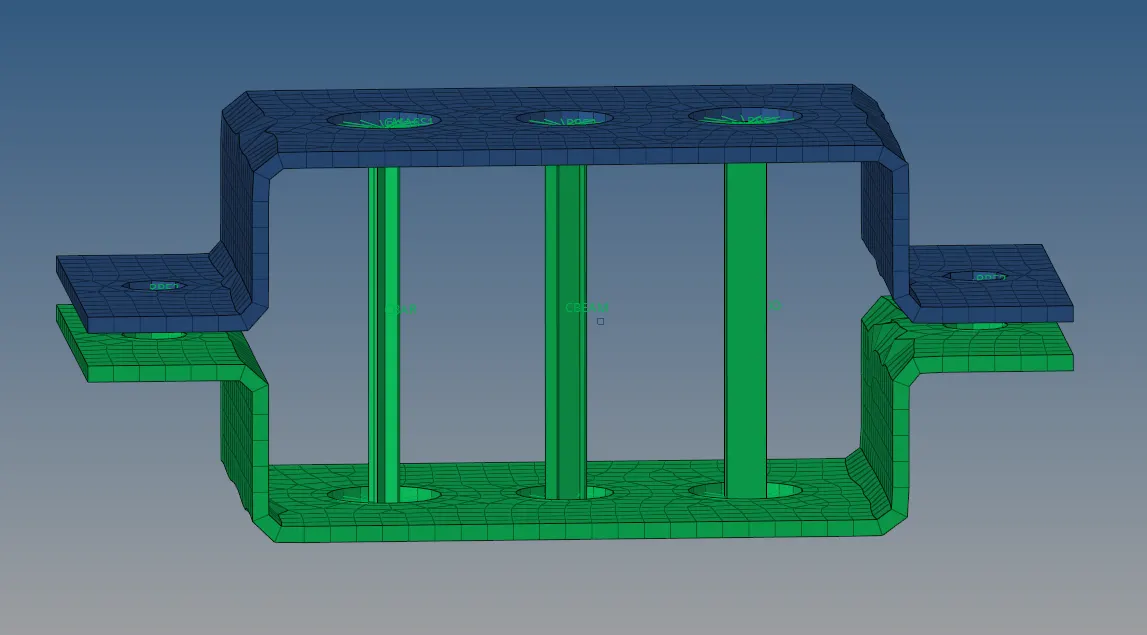
Result and conclusion:
.Create midsurface on given geometry .
.Create material and assign properties to each bracket
.Different types of 1D elements are created such as ROD,BEAM,BAR.
.RBE2 and RBE3 link are created to make element rigid.
.ROD,BEAM,BAR are given dimension using hyperbeam.
.All three elements are created with given cross section and then assign to their properties and component respectively.