Stateflow logic Control of Automatic Washing Machine system and Automatic Gear shift Logic performed using Stateflow
Aim: To Implement control logic of a “washing machine” using Stateflow as per given sequence:
Conditions:
1.If the power supply is available, the system gets activated
2.If the Water supply is not available, stop the process & indicate through LED
3.Soaking time should be 200s followed by Washing time of 100s.
4.Then rinsing happens for next 20s & dryer runs for 50s
5.After all the processes have completed turn on the finished LED
Block used to design the model:
1.Chart : MATLAB State flow chart is a graphical representation of finite state machine, instead of creating script we can use block to know the process or the state of operation
2.Rocker switch: Switch is used as the Input of water supply in this model, we can On or Off the water from screen by rocker switch
3.Display: Display is used here to shows whether state was 'On' or 'Off' by indicating '0' and '1'
4.Lamp: Lamp is a graphical indicator and by this lamp we can identify whether state is On or Off
Model Explanation: The variables power and water supply are given as the input to the chart. the chart has been designed according to the conditions given. i.e. if trh power and water conditions are satisfied, then only the control goes to the soaking state
The control logic Input of all the states from soaking to dryer state have been given as entry:exit ('1' &'0') respectively, the
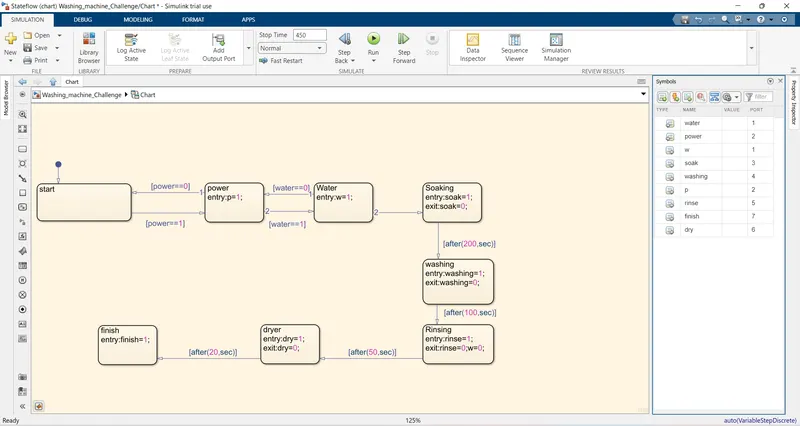
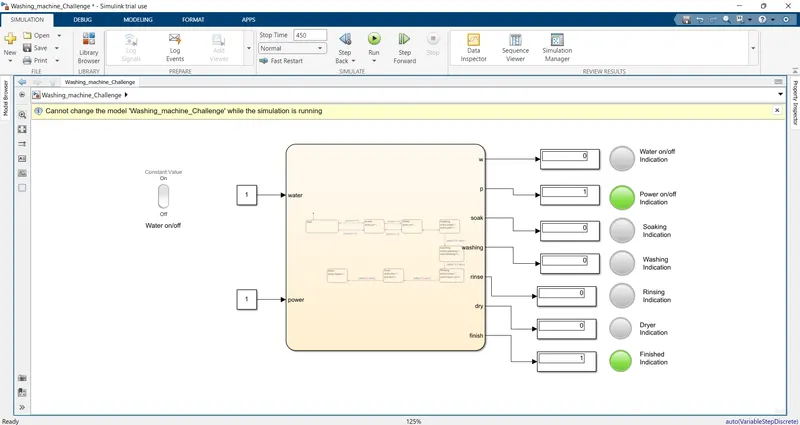
Condition 1: Image shows the state of power supply is available, the system gets activated
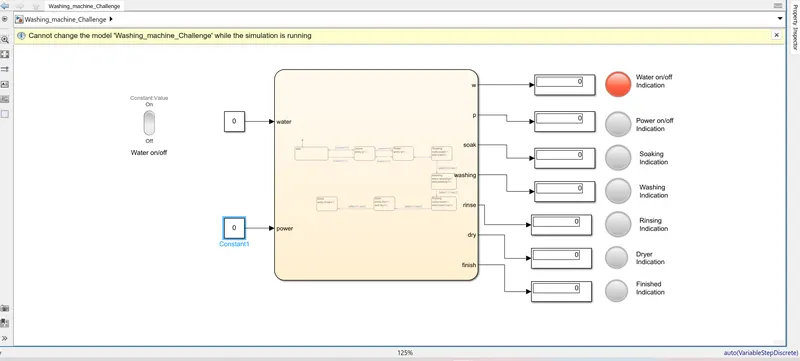
Condition 2: Image shows the state of Water supply is not available, stop the process & indicate through LED
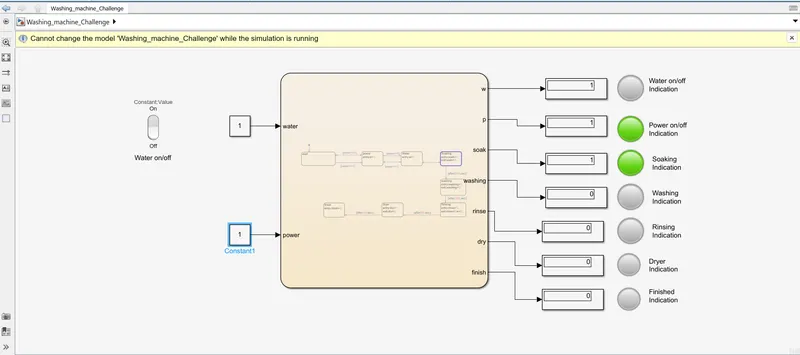
Condition 3: Image shows the state of Soaking time should be 200s followed by Washing time of 100s
Condition 4: Image shows the state of rinsing happens for next 20s & dryer runs for 50s
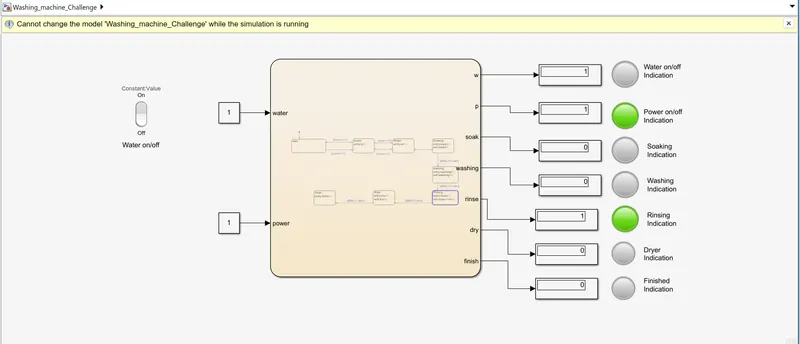
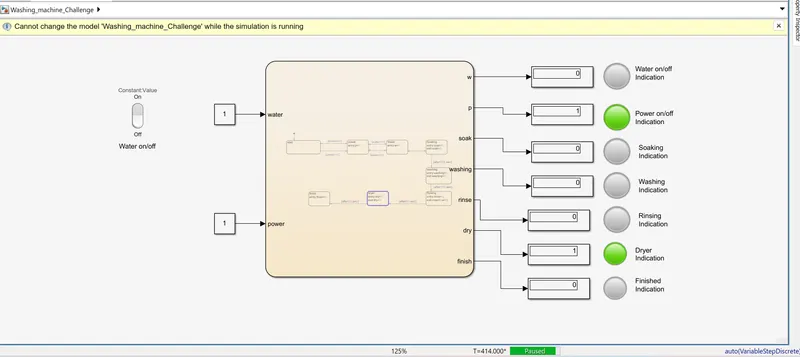
Condition 5: Image shows the status of all processes have completed turn on the finished LED
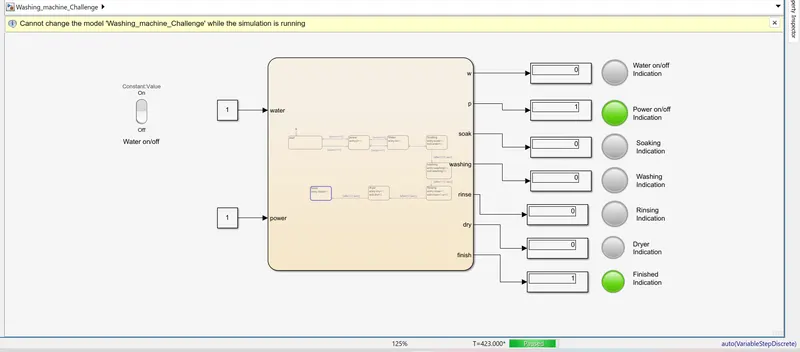
Result : The control logic of Washing machine using stateflow was implemented and executed successfully as per given sequence.
==================================================================
==================================================================
Aim: To Make a Simulink chart for the “Gear shift” logic has to be done with respect to input speed
Blocks used in design Simulink model:
1.Chart : MATLAB State flow chart is a graphical representation of finite state machine, instead of creating script we can use block to know the process or the state of operation
2.Slider:The Slider block tunes the value of the connected block parameter during simulation.
3.Rocker switch: Switch is used as the Input for Engine ignition in this model, we can On or Off the engine from screen by using rocker switch.
4.Display: Display is used here to indicate which gear was engaged with the transmission system.
5.Lamp: Lamp is a graphical indicator and by this lamp we can identify whether which gear is got engaged.
In the model inputs are generated by slider gain which is connected to constant block the value
The Stateflow chart for the gear shifting criteria have been changed with respective to the input speed
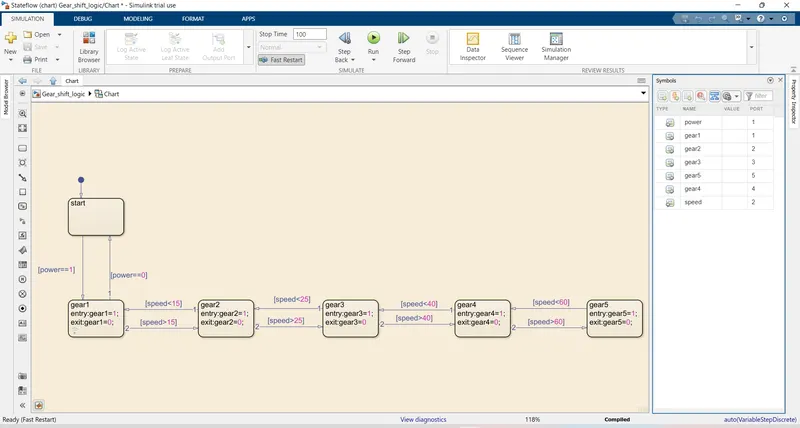
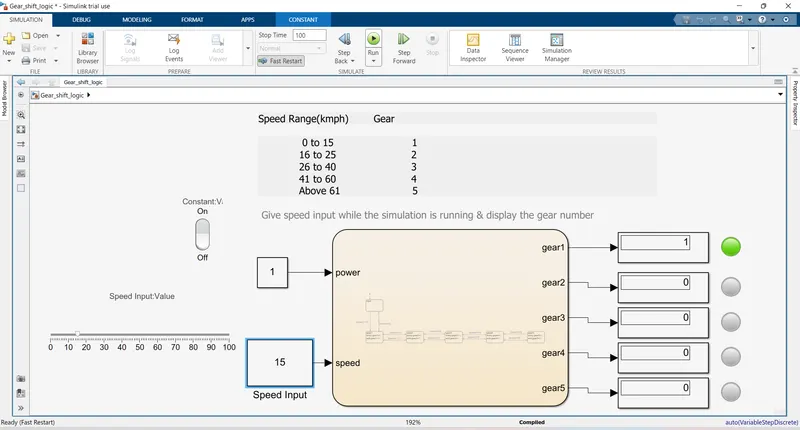
Case 1 : The Input speed is 15Kmp/Hr therefore as per gear shift logic 1st gear has got engaged.
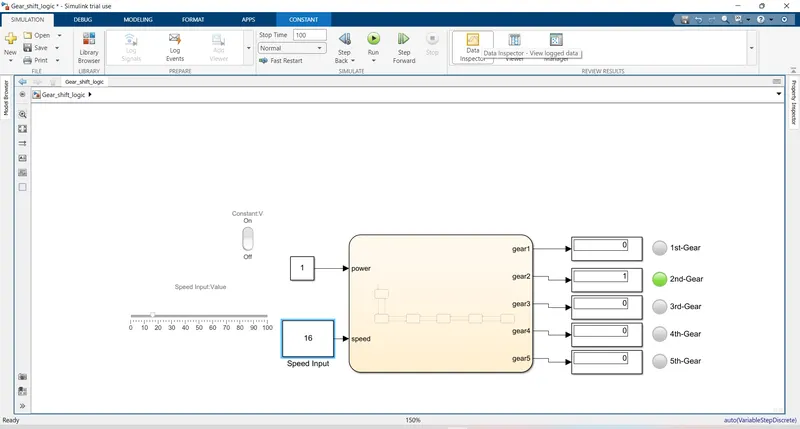
Case 2 : The Input speed is 16Kmp/Hr therefore as per gear shift logic 2nd gear has got engaged.
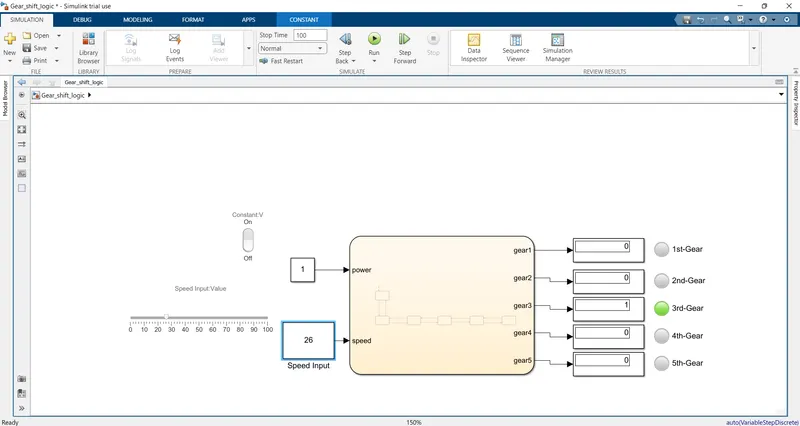
Case 3 : The Input speed is 26Kmp/Hr therefore as per gear shift logic 3rd gear has got engaged.
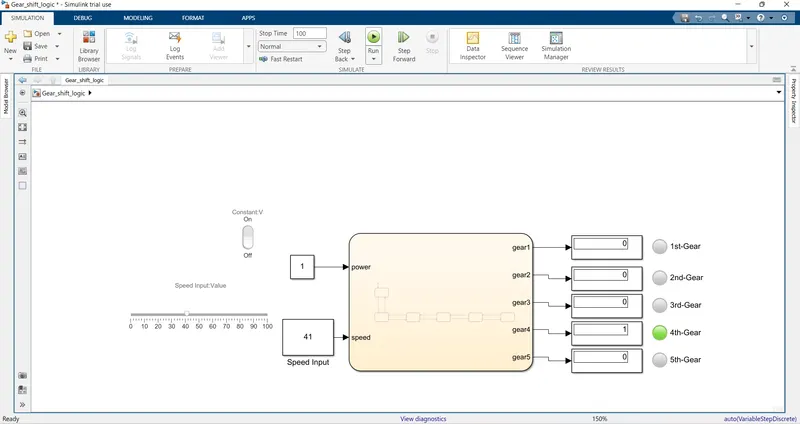
Case 4 : The Input speed is 41Kmp/Hr therefore as per gear shift logic 4th gear has got engaged.
Case 5: The Input speed is 62Kmp/Hr therefore as per gear shift logic 5th gear has got engaged.
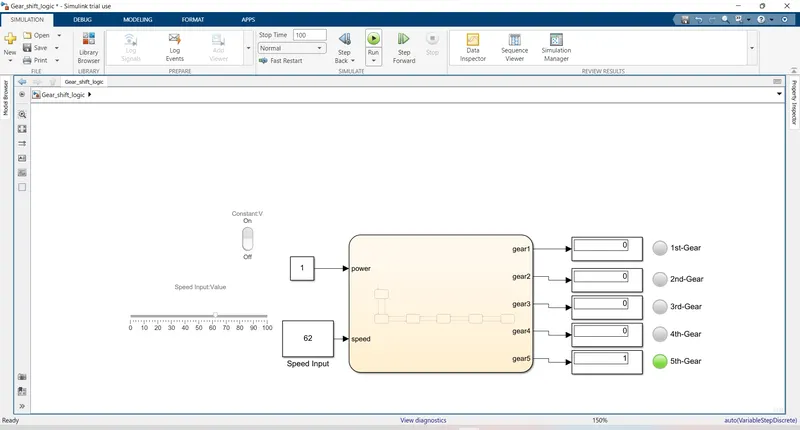
Result: Given speed input while the simulation is running, and the gear indication was indicated through lamp and display given model was Verified and Validated perfectly.