Week - 4
Aim:
Implement control logic of a “washing machine” using Stateflow as per given sequence:
Objective:
- If the power supply is available, the system gets activated
- If the Water supply is not available, stop the process & indicate through LED
- Soaking time should be 200s followed by Washing time of 100s.
- Then rinsing happens for next 20s & dryer runs for 50s.
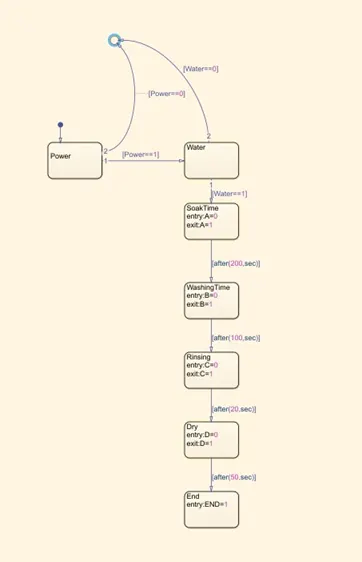
Chart of washing machine:
Symbolic inputs and outputs:
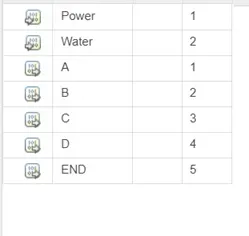
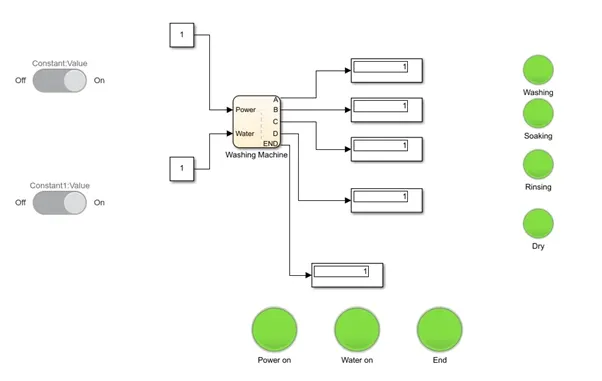
By using state flow simulink we have created the Washing Machine:
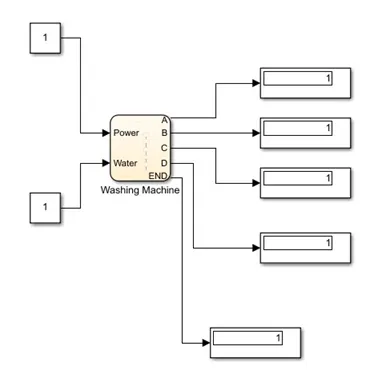
Power supply as input: Switch is connected to the power supply, when the power is on the the Lamp is green.
Water on /off switch: Switch is connected to the water supply, when the water is on the lamp glow to green.
Soak time: Lamp is shown for after water in on the lamp will glow.
Washing Time: For 200s the washing starts the lamp will turn into green.
Rinsing: After 100s the process of rinsing is over the Lamp glow green.
Dry: The process of drying will be done after 20s and the over all process will take 470s.
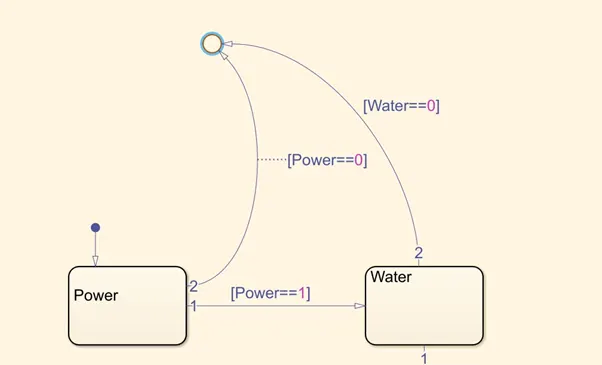
Loop: Its use for controlling the power supply and water supply the process will takes place exactly power and water in on and the time taken.
Washing Machine:
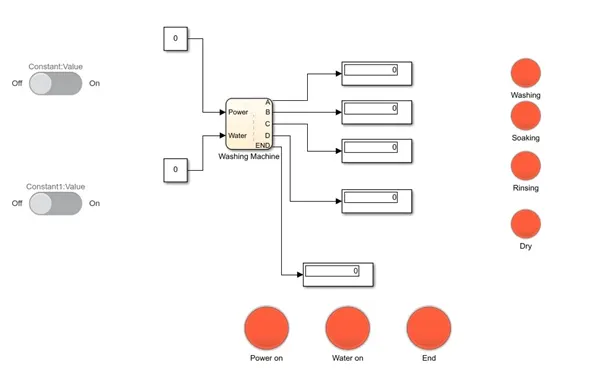
Output:
Power of and water of condition:
Power on and water of condition:
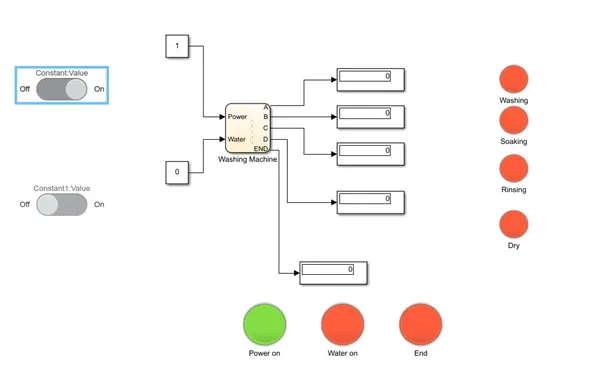
Power on and water on condition:
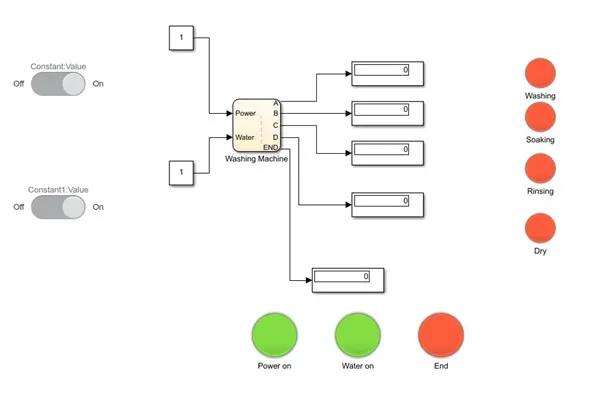
Power on and water on condition: Washing
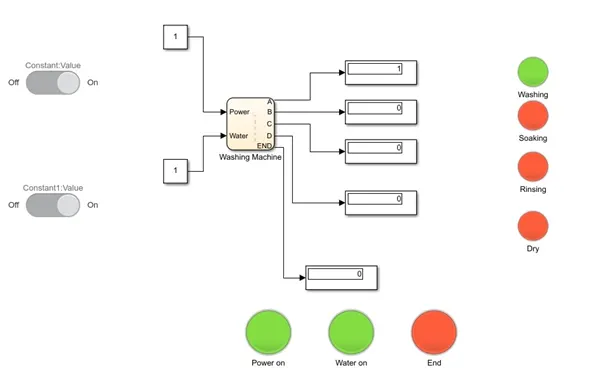
Power on and water on condition : Soaking
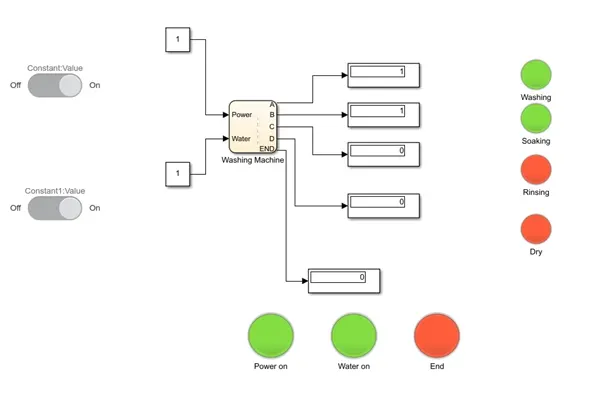
Rinsing:
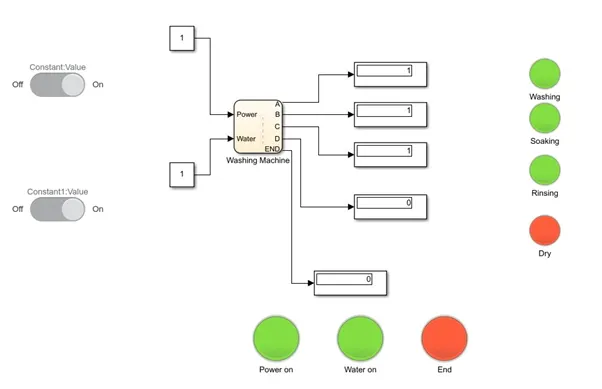
Dry:
 PhaseII:
Aim:
Make a Simulink chart for the “Gear shift” logic as per below conditions:
Speed Range(kmph) Gear
0 to 15 1
16 to 25 2
26 to 40 3
41 to 60 4
Above 61 5
Objective:
Give speed input while the simulation is running & display the gear number.
By using the state flow in Simulink:
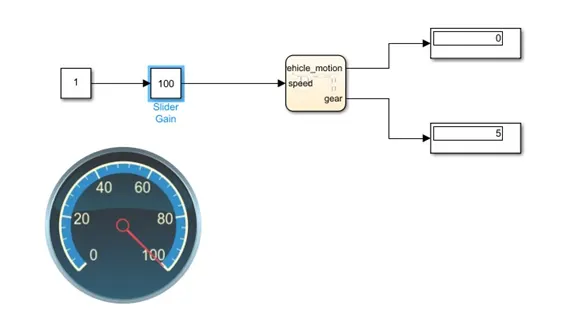
Gear system:
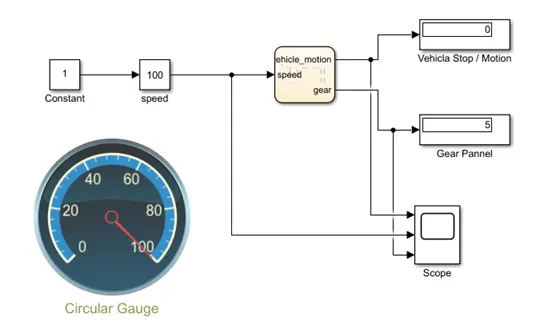
From above fig the constant is connected to varying slider gain with speed from min 0 to 100max the slider is connected to Gear system where speed is input and vehicle motion is output and gear is as output, both the output ports are connected to display.
Display1 shows the Vehicle Stop / Motion, Display2 shows the Gear Panel.
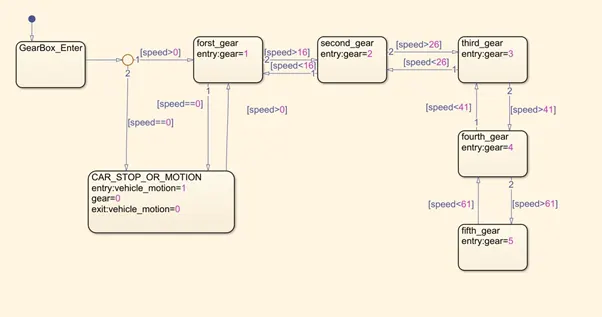
Gear chart:
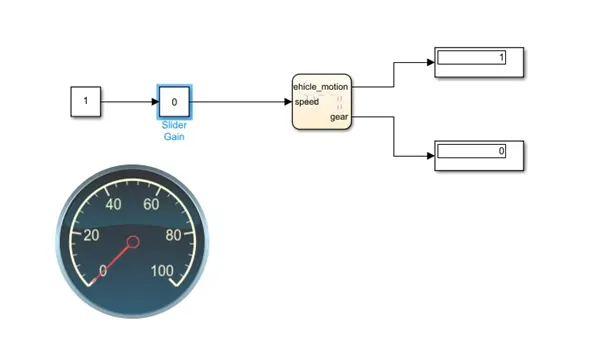
Output of Gear at different speed:
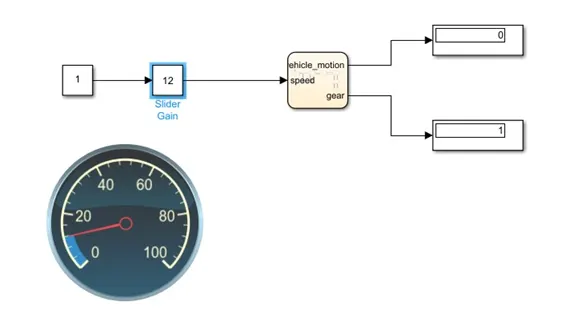
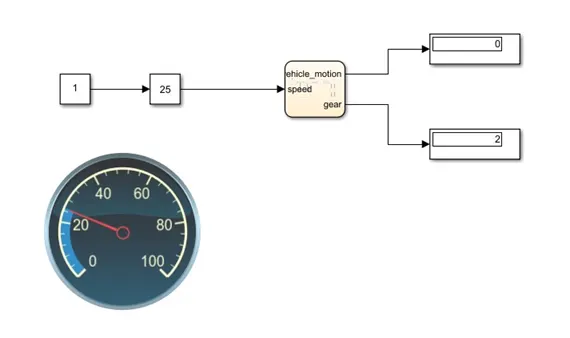
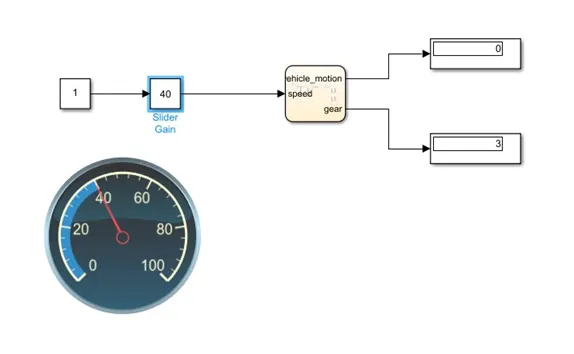
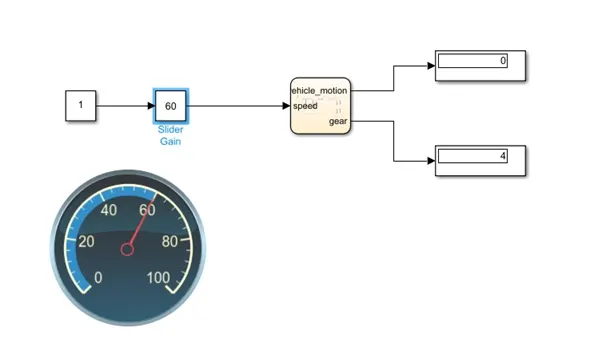
Output graph showing Gear varying: