Week - 4
AIM:-
- Implement control logic of a “washing machine” using Stateflow as per given sequence:
- If the power supply is available, the system gets activated
- If the Water supply is not available, stop the process & indicate through LED
- Soaking time should be 200s followed by Washing time of 100s.
- Then rinsing happens for next 20s & dryer runs for 50s
After all the processes have completed turn on the finished LED
Models;
1.Start simulink and creat a Blank model
2.search for the chart block in the stateflow category
3. open the chart block its totaly differenyt and yellow background
4. control logic for the washiong machine is such that it should soak for 200sec followed by washing for 100 sec. rinsing the water for the next 20 sec and followed by drying time at 50sec.
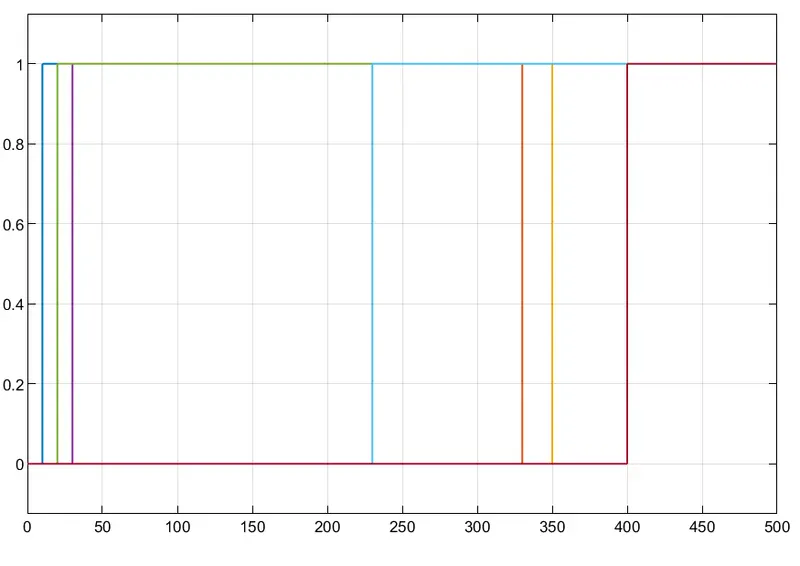
5. After finishing the control logic run the stateflow and check the sequence of the operation for 370 sec.
BLOCKS USED:
1.CHART BLOCK to create the stateflow logics
2. Display Block is used to show the values of input data.
3. Constant Block is used to generatwe the constant value signals.
4.Lamp Block is used to identity the process is either complete or not by indicating the different color
green color for on
red color for off
6. Slider swith block is used for turn on or off the power supply and the water supply
Logic explanation:
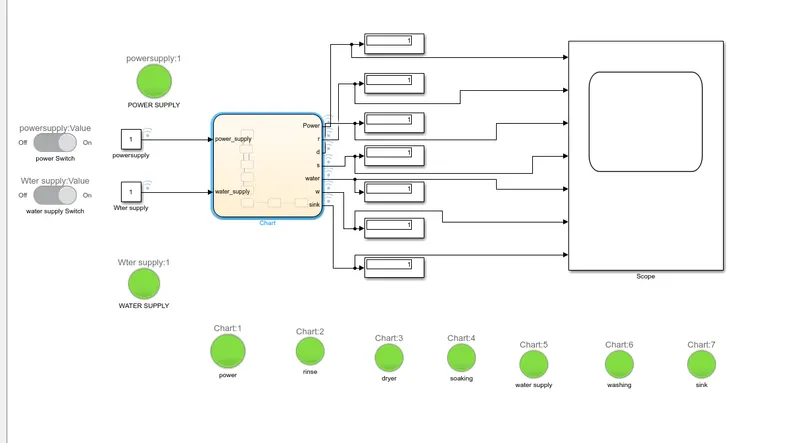
A slider switch is used on the to grt the power supply . Lamp is used to indicate the power supply and water supply status on.
Washing machine Logic:
in the obove logic state is created with 2 conditions for power supply. one is with power supply and water supply avaliable.
Soaking, washing,rinising,drying with their time of operation as 200 sec for soak 100sec,for wash20sec
and rinse and dry for 50sec.
after all process has done washing machine completed led will glow and we shutdown the machine.
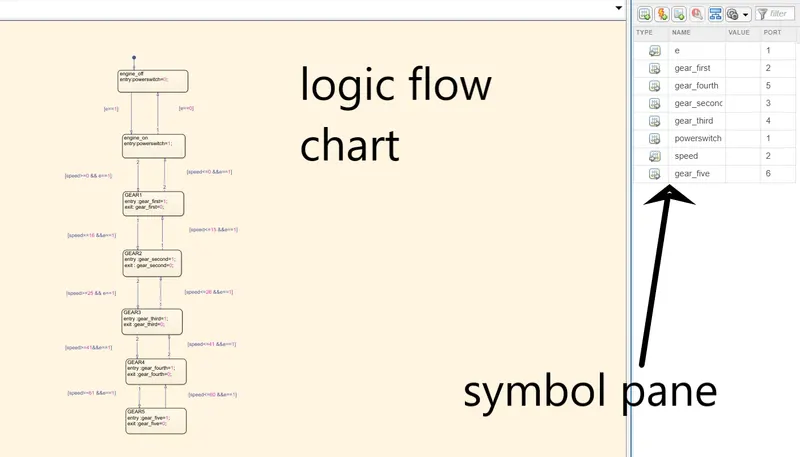
SYMBOLS PANE :
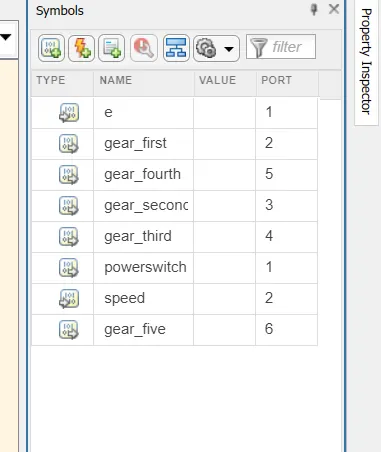
here the symbols pane is used to define the input and output data for the logic flow state to run the function.
complete simulink model:
oiutput of the scope block:
Task 2:-
2. Make a Simulink chart for the “Gear shift” logic as per below conditions:
Speed Range(kmph) Gear
0 to 15 1
16 to 25 2
26 to 40 3
41 to 60 4
Above 61 5
Give speed input while the simulation is running & display the gear number.
1.Start simulink and creat a Blank model
2.search for the chart block in the stateflow category
3. open the chart block its totaly differenyt and yellow background
4. Control logic for the gaer shift is such that it should change th e gear when the speed increases or decrease automatically.
1.CHART BLOCK to create the stateflow logics
2. Display Block is used to show the values of input data.
3. Constant Block is used to generatwe the constant value signals.
4.Lamp Block is used to identity the process is either complete or not by indicating the different color
green color for on
red color for off
6. Slider swith block is used for turn on or off the power supply.
7. slider block is used to identify the car speed. or accelerate pad of the car
logic explanation:
speed ranges from 0 to 100 and the sliderr is used to send the input values from 0 to 15 so in the entry condition for the 1st gear is 0<= speed and speed<=15 and the exit condition is when the speed ids greater than 15.
similarly for the other four gears.
logic:
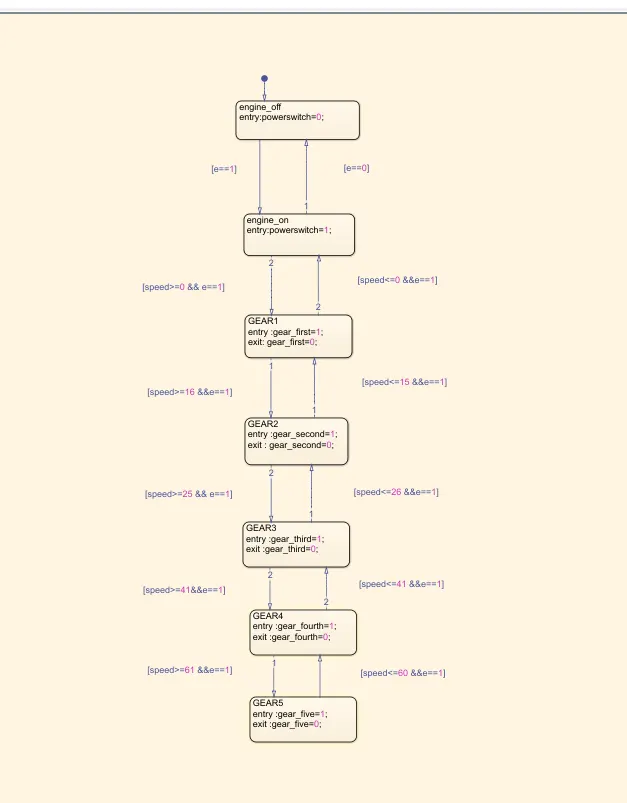
the transmision conditions for the gear shift is decided as
speed>15 shift to g=2
speed>25 shift to g=3
speed>40 shift to g=4
speed>60 shift to g=5
similarly in the reverse direction
speed<60 shift to g=4
speed<40 shift to g=3
speed<25 shift to g=2
speed<15 shift to g=1
symbols pane
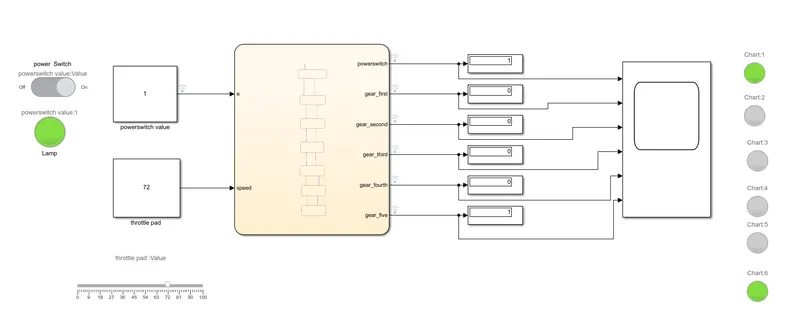
simulink model:
at speed =72kmph
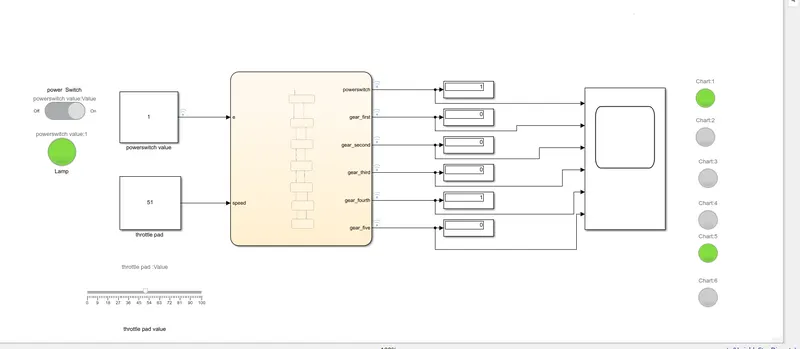
at the speed of 51 kmph
at speed =29kmph
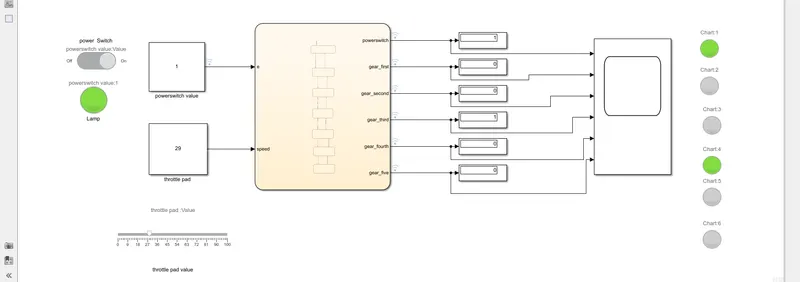
and thus all conditions is simulated through the state flow chart.