Week - 4
1A) The control logic of washing machine using stateflow
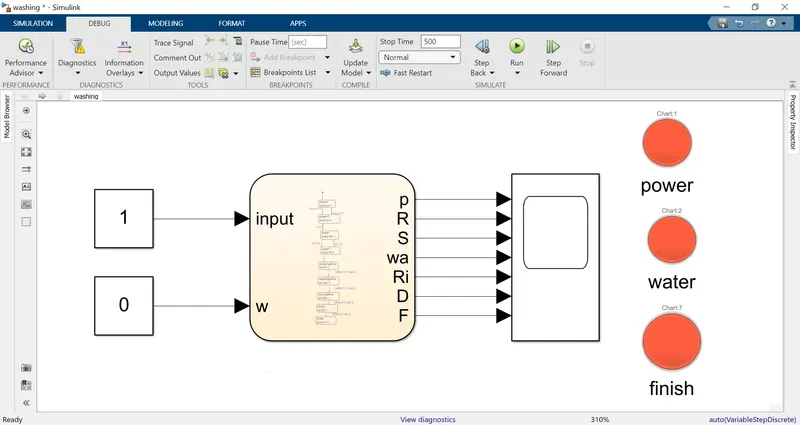
The model is
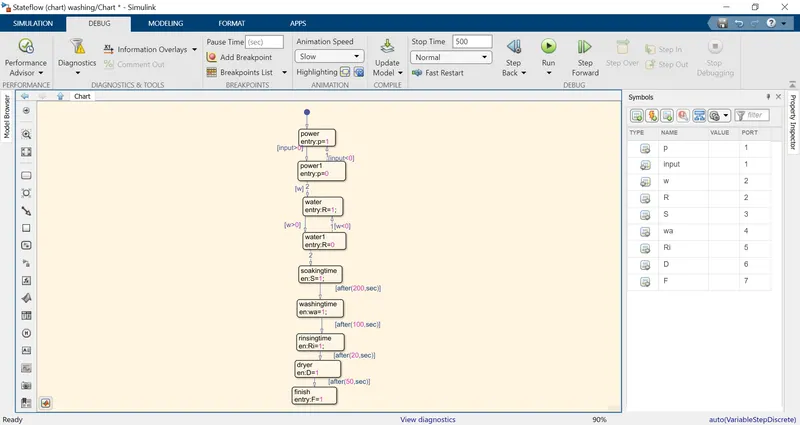
The stateflow chart is
The blocks used in this model are
constant ,scope ,lamp and chart
The constant block is used to given the input values to the chart power and water values
power 1 is power supply is there ,0 value means power supply is not there
water 1 means water is full in the machine,0 value is water is not there in the system
Scope is used to see the output value of the system in 0 and 1
Lamp is attached to the power,water,and finish of the process.
GREEN sign in power lamp indicates the power is on Red indicates the power is off
Green sign in water lamp indicates the water is full in the machine and red indicates the machine is empty
Red sign in finish process indicates the process is stoped and the green sign indicates the process completed
Chart
It is used to write the controol logic function and the input and output values are defined by using symbols pane
The state tool is used to define the condition of the state we had used power,water,soaking ,washing rinishing dry and finished state are defined the entry en is used for functioning of the state and out value is taken from the state
The transistion between the states iis defined by transistion and input conditions and time values are given for each state transisition to work for soaking 200s and washing 100s and rinishing 20s drying 50s are given.
The model is run for 500sec and at the finish of the process the green lamp will appear.
2A)The model is
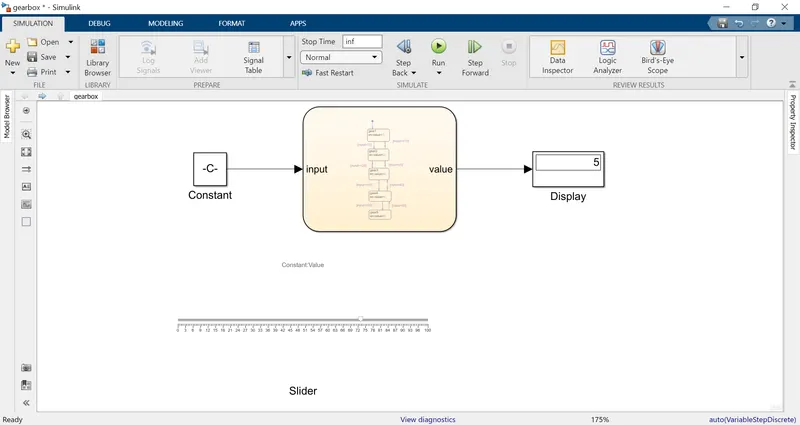
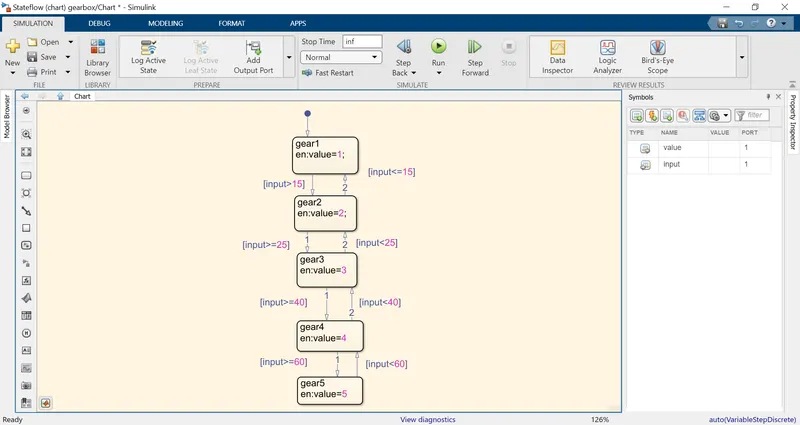
The blocks used for this model are slider, constant, chart and display
The slider is attached to the constant to varry the input values frequently and display is used to get the gear number based on the speed that we give
The chart is used to create the control logic state tool is used to define the state of the gear when the required gear state is reached we get an value of of that state as an output the tanssistion between the states is obtained by giving the input condition as per the requirement and the symbols pane is used to give the input and output values.