Week - 4 - 2D meshing for Plastic components
Aim: For the given Plastic Bottle Cap model, check for the geometrical errors and take the mid surface by suitable mid surfacing techniques. PID and Thickness assignment has to be done for all the mid surfaces. Mesh the same with given element Quality criteria.
Objective:
The given bottle cap has a various thicknesses in the component extract the midsurface for the component and perform the meshing as per the given quality criteria.
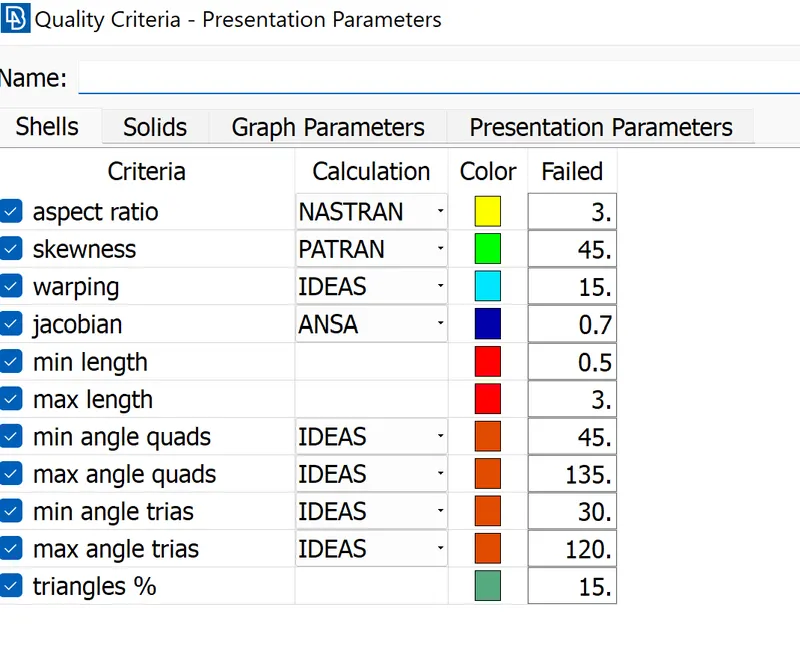
Quality criteria:
|
S.No |
Quality Criteria |
Value |
|
1 |
Target/Average length |
1 |
|
2 |
Minimum Length |
0.5 |
|
3 |
Maximum Length |
3 |
|
4 |
Aspect |
3 |
|
5 |
Warpage |
15 |
|
6 |
Skewness |
45 |
|
7 |
Jacobian |
0.7 |
|
8 |
Minimum Quad Angle |
45 |
|
9 |
Maximum Quad Angle |
135 |
|
10 |
Minimum Tria Angle |
30 |
|
11 |
Maximum Tria Angle |
120 |
|
12 |
Tria Percentage |
15 |
procedure:
1. The first step is to open the model after opening the model check the topology of the model. The command used is Topo > faces > topo. Release all the cons and select the component and check the topo. The topo command is used to clear the geometry from the single cons.
2. Next is to orient the surface from the with same color from one side and other side. command is used is faces > orient.
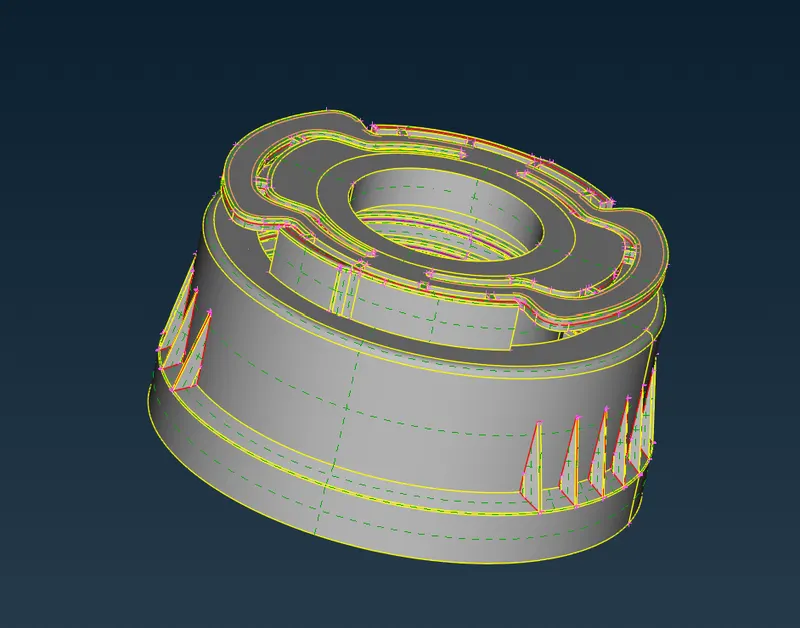
3.The perimeter length is changed because to get a better surfaces of the component. The geometry check is taken to rectify or clear the geometrical errors. If the errors are occur select all and fix them.
4. extraction of the mid surface is taken based on the thickness we used the different tools. Basically for the uniform thickness part used the offset option i.e faces > offset. For the varying thickness we used a middle option for the extraction of the midsurfaces. In the middle we used the middle multi option to get the midsurfaces.
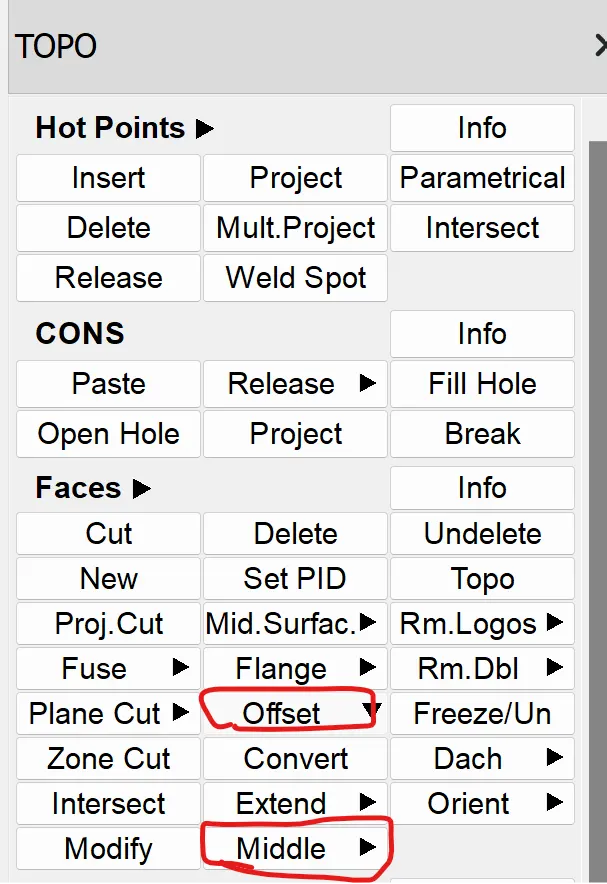
In the rib region and top rib region, we used the middle multi option is used. In the region of the thread we used the middle in the curves i.e curves > middle > select two lines. After the creation of the curve from that curve we project to the base mid surface and from these two cons we created the new surface by using the command Faces > new >coons.
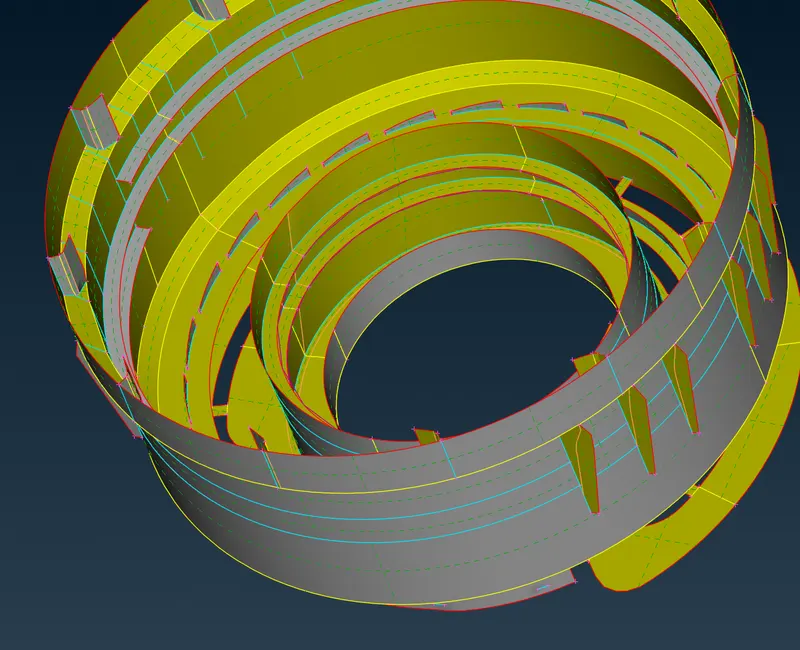
5. After the mid surface extraction we check the geometry if any single cons opening are present in the model if any present inn the model we cleared that errors.
6. Next is to mesh the component with a target length of 1mm. Before that we have to set the quality criteria and mesh parameters as given in the question.
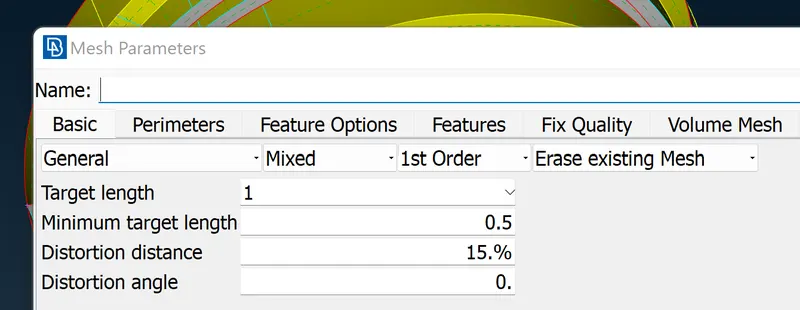
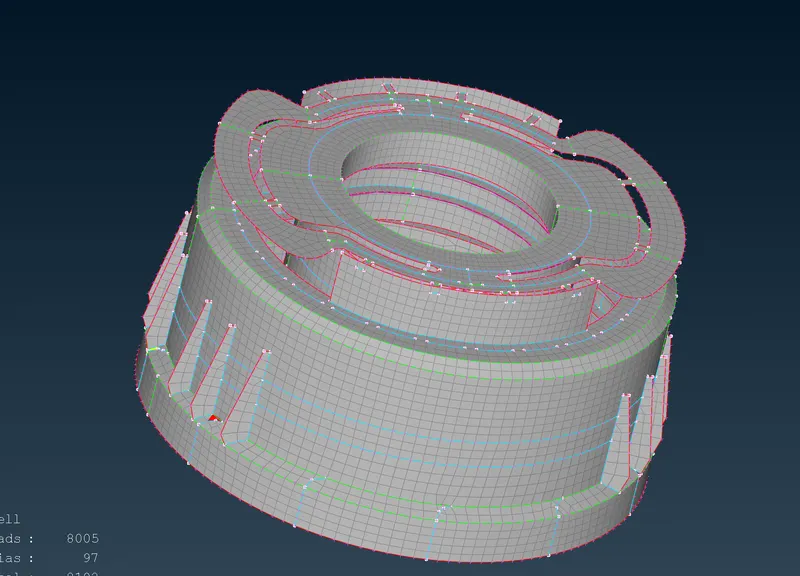
7. Meshing is done by using the command mesh deck> mesh generation> best or spot mesh. In this, we used the spot mesh and best meshing commands. After the meshing is done on the surface we have to clear the tria and off element for this process we used the command of split, paste and reconstruction, and smooth.
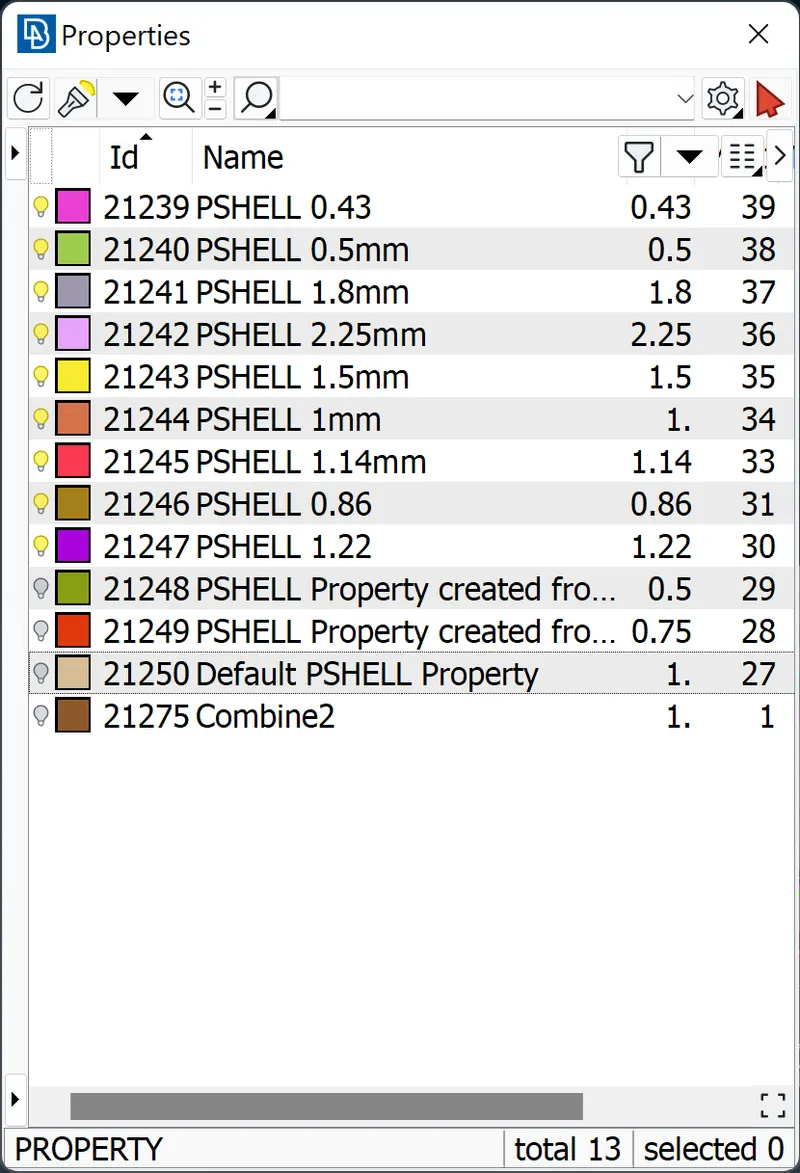
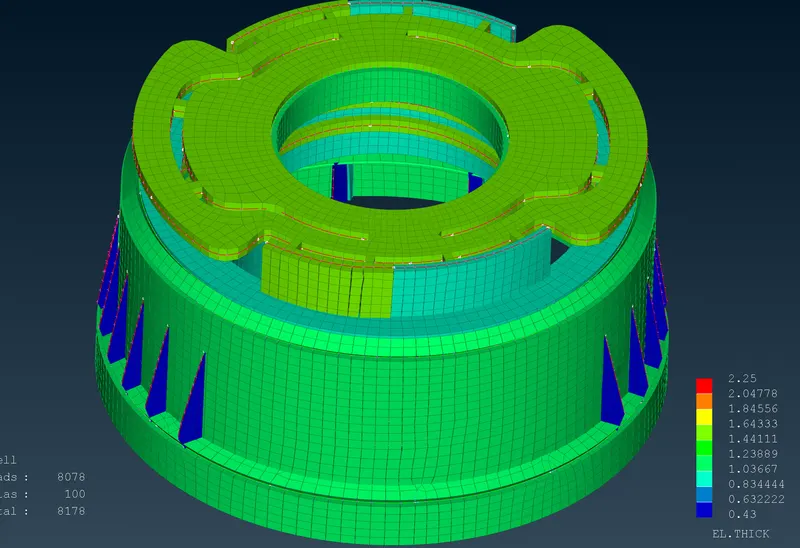
8. After the meshing we had assign the thickness to the elements based on the thickness of the parts. For that we created a new PID with respect to thickness.
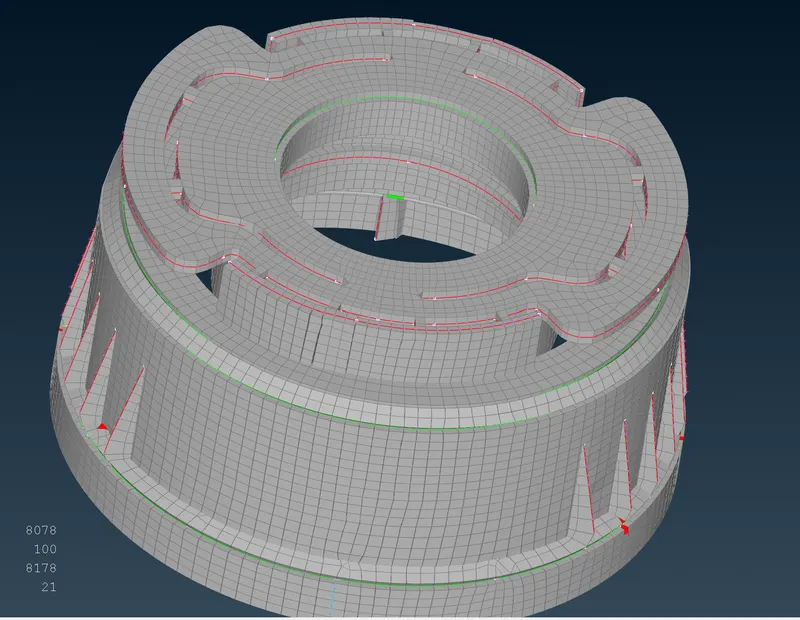
9. finally we have on the draw shell as solid.
Final model:
Result:
The meshing of the given bottle cap which is a plastic component has been done as per the given quality criteria. The thickness is assigned to the model as per the thickness in the component. The few elements are failed to due the triple cons occurs in the rib region.
Learning outcomes:
1. In this challenge we learnt about how to extract midsurface for the plastic component.
2. Learnt some commands which is useful in extraction of teeths and threads.
3. Learnt about how to apply varying thickness to the components.
Conclusions:
In this challenge got some knowledge of plastic component FE modeling.