Week - 4 - 2D meshing for Plastic components
AIM:
To extract the mid surface and mesh the given bottle cap component using given quality criteria and assign correct thickness to the property.
OBJECTIVE:
|
S.No |
Quality Criteria |
Value |
|
1 |
Target/Average length |
1 |
|
2 |
Minimum Length |
0.5 |
|
3 |
Maximum Length |
3 |
|
4 |
Aspect |
3 |
|
5 |
Warpage |
15 |
|
6 |
Skewness |
45 |
|
7 |
Jacobian |
0.7 |
|
8 |
Minimum Quad Angle |
45 |
|
9 |
Maximum Quad Angle |
135 |
|
10 |
Minimum Tria Angle |
30 |
|
11 |
Maximum Tria Angle |
120 |
|
10 |
Tria Percentage |
15 |
PROCEDURE:
- Import the model first. Now check the geometry for any errors like singlecon, needle face, crack surfaces using checks geometry tool in menubar. After that select execute and select all the errors and right click fix to fix those errors.
- Now select mesh-perimeter-length tool and give 1 as a value to refine the macros and perimeter of the model for good resolution to see the component.
- Now use not, or, inot tools to separate the surfaces for taking mid surface.
- First measure the thickness of the model to get a idea to extract the mid surface for the macros.
- Now the thickness of the two surfaces are same overall we should use offset option topo-faces-offset. Assign value as half of the thickness and select the faces to offset. give negative value when the arrow in opposite side. Click ok and click no to delete the surface for further reference.
- The model has varying thickness in some surfaces. Those surfaces are extracted by using middle tool in topo module topo-faces-middle. For ribs we can use both but the surfaces are single. Use middle-single. Now select the first surface then click second surface. Now click ok to accept surface. Now the mid surface is generated.
- Here we have some thread in the bottle cap. It has trapezium shaped surface for those surfaces take mid curve to get a extract mid surface topo-curve-middle select the two curves one by one and click ok to get mid curve. Now project the mid curve to mid surface topo-cons-project and now use those curves to create new surface. using topo-faces-new. The mid surface is generated for threads.
- Now get a mid surface for teeths in the model. We can use mid curve option to create a mid curve and project the opposite side con to the mid surface and now click the mid curve and projected curve to create the new surface.
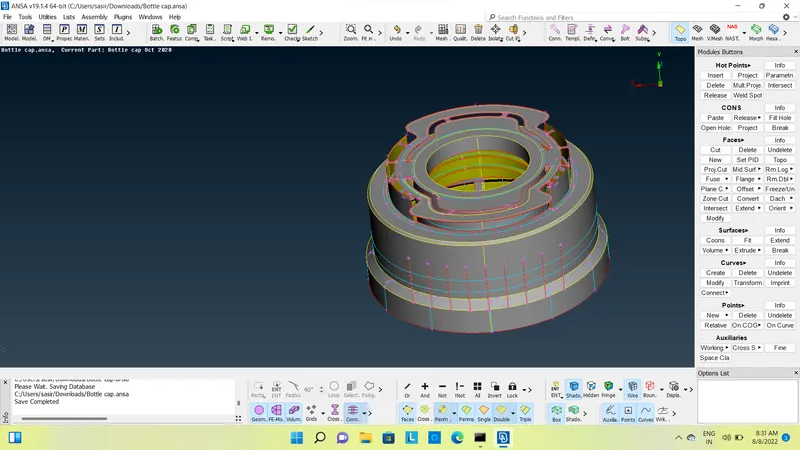
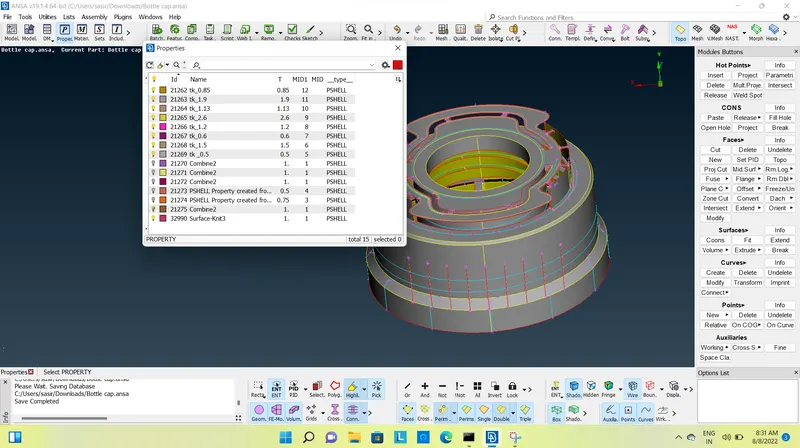
- Now assign the thickness for the mids urfaces. We have some varying thickness surfaces so that we have to create gradual thickness variations under one surface. We can create property easily. Select property – new – pshell – assign thickness – assign name.
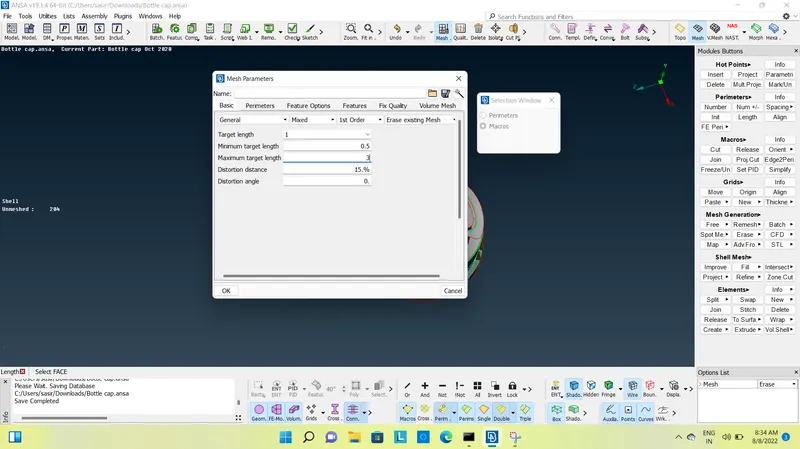
- Now we can move to mesh the model, first set the mesh parameters. Give target element length as 1mm, min length as 0.5mm, max length as 3mm. select ok.
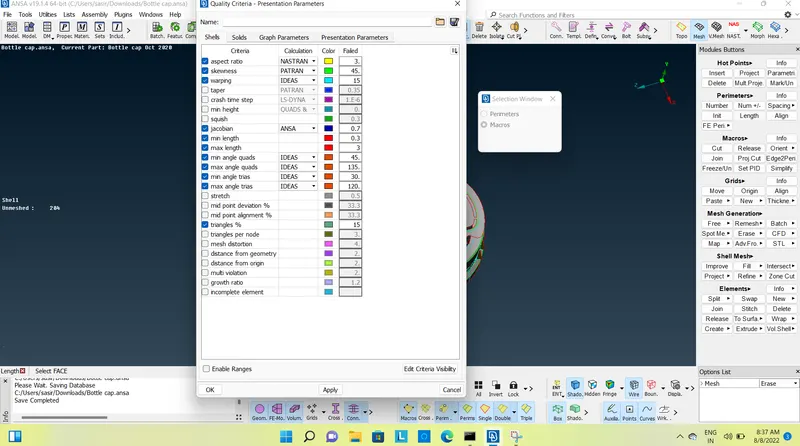
- Now give quality criteria for the mesh. Select quality criteria and assign values as given in the above. Select presentation parameters. Select elements percentage. Now click ok.
- First select the macros and select best mesh in the mesh generation. Now the mesh is generated in selected macros. Follow the same procedure for mesh generation.
- Now use reconstruct tool for remesh the existing mesh.
- Now the mesh are generated. Check for quality criteria and the failed elements are corrected using tool like smooth, reconstruct, fix quality, move in the mesh module. Finally the mesh are generated for the given model.
- Now select the draw shell as solid tool in presentation parameters tab to see the thickened solid pattern of the mesh.
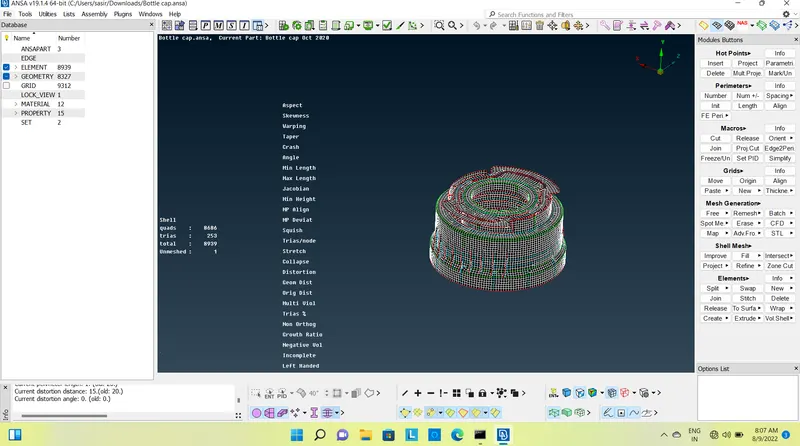
CONCLUSION:
The given bottle cap model is meshed with given quality criteria using mid surface and assign various thickness among the surfaces.