Week - 4 - 2D meshing for Plastic components
Aim- To take mid surafce for varying thickness of the bottole cap and meshing the mid surface.
Objectives-1.Taking the mid surface for the varying thickness of the surafces like fins,teeths, threads and lower surafces and the main circle surfaces and meshing the model with quality certeria.
Procedure-
1.First we import the model in to ansa and we check for any ireeguralities in the surafce such as cracks ,single con and tripple con if there are present they are fixed manully and by auto fix.
2.the resolution of cons is improved using the fine option from topo module or by using the length from mesh desk .
3.After fixing the geometrical errors are clreared we measure the model for different thickness using the measure option from utlity option.
4.since model is varying for thickness using the options faces <middle<faces<offset from the topo module the manual mid surface is also done here,
5.we take mid surface using the other option like curves<middle<selecting cons and projecting to the base surface and we used other options like middle <single from face option.
6.By using the Not option from the focus toolbar while selecting the PID region from the feature selection tool bar the mid surface is viewed sepertely,
7.Geometry check is made is done and a property id is created so the mid surface is organised.
8.The surfaces are split accordingly to attainthe good mesh flow and to aviod elemts failure.
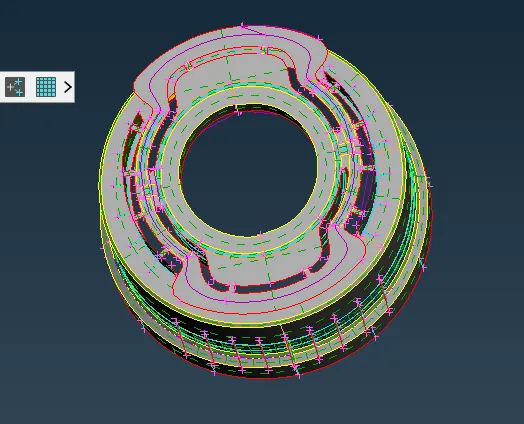
Fig- mid surafce for bottole cap
Mesh generation-
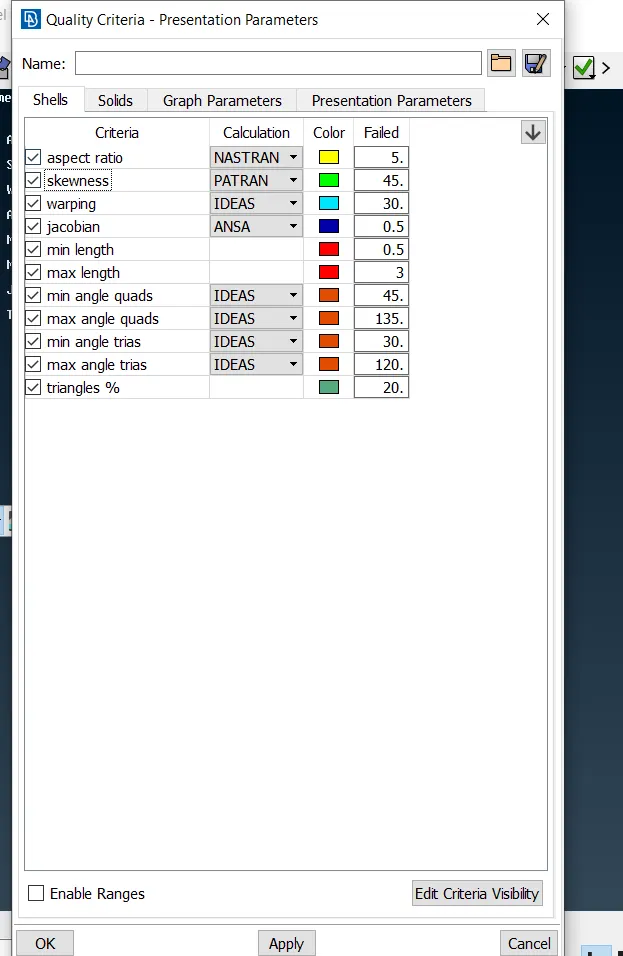
The quality are applied to the model using the utlities >quality certeria as shown below
2.Mesh parameterare applied as shown
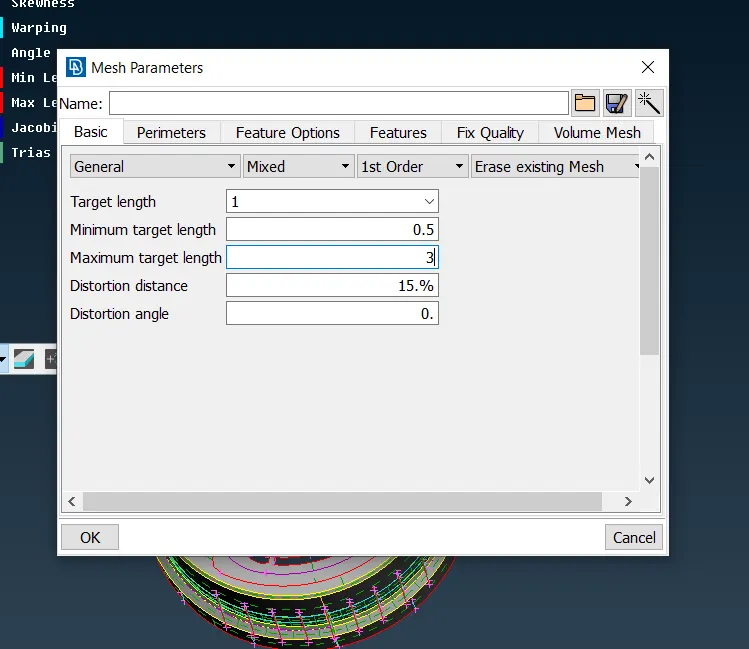
3.the perimeter elmental of length 1mm is applied to the model
4.the split surfaces are meshed one by one using the mesh module>mesh generation >best and sopt .
5.During the meshing the opposite trias ,back to back trias and trias present at the edges rotational quads can be removed using the shell mesh>reconsytruct otion.
6.Trias present at the deges fillet ares pattern ormation are avioded by suing the split option,swap option and paste option .
7.The smooyh option from shell mesh option is uded to attain the good mesh flow.
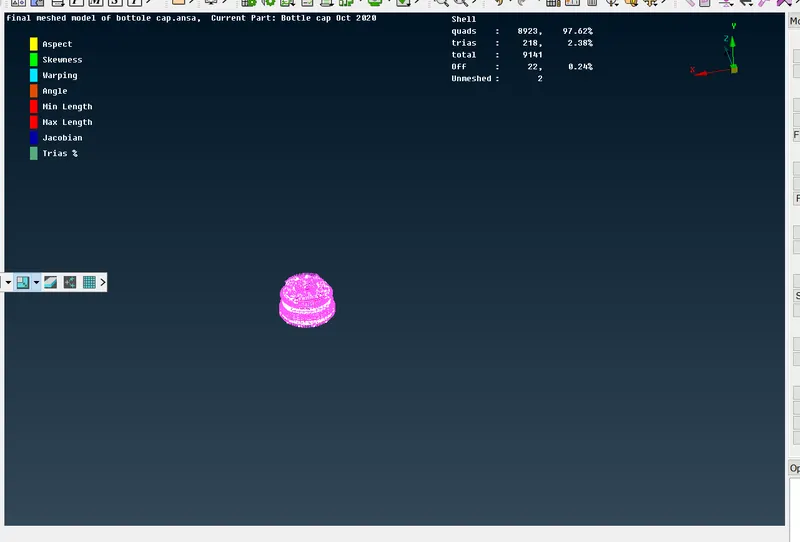
Finally we assign the thicness to the different surfacesby creating the property id .
Conclusion-
From this challenge learnt how to mesh the model, how take mid surface for varying the thickness using different option like middle,offset and middle from the curve.