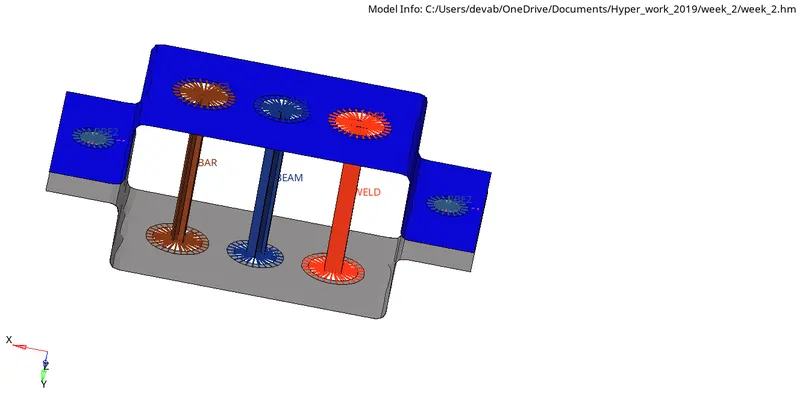
Week 4-1D Element Creation Challenge
Q) Mesh the Given component with the Size of 5 Units. Create 1D elements on the following component with given cross-section and DOF
In order to Mesh the given Model, we follow following steps :
- First, we create the mid surface for the given model by 'midsurface' command in geometry.
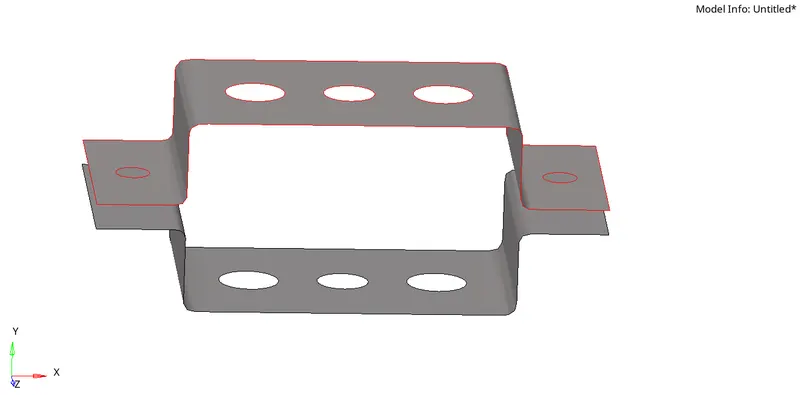
- Then we divide the whole model into 2 component, ONE and TWO respectively and also provide wasser
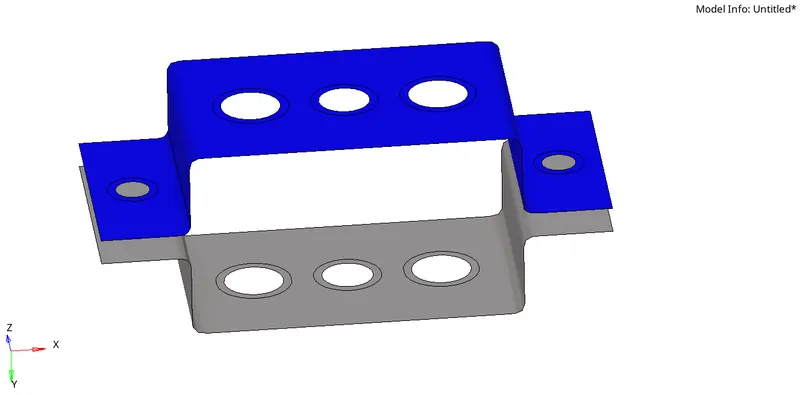
- Next, we provide Material detail and link property to the above component
- Then we MESH the given surface for a given size of 5
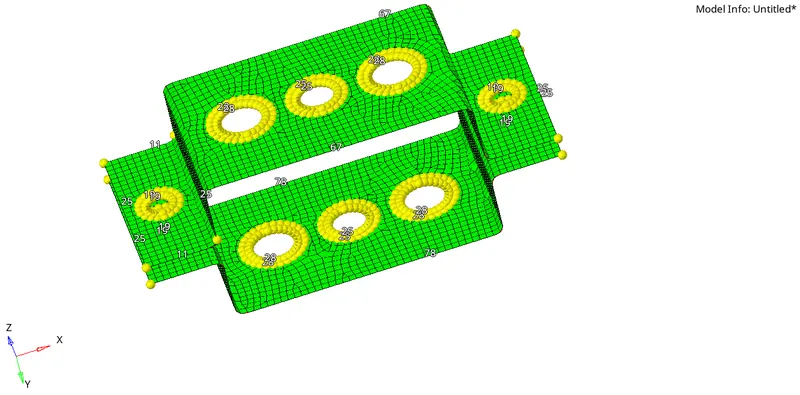
- Now we provide design to the following 1-d elements
a. Rod element:- Translational DOF should be Constrained with RBE2 link
Cross-Section: BOX- Dimension a= 12 mm
dimension b=10 mm
Thickness t= 0.75 mm
- Here, we first provide the Rigid(RBE2) link from 1d option and constrain all translational DOF
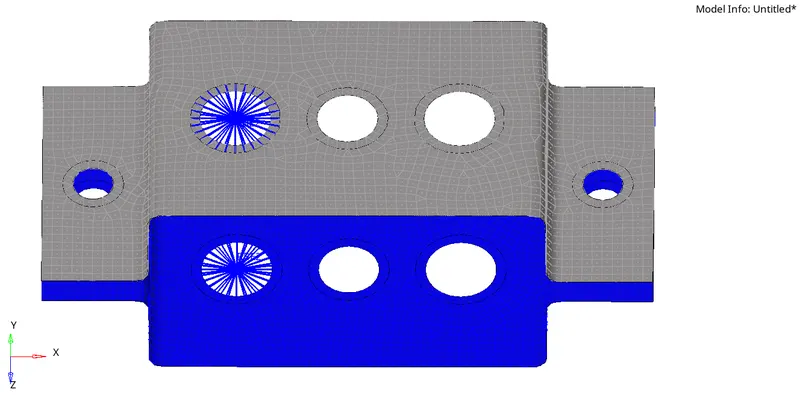
- Now we add ROD in the above rigid link
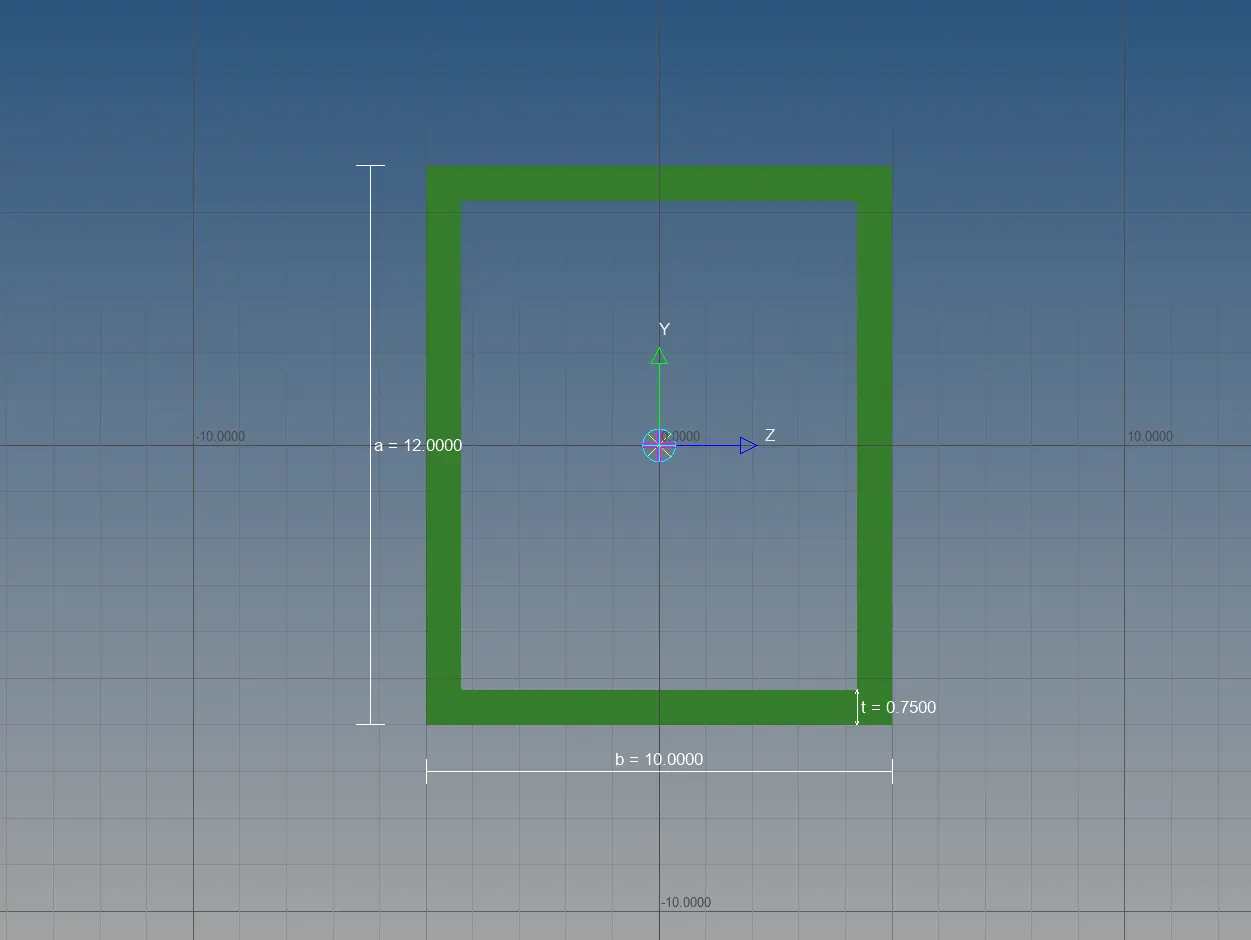
- Now we assign property to the ROD and provide the given cross section with the help of Hyperbeam
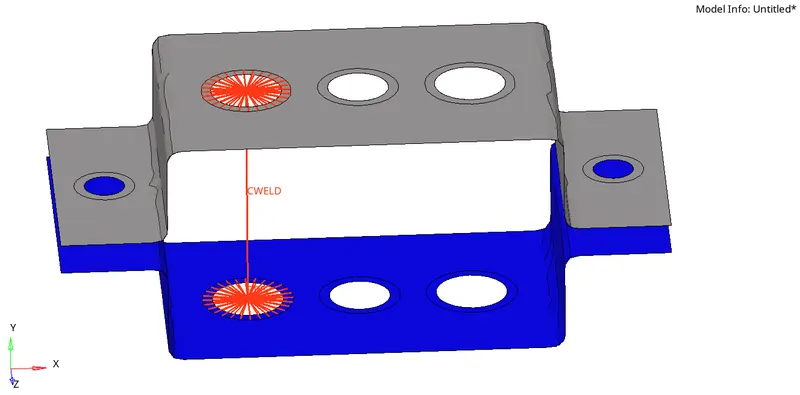
b. Beam element:- All DOF should be constrained with RBE3 link
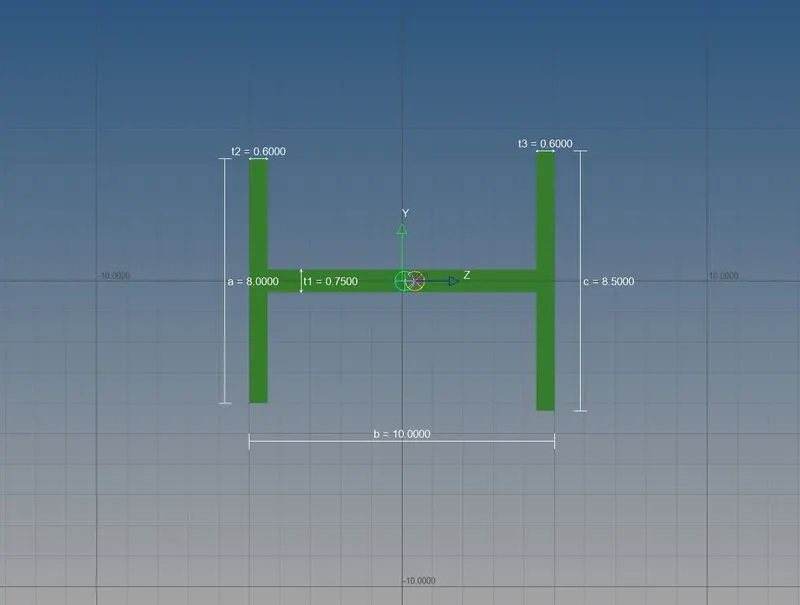
Cross-Section: I Section- Dimension a= 8 mm
Dimension b= 10 mm
Dimension c= 8.5 mm
Thickness t1= 0.75 mm
Thickness t2= .6 mm
Thickness t3= .6 mm
- Here, we first provide the RBE3 link from 1d option and constrain all DOFs
- Now we add BEAM in the above RBE3 link
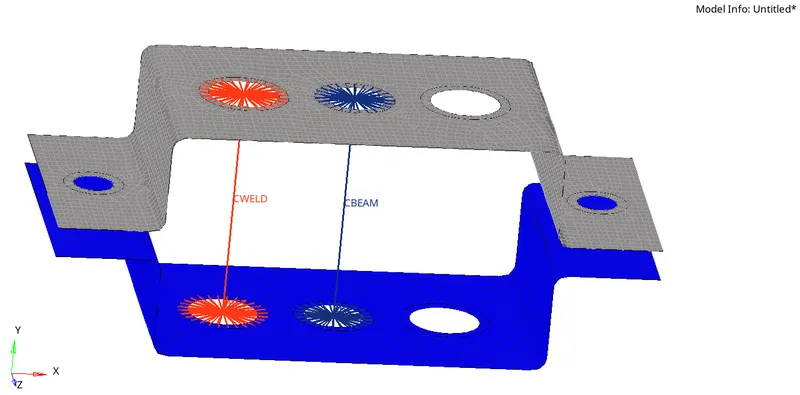
- Now we assign property to the ROD and provide the given cross section with the help of Hyperbeam
c. Bar element:- Constrain only x and y DOFs With RBE3 link
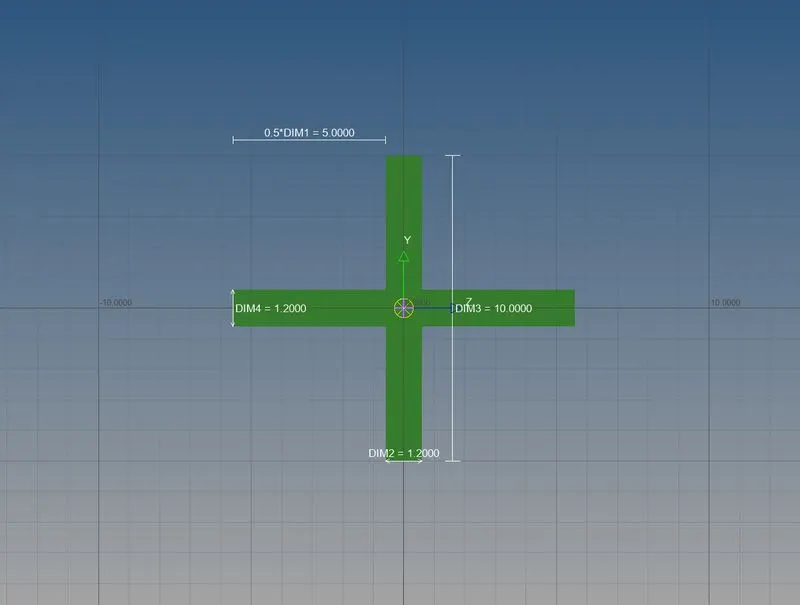
Cross-section: X section-
Dimension DIM1= 5 mm
Thickness DIM2= 1.2 mm
Dimension DIM3= 10 mm
Thickness DIM4= 1.2mm
- Here, we first provide the RBE3 link from 1d option and constrain only X and Y DOFs
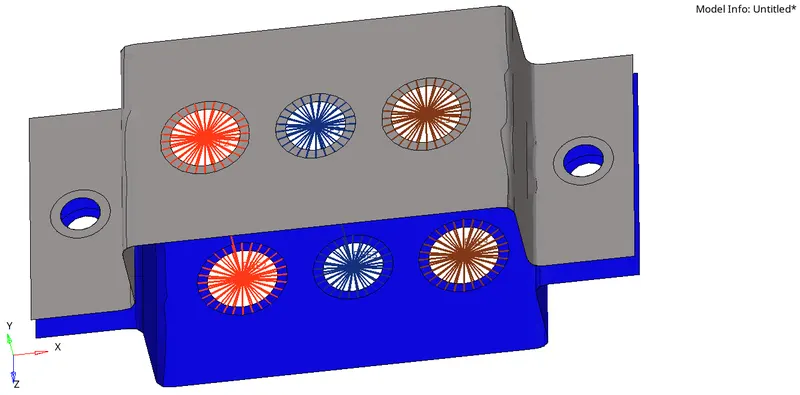
- Now we add BAR in the above RBE3 link
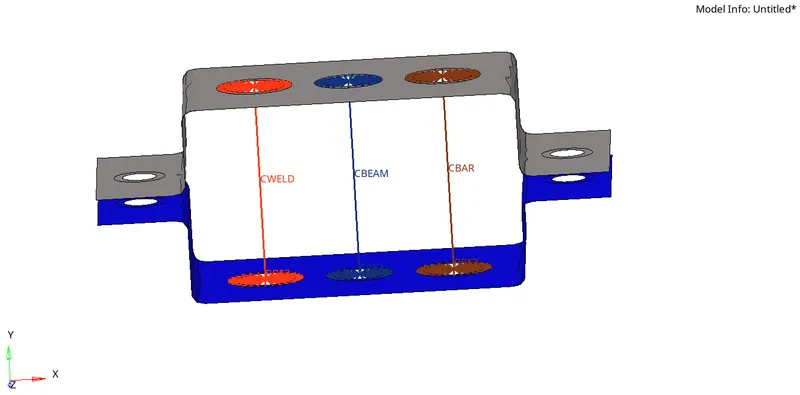
- Now we assign property to the BAR and provide the given cross section with the help of Hyperbeam
d. & e. Apply the mass of magnitude 10 with the RBE2 link
- Here, we first provide the RBE2 link from 1d option
- Now we add 10 unit Mass in the above RBE2 link
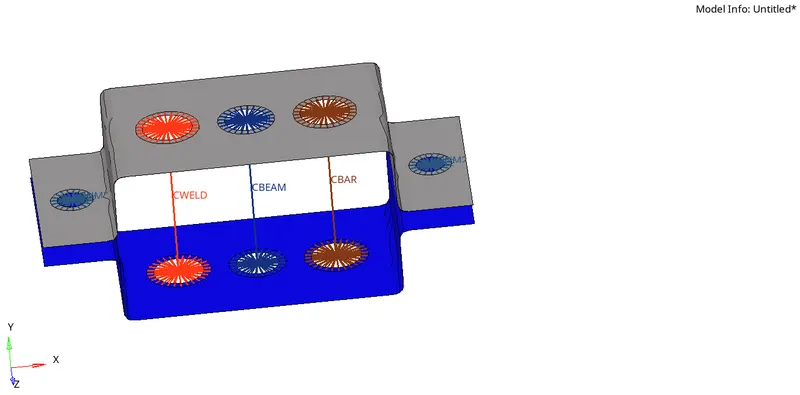
f. Join the two components with Spring elements
- Here, we add the springs from 1d option then add spring
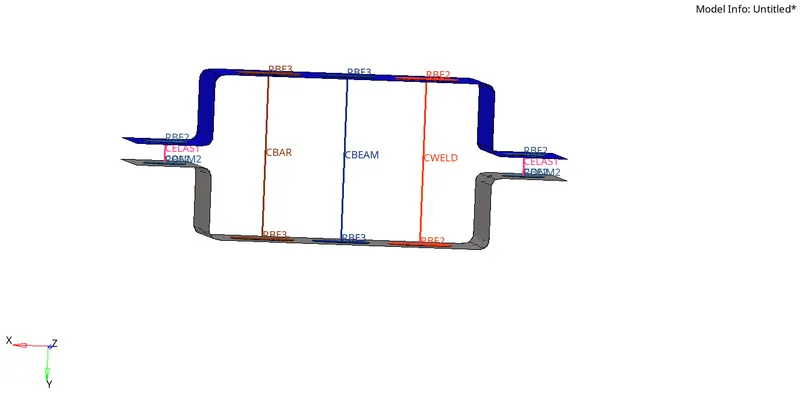
Result : Mesh of PARALLEL_BRACKET 1-d element with the Size of 5 Units with given cross-section and DOF