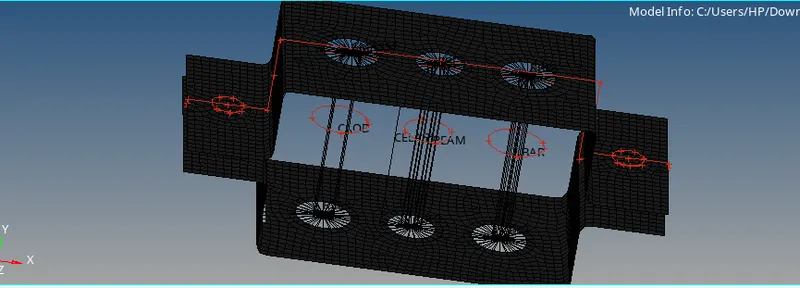
Week 4-1D Element Creation Challenge
CREATE THE 1D ELEMENTS ON THE FOLLOWING COMPONENTS WITH THE GIVEN CROSS SECTION AND DOF.
OBJECT :
*To create mesh element for the given cross section and dof.
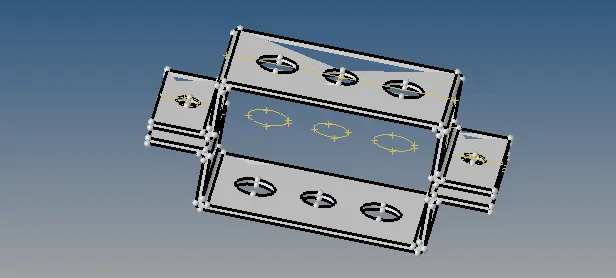
PROCEDURE:
# CREATE MIDSURFACE FOR THE GIVEN MODEL.
#ASSIGN THE MATERIAL.
#MESH THE ENTIRE SURFACE WITH WASHER SPLIT.
#CREATE THE RIGID BODY(RBE2 AND RBE3).
#CREATE THE ROD,BEAM ,BAR AND CROSS SECTION.
#CROSS SECTION IN THE PROPERTIES.
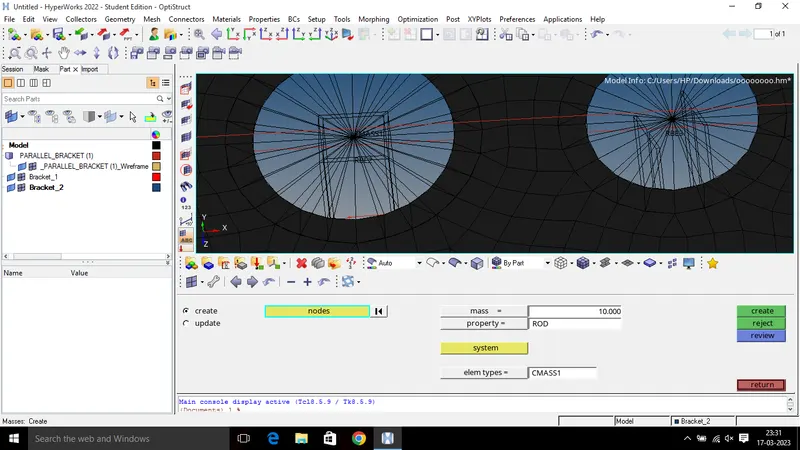
#ADD THE MASS IN THE RBE2 LINK WITH MAGNITUDE 10MM.
#CREATE THE SPRING IN BETWEEN TWO COMPONENTS.
#RESULT
CREATE THE MIDSURFACE FOR THE GIVEN MODEL:
*Go to the geometric >midsurface
*select the surface area at necessary component then extract from the body with separate midsurafces.
ASSIGN THE MATERIAL:
*Delete the entire solid body without the midsurface.
* Then assign the material steel in two components.
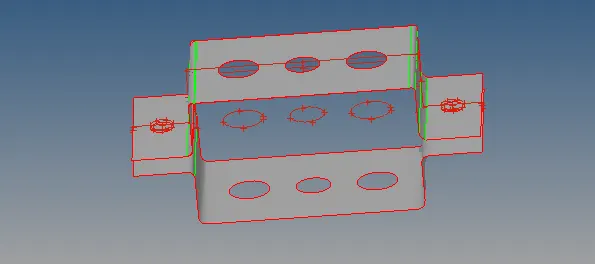
MESH THE ENTIRE SURFACE WITH WASHER SPILIT:
*create the washer spilit for proper meshing process.
* here 2d automesh is done.
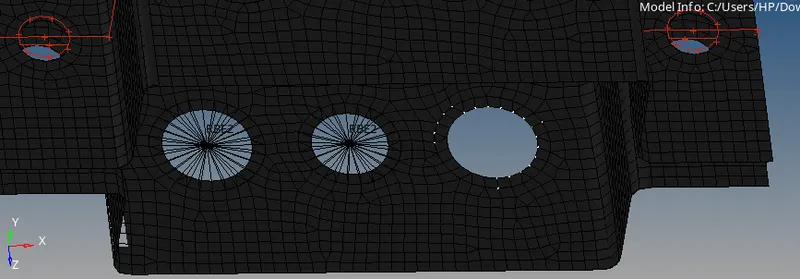
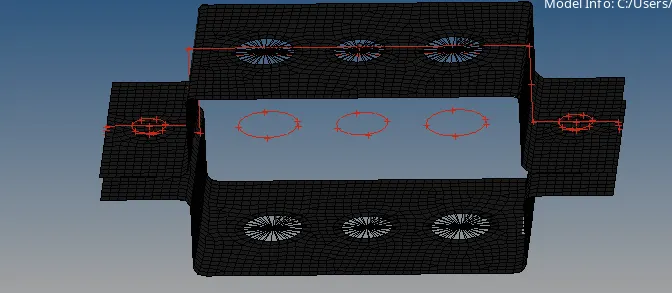
CREATE THE RIGID BODY (RBE2 AND RBE3):
*RBE2 link is a 1d element have a finite stiffness.
*Then we selected the nodes around the object and create the RBE2 link.
* RBE3 link depend on the multiple nodes and dissipated load .
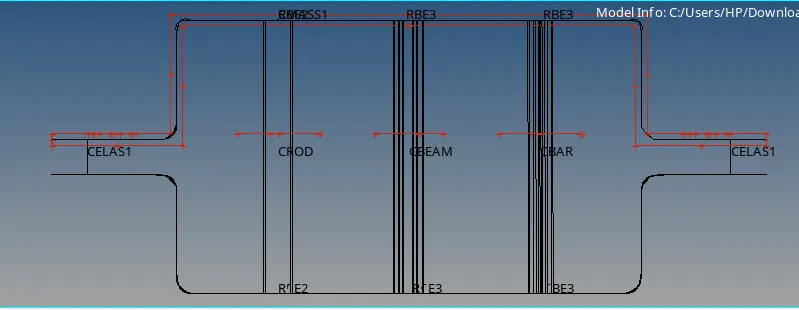
* The given model have a one RBE2 link and two RBE3 link for respectively rod ,beam , bar.
CREATE THE ROD, BEAM ,BAR AND CROSS SECTION:
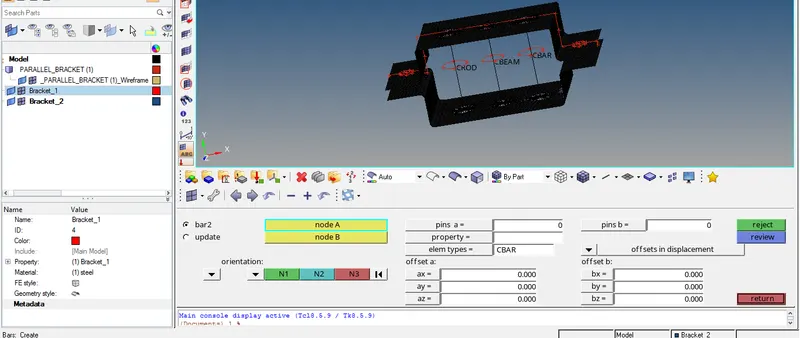
* select the 1d >rod .
*create the rod element in the RBE2 link.
*select the 1d >bar > element type.cbar
* create the bar element in the RBE3 link.
*select the 1d>bar>element type.cbeam.
*create the beam element in the another RBE3 link.
CROSS SECTION IN THE PROPERTIES:
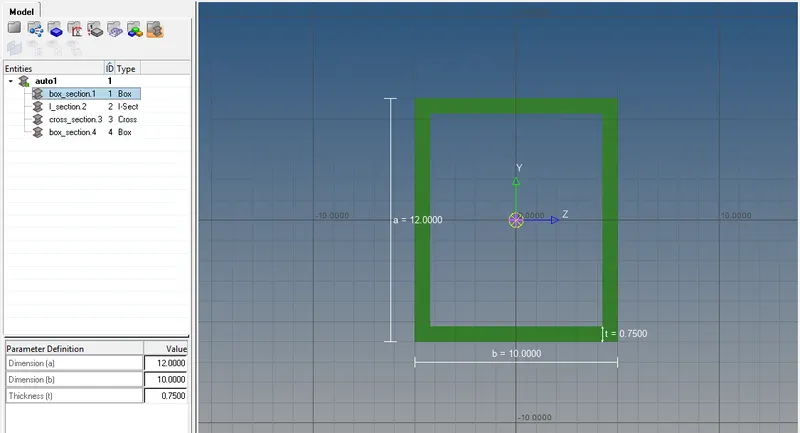
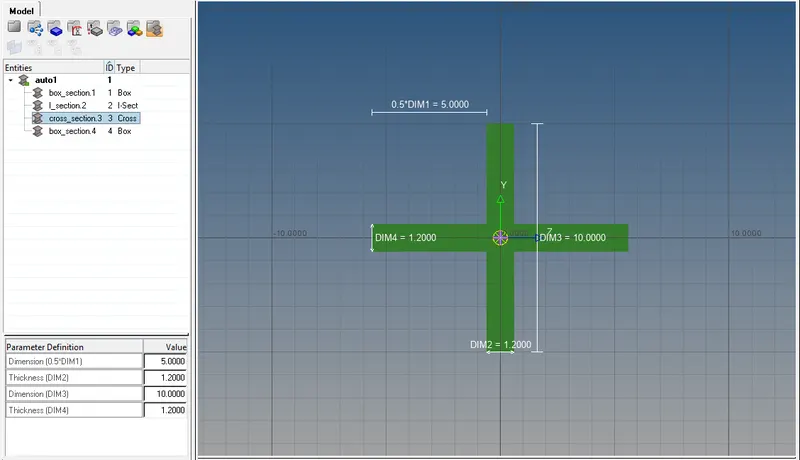
*create the hyperbeam in the 1d then get a different type of cross section like box.I section ,cross section.
*create the thin walled box section for the rod element as per given dimensions.
a= 12 mm
b=10mm
t=0.75mm
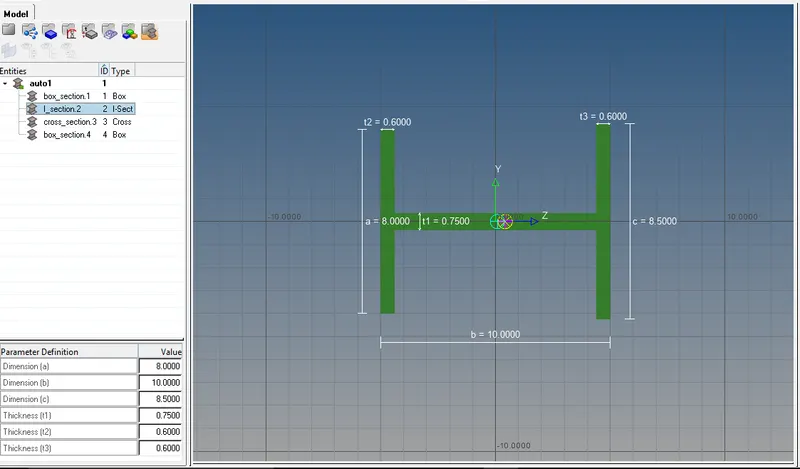
*create the I section for the beam element as per given dimensions.
a=8mm
b=10mm
t1=0.75mm
t2=0.6mm
t3=0.6mm
*create the cross section for the bar element as per given dimensions.
dim1=5mm
t1=1.2mm
dim3=10mm
t2=1.2mm
ADD THE MASS IN THE RBE2 LINK WITH MAGNITUDE 10MM:
*select 1d > masses >select the RBE2 link node >Element type cmass1.
*Then create a mass on the node with magnitude 10.
CREATE THE SPRING IN BETWEEN TWO COMPONENTS
Select the 1d >springs>select the 2 nodes on two different components >select the vectors .
RESULT:
FINALLY WE GOT THE OUTPUT FOR THE GIVEN COMPONENTS WITH THE GIVEN CROSS SECTION OF DEGREE OF FREEDOM IS DONE.