Week 4-1D Element Creation Challenge
AIM-:
Mesh the Given component with the Size of 5 Units. Create 1D elements on the following component with given cross-section and DOF
a. Rod element:- Translational DOF should be Constrained with RBE2 link
Cross-Section: BOX- Dimension a= 12 mm
dimension b=10 mm
Thickness t= 0.75 mm
b. Beam element:- All DOF should be constrained with RBE3 link
Cross-Section: I Section- Dimension a= 8 mm
Dimension b= 10 mm
Dimension c= 8.5 mm
Thickness t1= 0.75 mm
Thickness t2= .6 mm
Thickness t3= .6 mm
c. Bar element:- Constrain only x and y DOFs With RBE3 link
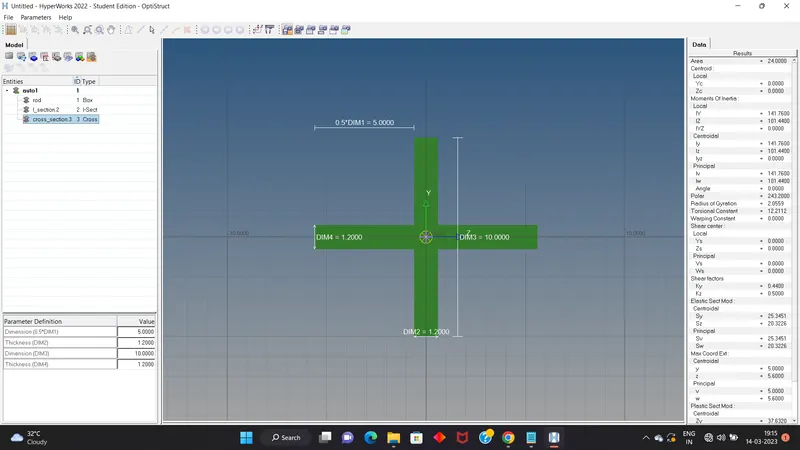
Cross-section: X section- Dimension DIM1= 5 mm
Thickness DIM2= 1.2 mm
Dimension DIM3= 10 mm
Thickness DIM4= 1.2mm
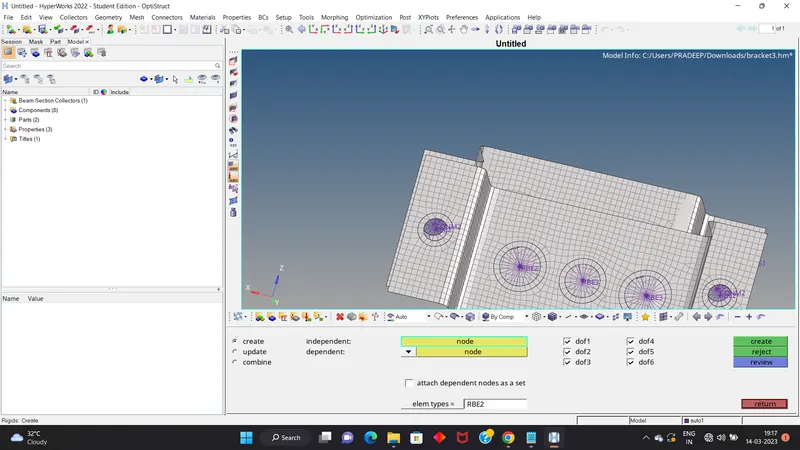
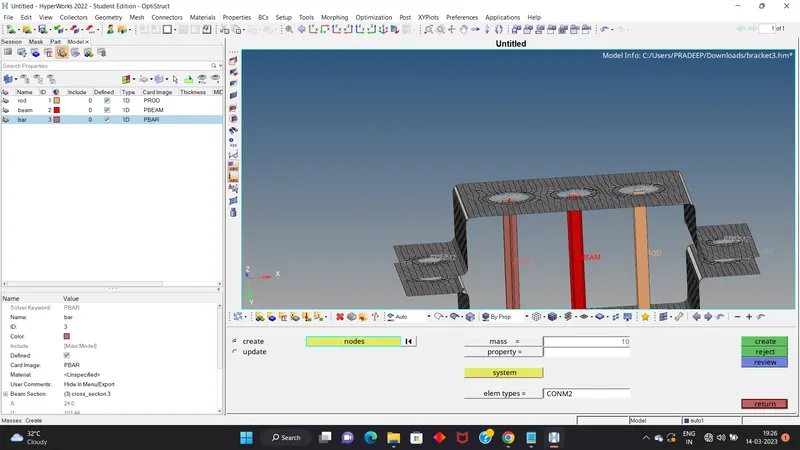
d. & e. Apply the mass of magnitude 10 with the RBE2 link
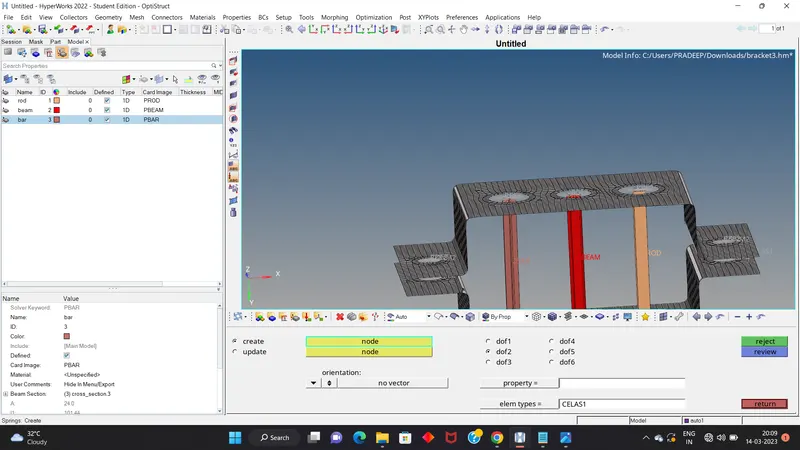
f. Join the two components with Spring elements
THESE ARE THE STEP WE FOLLOWED IN THIS CHALLENGE-:
1.First we import the model which is given in challenge check the format of the file if it is in .igs or .step so we go to import geometry
and select thr file name and import the file.
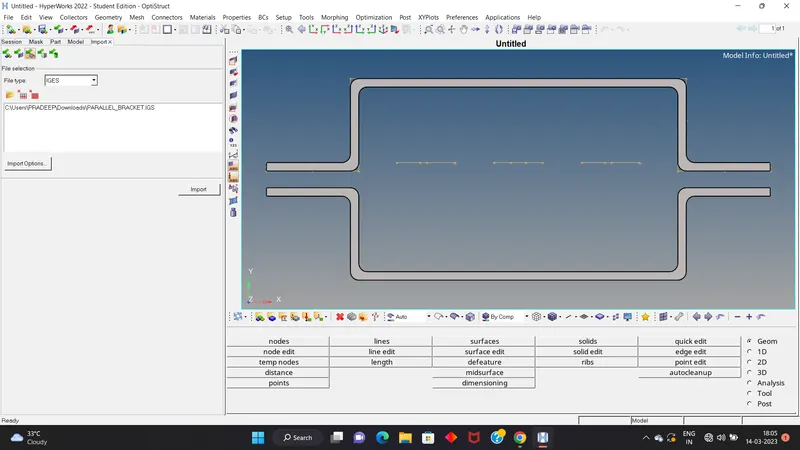
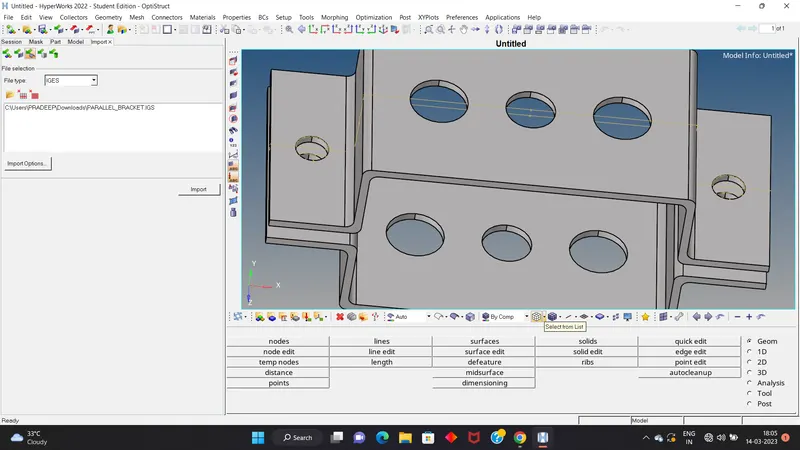
2.Then we change the mode of our model because whenever we import if it is solid or surface it will only a wireframe mode so we first move to convert as shaded mode view the entire component.
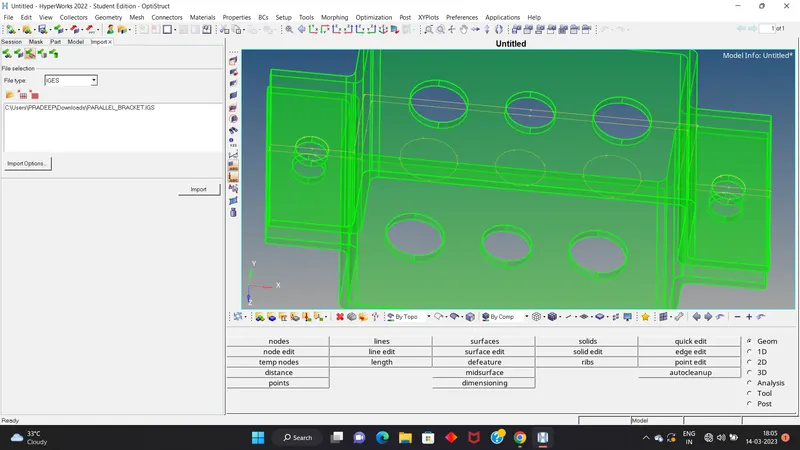
3.Then we go for creating the mid surface- path-geometry> midsurface> select the surface> create.
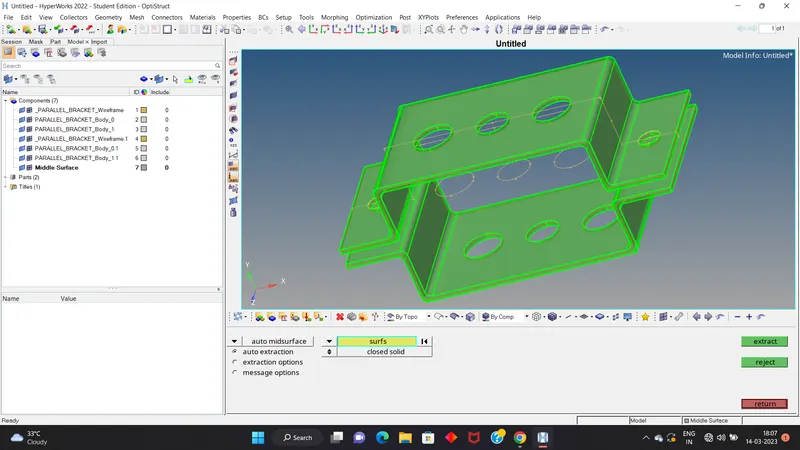
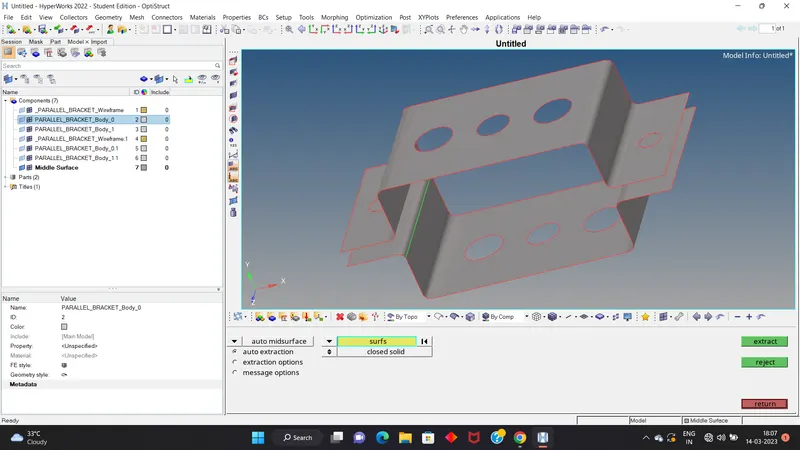
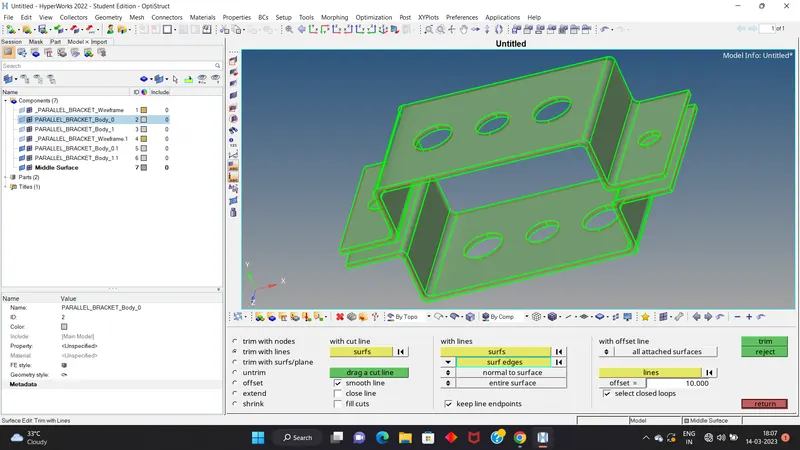
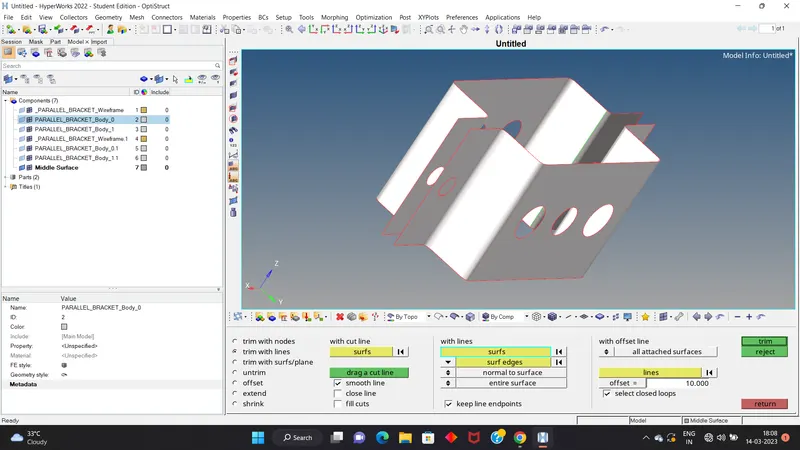
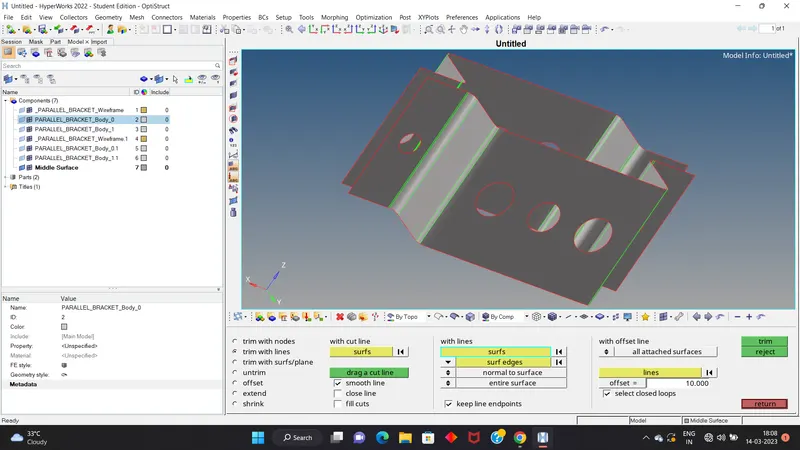
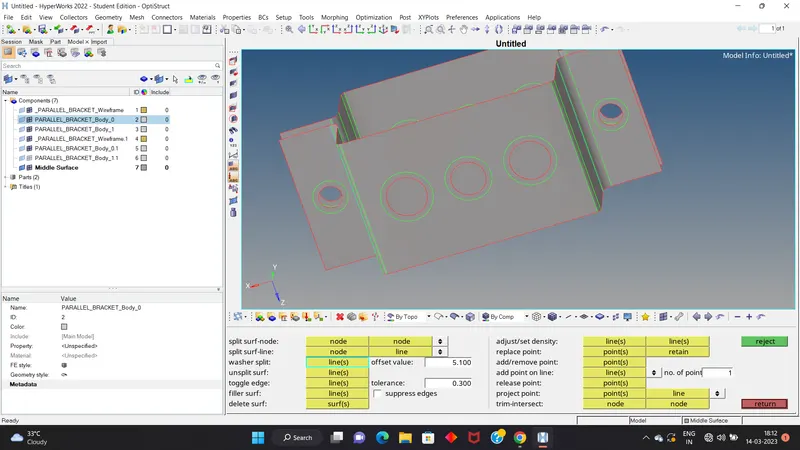
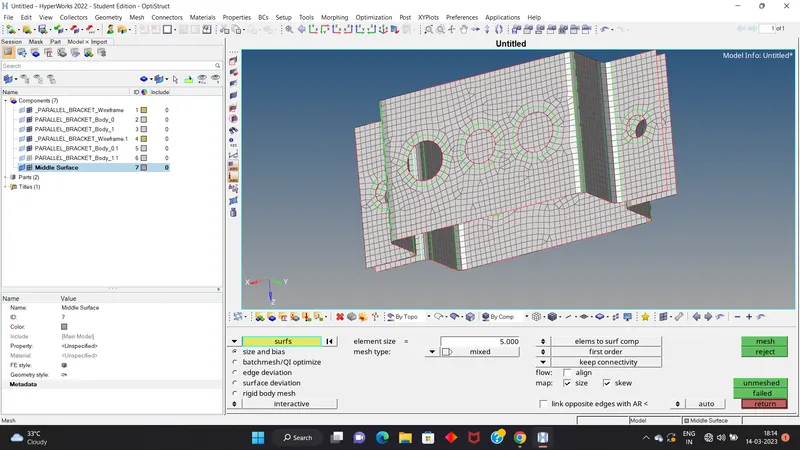
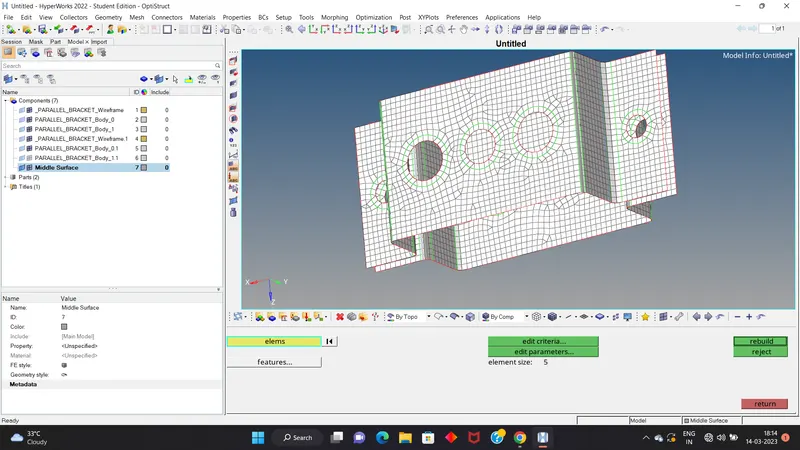
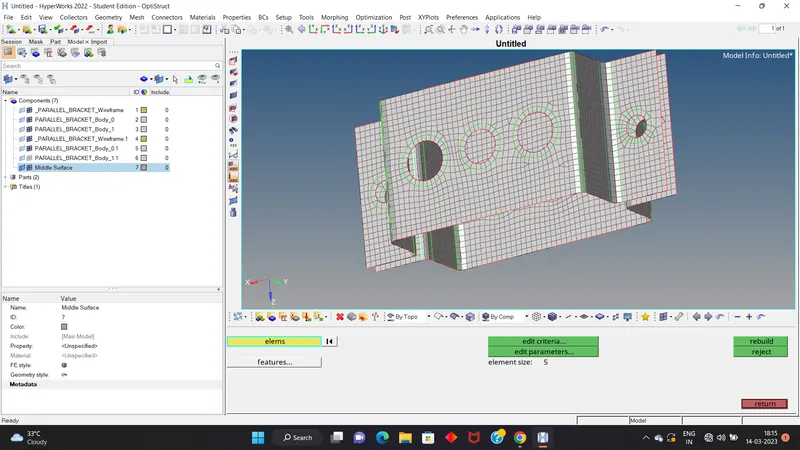
4.After creating a midsurface we create the washer for the all holes by using washer split option- path- geometry>quick edit or we go quick edit by using F11>here we give the offset value for washer and then select the line. And create the mesh of the mid surface-path-2D> automesh>select surface>selecl element size and element type>mesh.aND Then rebuild the mesh for better mesh flow.path-2D>rebuild>select element>rebuild.
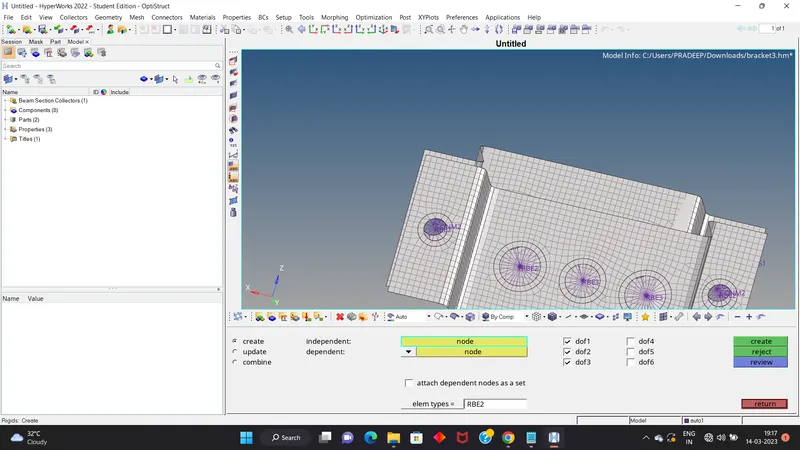
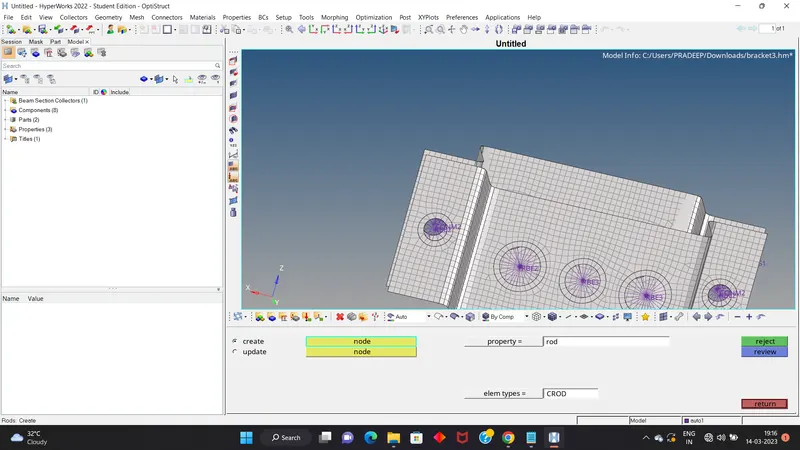
5.Then we go for A holes (both) and create to rigid or rbe2 link and after we create a 1Drod between the two link ,select property by rod and element type is crod and select the degree of freedom (DOF) which are given in question in this we only select the Translational DOF,create a new property rename as rod in component. -path-1D >rod>select those things wich are mention> create.
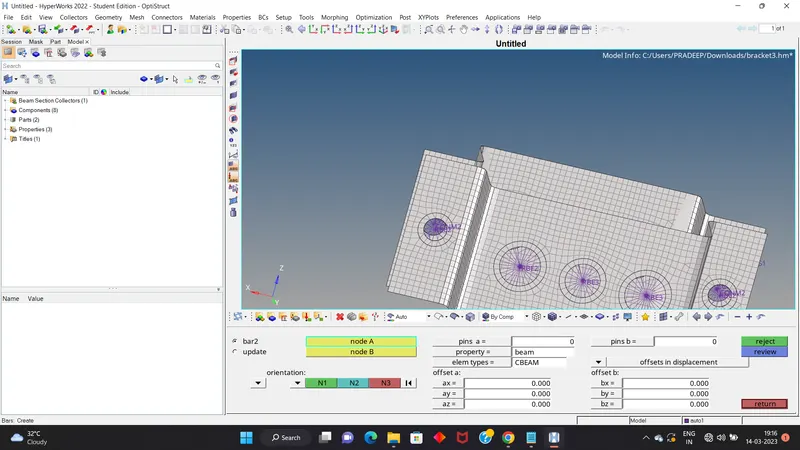
6.In this step we create the RBE3 link for B both holes and create a beam,select the property as beam and cbeam select the All DOF should be constrained with RBE3 link,create a new property rename as beam.path - path- 1D>bar>select the things>select N1,N2 AND N3>create.
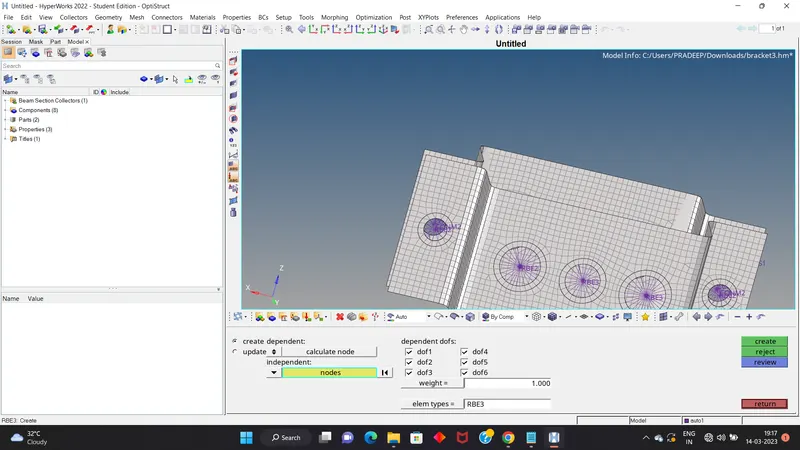
7.In this step we create the RBE3 link for C both holes and create a bar, Constrain only x and y DOFs, select property as bar and element type as cbar and create then we create a new property rename as bar in component. path-1D>BAR>SELECT THE THINGS>select N1,N2 AND N3>CREATE.
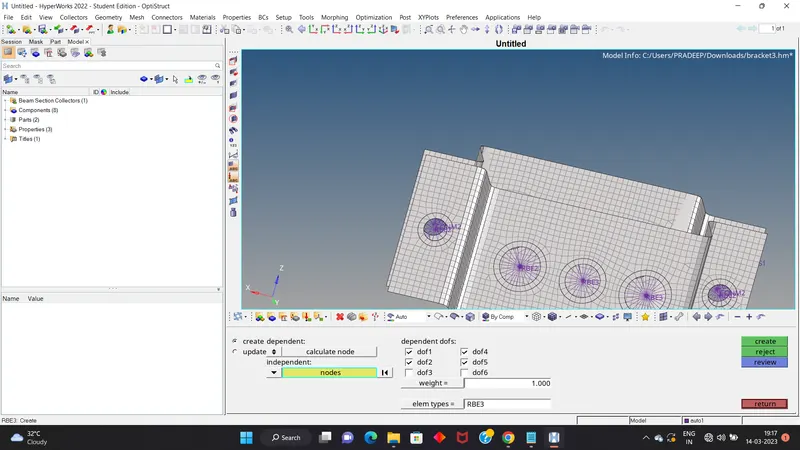
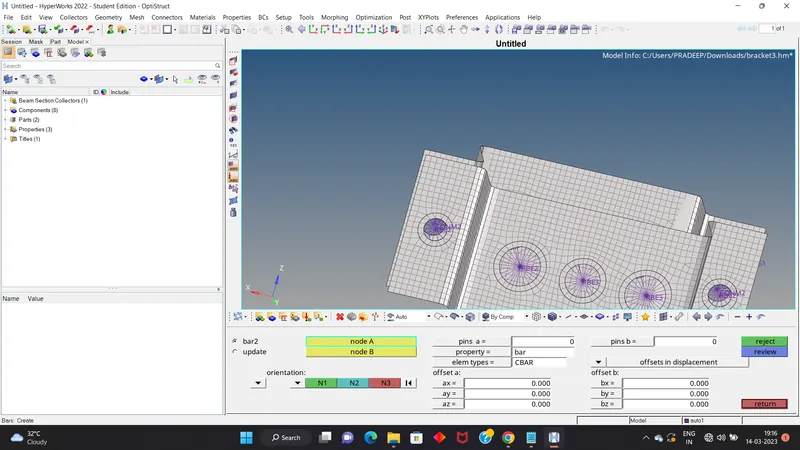
8.Then we go the hypermesh view and create go the optistruct or hypermesh cross section for the 1D element for this challenge - Rod element:-
Cross-Section: BOX- Dimension a= 12 mm, dimension b=10 mm,Thickness t= 0.75 mm . Beam element:- Cross-Section: I Section- Dimension a= 8 mm
Dimension b= 10, Dimension c= 8.5 mm, Thickness t1= 0.75 mm,Thickness t2= .6 mm, Thickness t3= .6 mm, Bar element:-Cross-section: X section- Dimension DIM1= 5 mm,
Thickness DIM2= 1.2 mm, Dimension DIM3= 10 mm, Thickness DIM4= 1.2mm. Then we put the card image and the beam section in their property.
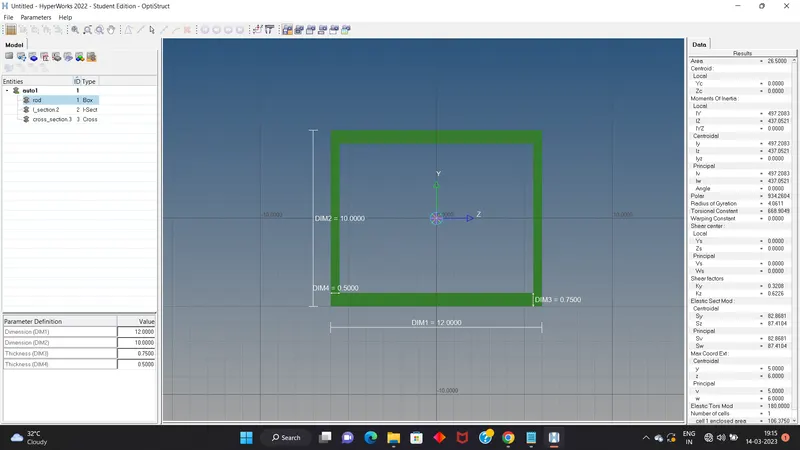
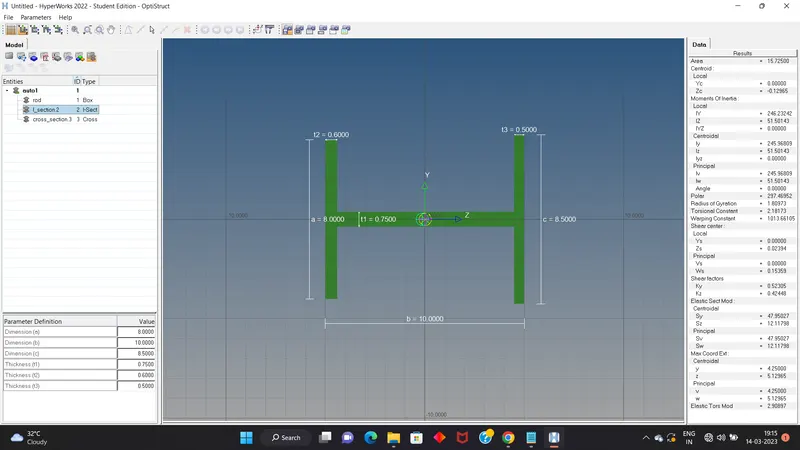
9.Then we create the the rbe2 or rigid link for the D and E hole and provide the mass for this is given in challenge as 10 - 1D>masses>create.
10. Last we create the spring element.path -1D>select on node >select second node>select only the dof2 for linear motion in y dierction create.
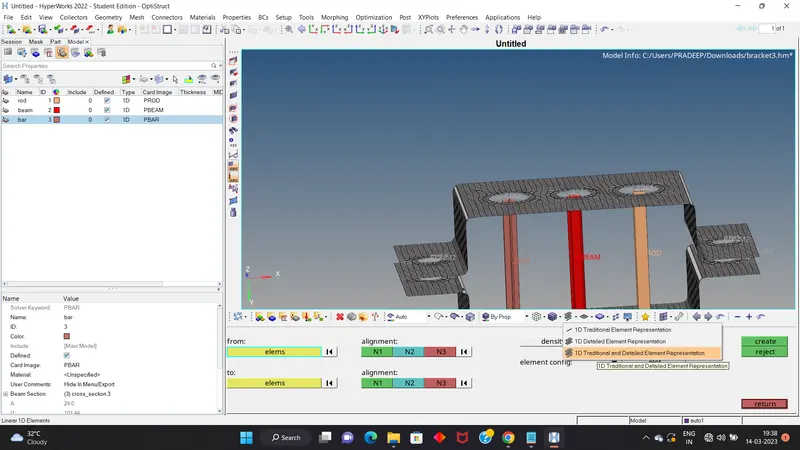
11.For seeing our creating element we go 1D TRADITINAOL DETAILED ELEMENT REPESENTATION.
LEARNING OBJECT-:
In this challenge we learn how to create a mid surface.
How to create rbe2 or rigid and rbe3 element.
How to create the mesh.
How to rebuild the mesh for better mesh flow.
How to create a property for the component.
How tho define the degree of freedom and the types of degree of freedom
How to convert the model in wireframe mode to shaded mode.
How to give the mass for rigid element.
How to create the cross section for 1d element in hypermesh view.
How to create the washer split for hole.