Project 1-Meshing of Rear Wheel Holder challenge
Answer:-
Back Wheel Panel Body
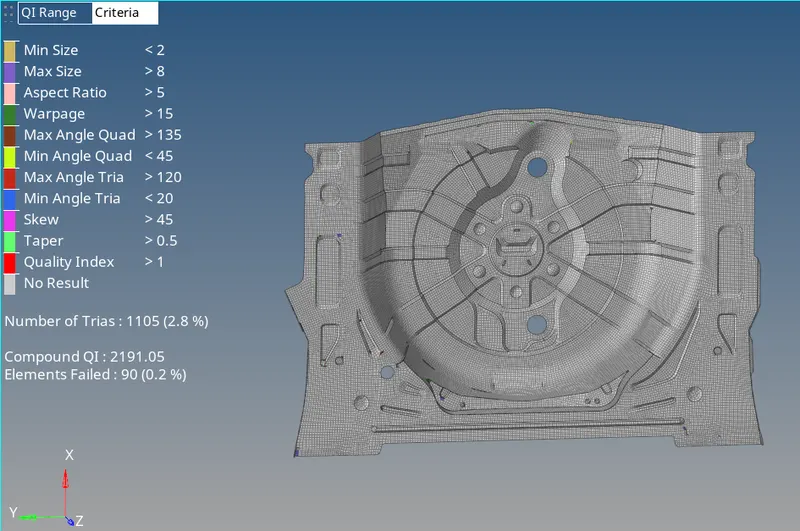
Procedure:
1.Import the IGES file into Hypermesh.
2. Set the Auto to By Topo and By Part to By Element Quality.
3.Set the Criteria File settings as given in question.
4.Now Extract the Midsurface .
5.Make the Midsurface to current component.
6..Geometry cleanup is done to the Midsurface.
7.Start the mesh from Centre portion or area towards outer area of the component.
8.Commands used:
i. Geometry:-Midsurface:-Offset+Planes+Sweeps:-Extract.
ii. For Geometry cleanup
Quick edit (F11)
Split-surf-node,split-surf-line.
Delete Surf, Filler Surf
Replace Point, Add/remove Point, Add point on line.
toggle edge.
iii.Quality index.(shift+Q)
Swap edge
Split/collapse edge
Combine tria element
Element optmise
Smooth
iv.Translate (shift+F4)
v. split,combine,create(F6)
vi.Check the distance between nodes and points(F4)
vii. Delete entity(F2)
viii.Remesh(shift+R)
ix. automesh(F12)
x.Euivalence(shift+F3)
8.Manage Trias and Failed elements.
9.After meshing assign thickness by creating a property.
10.Measured the thickness as 0.75 from Parent geometry and assigned to midsurface.
11.After accomplishment of Task or Project1 Save the model.