Week 4-1D Element Creation Challenge
Objective:-
- To create mid-surface for the given modal
- to do a 2d mesh on it with an element size of 5 units
- To create 1d elements on it
- Such as Bar, Rod, Beam with the given cross-section
- to apply a mass of 10 units after creating an RBE2 link
- To join the two components using a spring 1d element
Introduction:-
- In this modal, we will create a mid surfacing then mesh it using the 2d auto meshing with a given element size
- Add 1d elements to it
- This is a symmetric modal that we were given.
Theory:-
- In this modal we first create the Mid surfacing by the following procedure:-
- In Geometry → mid surfacing → Auto mid surf
- Mid surfacing helps to convert the 3d modal to a 2d modal with less no. of nodes and less complex calculation
- we can mostly use the mid surf only for the symmetric modal.
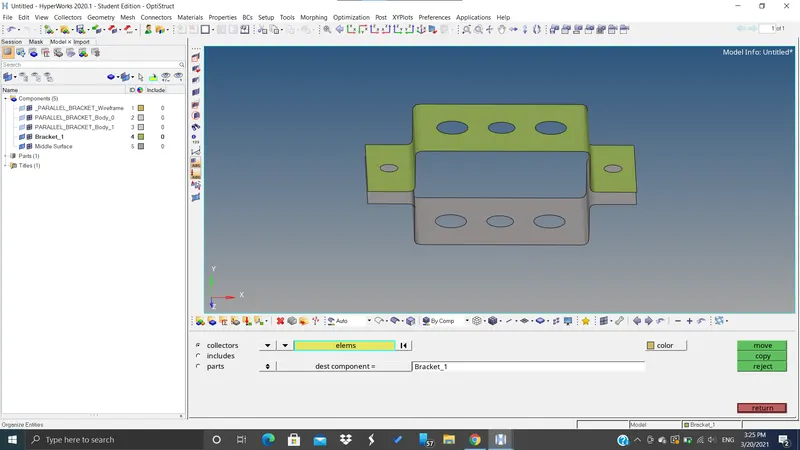
- we created new Components for mid surfacings such as Bracket_1 and Bracket_2
- and then we deleted the left component after moving those new mid surf component to a newly created component
- to move the component from one to another we used the Organise tool from "tools"
- Then we created material for the component as "steel"
- and defined:-
- card image as MAT1
- E- youngs modulus of elasticity
- NU- Poisons ratio
- RHO- Density
- Then we created properties for each of the components as "Braclet_1 and Bracket_2":-
- with:-
- Thickness(T):- 2.0
- Card image:- PSHELL
- Material steel
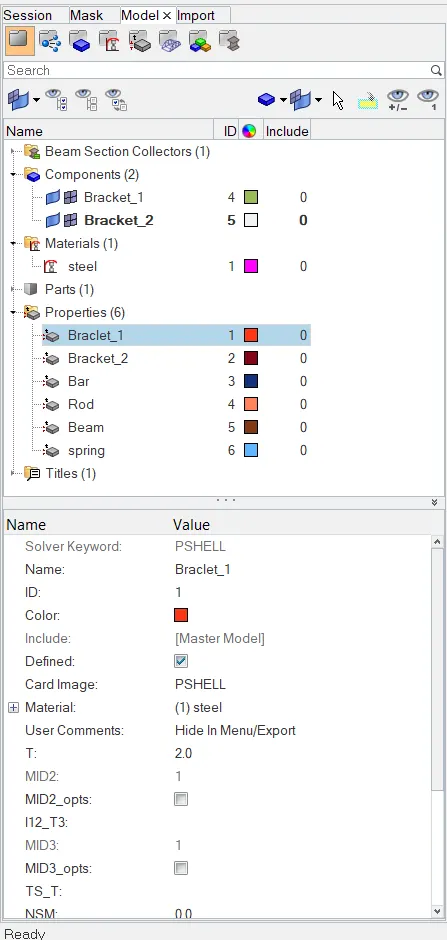
- Then we assigned these properties to the two components
- web added washers split of 5mm offset from Quick edit
- Then we did a 2d auto mesh with an element size of 8.
- Now we created RBE2 and RBE3 links
- after that, we created 1D elements on it such as
- Bar, Rod, Beam
- after that, we created 1D elements on it such as
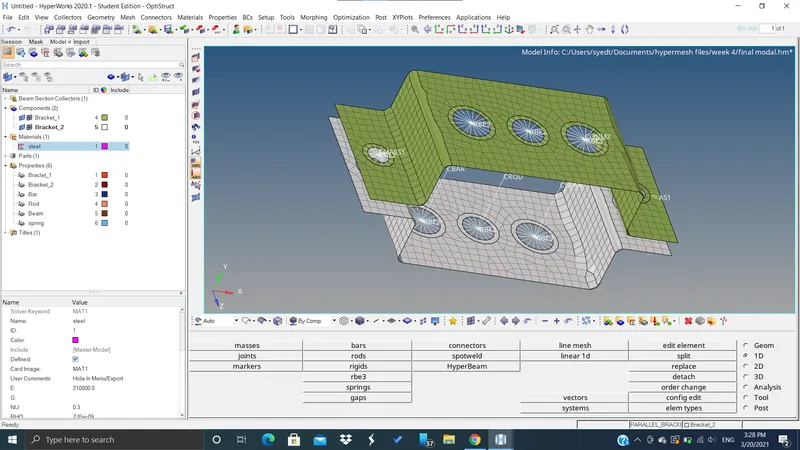
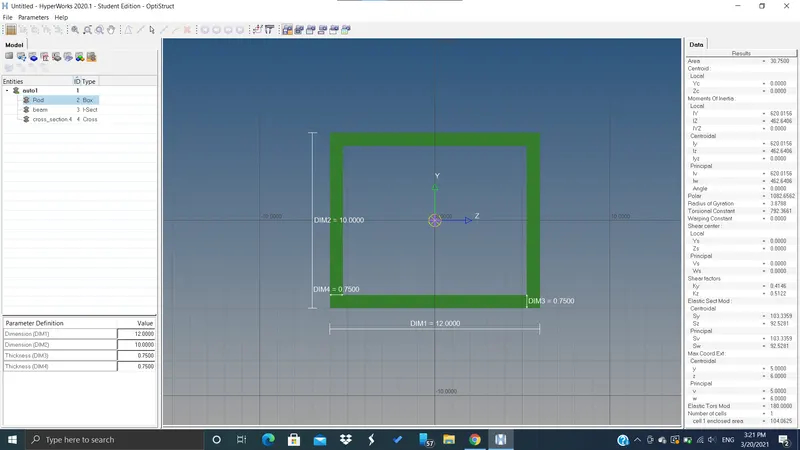
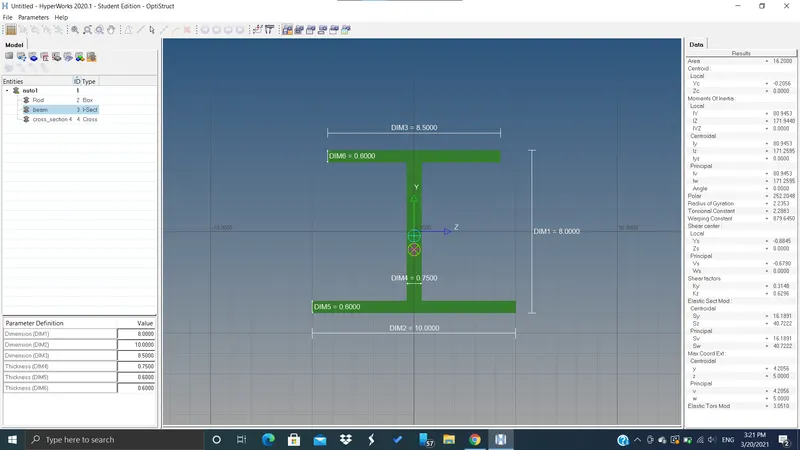
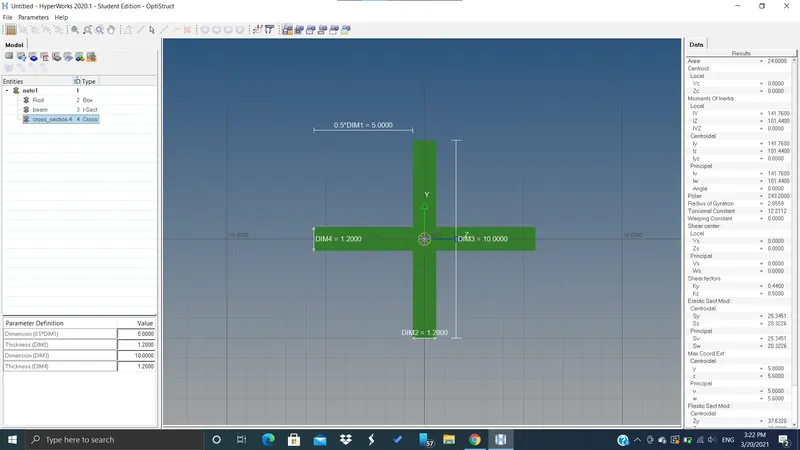
- After this, we went to "Hyperbeam" to assign cross-section to these 1d elements(bar, rod, beam)
- there we selected an "optistruct" solver to assign the required cross-section such as
- Box for Rod
- I for beam
- Cross for bar
- with the given dimensions
For ROD
FOR BEAM
FOR BAR
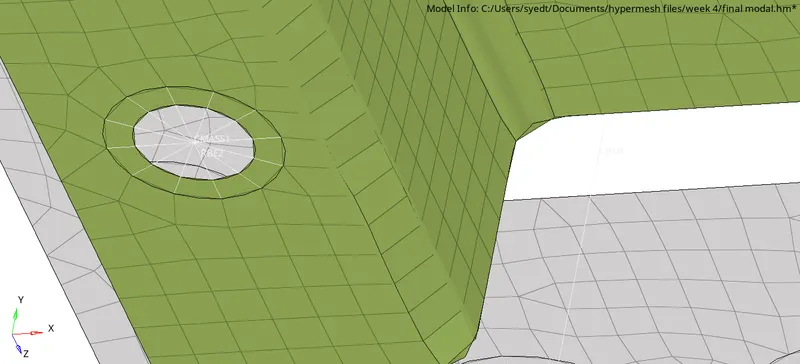
- Then we created a mass of 10 units on an RBE2 link
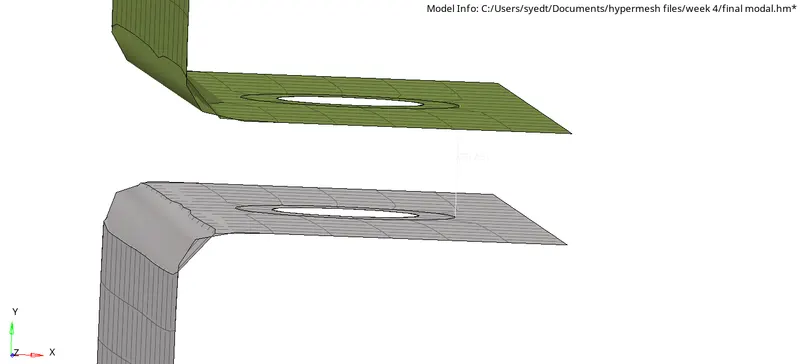
- Then we Created a spring between the given two components
- Now we created properties for all the 1d elements because they all have different properties
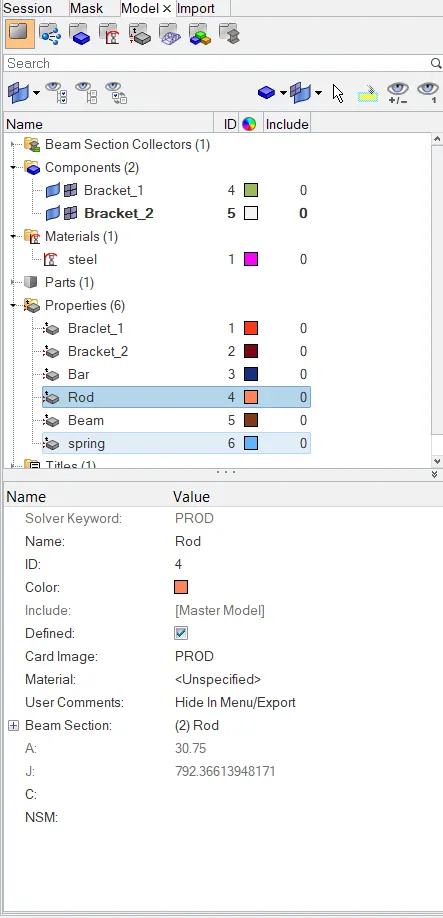
- first, we created a property for the Rod
- as by choosing the card image as PROD
- and beam section as the created beam section through the Hyperbeam in Optistruct solver
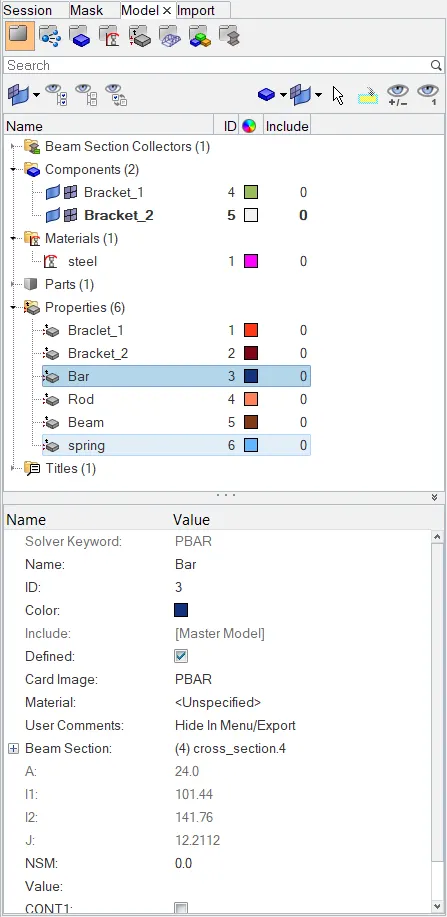
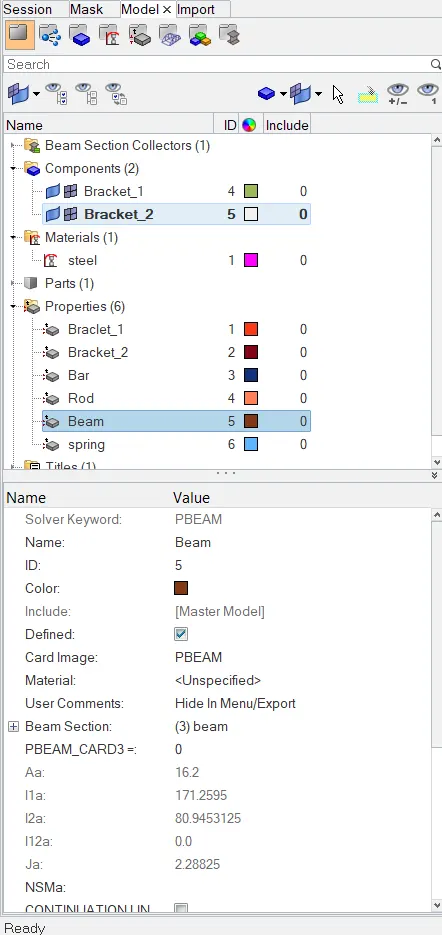
- similarly for the bar and the Beam
- then we updated the properties of Bar, Rod, and Beam from 1d
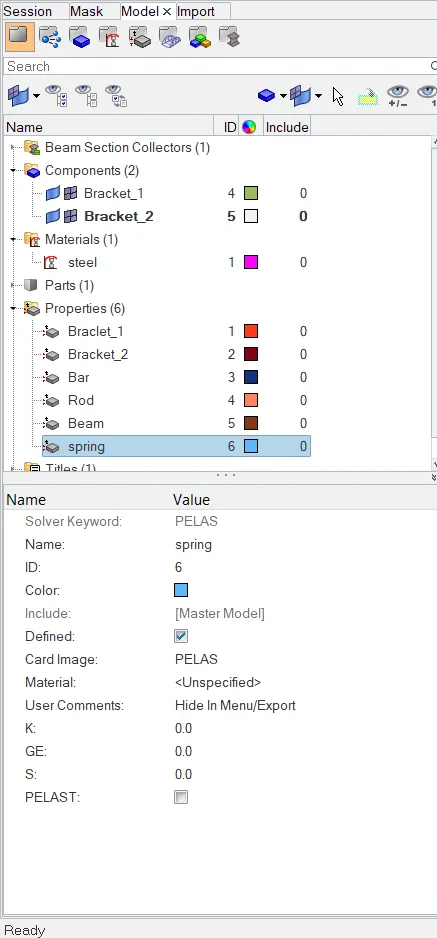
- then we created the property for the spring element where we used the card image as PELAS
property of bar
property of rod:-
beam property:-
Spring property:-
Conclusion:-
- we learnt how to create mid surf
- we learnt how to move components
- we learnt how to create properties, materials and components and use different solvers and card image
- we learnt to assign properties to the components or elements
- we learnt how to create 1d elements such as rod bar beam spring and mass
- we learnt the difference between RBE2 and RBE3 links and elements
- we learnt how to create the cross-section of the 1d elements(rod, bar, beam) and how to assign them in there properties.