Week 4-1D Element Creation Challenge
Aim: Mesh the Given component with the Size of 5 Units. Create 1D elements on the following component with given cross-section and DOF
a. Rod element, b. Beam element, c. Bar element,
d. & e. Apply the mass of magnitude 10 with the RBE2 link
f. Join the two components with Spring elements
Sol:
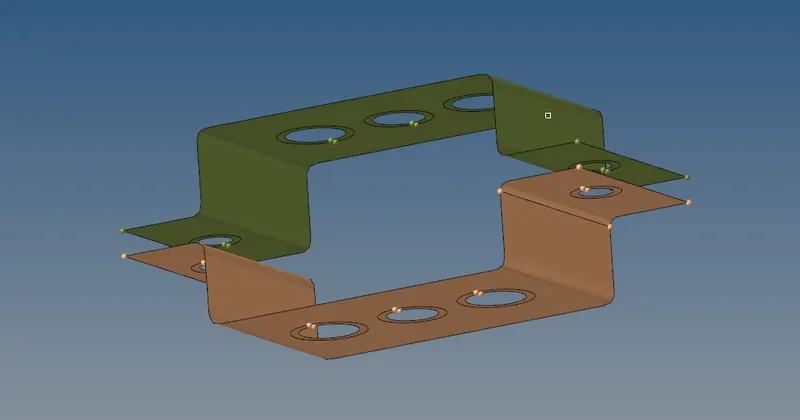
Mid surface:
Auto mid surface has been used to extract the midsurface for this simple bracket.
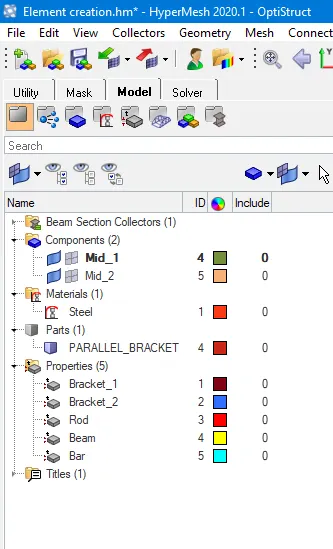
Create and Assign Material:
Washer Split:
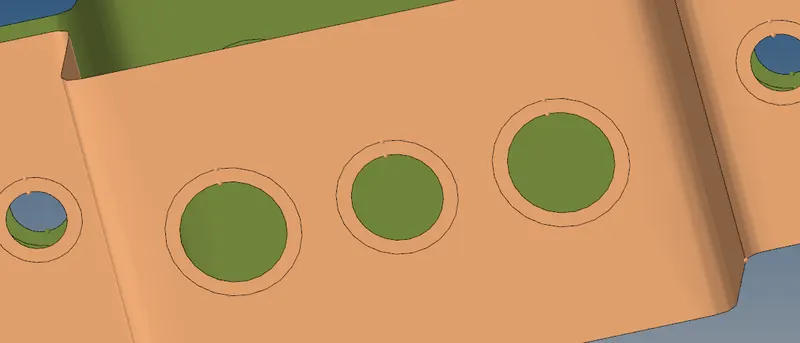
Washer spilt is used to capture the mesh near the holes properly and the offset value is given to 5 units.
2D Meshing:
Auto mesh is been performed for the element target length of 5 units
1D Elements are performed:
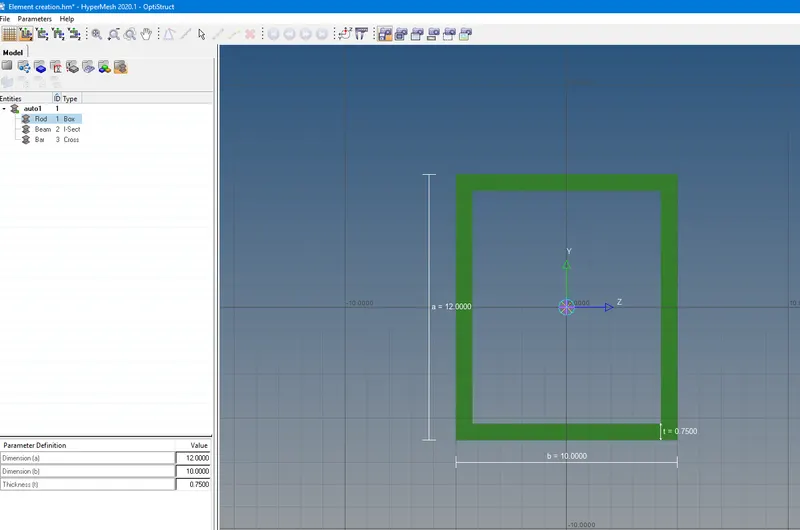
a. Rod element:- Translational DOF should be Constrained with RBE2 link
Cross-Section: BOX- Dimension a= 12 mm
dimension b=10 mm
Thickness t= 0.75 mm
Command Go to > 1D > Hyperbeam > Create > standard section > Hypermesh > Thin walled box.
b. Beam element:- All DOF should be constrained with RBE3 link
Cross-Section: I Section- Dimension a= 8 mm
Dimension b= 10 mm
Dimension c= 8.5 mm
Thickness t1= 0.75 mm
Thickness t2= .6 mm
Thickness t3= .6 mm
Command: Go > 1D > Hyperbeam > Create > standard section > Hypermesh > I-section
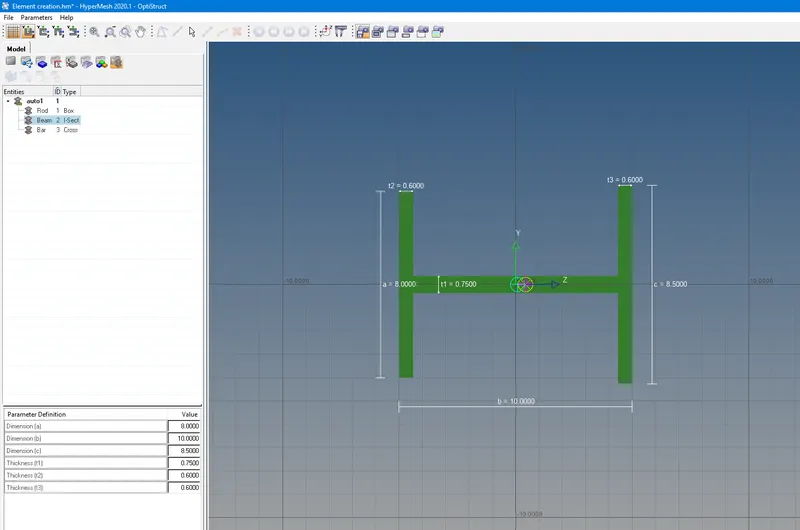
c. Bar element:- Constrain only x and y DOFs With RBE3 link
Cross-section: X section- Dimension DIM1= 5 mm
Thickness DIM2= 1.2 mm
Dimension DIM3= 10 mm
Thickness DIM4= 1.2mm
Command: Go to > 1D > Hyperbeam > Create > standard section > Optistruct > CROSS
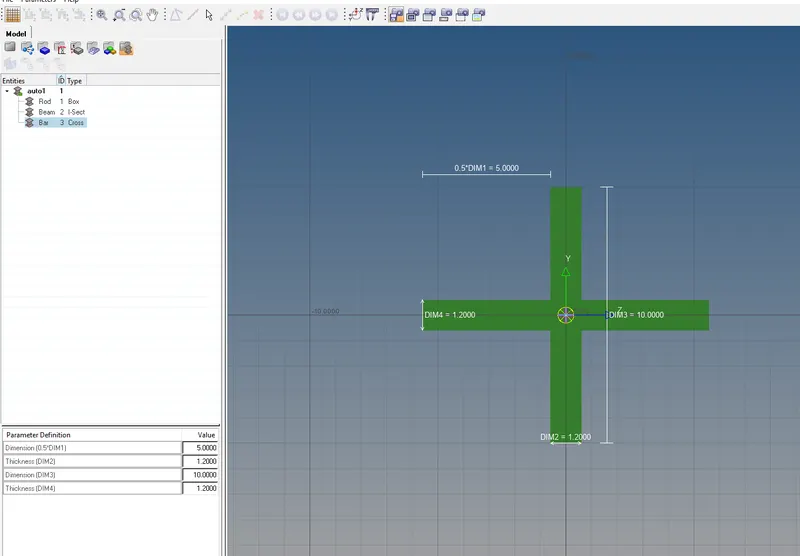
d. & e. The mass of magnitude 10 with the RBE2 link
and f. To Join the two components with Spring elements.
- Then going in to the 1D element for assigning the property for the defined material in the respective tab and then it has to be updated individually.

Conclusion:
Finally the mesh & creation of 1D element has been successfully completed as per the given inputs.
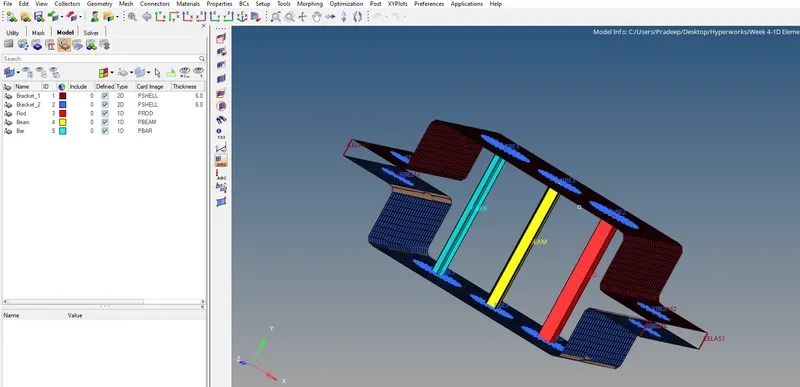
Learning outcome:
learnt to create 1D element assigning the links (like rbe2, rbe3, Spring elements and alos mass) with its property assigned as per the given inputs.