Week 4-1D Element Creation Challenge
Aim: Mesh the Given component with the Size of 5 Units. Create 1D elements on the following component with given cross-section and DOF.
procedure:
- import the model.
- obtain the midsurface using automid in surface option
- on mid surface create a washer element
- generate mesh using 5mm grid size
- for generating beams go to 1d, hyperbeams then select optistruct mode. select the beam cross section. for our purose we have selected box section, i section and x section beams. and enter the given dimension.
- create the respective property card for each type of beam .
- create a new component for storing the connection.
- in 1d use rigid to create rbe2. set the dependent nodes to multiple nodes and set independent to calculate. select the degree of freedom as mentioned.
- do the same for rbe3
- now go the bar or beam option select the master rbe2 or rbe3 nodes and create the bar or beam or rod element respectively.
- turn on the 1d detailed view for seeing the cross-section of the beams.
- for mass select mass and apply mass at the node
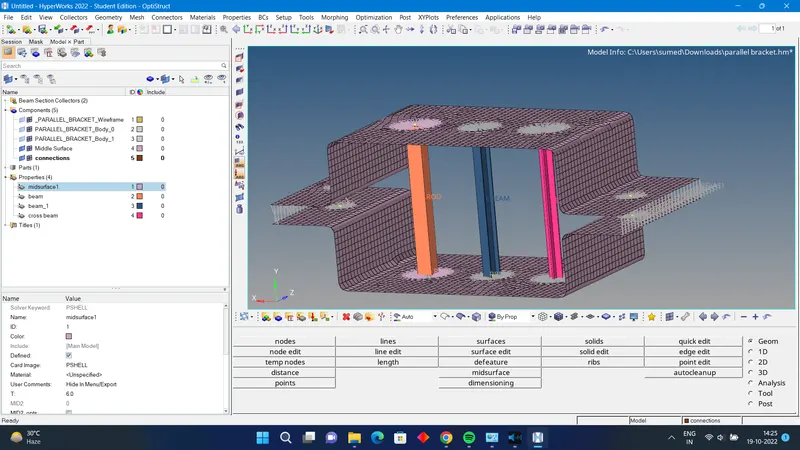
conclusion: here we have done 1d meshing (connection)for the component using rbe 2 beams.