Week 4-1D Element Creation Challenge
Aim- Mesh the Given component with the Size of 5 Units. Create 1D elements on the following component with given cross-section and DOF.
Procedure-
Import cad model to hypermesh.
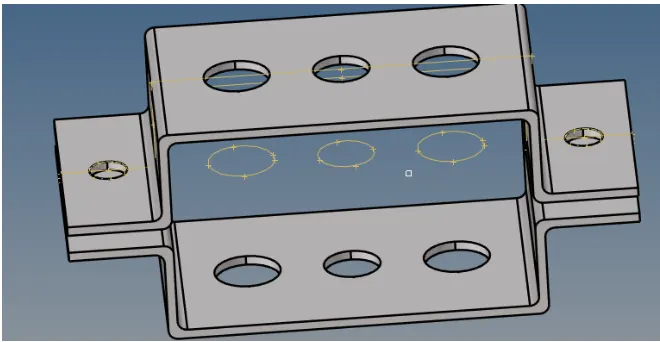
Then go midsurfacing and check different extraction option.

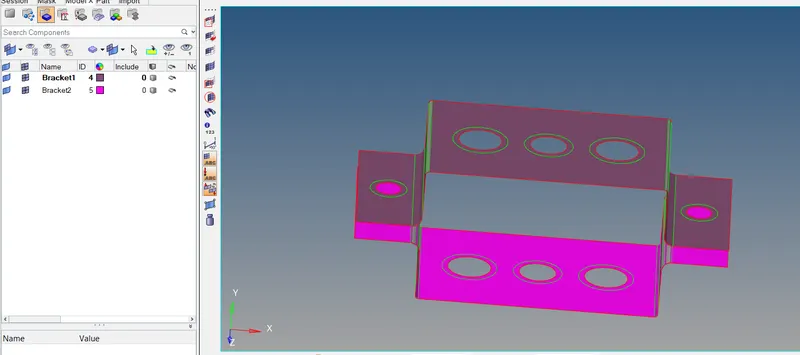
create seperate component for two parts of bracket and move midsurface in that component.
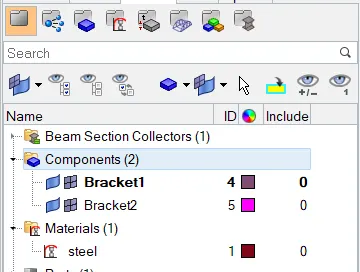
Them create material card assign material steel.
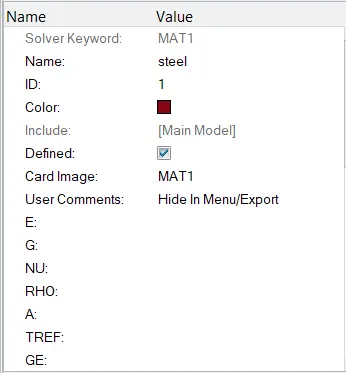
Then create property bracket 1 and bracket 2.
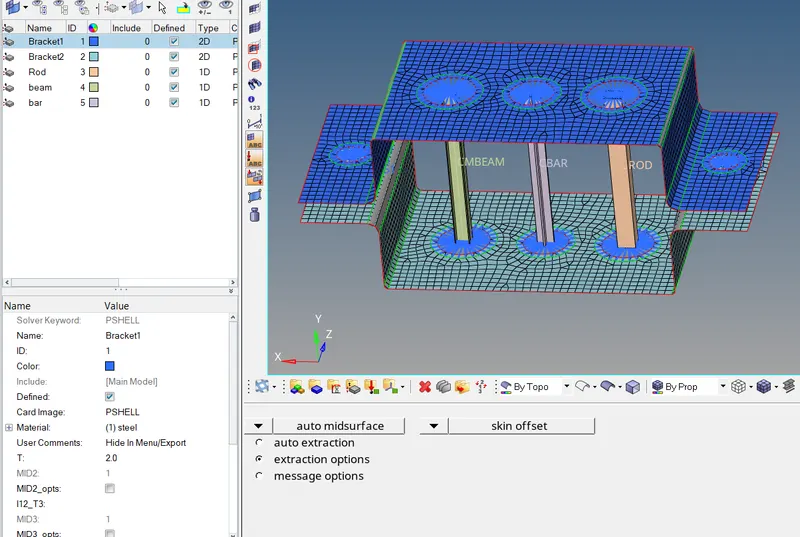
Then go to quick edit and do washer split. After that go for meshing mesh size 5mm
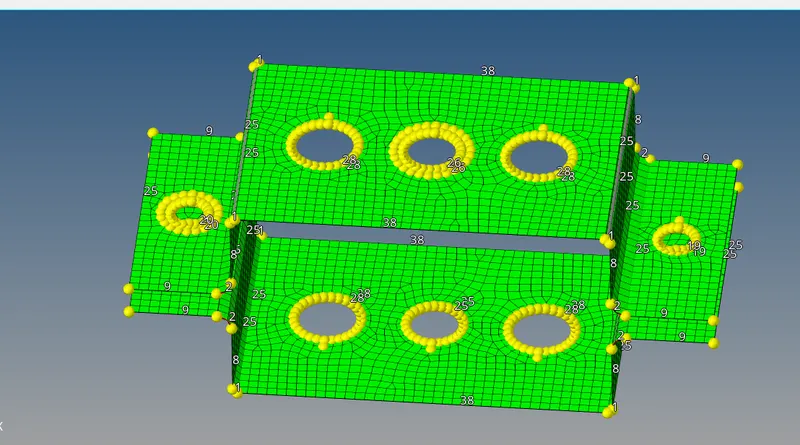
Once the mesh was generated, RBE2 links were created. This was done by choosing the "Rigids>selecting nodes by the path and selecting multiple nodes>create". Translational DOFs were constrained according to the question. Similar steps were followed for the other connecting RBE2 link as well.
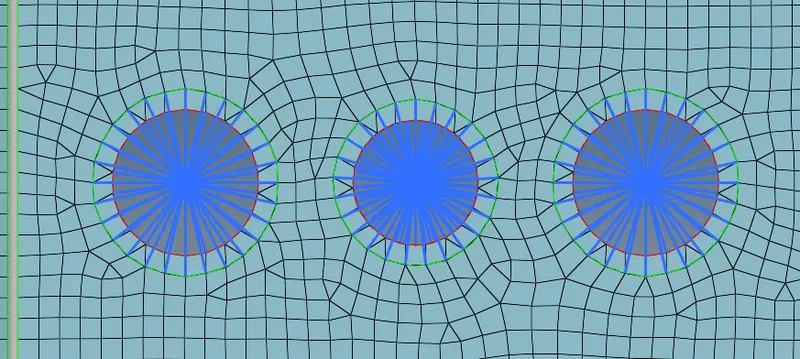
RBE3 links were also created. This was done by choosing the "rbe3>selecting nodes by the path and selecting multiple nodes>create". All DOFs were constrained according to the question. Similar steps were followed for the other connecting RBE3 link as well.
2.Creation of 1D element.
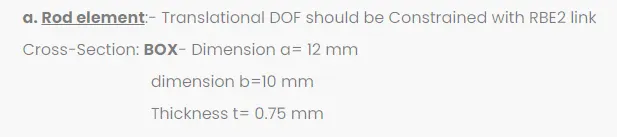
1.Rod
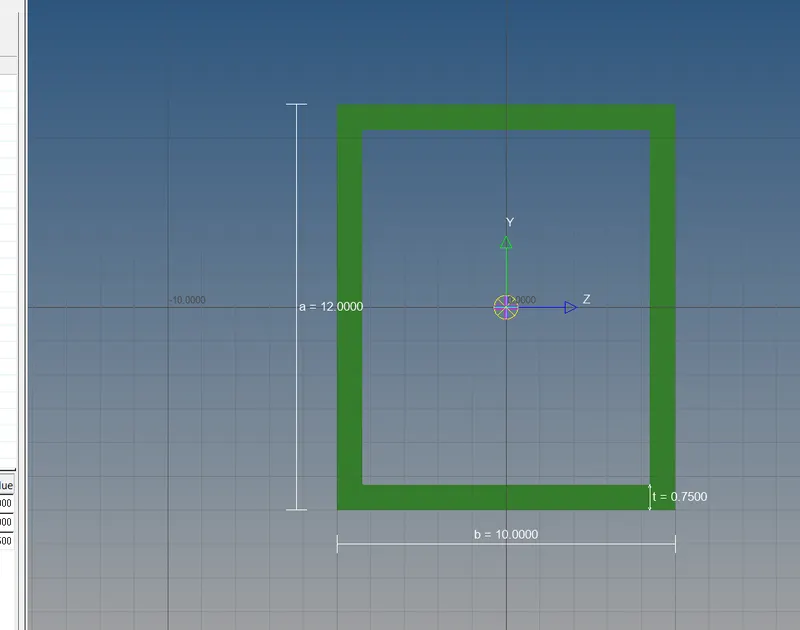
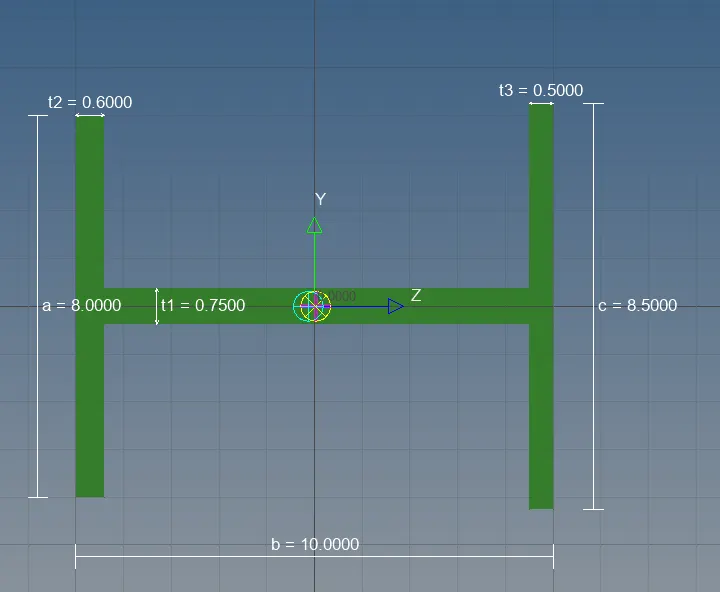
b. Beam element:- All DOF should be constrained with RBE3 link
Cross-Section: I Section- Dimension a= 8 mm
Dimension b= 10 mm
Dimension c= 8.5 mm
Thickness t1= 0.75 mm
Thickness t2= .6 mm
Thickness t3= .6 mm
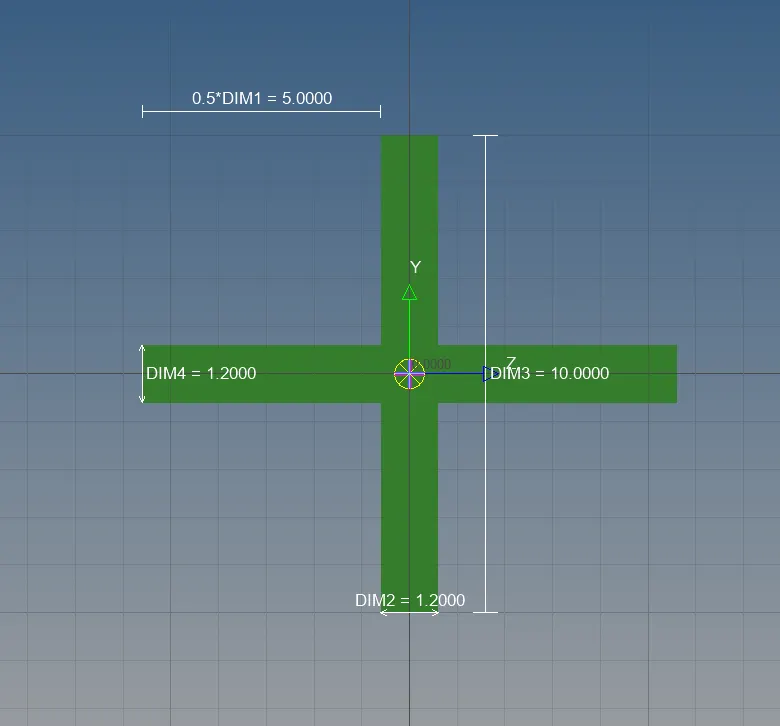
c. Bar element:- Constrain only x and y DOFs With RBE3 link
Cross-section: X section- Dimension DIM1= 5 mm
Thickness DIM2= 1.2 mm
Dimension DIM3= 10 mm
Thickness DIM4= 1.2mm
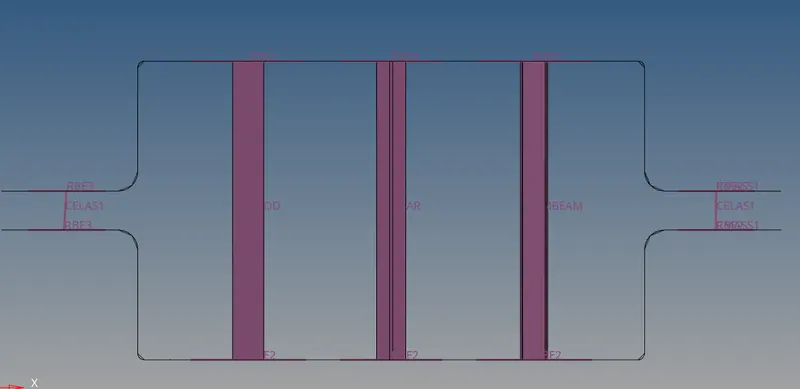
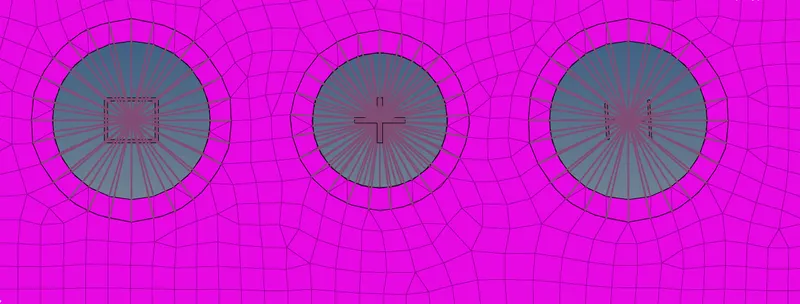
Once the mesh was generated, RBE2 links were created. This was done by choosing the "Rigids>selecting nodes by the path and selecting multiple nodes>create". The center node of the link was selected and a mass of 10 was applied. This was done by "1D>mass>node selection>mass=10>element type=CMASS1
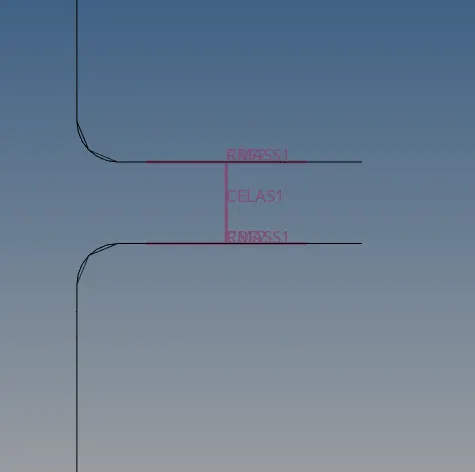
The Two components were joined by spring elements marked as 'f'. The spring elements were generated by 1D>selection of nodes>dof1>element type=CELAS1.
CONCLUSION:
- Through this challenge I have learnt about how to exctract the midsurface and how to create rods, bars and beams.
- and also about RBE2 links, RBE3 links and springs and got an Idea about 1D element.
- And learnt to use some of the new commands in the HyperMesh tool like HyperBeam, Midsurface, Organize, RODs, BARS, rigids, Rbe3, springs, masses.