Week 2- 2R Robotic Arm Challenge
Aim:- To simulate forward kinematics of 2R robotic arm.
Stepwise explanation of code and animation file of plot.
What is forward kinematics?
forward kinematics allows us to determine the position and orientation of the end-effector in terms of the joint variables.
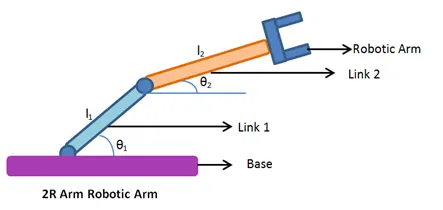
Here l1 and l2 are links which gives structure to robot.
Theta1 and Theta2 are the angles Theta1 is angle between base and link1.
Theta2 is angle between two linkages l1 and l2.
Link 1 is connected to base where x and y coordinates are x0,y0
Other end is connected to link 2 where x1=l1costheta1 and y1=l1sintheta1
Position of link 2 is x2,y2
x2=x1+l2costheta2 and y2=y1+l2sintheta2
By plotting graph of([x0 x1],[y0 y1],[x1 x2],[y1y2]) we can see the positions and orientation of robotic arm.
Code:
Explanation:-
Length of link1 is l1= 1m
Length of link2 is l2=0.5m
Theta1 is angle ranges from 0 to 90 degree
Here linspace command used here to generate linear vector
Theta2 is angle ranges from 0 to 90 in interval of 10
Initialise the counter command using ct.
Using for loop we can operate robotic arm.
Value of 'i' is going to change from 1 to length of theata1 and value of 'j' will change from 1 to length of theata 2
loop counter variables are use to aess perticular value.
After that we will plot coordinates for x and y ([x0 x1],[y0 y1],[x1 x2],[y1 y2])
Pause command use to control speed of animation.
M(ct) is function use to get frame.
Using movie command to create movie.
Animation:
Errors :-
1) Undefined function for input
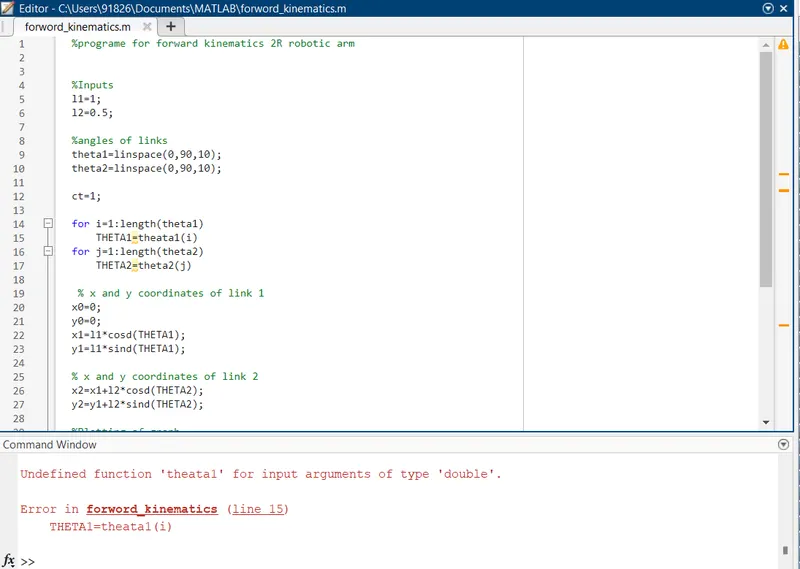
Corrective action- Spelling correction of theta1
2) No Error shows in command window , but graph not correct
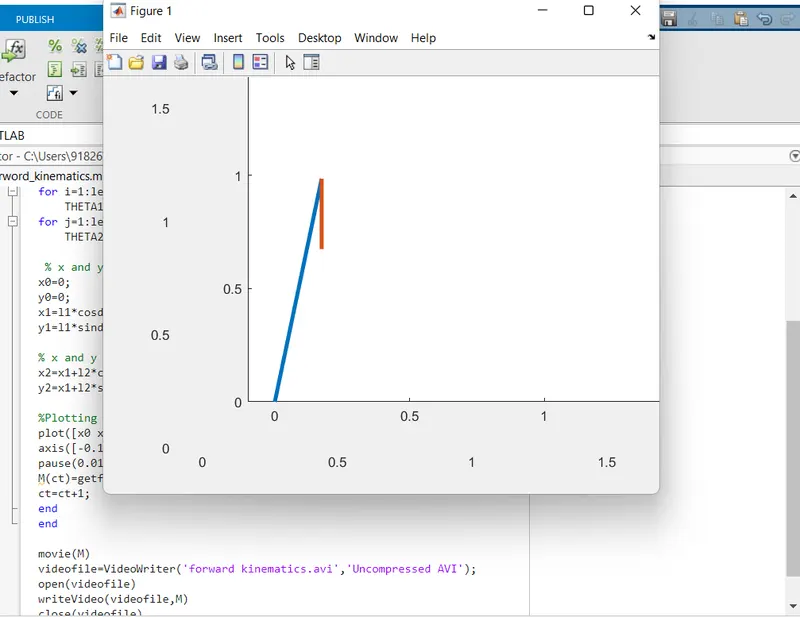
Corrective action
Coordinates for