Week 4-1D Element Creation Challenge
Aim :-
To Mesh the Given component with the Size of 5 Units & To create 1D elements on the following component with given cross-section and DOF
Specifications :-
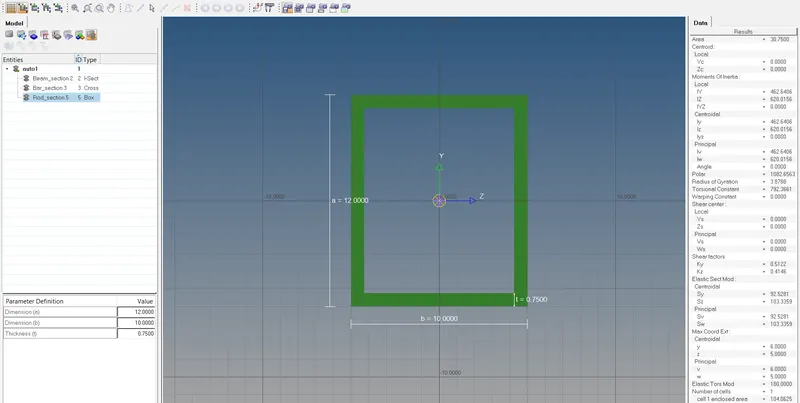
a. Rod element:- Translational DOF should be Constrained with RBE2 link
Cross-Section: BOX- Dimension a= 12 mm
dimension b=10 mm
Thickness t= 0.75 mm
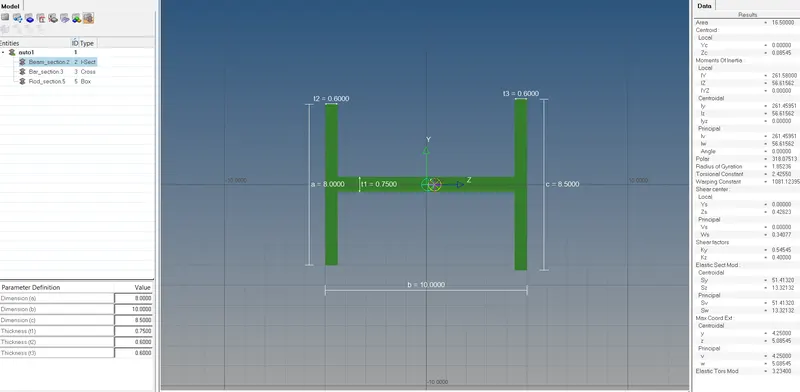
b. Beam element:- All DOF should be constrained with RBE3 link
Cross-Section: I Section- Dimension a= 8 mm
Dimension b= 10 mm
Dimension c= 8.5 mm
Thickness t1= 0.75 mm
Thickness t2= .6 mm
Thickness t3= .6 mm
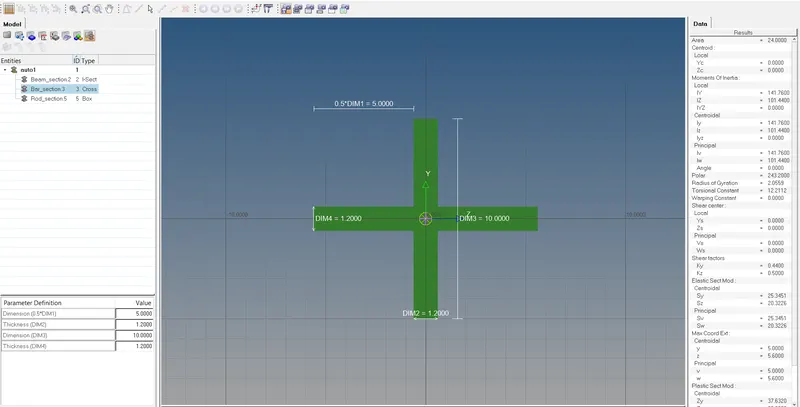
c. Bar element:- Constrain only x and y DOFs With RBE3 link
Cross-section: X section- Dimension DIM1= 5 mm
Thickness DIM2= 1.2 mm
Dimension DIM3= 10 mm
Thickness DIM4= 1.2mm
d. & e. Apply the mass of magnitude 10 with the RBE2 link
f. Join the two components with Spring elements
Theory :-
1D Elements -
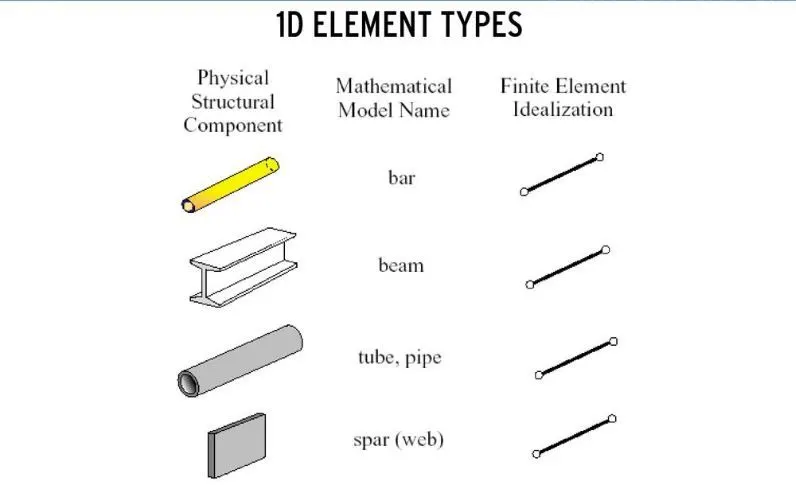
All line elements, like straight or curved, are called as 1D element in which they have translational and rotational displacement functions.
Examples of 1D element are truss element and beam element. Also some are shown below;
Procedure :-
1. Import the geometry into the workspace & delete the wireframe.
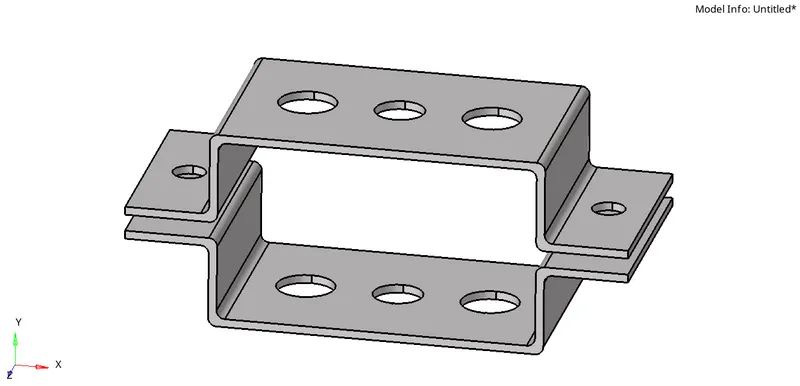
2. Create midsurface.
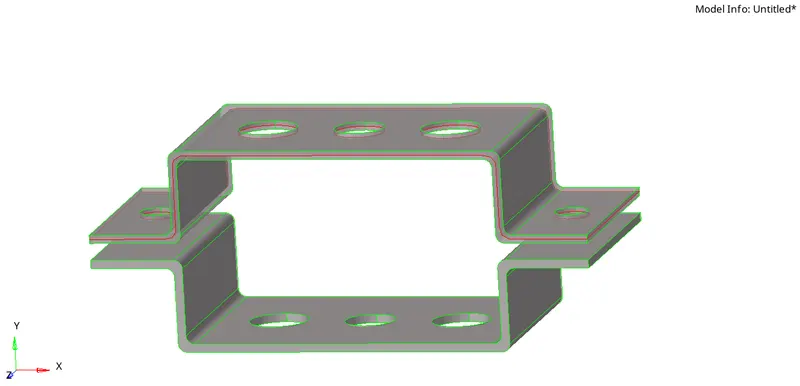
Step 1 :- In step 1, Select the component and create a mid surface for the top component (bracket 1) by making it current selection.
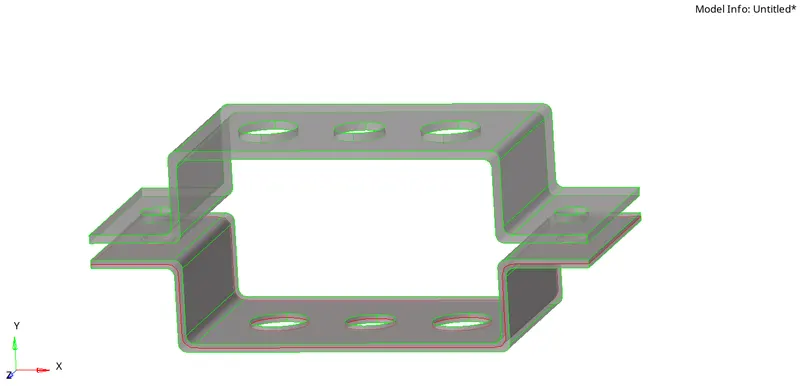
Step 2:- In step 2, Select the component and create a mid surface for the bottom component (bracket 2) by making its current selection.
3. Mesh Component.
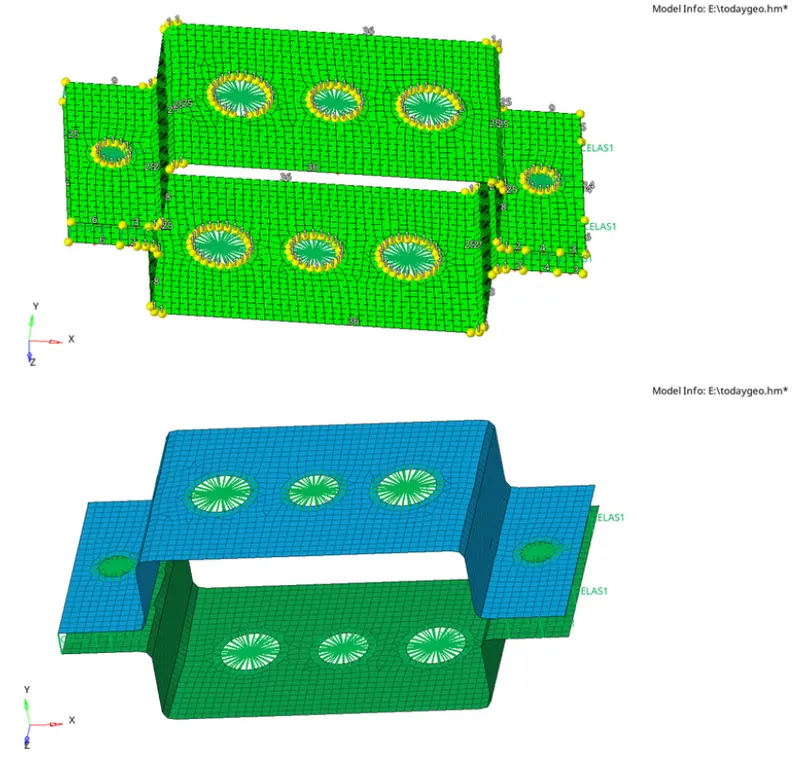
Step 1:- In step 1, Mesh the given component, here we need to create washer splits near the hole region for a smooth mesh. Offset selected here for washer split is 5mm.
Step 2:- In step 2, Generate the mesh; keep the element size as 5mm with mixed element type.
4. Create Material.
Steel is the material selected in this operation.
5. Create Properties.
| No. | Name | ID |
| 1 | Bracket_1 | PSHELL |
| 2 | Bracket_2 | PSHELL |
| 3 | Bar | PBAR |
| 4 | Rod | PROD |
| 5 | Beam | PBEAM |
| 6 | Mass | PMASS |
6. Create 1D Element.
7. Create rigid at points a,b,c,d.
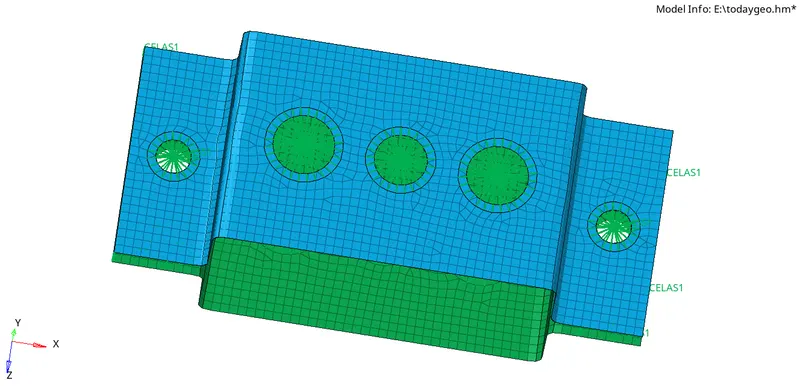
8. Create 1D element on Rigid.
Step 1 :-
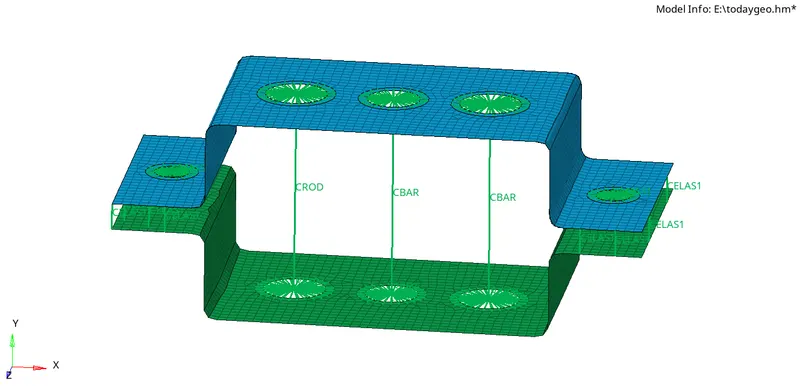
Step 2 :-
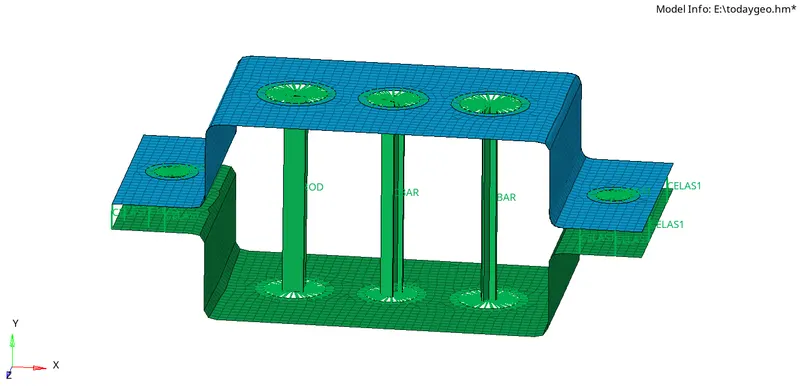
Step 3 :-
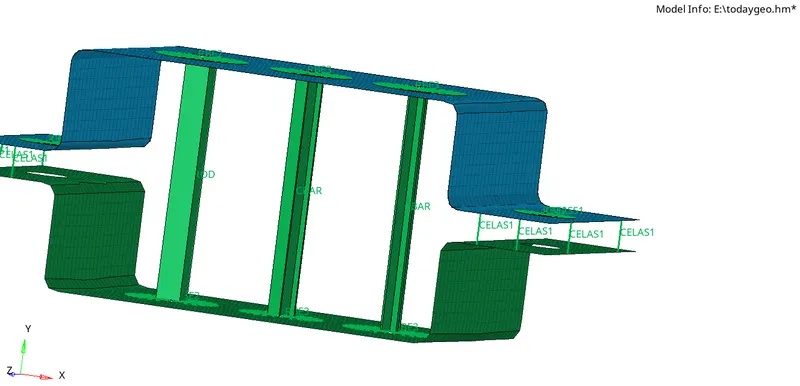
2D Element Respresentation -
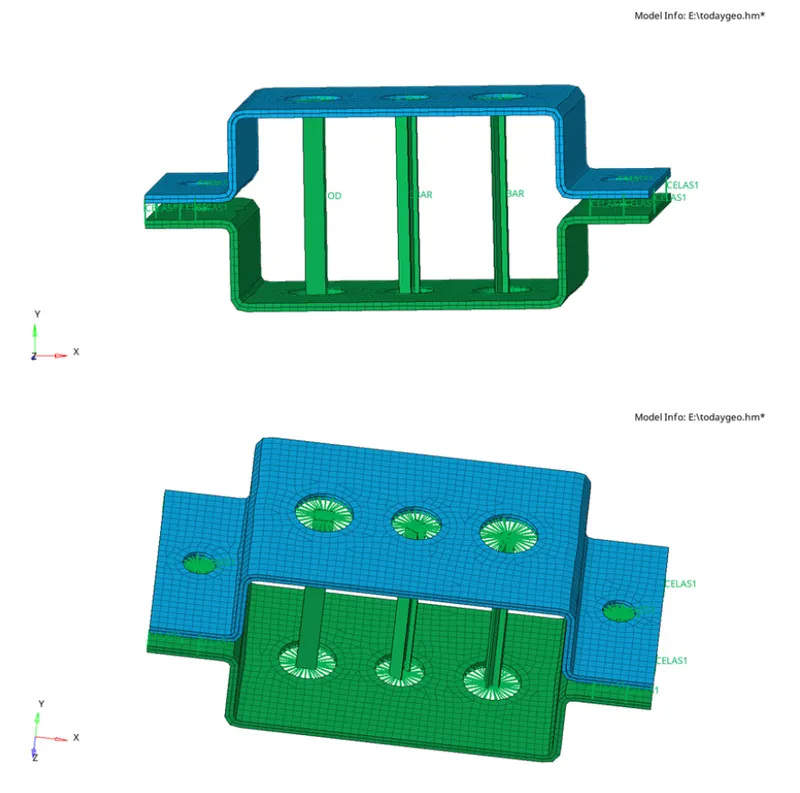
Conclusion :-
1D element of given component with given cross-section and DOF is created.