Week 4-1D Element Creation Challenge
Objective:
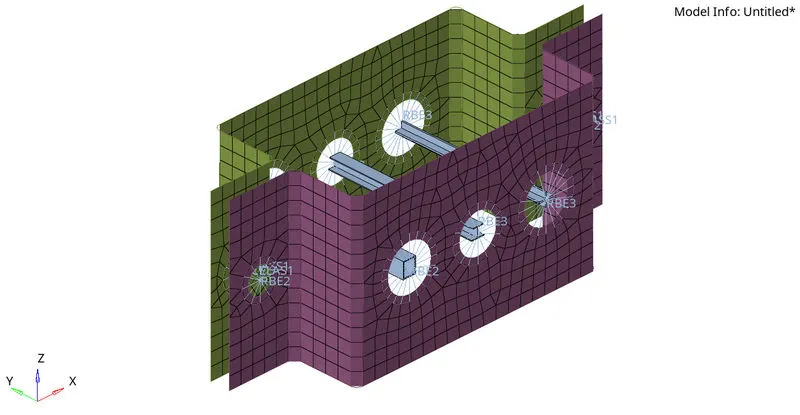
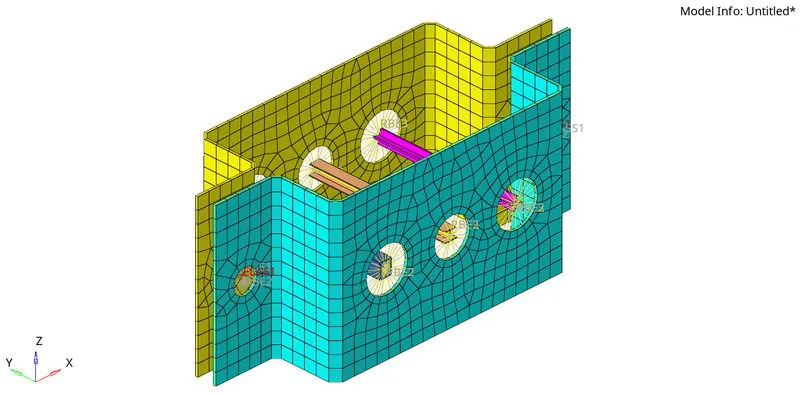
To create the mesh on the given model with size of 5 units and create 1D elements on thenfollowing component with give cross-section and DOF.
a. Rod element:- Translational DOF should be Constrained with RBE2 link
Cross-Section: BOX- Dimension a= 12 mm
dimension b=10 mm
Thickness t= 0.75 mm
b. Beam element:- All DOF should be constrained with RBE3 link
Cross-Section: I Section- Dimension a= 8 mm
Dimension b= 10 mm
Dimension c= 8.5 mm
Thickness t1= 0.75 mm
Thickness t2= .6 mm
Thickness t3= .6 mm
c. Bar element:- Constrain only x and y DOFs With RBE3 link
Cross-section: X section- Dimension DIM1= 5 mm
Thickness DIM2= 1.2 mm
Dimension DIM3= 10 mm
Thickness DIM4= 1.2mm
d. & e. Apply the mass of magnitude 10 with the RBE2 link
f. Join the two components with Spring elements
Procedure:
1. import the cad model into hypermesh.
File>>Import>>Model>>select the model>>import
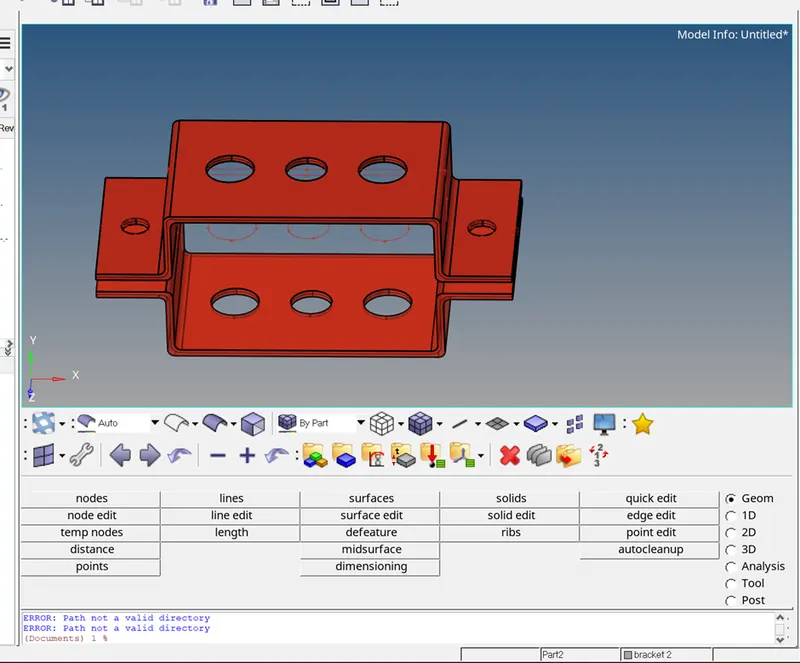
2. create the mid surface for the given model.
Geometry>>midsurface>>automidsuface>>select the surface >>Extract
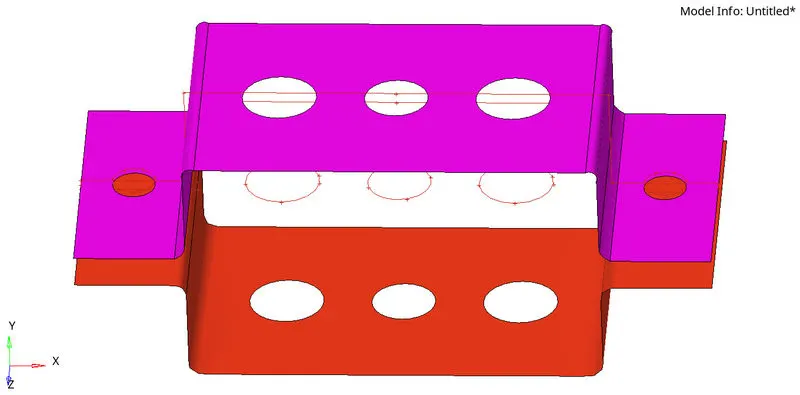
3. create the washer split Geometry>>Quick edit>>washer split>>value 5>>select the circle line.
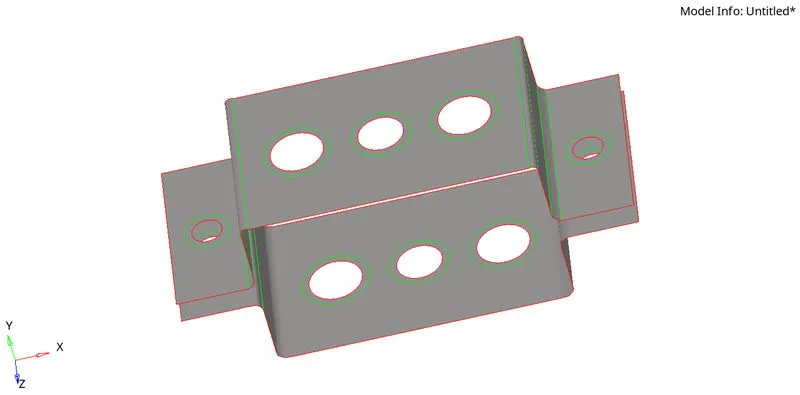
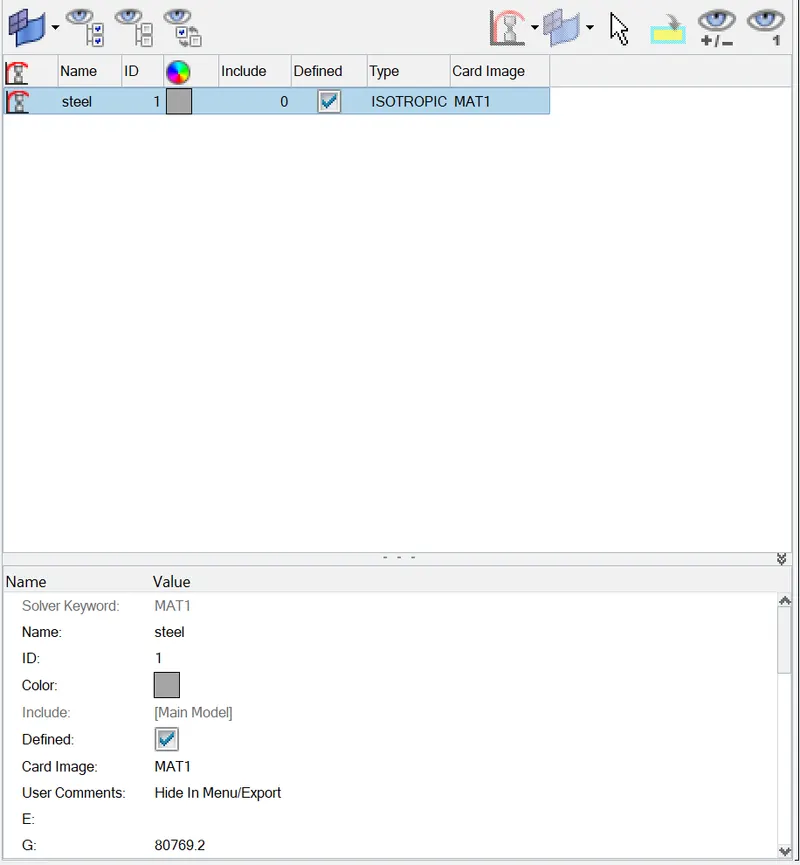
4. Assign the material Right click on the model tree>>Create>>Material>>Named as STEEL>>Card image MAT1.
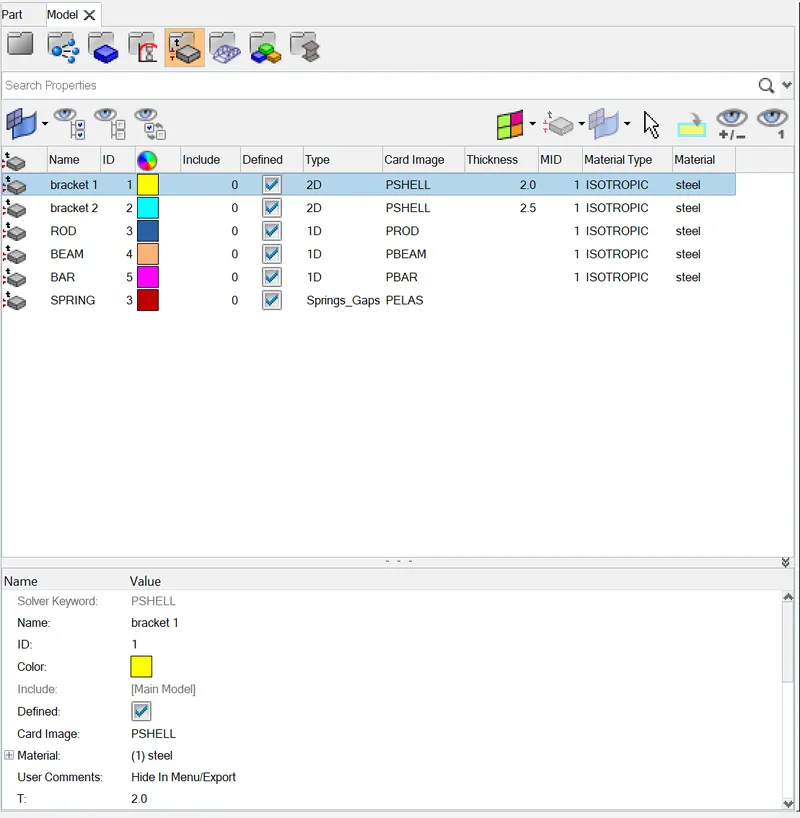
5. Assign the property by Right click on model tree>>Create>>Property>>assign the thickeness.
6. Mesh the model by 2d >>Automesh>>enter the size as 5 units>>select the surface>>create mesh.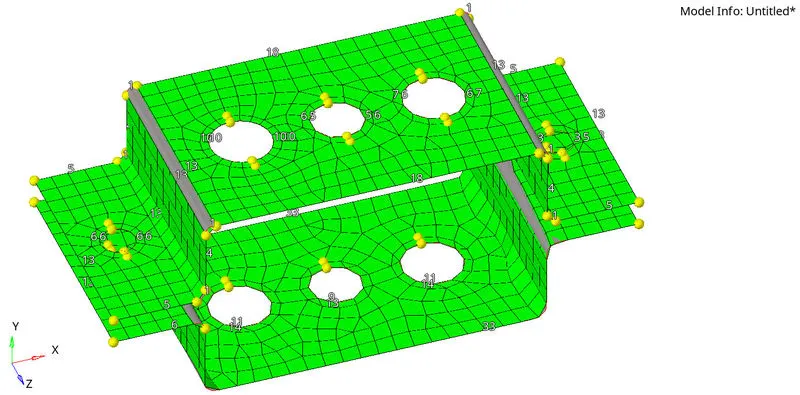
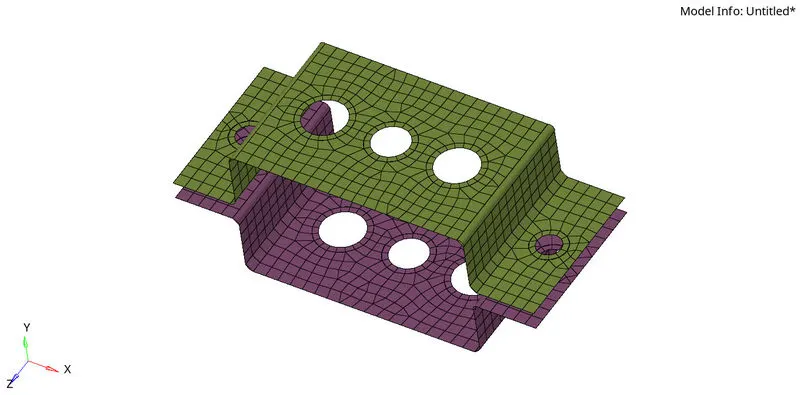
7. Create the 1d elements, Some 1D elements used in this projects are PBAR, PROD, PBEAM, RBE2, and RBE3.
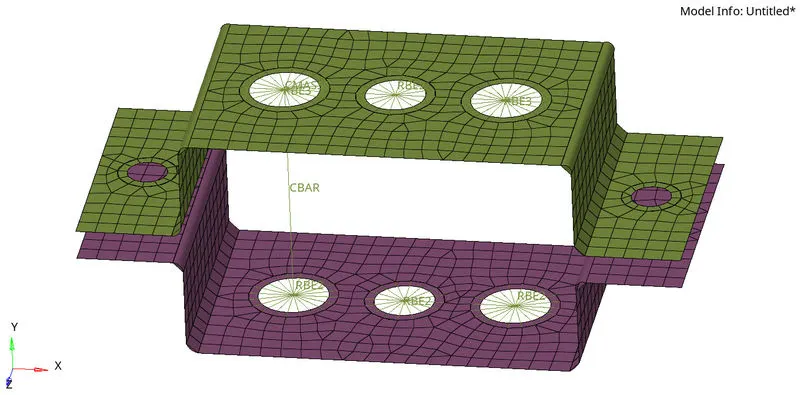
As per the given details have deplayed the 10 elements To deploy bar, rod, beam elements hyperbeam has been used.
8. The hyperbeam is used to create the cross sections.
a. Rod element:-
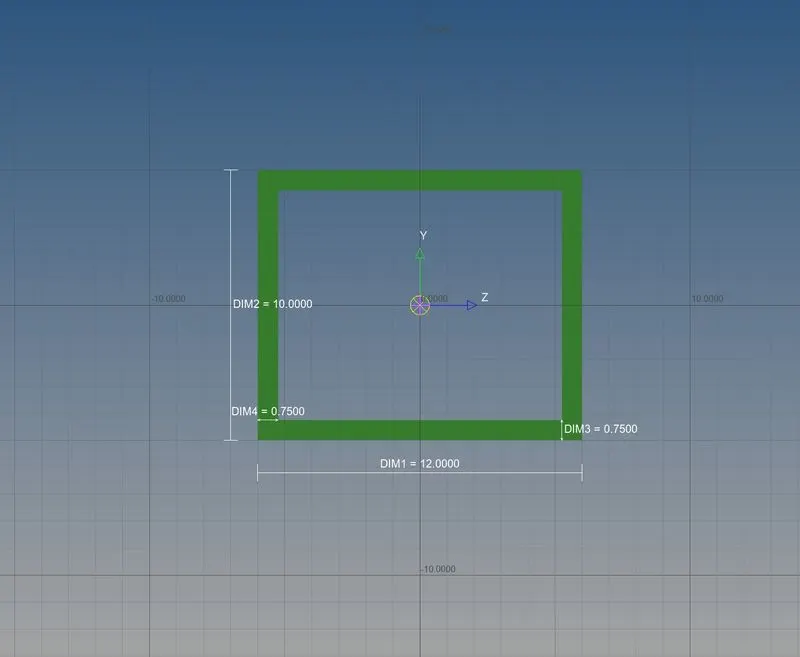
Go to 1D-> Hyperbeam>> Create>> standard section>>Hypermesh>> Thin walled box
Cross-Section: BOX- Dimension a= 12 mm
dimension b=10 mm
Thickness t= 0.75 mm
b. Beam element:-
Cross-Section: I Section- Dimension a= 8 mm
Dimension b= 10 mm
Dimension c= 8.5 mm
Thickness t1= 0.75 mm
Thickness t2= .6 mm
Thickness t3= .6 mm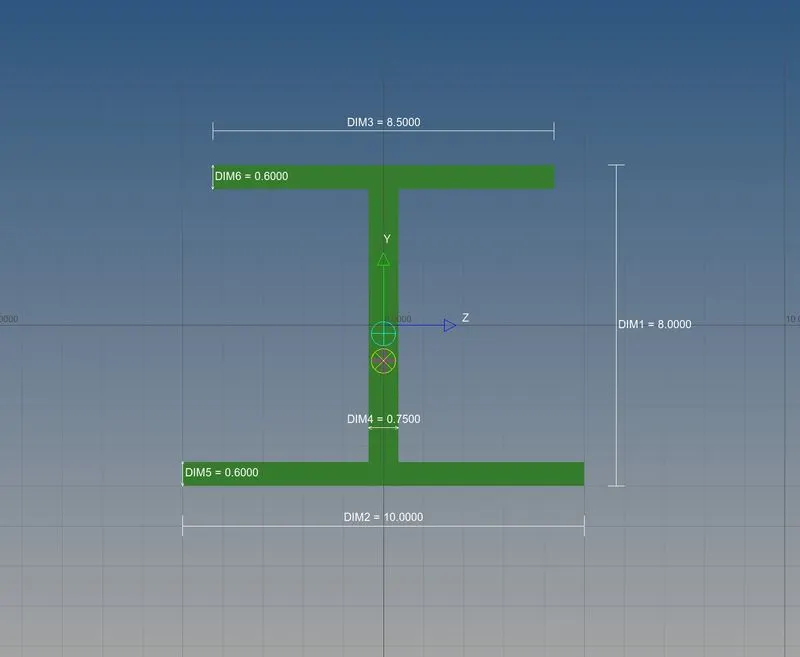
c. Bar element:-
Cross-section: X section- Dimension DIM1= 5 mm
Thickness DIM2= 1.2 mm
Dimension DIM3= 10 mm
Thickness DIM4= 1.2mm
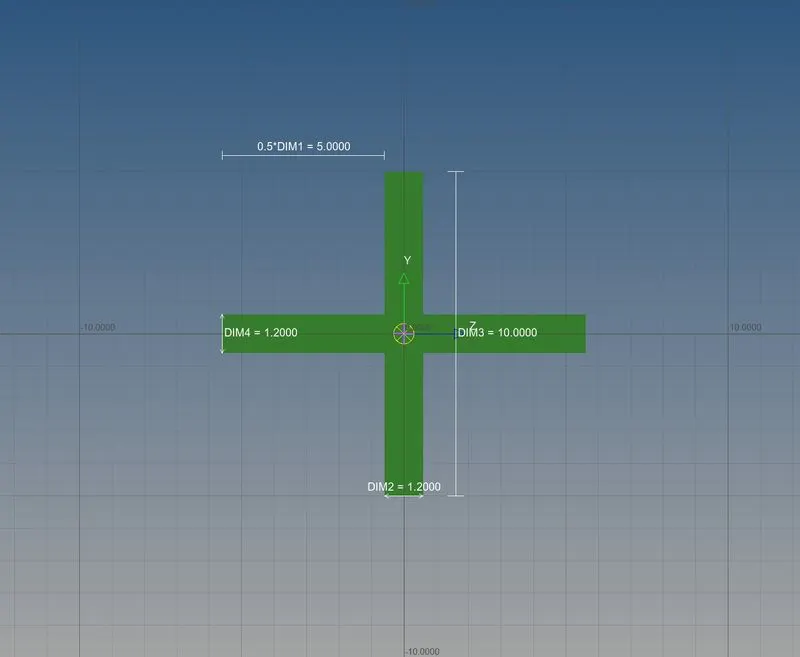
Here the elements of Rod,Beam, Bar has been created.
9.Created RBE2 cluster element for hole d & e as per input data Cmass Applied a mass of magnitude 10 .
1D>>masses>>create>>mass 10 >>element type CMASS1>>Selecte node>>create
10 Join the two component with the spring element.
1D>>springs>>create>>property selection>>element type CELAS1>>Selecte nodes>>create
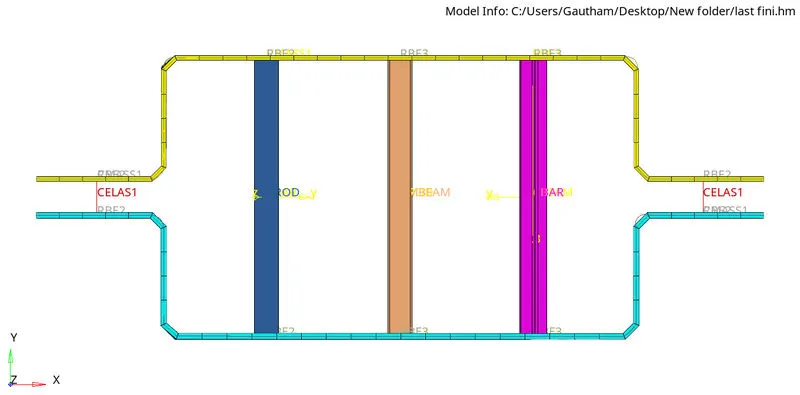
Result:
The given model is meshed and then 1D elements are created as per the reqirements.