Week 4-1D Element Creation Challenge
Objective:
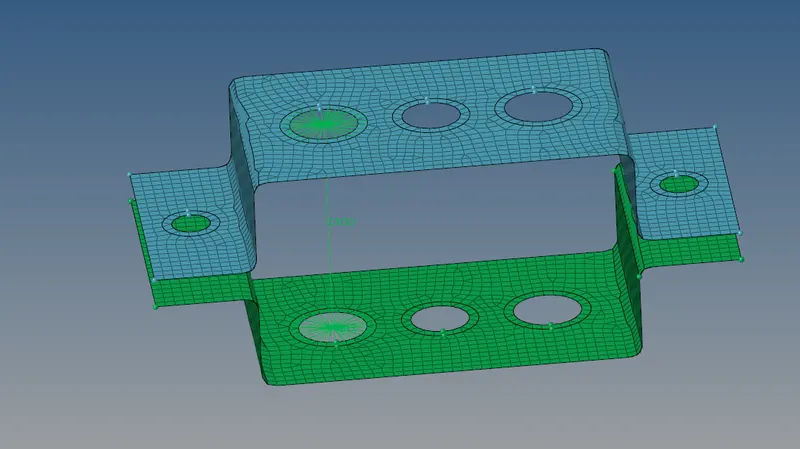
To Mesh the Given component with the Size of 5 Units,Create 1D elements on the following component with given cross-section and DOF by using Hyper Works.
Softwaer Used:
Hyper Works 2021
Given Component:
Procedure:
- Import the model file using following steps Import model→Import geometry
- First create mid surface for the model using following steps Geom→midsurface
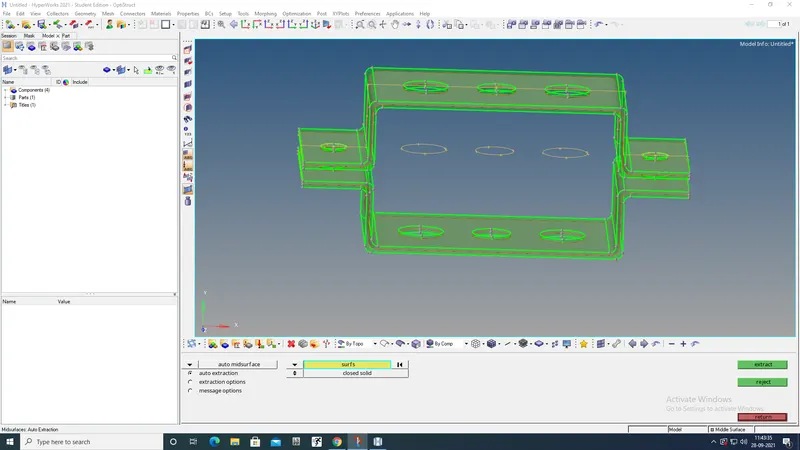
- Delete the all solid parts then the mid surfaces oly remain
- Then asign properties for the brackets on Tab bar
- We need to give washer split for holes brfore mesh Geom→quick edit→washer split
- Then give material(steel) for entire component on Tab bar
- Mesh the given component with the size of 5 units by using following steps 2D→auto mesh
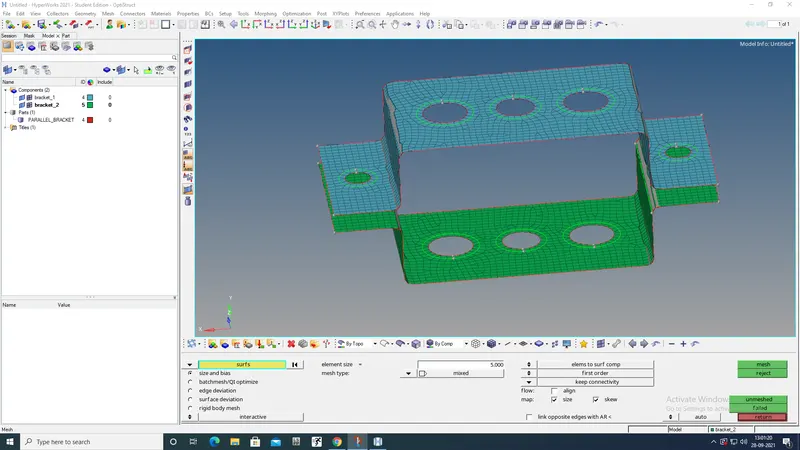
a.ROD ELEMENT
- Before create rod element create RBE2 link with Translational DOF should be Constrained
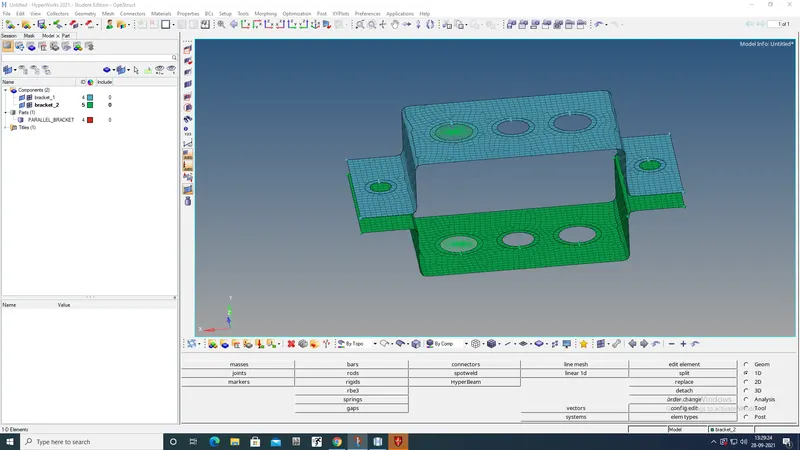
- The rod is created by following steps 1D→rods
- We need to use given dimensions for rod so we go need to create Box section by using hypear beam option 1D→Hyper Beam There we select the section which we need
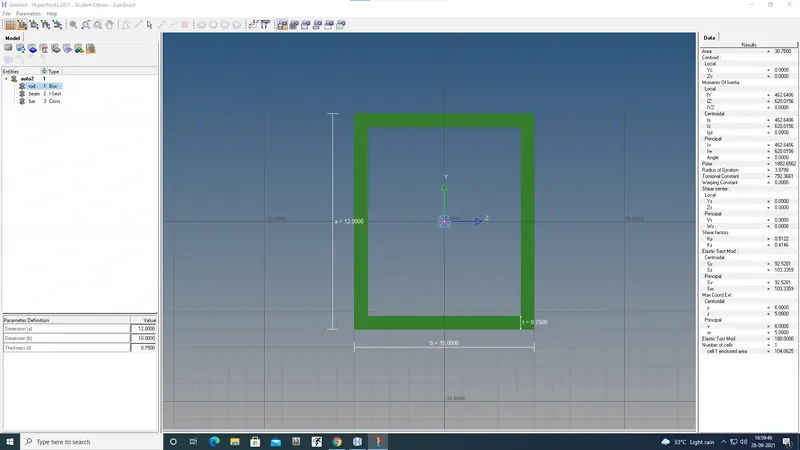
- Come back to model and update the rod by following steps 1D→rod→update
now the properties and dimensions added
b.BEAM ELEMENT
- Before create beam element create RBE3 link with All DOF should be constrained
- RBE3 is created by using following steps 1D→RBE3
- Then the beam is created by using following steps 1D→bars (select CBEAM in element type)
- We need to use given dimensions for rod so we go need to create I section by using hypear beam option 1D→Hyper Beam There we select the section which we need
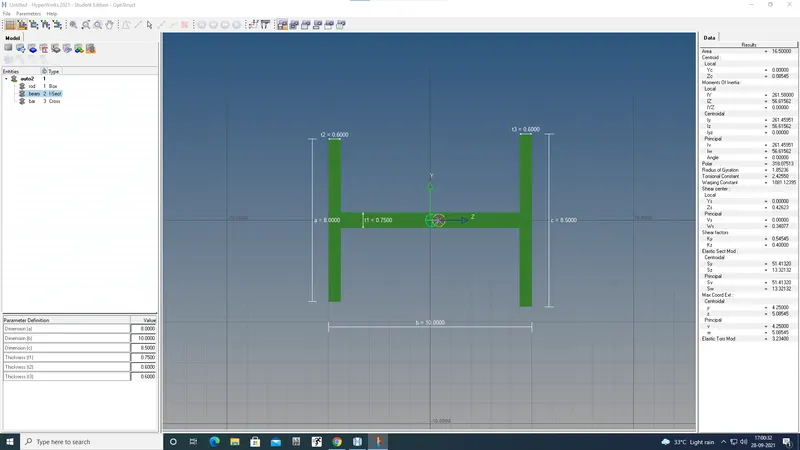
- Come back to model and update the rod by following steps 1D→beam→update now the properties and dimensions added
c.BAR ELEMENT
- Before create bar create RBE3 link with Constrain only x and y DOFs
- RBE3 is created by using following steps 1D→RBE3
- Then the bar is created by using following steps 1D→bars (select CBAR in element type)
- We need to use given dimensions for rod so we go need to create x section(cross) by using hypear beam option 1D→Hyper Beam There we select the section which we need
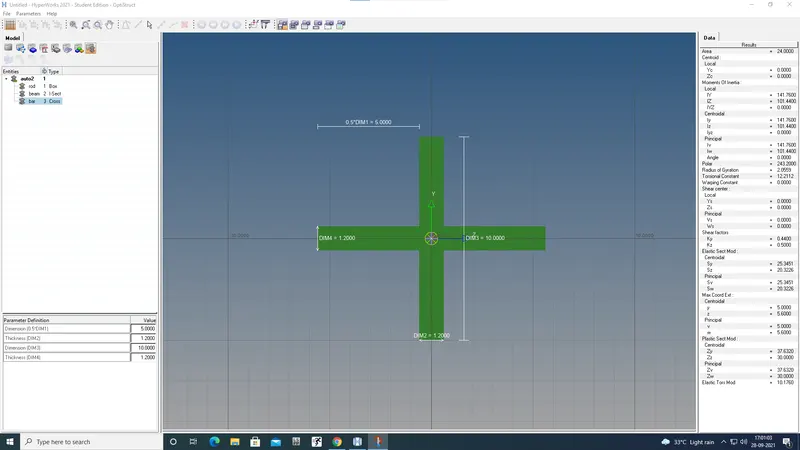
- Come back to model and update the rod by following steps 1D→bar→update now the properties and dimensions added
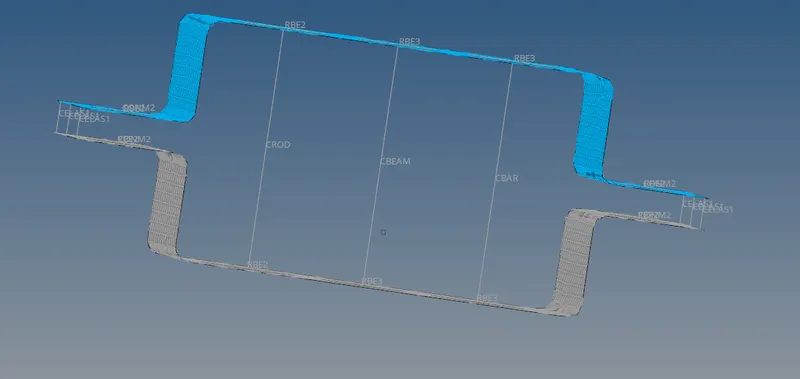
d&e ADDING MASS
- RBE2 is created by using following steps 1D→Rigids
- Then the mass is added on center point of the RBE2 using following steps 1D→masses
f.SPRING ELEMENT
- using following steps
1D→springs
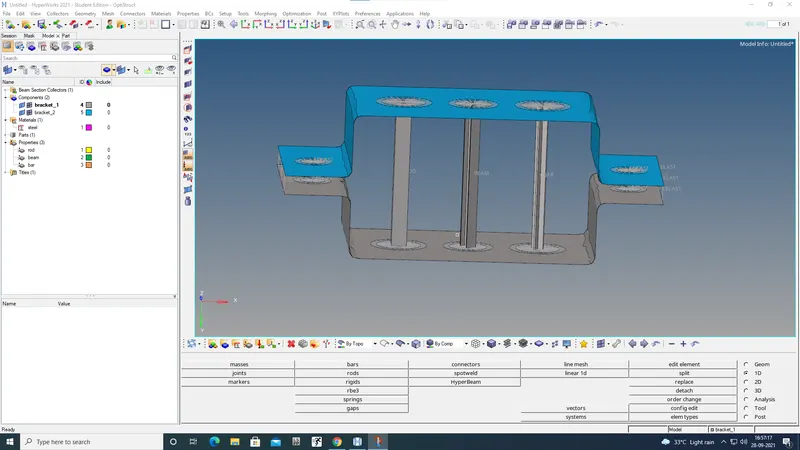
FINAL MODEL
RESULT
The 1D element created succesfully using cross section and DOF.
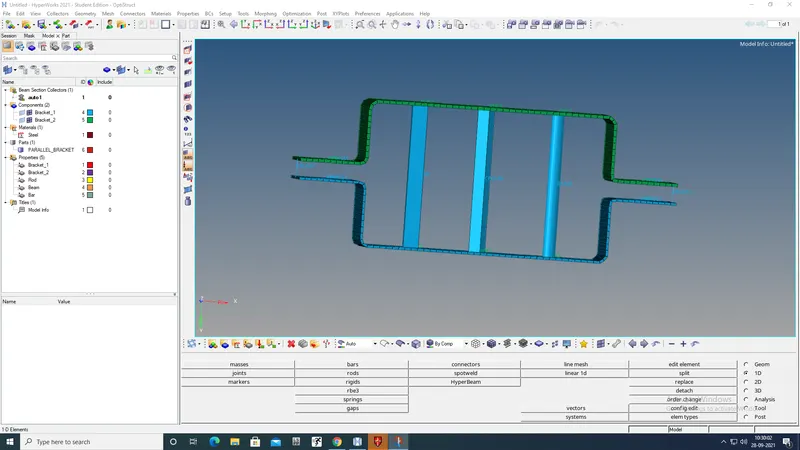
FINAL MODEL