Week 4-1D Element Creation Challenge
Aim-Tocreate the one d element on the comopent given with the given cross section and DOf in the hypermesh.
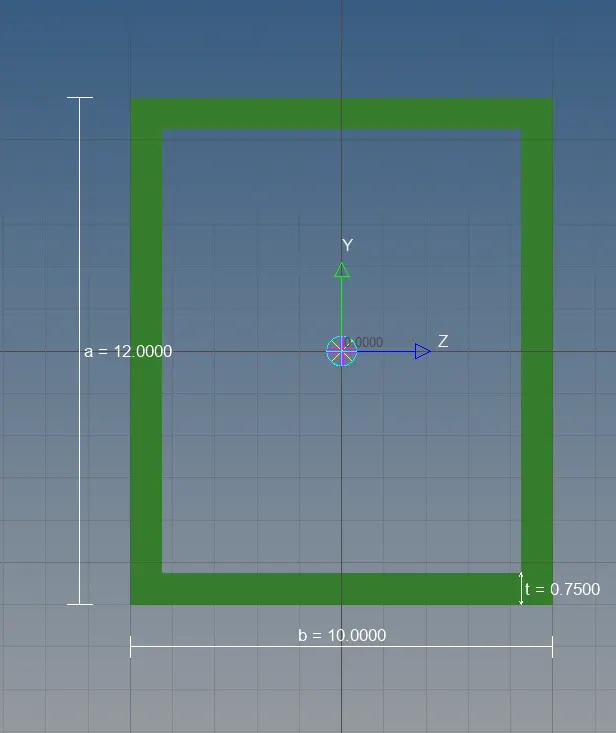
1.Rod element:- Translational DOF should be Constrained with RBE2 link
Cross-Section: BOX- Dimension a= 12 mm
dimension b=10 mm
Thickness t= 0.75 mm
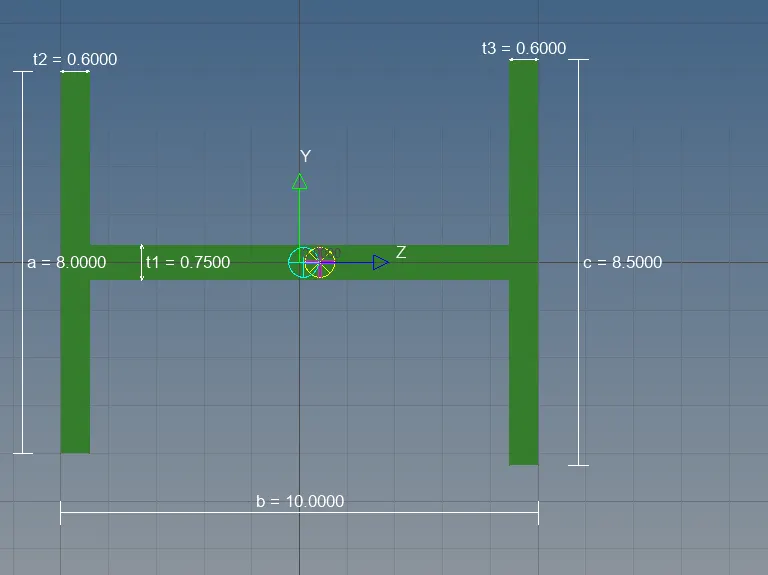
2.Beam element:- All DOF should be constrained with RBE3 link
Cross-Section: I Section- Dimension a= 8 mm
Dimension b= 10 mm
Dimension c= 8.5 mm
Thickness t1= 0.75 mm
Thickness t2= .6 mm
Thickness t3= .6 mm
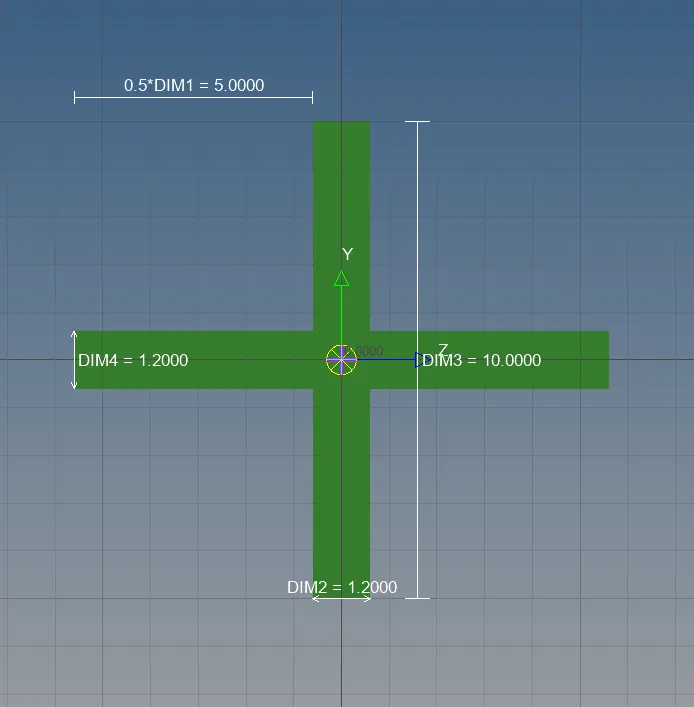
3.Bar element:- Constrain only x and y DOFs With RBE3 link
Cross-section: X section- Dimension DIM1= 5 mm
Thickness DIM2= 1.2 mm
Dimension DIM3= 10 mm
Thickness DIM4= 1.2mm
d. & e. Apply the mass of magnitude 10 with the RBE2 link
f. Join the two components with Spring elements
objectives-1.Extraction of the mid surface.
2.APllication of material and properties to the mid surface.
3.Creation of 1d elments using the hyperbeam and application of properties and creating the 1D elemnts on the Midsurface.
Procedure-
1.Import the geometry in to workspace .
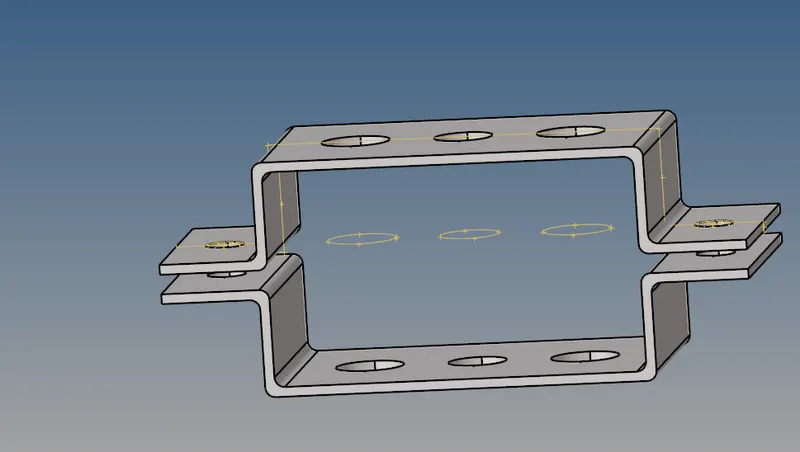
2.Creating the midsurface for the given compent
Mid surface is required to reduce large number of elemnts and the nodes wich results more computoinal time .Mid surface are genereted usng shell elemnts in 2d which are resprentive of 3d elemnts.
Extraction of the mid surface-
1.selcet top top bracket of the compoment for creating its mid surface by making it as current selection.
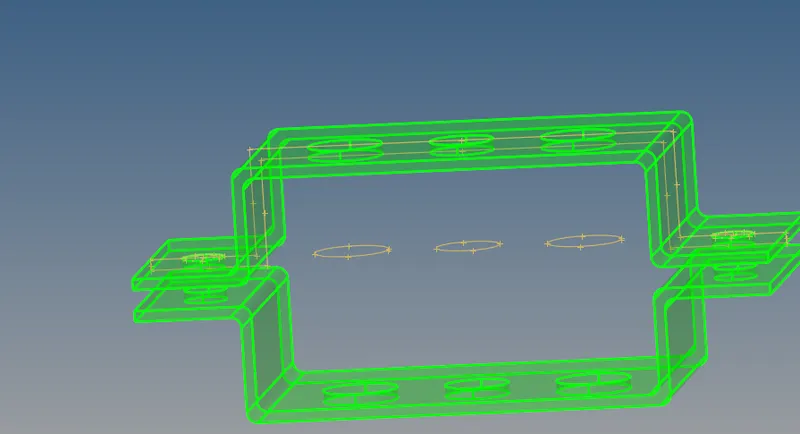
2.select the bottom bracket of the compoment for extracting its midsurface by making its current selection.
step 3-Create material
we select the steel as the material for the compoments .
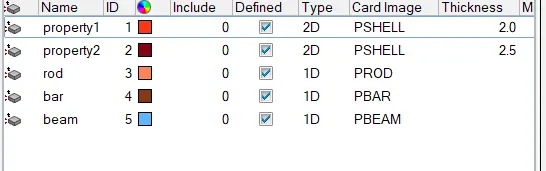
step4- creating the properties
we created the properties for the brackets and for 1d elemnts such as for beam,bar and the rod by assinging their thickness anfd the Card ID and the material.
step 5- Meshing of the compoment
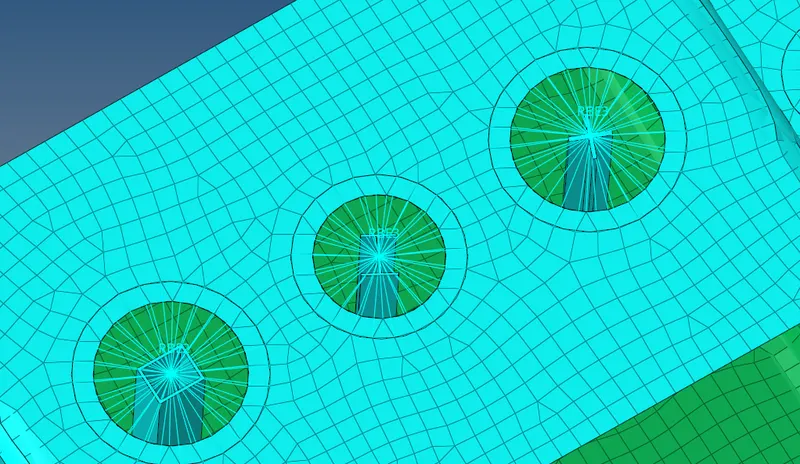
As we require nodes for the creation of id elemnts on the compoment so we need the mesh the compoment .first we create washer splits of offset of 5mm to catch finer mesh around the holes.and generate mesh with elemnt size of 5mm with mixed type of elemnt.
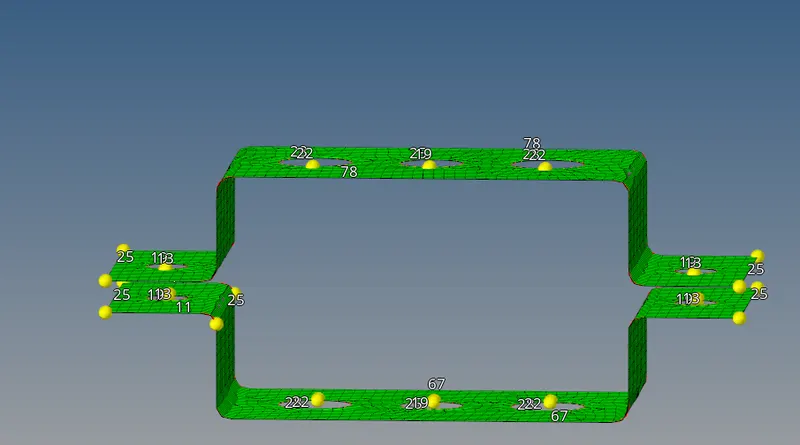
step 6 Creation of 1d elments
To create 1D elemnt we need go to the hyperbeam tool and select the respective cross section for creating 1D elemnt and give assigned dimension to the geometry as mentioned in the specification.
step 7 - Create the rigid at points a,b,c,and d
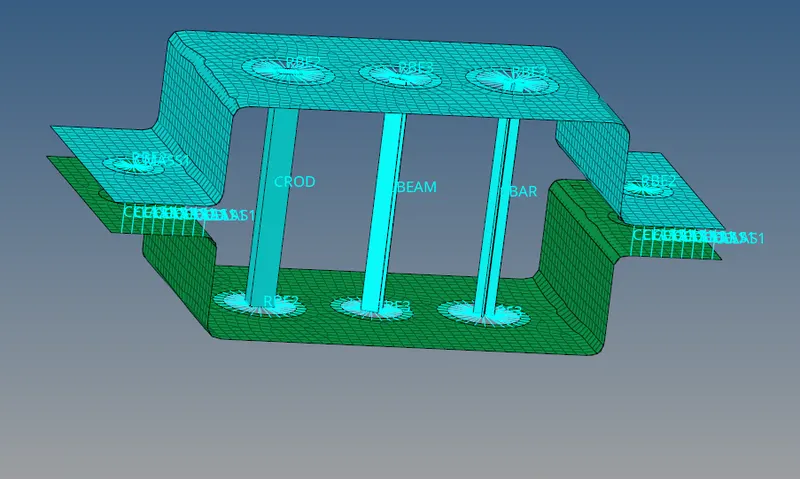
Create the RBE2 and RBE3 at the respective holes with given degree of freedom.
step 8-Create the rod bar and the beam !D elements at the erspective node points.
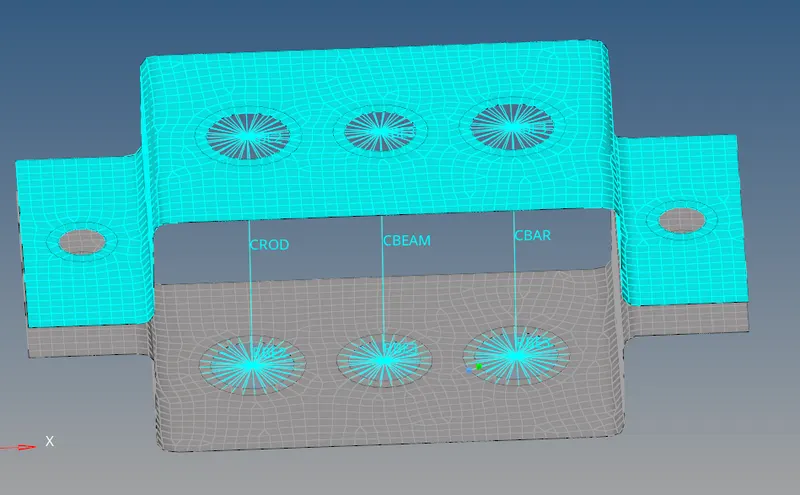
step 8-Update property of 1d element
Conclusion-
Extracted the mid surface for the given compoment and created mesh on the surface and applied the suitable 1d elemnts likeRBE2,RBE3 ,ROD,bar,beam mass and the spring and created solid resprentation.
sa