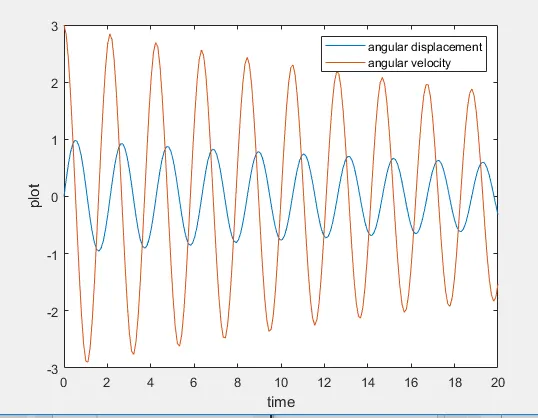
Week 3 - Solving second order ODEs
Pendulum angular displacement and velocity calculation
Introduction
A pendulum is a kind of weight called as a bob which is suspended freely to swing freely. When the pendulum is given a sideways thrust from inertia or its equilibrium position is accelerate back and forth with some velocity and displacement. In this report we are going to create a Matlab program for calculating the angular displacement and angular acceleration.
Steps for creating Pendulum 2nd order MATLAB program
1. First, erase and close the previous data keyed in by typing the clc, clear all and close all.
2. Input the length(l) of the string/rope, mass(m),damping coefficient (b) and gravitational force(g) for the pendulum.
3. Provide the initial conditions i.e the starting angular displacement and acceleration as per the challenge question and feed that into theta_0.
4. Now give the time values iterations and feed that as the t_span and mention the number of lopps to be run using linspace command.
5. Calculate the ang displacement and acceleration by using the ode45 function to solve for by creating a seperate function for running repeated loop for dtheta_dt which contains dtheta1_dt and dtheta2dt.
6. Give the coordinates for x0, y0 as zero as they are the start points.Create for loop to find x1 and y1 use the polar to cartesian conversion of points from using the y1 = -l*cos(results(i,1) and x1 = l*sin(results(i,1))
7. Now give the plot command for all x and y coordinates. give the axis limits for both x and y. Add marker coomand for the pendulum mass suspended in the string with markersize and markercolor .Give pause((seconds)) command interval for the images or animation that is being generated.
8. M(i) command is given for each ct the image will be saved in the movie(M). getframe command will get the current frame to be saved. give end commands for both the for loops generated.
9. Create movie file using Movie(M) and giving file name for the videofile with uncompressed avi format.
10. Then give command for open(videofile), writeVideo(videofile) close (videofile).
Errors during programing:
1.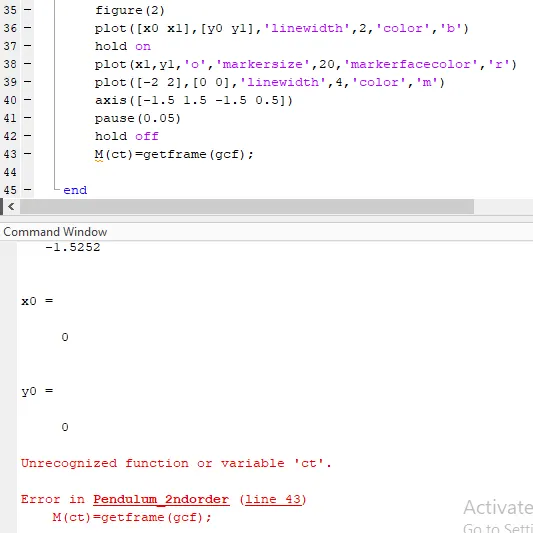
ct not given for this for loop as only i is given and no j
2.
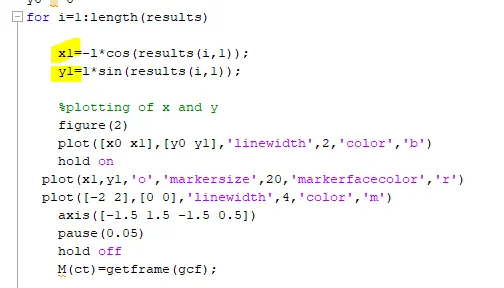
x1 and y1 interchanged and result graph
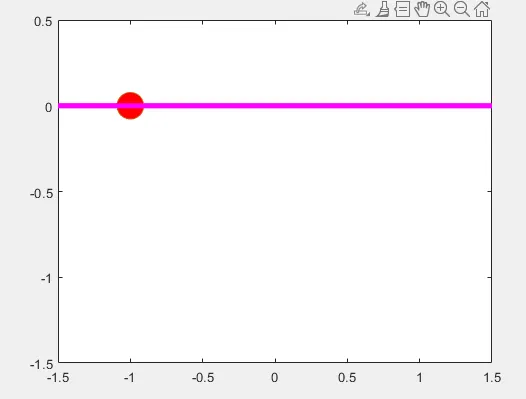
after correction
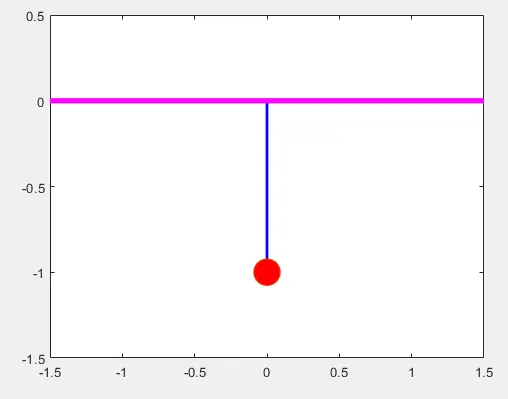
Youtube video link
https://youtu.be/Jui9axbY-pc
clc;
clear all;
close all;

% Input parameters
l = 1
m = 1
b = 0.05
g = 9.81

% initial conditions
theta_0 = [0;3];

% time points
t_span = linspace(0,20,200);

% solve ODE
[t,results] = ode45(@(t,theta) ode_func(t,theta,b,g,l,m),t_span, theta_0);

plot(t,results(:,1))
hold on
plot(t,results(:,2))
legend('angular displacement','angular velocity')
ylabel('plot')
xlabel('time')

x0 = 0
y0 = 0
for i=1:length(results)

    y1=-l*cos(results(i,1));
    x1=l*sin(results(i,1));

    %plotting of x and y
    figure(2)
    plot([x0 x1],[y0 y1],'linewidth',2,'color','b')
    hold on
    plot(x1,y1,'o','markersize',20,'markerfacecolor','r')
    plot([-2 2],[0 0],'linewidth',4,'color','m')
    axis([-1.5 1.5 -1.5 0.5])
    pause(0.05)
    hold off
    M(i)=getframe(gcf);

end

 movie(M)
 videofile = VideoWriter('pendulum_2ndode.avi','Uncompressed AVI');
open(videofile)
 writeVideo(videofile,M)
 close(videofile)
function [dtheta_dt] = ode_func(t,theta,b,g,l,m)

theta1 = theta(1)
theta2 = theta(2)
dtheta1_dt = theta2;
dtheta2_dt = -(b/m)*theta2 - (g/l)*sin(theta1);
dtheta_dt = [dtheta1_dt; dtheta2_dt];
end