Week 3 - Solving second order ODEs
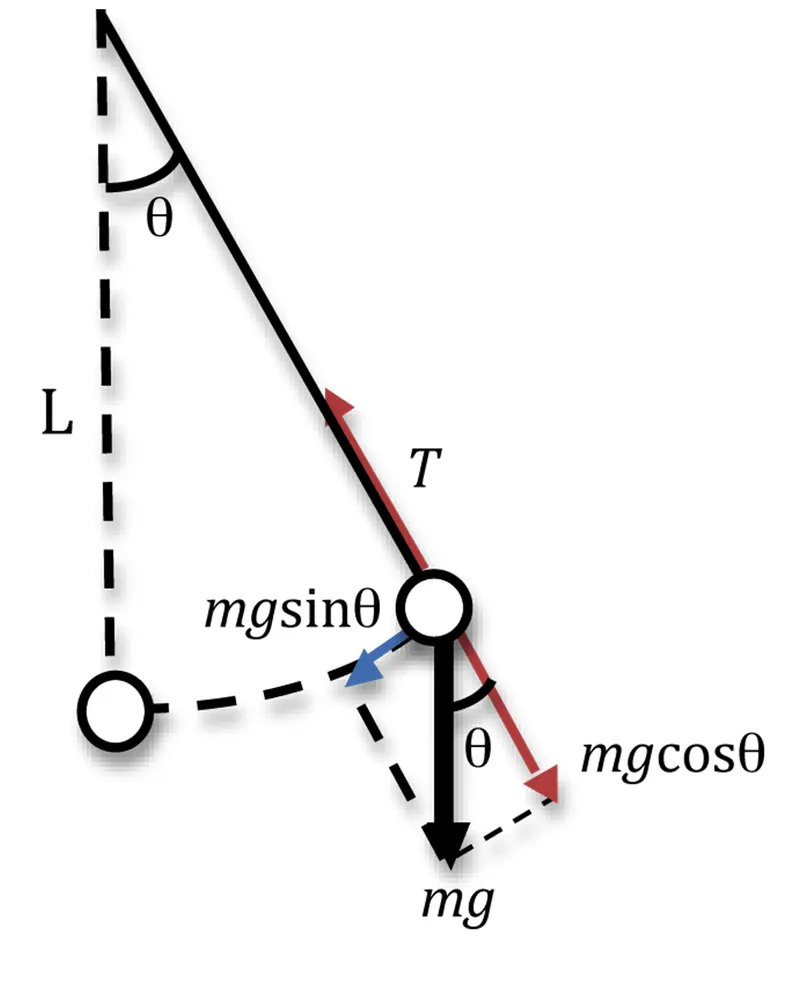
Theory & Explanation :- Pendulum moves Depends upon the Newtons Second Law . In this law second order Deffrential equation that describes the position of the ball With respect to time
this Figure tell about the angle theta & Newtons due to gravity & sine factor that work in ball.
Matlab Program :- simulation of pendulum motion
ode45 is inbuilt function of matlab that solve the second order deffrencial equation
close all
clear all
clc
% Write a program of plotting a graph of Pendulum motion
% Write a program of pendulum motion
%input
b=0.05;   % Damping coefficient
g=9.81;   % Acceralation due to gravity m/s2
m=1;    % mass of ball in kg
l=1;    % length of pendulum link in m
 %initial condition theta at t=0
 theta_0=[0;3];
 %time space
 t_span=linspace(0,20,200);
 % solving ode
 % ode 45 is inbuilt matlab Function that order diffrencial equation
 % calling Function ode_fun for value of t, Result
 [t,result]=ode45(@(t,theta) ode_fun(t,theta,b,g,l,m),t_span,theta_0);
% figure 1 showing the Graph between Time & velocity & displacement
 figure(1);
 plot(t,result(:,1)) % plotting of column 1 Displacement With Time
 hold on
 plot(t,result(:,2))  % plotting of column 2 Velocity With Time
 ylabel('displacement & velocity ---->  ')
 xlabel('time --------->   ')
 legend('Displacement','velocity')
 grid on

  ct=1;
for i=1:length(t)    %loop  Run with Time interval
       x0=0;          % initial piont of pendulum link
       y0=0;

    %step2 for link 2
         x1=l*sin(result(i,1)); % point indicates of pendulum link end points
         y1=-l*cos(result(i,1));
         figure(2)
    % Plotting Rigid Body
       plot([-1 1],[0 0],'linewidth',5,'Color','r');
       hold on
    % line graph for the Pendulum link or Wire
       line([x0 x1],[y0 y1],'linewidth',1,'Color','b');
    % Plotting of massive bob with marker command
       plot(x1,y1,'o','markers',20,'markerfacecolor','g')
       hold off
       axis([-2 2 -3 2]) ; % Set axis of graph
       grid on
      % legend command Show of all the parts with color
       legend('Rigid Support','Pendulum link','massive Ball')
       pause(0.03) % pause command for speed of running Animation
       M(ct)=getframe(gcf);  % array getting all frame
       ct=ct+1;       %Counter for figures
end
  movie(M)     % create a movie  of all frame
 % save the animation and get the  access of file
 videofile=VideoWriter('Motion_Pendulum.avi','Uncompressed AVI');
 open(videofile)
 writeVideo(videofile,M)
 close(videofile)
calling Function for solving ODE :-
This ODE represents the equation of motion of a simple pendulum with damping
% Function for 2nd order deffrencial equation solving
function [dtheta_dt]=ode_fun(t,theta,b,g,l,m)
 theta1=theta(1);
 theta2=theta(2);
 dtheta1_dt=theta2;
 dtheta2_dt=-(b/m)*theta2-(g/l)*sin(theta1);
 dtheta_dt=[dtheta1_dt;dtheta2_dt];
end
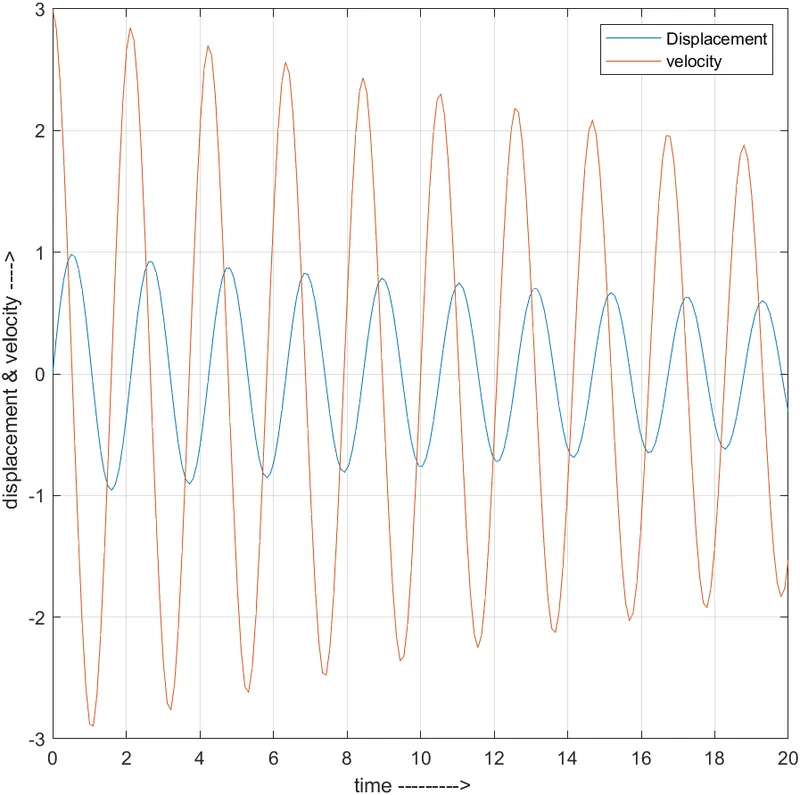
output of Program : Figure 1 indicate motion graph of the Displacement & velocity With respect to time
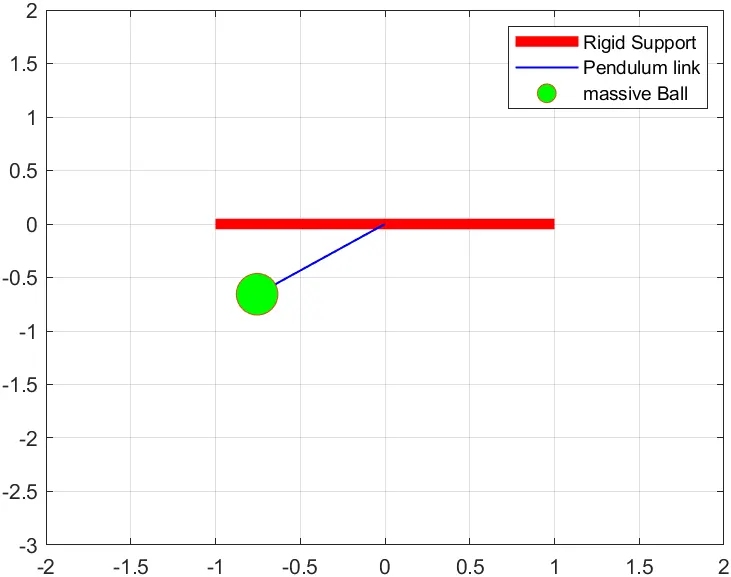
figure 2 indicate the motion of pendulam
I have got the error thats only the logic about the Program aim
like how the pendulam link moves & fixing axis .how the call of result of ODE Solution in plot cammand.
These are all error overcome by the changing parameters And Run the program again & again by observation
I know the syntax of program in matlab
I dont know about the pause off cammand also that is also one logic error in program aim.
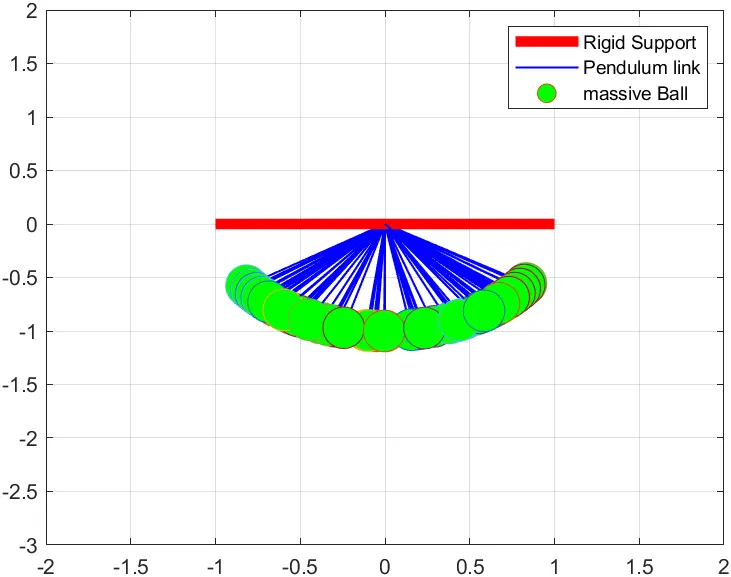 this error overcome by pause off command
one more error comes in markers command by missing s from marker
MATLAB Command Window Page 1
Error using plot
Invalid enum value. Use one of these values: '+' | 'o' | '*' | '.' | 'x' | 'square' |
'diamond' | 'v' | '^' | '>' | '<' |
'pentagram' | 'hexagram' | '|' | '_' | 'none'.
Error in pendulam (line 44)
 plot(x1,y1,'o','marker',20,'markerfacecolor','g')
Video link that will uploaded in youtube- https://youtu.be/5dX5S7CQuJo